Labor Day Appliances SaleEnds 9/16. Limited quantities. No rainchecks.Shop now

Skip to contentGo to Product Search
Main Content

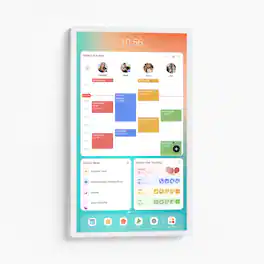
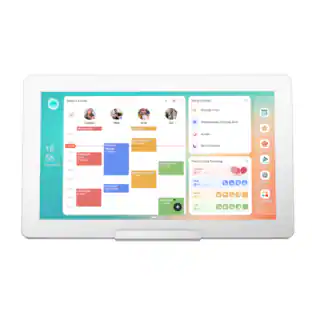
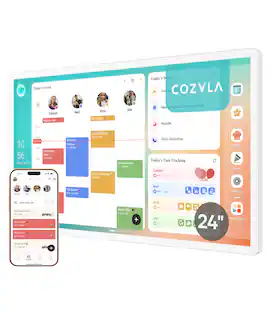
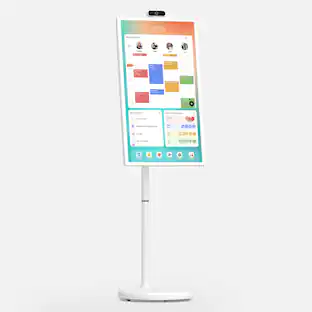
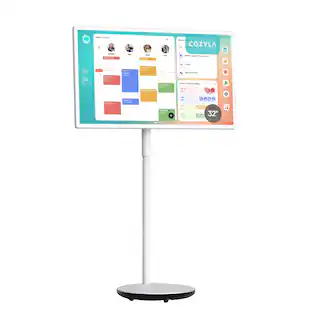
Cozyla - Digital 32" Calendar+2 4K - White

Model: CD-8V543F0
SKU: 6677330
Sold byBest Buy

Customers are saying

Customers commend the display quality of this product. Users are particularly pleased with how the device looks when mounted on the wall.

Generated by AI based on customer reviews.
Features
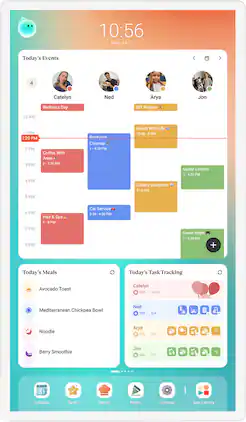
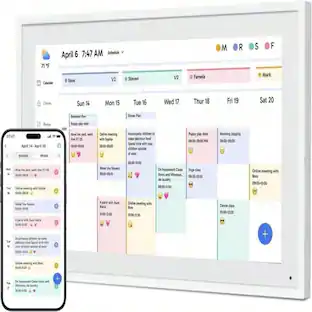
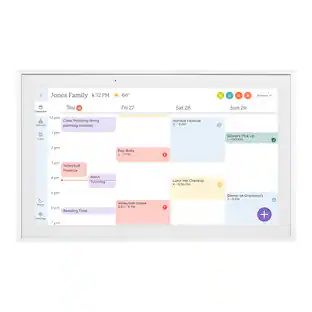
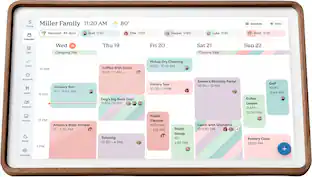
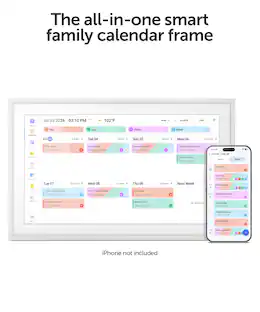
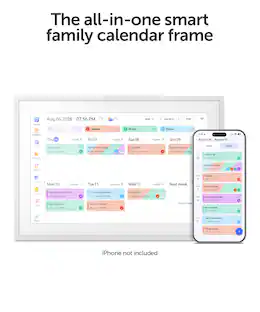
  • Shared Calendar

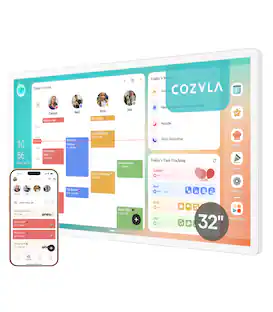
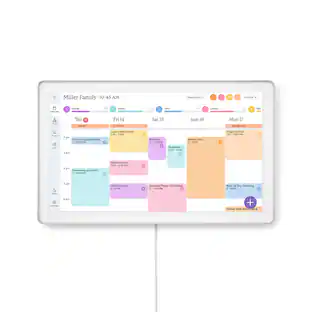
    Auto sync each member's Apple, Google, Outlook and other calendars into one unified family view.

  • Family Profiles

    Create up to 8 profiles, each with personalized color coding and individual settings.

  • Customizable Dashboard

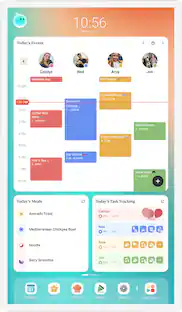
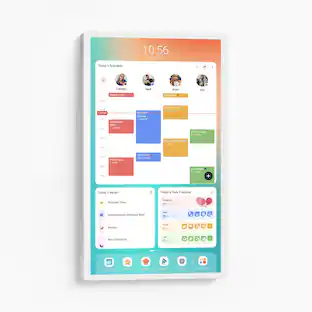
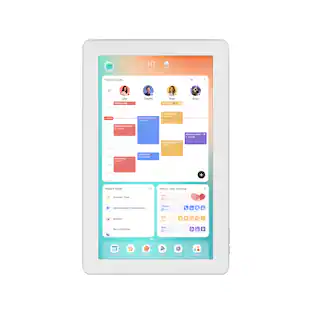
    Personalize your Cozyla's home screen with widgets, calendars, shortcuts, lists, and integrated time and weather displays.

  • Rewards

    Configure custom rewards and manage point redemptions. Smart Import converts uploaded photos or URLs into calendar events or recipe entries.

  • Companion App

    Manage Cozyla devices, schedules, tasks and meals from your phone.

  • Time and Weather::

    Keep abreast of the latest weather forecasts and time updates.

  • Google Assistant:

    Say "Hey, Google" to wake up the Google assistant hands free when adding events.

  • App Store

    Download apps that expand your device’s capabilities.

  • Smart Home Hub

    Works with Amazon Alexa and Google Home, along with any app that is compatible with Android.

  • Screensaver & Sleep Mode

    Customize screensavers and set automatic sleep schedules to reduce nighttime glow and save energy.

  • Meal Planning

    Plan daily meals and simplify family cooking with our recipe library and step-by-step instructions.

  • Cooking Videos

    Access embedded YouTube instructional videos when conducting recipe searches.

  • Grocery List

    Auto-generate shopping lists based on your meal plan.

  • Pantry Tracker

    Tracks existing ingredients, quantities, and expiration dates.

See all features
Specifications
  • Brand
    Cozyla
    Model Number
    CD-8V543F0
    Product Name
    Cozyla Digital 32" Calendar+2 4K
    Color
    White
    Product Width
    29 inches
    Product Height
    17.17 inches
Sponsored

Reviews

Rating 4.4 out of 5 stars with 10 reviews

5 star rating. 6 reviews4 star rating. 2 reviews3 star rating. 2 reviews
80% would recommend to a friend
Customers are sayingCustomers commend the display quality of this product. Users are particularly pleased with how the device looks when mounted on the wall.
This summary was generated by AI based on customer reviews.
  • Display Quality (8)

Customer Images

The vast majority of our reviews come from verified purchases. Reviews from customers may include My Best Buy members, employees, and Tech Insider Network members (as tagged). Select reviewers may receive discounted products, promotional considerations or entries into drawings for honest, helpful reviews.

  • Rated 5 out of 5 stars

    A helpful tool for keeping the household in sync

    Our busy household was in need of organizational assistance. Preferably, something to help with shopping lists, meal planning, sharing household tasks equitably, vehicle availability and more. We tried using shared reminders and checklists on smartphones, but it wasn’t an optimal solution. I needed something that would be more in everyone’s face. This 32-inch Cozyla Calendar+2 4K does exactly that. The family loved it and began using it immediately. The shipped package was heavier than anticipated when received. I was worried about the weight but to my relief discovered that a good portion of the boxed weight was from the two metal mounts, bundled accessories, and bulky packaging. The display itself, while still somewhat heavy, wasn’t nearly as weighty as I’d feared. The full shipped package includes the display, metal rotating mount, metal fixed mount, ¼-inch drill bit, Philips head screwdriver, instructions, power cord, screws, wall anchors, mounting templates, and a small level. I opted to use the rotating mount which allows the display to be rotated from portrait to landscape mode. Installation was straightforward and both printed and QR codes to online video guided instructions were provided. I taped up the template onto the wall, drilled four holes using a ¼-inch drill bit (included), lightly hammered in the wall anchors into the holes, attached the mount screws (leaving enough space for the mount to slide on and off), attached the mount to the back of the display, and slid the display mount back onto the wall screws. Once the display was wall mounted, I installed and setup the Cozyla app on my smartphone and created an account. The app instructed me to scan the QR code on the display to add it to my account but the scan kept failing. I eventually added it manually by logging into the Cozyla account directly on the display. I setup family members in the app and the display applied a firmware update after it connected to wifi. Afterward, the display was ready to use. The 4K resolution is clear, with clean graphics with sharp text. It’s suitable for viewing the primary content as well as photos and video. The display has built-in speakers that are sufficient, much like laptop speakers. The gesture driven touchscreen is reliably sensitive and responds appropriately to touch and swipes. The physical screen is rotatable on the rotating mount and the display auto-rotates to match the orientation when rotated between portrait and landscape. The Cozyla display utilizes a single master account. All household users with the Cozyla smartphone app installed must login to the app under that primary account but can switch to their individual profile after they login. The operating system on the display is Android, so at least one Google account is also necessary to install and update apps as well as use personalized Google services like photos. A Google account is not mandatory, but some functionality is limited without it. It is recommended not to use an existing personal account since everyone with access to the display will also have access to the logged in Google account and all associated Google services. I created a new generic Google account specifically for the display. The panel functions almost identically to a tablet or smartphone and works using swipe gestures. Apps are closed by swiping up from the bottom. In addition to the base Cozyla apps there are Android apps typically preinstalled by default on Android devices (Gmail, Google Photos, Google Calendar, Google Drive, etc.). Additional apps can be downloaded through the Play Store. The Cozyla OEM apps are what we need primarily out of the device and they have been useful for aiding with household management. They help us plan meals, maintain pantry/kitchen food inventory, create shopping lists, assign tasks and chores, create shared calendar items, and the display even has a few nice extras like recipes. There are optional subscription tiers that offer additional features. We’re fine for now with the base apps and operations. Hopefully, it stays this way because the last thing I want or need is yet another subscription. The base apps have been sufficient so far and are easy to use between the app and physical display. Our household members use them to share appointments, add to the shopping list, plan meals and assign tasks to each other. Item entry is easy in the app and it helps make easy work of keeping up with running tasks. Aesthetically, the large 32” display isn’t the most decorative in nature. The display isn’t bad looking, it just doesn’t naturally fit into our room décor. It feels more like a commercial rather than home product. That’s understandable since it resembles the sort of digital kiosk you’d find in your doctor’s office or a commercial facility. Utilizing the built in photo or clock screensaver makes it look slightly less commercial and more like a large digital photo frame or wall clock when not in use. I’ve found it to be the best option to not make the display appear so commercial or out of place. There are a couple areas where I feel there’s room for improvement. One is the display not having some sort of power saving feature. It has scheduled sleep schedules where the display fully goes dark, and a screensaver that activates after a preset period, but the display is fully illuminated nonstop outside the set 11pm and 7am sleep hours. Even if the screensaver had a screen blank/off option it would be a welcome power saving feature. Another thing I noticed is that display settings like the screensaver can only be set on the display and not through the app. The app is useful for using the household management apps, but doesn’t allow me to access settings for the physical screen. These can only be adjusted on the display. Better integration between the app and display for system settings would be helpful. Beyond those two minor quips, I found no other cons. Overall, despite the areas I feel could use improving, the display has been a welcome aid for keeping our household organized and in sync. We all make it a point to check daily and all it takes is a quick glance to see if anything new was posted and requires attention. I put it in a highly visible and heavily trafficked area so we see it as soon as we enter and before we leave the house.

    Posted by JMan

  • Rated 3 out of 5 stars

    Beautiful but not without caveats

    I like the idea of what this family organizer does, but some of the implementation of those ideas miss the mark. It is a huge, beautiful touchscreen display, with excellent brightness and crisp visuals. It runs android and is smooth and easy to interact with. It also employs an easy to read and family friendly art style with plenty of options for light and dark modes, screen savers, and other customizations. Setup is easy but makes a few baffling choices that I struggle with. First off, the intention is to have a hub where everyone shares their calendars and schedules with the app so they can be synced to the calendar. But for some reason, only one person can be signed into the app, and that main sign in account is used on every other device that then selects a profile to sync to. I question why it isn’t possible to have each user establish their own unique app ID to be able to sync to the calendar directly. Particularly since I also have concerns about the security of the calendar syncing function. It requires that you sign into each of your accounts you wish to sync and does not make it clear how the security of your information will be treated nor what exactly it will be allowed to access in the process. If that main account were to become compromised it would then be a breach for every single person who is connected to that account for the calendar. And since there is little clarity about how deep the connection goes when you sign in, it seems to me that it would be possible to have a significant impact on all of your household personal data. There is no option for 2FA, passkey, or any other higher security login credentials either. On another note, the device is also not renter friendly in that it requires additional 3rd party hardware to be able to sit it on a table or countertop as it is designed to be wall mounted which is not always possible in a rental property. I liked the idea of a family organizer like this, and while it is certainly nice to look at and has fun note pad tools and other interesting features it makes me really nervous about the state of my family’s data and the total lack of security options it offers. I may come around over time but I have big concerns and I don’t see a solution for them in the short term.

    Posted by Josh

  • Rated 4 out of 5 stars

    A Cool, But Expensive Family Organizer

    The Cozyla 32" Calendar 2 4K is essentially a wall‑mounted central hub for your household. It’s a large, sharp 4K touchscreen that pulls together calendars, reminders, lists, and shared family tasks in one place. The display is bright, the interface is straightforward, touch response is fast, and the sheer size makes it impossible for anyone in the house to claim they “didn’t see” something. It syncs with multiple calendar platforms through the Cozyla app, which works on both iOS and Android. Setup is simple, and once your accounts are linked, updates happen automatically. I connected my own Google calendar along with my daughter’s and my wife’s, so we can all check it while walking down the hallway or when we don’t feel like pulling out our phones. Also, the chore‑list/rewards feature would have been a huge plus back when I had younger kids at home, and the ability for family members to check items off in real time is genuinely useful. Here are the pros and cons I found after using the Cozyla for about a week: Pros: Large, crisp 4K display that’s easy to read from across the room Fast, responsive touchscreen Straightforward setup and intuitive interface Syncs with Google, Apple, Outlook, and other calendars Auto‑brightness and sleep mode work well Doubles as a photo frame and offers great active backgrounds Wall‑mountable and looks clean in a kitchen or hallway Cons: Pricey—very pricey The size is great, but it demands wall space and a nearby outlet Speakers are basic—fine for alerts, not much else Overall: The Cozyla 32" Calendar 2 4K is a big, sharp, and genuinely useful digital, wall‑mounted home organizer. If your family constantly asks what’s happening this week, or if you’re tired of whiteboards, sticky notes, and people ignoring shared digital calendars, this gives you one central place everyone can actually see and use. For families with younger children, this could be a game changer. You can set chores, tasks, and even rewards that kids can “cash in” for prizes you define. They can check items off themselves right on the Cozyla, which makes the whole system more engaging. If you do have kids, set up the parental controls immediately. At the end of the day, this is still a giant Android tablet, and the potential for accidental chaos is there. Fortunately, a factory reset will fix anything major. Is it a “necessary” device? No. But it’s well‑designed and does exactly what it’s supposed to do. If you want a clean, modern replacement for the fridge calendar or the hallway corkboard, the Cozyla is worth a look, just be ready to open your wallet wide.

    Posted by KMed

  • Rated 5 out of 5 stars

    Great Family Hub

    I have been looking for this type of device that makes any working family with so many schedules and chores stay organized. The idea of having a centralized calendar where everyone in the house could manage their work appointments, school activities, social gatherings, etc., in one place sounds like a must-have. After using this Cozyla Calendar 32-inch 4K for almost a week now, I can genuinely say that this digital calendar is a great device not only because of its core function, which is a calendar, but because it's doing more and more beyond being solely a calendar. This Cozyla calendar turned out to be a centralized hub for my entire family's schedules, reminders, grocery lists, and daily planning. Technically, it displays every family member’s schedule on its large, gorgeous screen and makes it super easy for all of us to track and see what we have on our daily or weekly days. The first thing that stood out and impressed me was the gorgeous 32-inch 4K UHD touchscreen powered by Android OS. The display has vibrant colors and provides excellent viewing angles. It is easy to read even from a distance. The touch capability is responsive and lag-free. The UI is intuitive, fluid, and overall well-designed. Navigation is also simple, and nothing is cumbersome. In addition to its amazing functionality, it has a modern and clean design and mounting it on the wall blends perfectly with my house’s furniture. Installation is straightforward, and everything needed for wall mounting is included in the box. You can choose between a fixed or a rotatable wall mount, and both mounting brackets are provided. I went with the rotatable mount because I had enough wall space, and I like the flexibility of switching between landscape and portrait orientations whenever I want. The tools included are high quality, from the screwdriver to the drill bit. It's nice to see the company paid attention to installation experience and make my work more efficient. Setting it up was very simple. And I was able to do the setup either on screen or on the phone app. Cozyla allows me to add and sync multiple calendars and is not limited to Google; it also supports Apple Calendar, Outlook, and other popular calendar services. The clever color-coding feature enables each family member to choose their preferred color, so it is easy to see who has appointments, meetings, or activities at a glance. It also includes built-in tools for meal planning, chore management, grocery lists, to-do lists, and family notes, which help keep everything organized in one place. Also, it has widgets that you can create on screen. Since this calendar is powered by Android OS, the Google Play Store is available to install any productivity and lifestyle apps, making it not only a calendar but also a smart home hub, entertainment, and note-taking. My other benefit from this great digital family hub is its subscription-free. The speakers have decent sound, but they serve their purpose for notifications and watching videos. Overall, the build quality of the calendar is excellent, and its function is even great and exceeded my expectations.

    Posted by Zaid

  • Rated 5 out of 5 stars

    So convenient!

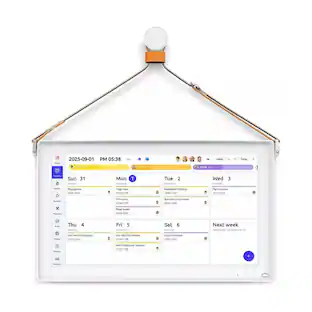
    The Cozyla Calendar +2 is like an oversize version of a paper calendar! I got the 32" version which measures 29" x 17" and looks great on the wall. Since it's only just over an inch thick, it doesn't stick out from the wall! The box includes all necessary mounting brackets and templates to make it easy to mount. They even included the screws and mollies to mount it either landscape or portrait. We chose the portrait style so it looks more like a traditional paper calendar. It works like a traditional calendar in that you can enter events manually via the large touch-screen keyboard, or via voice by touching the microphone icon. We were able to easily sync our Google calendars to the Cozyla but you can also do this with Outlook as well. You can organize calendars for the entire family in one place! The unit includes a data cord for transferring files to the device, along with a power cord that's long enough for virtually any type of installation. The unit itself is simple to use with just a power button and a volume +/-. The rest of it is accessed via the touch screen. One of the coolest things about the Cozyla is the ability to create chores via the task app. You can then assign these duties to your kids/family members and they can check them off when complete. All of this can be done on the physical unit, or via the downloadable Cozyla phone app. Each user can have the app that ties directly into the Cozyla so they can easily view upcoming events or what chores they need to do. There's also a meal planner which includes recipes! You can search existing recipes or create your own. Pick a meal, click on the ingredients, and they can be automatically added to your shopping list. The recipes also provide links to videos showing how to prepare it. The Cozyla comes with several preloaded apps that you can access, including YouTube, but you can also search and install other apps as well. The Cozyla has an Android operating system so it's really like an oversize phone or tablet. It's great for a family of two, or even better for a full house. All activities can be stored and accessed from the unit itself, or through the phone app. It's truly a great product designed to make so many things easier.

    Posted by Michael

Compare similar products

Cozyla - Digital 32" Calendar+2 4K - White
4.4(10)

Cozyla's Digital 4K 36" Calendar+ 2 brings together every family member's schedules, routines, chores, and meal plans into one smart display with CalendarOS
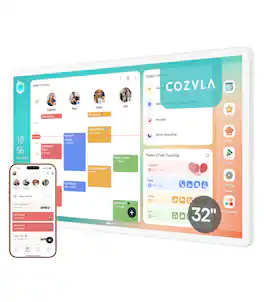
Cozyla - 32" Digital Calendar+2 - White
4.6(11)

Cozyla's Digitial 36" Calendar+ 2 brings together every family member's schedules, routines, chores, and meal plans into one smart display with CalendarOS
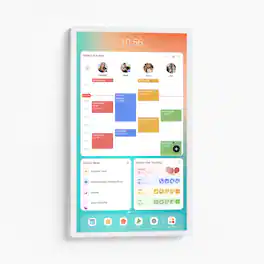
Cozyla - Digital 24" Calendar+2 - White
4.9(14)

Cozyla's Digital 24" Calendar+ 2 brings together every family member's schedules, routines, chores, and meal plans into one smart display with CalendarOS

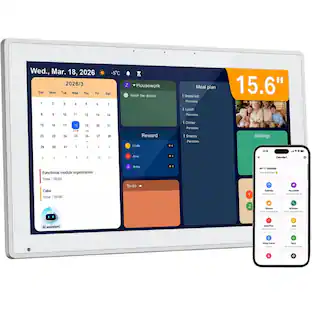
Cozyla - Digital 15.6" Calendar+2 AIO Family Hub & Planner Bundle - White
3.6(13)

Cozyla's Digital Calendar+ 2 brings together every family member's schedules, routines, chores, and meal plans into one smart display with CalendarOS

Pros for Cozyla - Digital 32" Calendar+2 4K - White
Display QualityDisplay QualityDisplay SizeDisplay Quality
Cons for Cozyla - Digital 32" Calendar+2 4K - White
There were no cons for this productThere were no cons for this productThere were no cons for this productSoftware Usability

Specs

Questions & Answers
  • How many family profiles can be created on this device?

    You can create up to 8 individual profiles on this device.

    This question and answer was generated by AI based on customer and product data.
  • Can I sync my existing calendars to this device?

    Yes, you can auto sync your Apple, Google, Outlook, and other calendars into one unified family view.

    This question and answer was generated by AI based on customer and product data.
  • What features are available to help with meal planning?

    The device includes a recipe library with step-by-step instructions, a pantry tracker for ingredients, and the ability to auto-generate shopping lists based on your meal plan.

    This question and answer was generated by AI based on customer and product data.
  • Does this smart display work with voice assistants?

    Yes, this smart display works with both Amazon Alexa and Google Home.

    This question and answer was generated by AI based on customer and product data.
  • Is it possible to reduce the screen brightness at night?

    Yes, you can customize screensavers and set automatic sleep schedules to reduce nighttime glow and save energy.

    This question and answer was generated by AI based on customer and product data.
Ask a question
No content
Sponsored

Finance Options

My Best Buy® Credit Card
Choose a benefit:Or
Buy Now, Pay Later
Lease to own