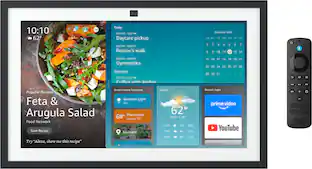
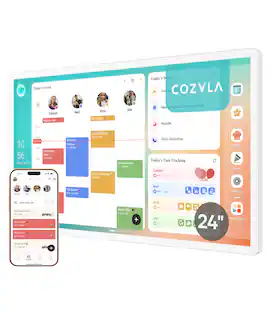
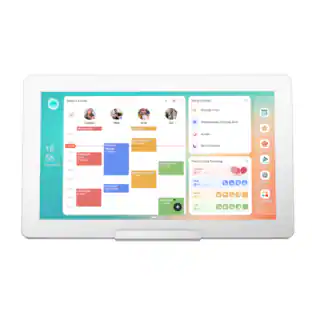
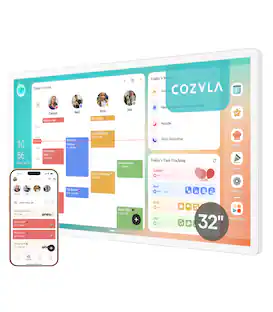
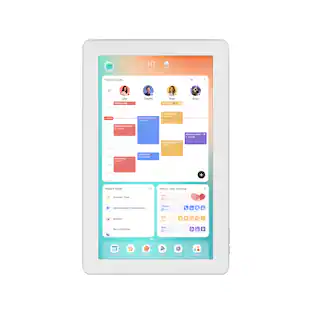
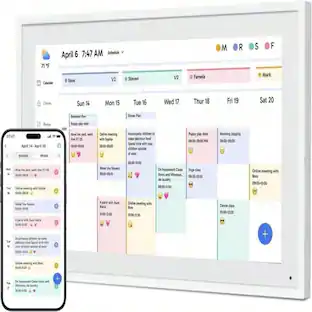
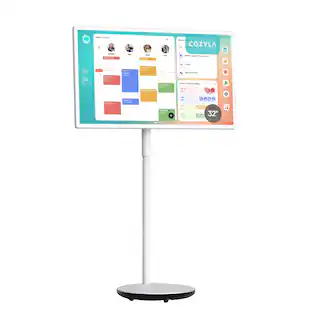
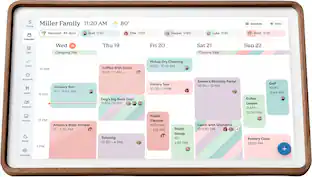
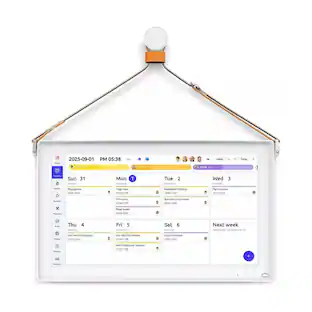
Cozyla - 32" Digital Calendar+2 - White
Customers are saying
Customers are delighted by the display quality of this product. Users frequently highlight that the screen offers a very nice visual experience.
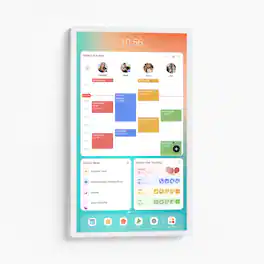
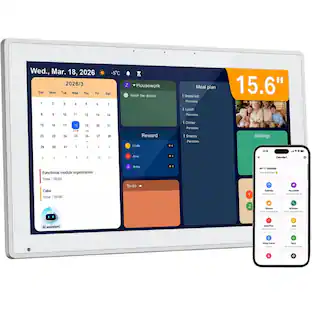
Shared Calendar
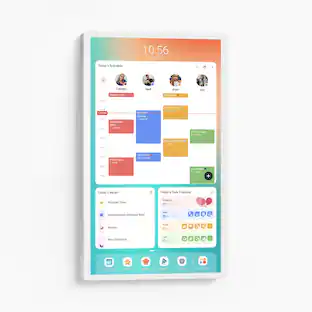
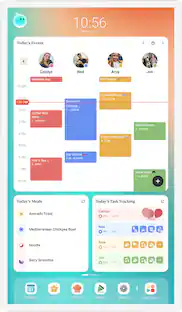
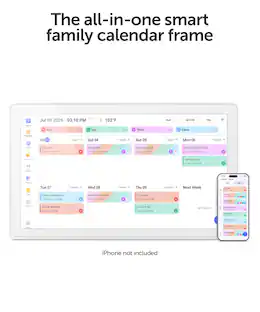
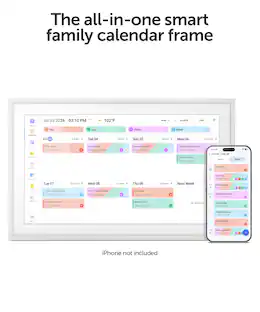
Auto sync each member's Apple, Google, Outlook and other calendars into one unified family view.
Family Profiles
Create up to 8 profiles, each with personalized color coding and individual settings.
Customizable Dashboard
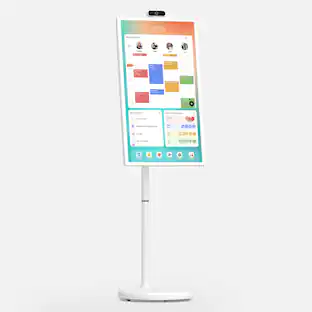
Personalize your Cozyla's home screen with widgets, calendars, shortcuts, lists, and integrated time and weather displays.
Rewards
Configure custom rewards and manage point redemptions. Smart Import converts uploaded photos or URLs into calendar events or recipe entries.
Companion App
Manage Cozyla devices, schedules, tasks and meals from your phone.
Time and Weather::
Keep abreast of the latest weather forecasts and time updates.
Google Assistant:
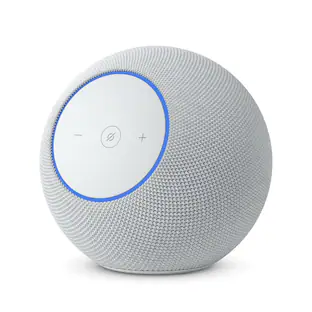
Say "Hey, Google" to wake up the Google assistant hands free when adding events.
App Store
Download apps that expand your device’s capabilities.
Smart Home Hub
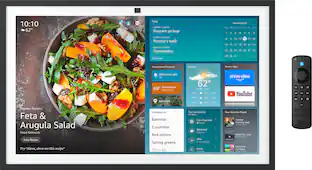
Works with Amazon Alexa and Google Home, along with any app that is compatible with Android.
Screensaver & Sleep Mode
Customize screensavers and set automatic sleep schedules to reduce nighttime glow and save energy.
Meal Planning
Plan daily meals and simplify family cooking with our recipe library and step-by-step instructions.
Cooking Videos
Access embedded YouTube instructional videos when conducting recipe searches.
Grocery List
Auto-generate shopping lists based on your meal plan.
Pantry Tracker
Tracks existing ingredients, quantities, and expiration dates.
- BrandCozylaModel NumberCD-8V543F2Product NameCozyla 32" Digital Calendar+2ColorWhiteProduct Width29 inchesProduct Height17.17 inches
Reviews
Rating 4.6 out of 5 stars with 11 reviews
4.6- Display Quality (7)
Customer Images
The vast majority of our reviews come from verified purchases. Reviews from customers may include My Best Buy members, employees, and Tech Insider Network members (as tagged). Select reviewers may receive discounted products, promotional considerations or entries into drawings for honest, helpful reviews.
- Rated 5 out of 5 stars
Integrate Your Family’s Calendars
The Cozyla calendar has been a nice addition to our family’s home and lifestyle. The big vibrant screen, integration between devices and (calendar) accounts, and ease of use has made it a great experience. It is all about organization! I have the 32inch Digital Calendar+2 model but there are a variety of different models depending on your need. Important note: be prepared to hang this on the wall. A rolling battery floor stand and a full motion and extension wall mount are available to purchase if you can’t use the standard included wall mount. The Cozyla was well packed and ship. Unpacking the device was easy with a premium feel as expected. Parts were separated in different boxes and even included a template, level and screw driver to help with install but you will need your own drill. Once unboxed, I was ready for the install which took about an hour overall. I had to choose the right spot and decide location where I install it if I was going to put an outlet at a higher level. I’m comfortable, adding in my own outlet, but others might need to hire someone. Luckily, I have a spot in my kitchen with an outlet that’s higher up of the counter and a larger where I can put this screen and landscape or portrait mode. All mail does rotate so you can have the calendar either way, and the screen auto rotates one turned. Once I found my spot in the kitchen I used the template, leveled and drilled the holes. I removed the template inserted the wall anchors, grabbed my mount and screwed it into the wall. Once that was done, I attached the second half of the mount to the Cozyla and hung it on the wall. My outlet that I had in the kitchen was close to the screen already so I did not have to install an additional outlet. I do have to say I am disappointed in the size of the power brick as you would have to install a large box with an outlet behind the Cozyla in order to hide it because it being so large. I’m not sure how this part was missed they should’ve thought of another way to, integrate this into the device and have a smaller plug. This may defer many people from buying this device, but really it’s the only flaw. Big Note: You can only have one Cozyla account with different profiles within that account. For example, if you want to add your kids or spouses for access and to upload their calendars from their devices, they would each sign into the same Cozyla account. From there they would select their internal profile to manage their side of things. Want to select a profile it will not ask you again unless you sign out. The digital setup was easy and I connected my google account, created a Cozyla account, downloaded the app, and integrated all of my calendars from there. The set up on the screen is very straightforward and takes you step-by-step. Note, I did get stuck in a loop with setup and my google account but it eventually self corrected itself. This part took about 10 minutes with connecting phones and calendars. Once my calendars were added, or the accounts were attached, everything was seamless. You may have to refresh the app on your phone or the screen if you just made a change to your calendar. You can add something to your calendar on your phone, on Google, or on the Cozyla app or calendar itself and it will all integrate. Cozyla also supports Outlook, Apple and other formats. The possibilities are quite endless with the screen. You can use it more than just as a calendar. The calendar part is easy with different profiles adding items can be done manually or through a picture of invite or screen shot from your phone. The calendar also has to do list with reward systems for your family. I can help you with routines meal prep while all being connected to the Internet. It can also take notes, has voice commands, widgets, smart home controller, I even installed a weather app which is very useful. Too many settings to name here, but the biggest one that I have taken advantage is the auto on and off so the device shuts down every night and then turns back on early in the morning before we wake up. I’ve removed the passcode because I want these access anyone can view the calendar at my house and I don’t need a pin to be in the way. Also the screensaver I have updated as it is a live screen you could do family photos, different backgrounds. The possibilities are really endless. This is essentially a very large table, but well integrated with Cozyla software. Overall, this has been a fantastic addition to our household, and we would recommend anyone to get it if they need help organizing their household or they need a center point to get your households calendars managed. Great idea, device and app!
Posted by Tstall
- Rated 5 out of 5 stars
We’ve used a few of these and this is the best!
My thoughts on the Cozyla 32” 1080p Calendar+, and after spending time living with it on the wall, I can say it is one of the more complete family organization tools I have tested. This is not a simple digital picture frame with a calendar slapped on. It is a full Android-based smart display built around family scheduling, shared visibility, and everyday household coordination. The white finish looks clean and modern without drawing attention to itself. Cozyla includes a rotating wall mount that allows both landscape and portrait orientation. I mounted mine in landscape in a high-traffic area where the whole household can see it at a glance. There is also support for a tabletop stand and, on some 1080p configurations, a rolling battery stand if you prefer not to drill into the wall. The ports are tucked at the back or edge—USB-C, USB-A, and power—and the dual 5-watt speakers are adequate for notifications, music, or light video playback. Setup follows a familiar Android tablet path. Connect to Wi-Fi, create or sign into accounts, and the device walks you through the rest. The system runs a customized Android environment called CalendarOS. You get access to the Google Play Store, so the device is not locked into Cozyla’s own apps. You can install YouTube, Netflix, streaming services, additional productivity tools, or whatever else you need. That openness is a real advantage over many competing digital calendars that keep you inside a closed ecosystem and often require a subscription for full features. The heart of the product is the shared calendar system. You can create up to eight family profiles, each with its own color. Two-way sync works with Google Calendar, Apple Calendar / iCloud, Outlook, and several other services. Once connected, events appear on the big screen and update when changes are made from a phone or computer. Color coding makes it immediately obvious whose appointment or activity is coming up. You can view the day, week, or month, and the interface is responsive enough that tapping and dragging feels natural on a screen this size. I found the multi-user approach particularly useful. Different people can add events from their own phones through the companion app or directly on the device, and everything stays synchronized. The large display eliminates the “I didn’t see that text” or “I forgot to check the shared Google Calendar” problem that happens in most households. When the screensaver is active, upcoming events still remain visible in many configurations, which is a thoughtful touch. The home screen is fully customizable. You drag and drop resizable widgets for calendars, to-do lists, weather, notes, media players, and more. You can create different layouts or switch between focused views depending on the time of day. This flexibility turns the device into more than a calendar—it becomes a household command center. Weather, next appointments, shopping lists, and quick notes can all live on the same screen without constant app switching. Touch response is solid. The panel supports touch-to-wake, so the screen comes alive when someone approaches or taps it. Brightness and sleep schedules can be adjusted so the display is not glowing brightly at night. Cozyla includes a chore and rewards system that many families will find useful. You assign tasks to specific profiles, set repeat schedules, and attach point values. Completing chores earns points that can be redeemed for rewards you define. It gamifies household responsibilities in a way that feels more engaging than a paper chart on the fridge. Kids (and adults) can see their progress and what they are working toward without constant reminders from a parent. The meal planning tools are similarly practical. There is a built-in recipe library, the ability to add your own meals, and options to schedule dinners on the calendar. Some recipes link to video tutorials. Grocery lists can be generated from planned meals, which reduces the mental load of weekly planning. These features are not revolutionary on their own, but having them live on a large shared screen that everyone sees daily makes them more effective than the same tools buried inside a phone app. In daily life the Cozyla settles into the background in the best way. Morning routines become clearer because the day’s schedule is visible without unlocking a phone. Evening planning is simpler when the whole family can stand in front of the same screen and discuss what is coming. The digital photo frame / screensaver mode means the device never looks like dead black glass when idle. Family photos or selected artwork cycle through, and the calendar information can still surface when needed. The device is heavy, and wall mounting requires care and proper hardware we bought a stand because of this. Software can occasionally feel a step behind the latest premium Android tablets in smoothness, which is expected given the price and form factor. Some users may wish for stronger anti-glare performance in very bright kitchens, though the matte qualities of the panel help. There is no built-in battery on the standard wall model, so it needs to stay plugged in. If you do want an official stand you have to pay an extra $299 for the battery stand that’s on wheels which is nice and gives up to 5 hours use without being plugged in, but I feel that’s overly expensive. Overall It is not perfect. The price is high, mounting takes effort, and 1080p is good rather than exceptional. Yet for the right household the practical benefits are clear. Schedules become visible, responsibilities become trackable, and the daily “what’s happening today?” conversations become shorter. If you have been looking for a central household command center that does more than just show the date, the Cozyla 32” 1080p Calendar+ is worth serious consideration. It does the job it was designed for, and it does it thoroughly. It is the best one we’ve used
Posted by EnglishD
- Rated 5 out of 5 stars
A great family hub with a learning curve.
Cozyla’s Calendar+2 4K is the latest high end, large and in charge digital calendar to compete against the plethora of calendars attempting to fill the family organization void. What does Cozyla bring to the table - other than the largest touchscreen calendar I’ve ever seen? Upon opening my box (that was sealed) there seemed to be a few oddities. Specifically hardware was opened, the power cord wasn’t bound, and a few mounting hardware pieces - mostly wall anchors - were missing. While I was initially a bit put off by this, once I got further into the package, the sheer size of the 32” display quickly made up for that oddity. What you get is a white cased, over sized Android tablet here. The device includes 4 speakers, a power button, and a volume rocker. A small USB-C port is found on the back that provides ADB access, along with 2 USB-A ports that can be used for data. What you’d use these ports for I’m not certain, but it is nice to have a bit of hackability. You’ll notice I mention that this is an oversized Android tablet. Despite the reality of the software, and launcher creating a calendar experience, this is just a thin layer veiling the reality of the device’s nature. In fact you’ll find, with a little bit of swiping around, the apps hiding with full Google Play services. This means you can easily install your favorite Android apps, which brings a ton of value to this device. Coupled with the fact that you pay for everything but the AI assistant up front, this is a good win for device ownership. Speaking of Cozyla, the built-in calendar/household software (CalendarOS) is good, but not great. Setup was a bit strange, with lots of bubbles and auto assigning a routine. Lots of steps have no way to go back - although you can correct after initial setup. Having owned 2 different competitors' devices, the calendar software has some rough edges. For instance when looking at the week calendar, it will show Sunday as the first day of the week regardless of what day it is. Setting up routines, and chores was a… er.. chore. That said, despite the rough edges, it does a similar job to other premium offerings without the monthly subscription. It even offers a rewards star system with a very nice dopamine inducing sound when completing a chore/task. We’re experimenting with tying screen time/nights out to a certain number of reward stars. It’s nice to be able to assign different levels of stars to each task (brushing teeth might be a 1 star, while taking out the trash weekly we set to 5 stars). The sheer size of the display makes it enticing for the kids to use. I keep this mounted vertically, and this device is super friendly for the kids to use. All 3 kids in my household love using the task and chores interface, and are banking stars up. Several highlights that are more premium features are the meal planning, and recipe capabilities. While I’m just starting to use this, it’s great to be able to set up several meals during the week and the suggestions look delicious. The notes app is pretty cool and lets you put whatever you want on the display. We haven’t used this feature a whole lot yet other than my daughter doing some drawing, but it’s pretty cool. The todo capability we’ve used to track adult chores. Some geeky specs here: This is using a T616 chip from Unisoc with 4GB of RAM and 64GB of storage. While these specs aren’t going to light the world on fire, they’re more than sufficient for a basic device. Even with the 4k display, videos are smooth, animated wallpapers work flawlessly, and the screen saver feature has some real eye catching views. Overall performance, and capabilities are solid. Overall, the Cozyla is a very large touch screen Android tablet that is focused on the CalendarOS mission of organizing a family. There are some great features here, and the device itself is quite the touch screen. While the specs are adequate for the mission, it’s sad to see a 4GB Android device in 2026, but hardware availability continues to be what it is. That said, the device never felt slow or bogged down, and the features are excellent. Despite having other devices like this in the past, this is the first one that the family feels on board with, and I’m quite happy about that. Cozyla’s focus on bringing a device that gives you functionality without extracting a monthly fee each month is a breath of fresh air and worth the premium that you pay. The 32” is quite the size device, but if you can make it work, it’s amazing.
Posted by aarondr
- Rated 4 out of 5 stars
Great household organizer (after some adjustments)
I've wanted one of these fancy wall mounted calendars to keep the family organized for a while now. My kids are still pretty young but I'm excited to help them understand what everything means on the screen and they already love drawing on it. Installation was pretty easy. Everything (almost) is included to hang the calendar on the wall. And I really mean almost everything. You'll need to bring your own drill, but there's a screwdriver and even a drill bit included in this box. Along with the template you tape to your wall, I had it hanging my wall with minimal effort in about 15 minutes. Setup had it's hiccups but was mostly easy. I had a weird looping setup that might have had something to do with not logging into Google, but after three or four times where it restarted the setup process (with most of the information I had entered still entered), I gave it one more chance and it finally proceeded through the rest of the setup. This is a giant Android-based tablet, for the most part, so you can do all the setup pretty easy on the screen. Just follow the directions. Once your set up, you get to setup the app on your phone. Doesn't take long but it lets your view and edit the information that'll display on the screen. It also lets your sync your current calendars to the Cozyla system. This is where you might run into some small issues or you might need to make some small adjustments to the way you currently do things. We have a number of iCloud calendars that we share (my wife and I) and it's easy to assign each synced calendar to a specific profile on the Cozyla. But the issue arises when you have events that are for more than one person. If you want them to appear under each profile on your Cozyla, you'll have to edit the event in the app on your phone and select some different profiles. Not a huge deal but I did have some events occasionally disappear on my iCloud calendar after I did this. Seemed rare, though. After getting things set up the way I like them, though, and making those small adjustments, I'm a fan of what the Cozyla can do. At a glance, we can see how everyone in the family's next dozen hours look. The kids can see when one of us has work or another event and when they'll be done. It doesn't really need to be more complicated than that for us. There is more, though! The other thing I'm excited about for the kids in the longer run is being able to create tasks or chores or routines and awarding them "points" for completing them. Gives them something to strive for. I'm not one for meal planning but if you are, there's a whole other section that deals with just that. Prep and plan meals and have everything available at a glance. The last big feature is one of my kid's current favorites and that's the notes. They can't read and write (well) yet but they already know how to get to the drawing pad and just doodle for a while. You can even select notes to display on your dashboard and you can scroll them around so you can center certain doodles and change them at will. Speaking of the dashboard, it's very customizable. You can delete or add panels. Move them around and resize them. Make things look exactly like you want for all the information that's important to YOU at a glance. While the calendar, tasks, meals and notes apps are always one tap away at the bottom of the screen. One more feature I haven't done anything with (I didn't sign in to Google, which was nice that I wasn't forced to), is installing other Android apps. Like stated, this is basically just a huge Android tablet so you do have access to the Google Play store and can install apps that either add to your productivity or can give your kids something to play when they're bored. Overall, I'm happy with this screen. It does what I want it to, even if I need to adjust the way we're used to managing our calendars a little bit. There are extra features I'm excited to explore as the kids get a little older and as my wife and I figure out the best way to integrate them into our planning and routines. This is the only calendar screen I've looked so I don't have any competitors to compare it to but if you're in the market, it's definitely worth giving this one a look.
Posted by swemoney
- Rated 5 out of 5 stars
Great product!
So far, this has been great for organizing family activities and meal planning. It took a while to set up but seems worth it!
Posted by ANGIEOH
Compare similar products

Cozyla's Digitial 36" Calendar+ 2 brings together every family member's schedules, routines, chores, and meal plans into one smart display with CalendarOS
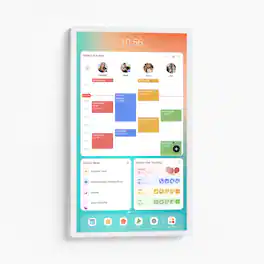
Cozyla's Digital 24" Calendar+ 2 brings together every family member's schedules, routines, chores, and meal plans into one smart display with CalendarOS
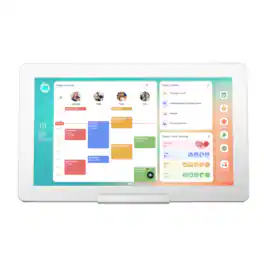
Skylight Calendar Max 27-Inch Digital Calendar & Daily Planner, Touchscreen Smart Display For Work, Office and Family Schedules

Cozyla's Digital 4K 36" Calendar+ 2 brings together every family member's schedules, routines, chores, and meal plans into one smart display with CalendarOS
| Pros for Cozyla - 32" Digital Calendar+2 - White | |||
|---|---|---|---|
| Display Quality | Display Size | Ease of Use, Overall Performance, Organization, Screen Size, Features | Display Quality |
Specs
What are my assurances of privacy and security from the manufacturer? What protections do they offer to prevent data collection by apps? i.e. If I have my Google calendar in there and my wife has her outlook.com calendar in it, can they see each other?
Does it detach from stand?
Customers often buy these together
More to consider
Control, Comfort, Convenience Sponsored
Discover related products
Keep exploring

House of Doolittle - Weekly Monthly Undated 12 Month 7 x 11 Wire Bound Multi Water Resistant Planner
Not yet reviewed$14.10$1410