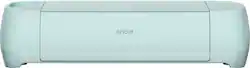
Cricut - Explore 3 - Mint
- Key Specs
- App Compatible: true (The product can be connected to a program or software application on a mobile device, which then receives collected data from the product.)
- Built-In Scanner: false
- Number of USB Port(s): 1
- General
- Brand: Cricut
- Model Number: 2008337
- Product Name: Explore 3
- Color: Mint
- Features
- Software Included: Design Space
- Built-In Scanner: false
- Connectivity
- Connectivity Technology: USB, Bluetooth (The manner in which a device sends data to another device over a short distance.)
- App Compatible: true (The product can be connected to a program or software application on a mobile device, which then receives collected data from the product.)
- Number of USB Port(s): 1
- Dimensions
- Product Height: 6.99 inches (The out of box height of the item. Height is measured as the vertical distance from the bottom of the item to the top as it would be primarily used or placed.)
- Product Length: 21.18 inches (The out of box length of the item. Length is measured as the longest dimension of the item.)
- Product Weight: 10.98 pounds (The out of box weight of the item.)
- Product Width: 5.93 inches (The out of box width of the item. Width is measured as the horizontal distance from one side of the item to the other as it would be primarily used or placed.)
- Cutting Width: 13 inches
- Display
- Display Screen: false
- Material
- Media Thickness (Maximum): 2.4 millimeters
- Warranty
- Warranty - Parts: None
- Warranty - Labor: 1 Year-Limited
- Other
- UPC: 093573638862
Cut, draw, score, and more with the DIY dream machine—now smarter and faster than ever. From vinyl, iron-on, cardstock, and specialty materials like bonded fabric and cork, Cricut Explore 3 works with 100+ materials, bringing incredible speed and precision to every project. And with Cricut Smart Materials, you can make long, easy cuts up to 12 ft (3.6 m) without using a cutting mat – just load and go! So whether you're making custom home decor, decals for your car, or heat-transfer logos to outfit the team, you'll be ready to tackle every creative task that comes your way. Works with free Design Space app for iOS, Android, Windows, and Mac.* *iOS is a trademark or registered trademark of Cisco in the U.S. and other countries. Android is a trademark of Google, LLC. Windows is a registered trademark of Microsoft Corporation in the United States and/or other countries. Mac is a trademark of Apple Inc., registered in the U.S. and other countries.
- Speed: The DIY dream machine, now up to 2X faster.
- Materials: Cuts 100+ materials.
- Compatible tools: Compatible with 6 tools for cutting, scoring and more.
- Uses smart materials : Works with Smart Materials – just load and go!
- Technology: Bluetooth wireless technology
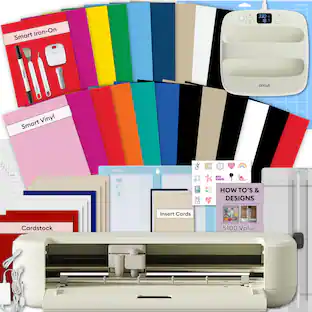
- Includes: Cricut Explore 3 machine, Premium Fine-Point Blade + Housing, Welcome card, USB cable, Power adapter, Free trial subscription to Cricut Access (for new subscribers), 100 ready-to-make projects online, Material for a practice cut.
Whats Included
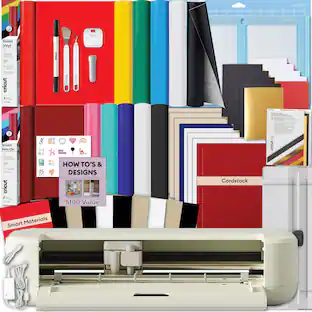
- Explore 3
Q: How many materials can this Cricut machine cut?
A: The Cricut Explore 3 can cut over 100 materials.
Q: How fast is the Cricut Explore 3 compared to previous models?
A: The Cricut Explore 3 is up to 2 times faster than previous models when cutting Cricut Smart Materials.
Q: Does the Cricut Explore 3 come with any software?
A: Yes, the Cricut Explore 3 comes with Design Space software.
Q: What is the maximum cutting width of this Cricut machine?
A: The Cricut Explore 3 has a maximum cutting width of 13 inches.
Q: What type of connectivity does the Cricut Explore 3 use?
A: The Cricut Explore 3 uses USB connectivity.
Q: Does this Cricut machine have a built-in scanner?
A: No, the Cricut Explore 3 does not have a built-in scanner.
Q: What is the difference from the maker 3 to the explore 3?
A: The number of options of which fabrics you can print on. The maker 3 can etch on wood, leather and many more. If you are looking to use vinyl and fabrics mainly, choose the cheaper option.
A: This can vary depending on the material, intricacy, and tool used.
People also viewed
 $249.99The price was $299.99
 $379.99The price was $469.99



Today's top picks
- $249.99The price was $299.99
- $379.99The price was $469.99