Cricut - Joy Xtra with Smart Vinyl, Transfer Tape and Weeding Tool Beginner Bundle
Reviews coming soon
About This Item
- Key Specs
- App Compatible: true (The product can be connected to a program or software application on a mobile device, which then receives collected data from the product.)
- Built-In Scanner: false
- Number of USB Port(s): 0
- General
- Brand: Cricut
- Model Number: zJXtra12
- Product Name: Joy Xtra with Smart Vinyl, Transfer Tape and Weeding Tool Beginner Bundle
- Features
- Software Included: Free Cricut Design App (additional features with subscription)
- Built-In Scanner: false
- Connectivity
- Connectivity Technology: Bluetooth (The manner in which a device sends data to another device over a short distance.)
- App Compatible: true (The product can be connected to a program or software application on a mobile device, which then receives collected data from the product.)
- Number of USB Port(s): 0
- Dimensions
- Product Height: 7.000 inches (The out of box height of the item. Height is measured as the vertical distance from the bottom of the item to the top as it would be primarily used or placed.)
- Product Length: 15.000 inches (The out of box length of the item. Length is measured as the longest dimension of the item.)
- Product Weight: 9.11 pounds (The out of box weight of the item.)
- Product Width: 11.000 inches (The out of box width of the item. Width is measured as the horizontal distance from one side of the item to the other as it would be primarily used or placed.)
- Cutting Width: 8.5 inches
- Display
- Display Screen: false
- Material
- Media Thickness (Maximum): 1 millimeters
- Warranty
- Warranty - Parts: One (1) Year Limited Warranty
- Warranty - Labor: One (1) Year Limited Warranty
- Other
- UPC: 810109115952
The fits-in-any-space, looks-good-anywhere smart cutting machine. Cricut Joy Xtra cuts, writes, draws, and foils to make popular projects. Make a wide range of personalized projects in minutes like stickers, cards, labels, vinyl decals, tags & more. Use with your inkjet printer to create full-color, custom-shaped stickers, iron-on transfers, labels, party decor & more with the print-then-cut feature. Set yourself up for success every time with Cricut Joy Xtra materials. No design or crafting experience required - use the easy-to-learn Cricut companion app, Cricut Design Space*, to find something ready to make or design from scratch. Bluetooth wireless technology included in the machine must be within 10-15 feet of your other Bluetooth device with Design Space. Design Space software for iOS, Android, Windows, and Mac (NOT supported with Chromebook, Unix/Linux or with Windows 7 and 8). * Design Space at its core is free, but Cricut Access is the paid, in-app subscription that helps you get the most out of your making with unlimited use of the Design Space library, exclusive design features and more! **Cricut Joy Xtra requires compatible computer or mobile device with Bluetooth wireless and high-speed internet connection. System requirements may change. See Cricut for specific details and updates on compatibility with all devices, browsers, and operating systems.
- CRICUT JOY XTRA:: The fits-in-any-space, looks-good-anywhere smart cutting machine. Cricut Joy Xtra cuts, writes, draws, and foils to make projects like full-color stickers, custom cards, T-shirts, vinyl decals, and more. Compatible with your home inkjet printer to print then cut designs. About the size of a loaf of bread: 12.5 in x 6 in x 5.5 in (31.7 cm x 15.2 cm x 13.9 cm). Includes original Cricut 12-month machine warranty.
- BLUETOOTH:: The Cricut Joy Xtra is a Bluetooth-only machine with Bluetooth built in. Connect using your mobile phone or computer with the Cricut Design Space app. Requires a computer with Bluetooth and a high-speed internet connection. Make sure the Joy Xtra is powered on and within 10-15 feet of your Bluetooth device.
- COMPATABILITY:: The Joy Xtra works with 50+ materials like vinyl, HTV, cardstock, and more! It also pairs with an inkjet printer to print full-color designs like stickers using the Print-then-Cut feature. Like the original Joy machine, you can write, draw, cut, and foil by swapping out additional blades.
- INSTRUCTIONAL GUIDE:: The Cricut Joy Xtra Guide is a 30+ page full-color ebook with everything you need to learn about Cricut Joy Xtra, setup, troubleshooting, and Design Space. It features projects for labeling, vinyl, cards, sticker making, and more. Dive deeper into vinyl with the "Vinyl Project" eBook, full of inspiration and digital design files (SVGs). Print copy unavailable. Check the flyer in the box to access your guide!
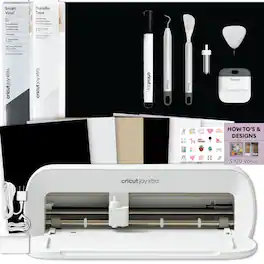
- BUNDLE INCLUDES:: Customer service help for any questions you have before, during, and after your purchase. Reach us by email or chat. Includes: 1 New Cricut Joy Xtra Machine, 1 Joy Xtra Smart Vinyl (colors may vary), 1 Cricut Transfer Tape, 1 Cricut Weeding Tool, Joy Xtra/Joy Digital Instructional eBook Guide, and Project Ideas for Vinyl eBook Guide with digital designs (print copy unavailable). Some bundle items may be packed inside the Joy Xtra box.
Whats Included
- Includes Joy Xtra, Smart Vinyl, Transfer Tape, Weeding Tool, digital guides, and email or chat support. Print copies not available.
Reviews
This product doesn't have any reviews yet.
Compare similar products
The fits-in-any-space, looks-good-anywhere smart cutting machine. Cricut Joy Xtra cuts, writes, draws, and foils to make popular projects. Make a wide range of personalized projects in minutes like stickers, cards, labels, vinyl decals, tags & more. Use with your inkjet printer to create full-color, custom-shaped stickers, iron-on transfers, labels, party decor & more with the print-then-cut feature. Set yourself up for success every time with Cricut Joy Xtra materials. No design or crafting experience required - use the easy-to-learn Cricut companion app, Cricut Design Space*, to find something ready to make or design from scratch. Bluetooth wireless technology included in the machine must be within 10-15 feet of your other Bluetooth device with Design Space. Design Space software for iOS, Android, Windows, and Mac (NOT supported with Chromebook, Unix/Linux or with Windows 7 and 8). * Design Space at its core is free, but Cricut Access is the paid, in-app subscription that helps you get the most out of your making with unlimited use of the Design Space library, exclusive design features and more! **Cricut Joy Xtra requires compatible computer or mobile device with Bluetooth wireless and high-speed internet connection. System requirements may change. See Cricut for specific details and updates on compatibility with all devices, browsers, and operating systems.
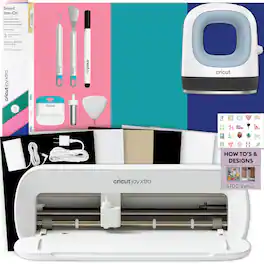
The fits-in-any-space, looks-good-anywhere smart cutting machine. Cricut Joy Xtra cuts, writes, draws, and foils to make popular projects like full-color stickers, custom cards, T-shirts, vinyl decals & more. Works with free Design Space app. Cricut EasyPress Mini makes professional heat-transfer results possible for even your most shapely objects and projects, including baby shoes, hats, stuffed animals, and more. Its thoughtful, compact design makes it effortless to curve with contours, get between buttons, and squeeze into seams. Three simple heat settings take on every possible heat-transfer project. With an extra layer of protection on its ceramic heat plate, Cricut EasyPress Mini effortlessly glides over oddly shaped surfaces to transfer your design. Safety features include an insulated base and an auto-shutoff feature. Lightweight, portable, easy to store, and compatible with major brands of HTV, iron-on, and the entire Infusible Ink family of products.
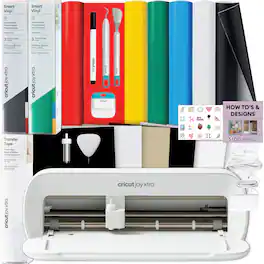
The fits-in-any-space, looks-good-anywhere smart cutting machine. Cricut Joy Xtra cuts, writes, draws, and foils to make popular projects. Make a wide range of personalized projects in minutes like stickers, cards, labels, vinyl decals, tags & more. Use with your inkjet printer to create full-color, custom-shaped stickers, iron-on transfers, labels, party decor & more. Set yourself up for success every time with Cricut Joy Xtra materials. No design or crafting experience required - use the easy-to-learn Cricut companion app to find something ready to make or design from scratch.
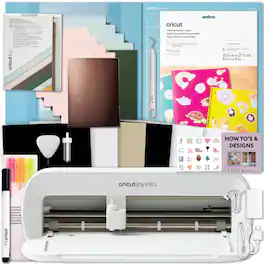
The fits-in-any-space, looks-good-anywhere smart cutting machine. Cricut Joy Xtra cuts, writes, draws, and foils to make popular projects. Make a wide range of personalized projects in minutes like stickers, cards, labels, vinyl decals, tags & more. Use with your inkjet printer to create full-color, custom-shaped stickers, iron-on transfers, labels, party decor & more with the print-then-cut feature. Set yourself up for success every time with Cricut Joy Xtra materials. No design or crafting experience required - use the easy-to-learn Cricut companion app, Cricut Design Space*, to find something ready to make or design from scratch. * Design Space at its core is free, but Cricut Access is the paid, in-app subscription that helps you get the most out of your making with unlimited use of the Design Space library, exclusive design features and more! **Cricut Joy Xtra requires compatible computer or mobile device with Bluetooth wireless and high-speed internet connection. System requirements may change. See Cricut for specific details and updates on compatibility with all devices, browsers, and operating systems.
Specs
Explore, Play, Collect Sponsored
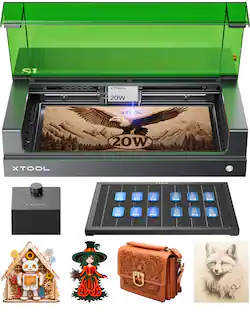 $999.00The price was $1,219.00