Skip to contentGo to Product Search
Main Content

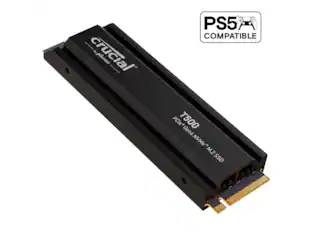
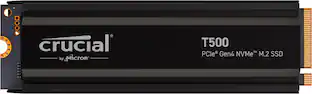
Crucial - T500 2TB Internal SSD PCIe Gen 4 x4 NVMe M.2 with 3D TLC Memory

Model: CT2000T500SSD8
SKU: 13035112
Sold & shipped by

Customers are saying

Customers often highlight the exceptional speed and overall performance of this drive, which significantly reduces load times for users. Many reviewers also appreciate the straightforward installation process and the value provided by the generous storage capacity and five-year warranty. While the product is highly regarded for its efficiency, users have also noted that it maintains stable temperatures without overheating during operation.

Generated by AI based on customer reviews.
Features
  • Lightning speeds

    Get incredible performance with sequential reads/writes up to 7,400/7,000MB/s and random read/writes up to 1.18/1.44M IOPs

  • Compatible

    Ready for performance with your laptop, desktop or motherboard, the T500 installs easily in your M.2 slot.

  • Ultimate gaming

    Load games up to 16% faster and get faster texture renders and less CPU utilization with Microsoft DirectStorage

  • Content creation

    Get up to 42% faster performance in content creation apps, run heavy workloads, and render photos or videos faster

  • Easy to install

    Online tutorials, how-to guides, videos and free Acronis True Image cloning software help you install your SSD, set it as your boot drive and migrate your data

  • Innovation

    Produced in house by Micron with cutting-edge 232-layer TLC NAND

  • Spacious

    Store more games, UHD/8K+ media, apps, files and more with 2TB of capacity

Specifications
  • Storage Capacity
    2000 gigabytes
    Storage Drive Type
    SSD, SSD
    Maximum Read Speed
    7400 megabytes per second
    Maximum Write Speed
    7000 megabytes per second
    Form Factor
    M.2 2280
    Interface(s)
    PCIe Gen 4 x4
Sponsored

Reviews

Rating 4.9 out of 5 stars with 74 reviews

99% would recommend to a friend
Customers are sayingCustomers often highlight the exceptional speed and overall performance of this drive, which significantly reduces load times for users. Many reviewers also appreciate the straightforward installation process and the value provided by the generous storage capacity and five-year warranty. While the product is highly regarded for its efficiency, users have also noted that it maintains stable temperatures without overheating during operation.
This summary was generated by AI based on customer reviews.

Customer Images

The vast majority of our reviews come from verified purchases. Reviews from customers may include My Best Buy members, employees, and Tech Insider Network members (as tagged). Select reviewers may receive discounted products, promotional considerations or entries into drawings for honest, helpful reviews.

  • Rated 5 out of 5 stars

    Runs fairly cool and very fast

    Great Gen 4x4 2TB SSD that won't break the bank, and gets you nearly same performance of ones that cost much more. I was able to install this into the Asus ROG Ally X with no problems at all. It doesn't get any hotter in the ROG Ally X than the 1TB model it replaced in the ROG Ally X. I would not install this with a heatsink in the Ally X, but just re use the thermal pad that is in the stock Ally X SSD. While there is a bit of room there, you need to get the battery cable on the ROG Ally X over the top of the SSD and if you have a heatsink you may not be able to clear that height.

    This review is from Crucial - T500 2TB Internal SSD PCIe Gen 4 x4 NVMe M.2 with 3D TLC Memory

    Posted by blah

  • Rated 5 out of 5 stars

    Best Gen4 SSD

    Beats Samsung all day with superior customer service, consistent performance, and significantly lower failure rate vs. Samsung.

    This review is from Crucial - T500 2TB Internal SSD PCIe Gen 4 x4 NVMe M.2 with 3D TLC Memory

    Posted by Elliott

  • Rated 5 out of 5 stars

    Worth the purchase

    Incredibly fast for the price. Crucial has really done it with this one.

    This review is from Crucial - T500 2TB Internal SSD PCIe Gen 4 x4 NVMe M.2 with 3D TLC Memory

    Posted by Derek

  • Rated 5 out of 5 stars

    Fast PCIe Gen 4 Drive - Plenty of Speed and Space

    The Crucial T500 SSD is a PCIe Gen 4 NVME solid state drive. It fits into a standard M.2 slot with a 2280 drive form factor. This version of the T500 does not come with a heatsink, but rather has the typical heat spreader label found on most NVME drives. This didn’t affect me as my motherboard’s main slot comes with heatsink. I installed the T500 in my ASUS G16CH tower with an intel i7 13700KF CPU and custom ASUS B760M-A WIFI D4 motherboard. I moved the original NVME drive to slot 2 just below the GPU – both slots run at x4 PCIe Gen 4 speeds, but I wanted the T500 in slot 1 because of the heatsink and better airflow. I have used Crucial SSD’s for years and have had pretty good success. I have a P2, and a P5 NVME drive along with an older MX500 SATA SSD installed for years without issues. Looking up the drive with Reddit’s SSDBOT gives you a nice look at how it stacks up with other drives. It gets rated as a High-End NVME drive, and by the specs its right at the top of the PCIe Gen 4 speed rating. The only way to go faster is to jump up to Gen 5 based drives and spend 2.5-3x more for 50-80% speed bump. The current speed of this drive is rated at 7400/7000 read/write with 2500 P/E cycles for endurance. Physical installation was a breeze. Replacing or adding a PCIe based SSD is one of the easiest upgrades you can make. The drive does not come with a screw, so if your MOBO doesn’t have a spare you just need to track down an M2x3mm screw. I have a computer fastener kit, so I just pulled one from there. As far as software installation goes I figured I would give the Acronis drive cloning tool on Crucial’s website a try. I usually do a fresh install, but thought the clone might work a little better. I regretted it to be honest. It seemed to clone just fine, but after a few days I started noticing some glitches and some instability in Explorer. I eventually just wiped the drive and did a fresh install of Windows 11. The drive I replaced with the T500 was an OEM drive that ASUS sourced from Micron – something close to a Micron 2400. Micron happens to be the parent company of Crucial, so there’s that. It was a 1TB NVME drive that had QLC NAND chips and was also a PCIe Gen 4 drive. The T500 was an upgrade all around with some similarities. The obvious being the 2TB size over 1TB. Speed increases were also substantial as the T500 was almost 2X faster – R/W of 4500/3600 for the old drive and 7400/7000 for the T500. There are also some architectural advantages to the T500. The NAND chips used are TLC (triple layer cells), which have been around for years and are a mature technology. The TLC chips offer greater endurance over QLC and increased speeds. The controller used in the T500 is a Phison PS5025-E25 – the Phison lineup is used pretty heavily in higher end NVME drives, so that provides some confidence in its usage. I ran the drive through CrystalDiskMark 8.0.4 and I pretty consistently got around 7100 MB/s for read speeds and 6825 MB/s write speeds. This is a little below advertised but I would call it pretty close for my taste. There’s always some system overhead with this being the OS drive, so I can’t rule out that taking some bandwidth. For practical usage I redownloaded my Steam and Gamepass libraries to the new drive. Before I had to pick and choose what I wanted on the 1TB drive, and what I had to load from my SATA SSD or Hybrid Hard Drive. With 2 TB of storage I am just at 40% capacity used and I have plenty of space to grow my library. Launching games is a touch faster – load times are down noticeably for the larger games – MCC, Forza, Shadow of War. In some of the smaller/older games that get played the load times weren’t vastly different – 8 seconds dropping down to 6 seconds doesn’t register as much as 15-20 second improvement on the larger games. Compared to loading games from my HHD though – enormously faster. An HHD drive is already decently faster than a plain HDD, so I can only imagine the improvement you would see. I didn’t really have a chance to try out many other workloads – I haven’t gotten my Solidworks working after resetting my PC, but I do know that a faster drive is always welcome when I work on larger models. The jump from a SATA SSD to an NVME drive was a pretty big leap when messing around with large files, so I can only speculate that I should see further improvement going to the T500. As far as use cases are concerned I would suspect anyone looking for a large boot drive that has some speed would be interested in the T500. It doesn’t break the bank compared to the PCIe Gen 5 drives, and it is certainly fast enough to handle any gaming needs. If you have a laptop with only 1 M.2 slot this is definitely a drive to look at since you don’t have the luxury of multiple drive slots to spread your data around on. The durability of TLC NAND and the Phison controller would bring me some comfort if this was my PC’s only drive. Overall, this is a solid PCIe NVME drive. I don’t think you can really go wrong by choosing it.

    This review is from Crucial - T500 2TB Internal SSD PCIe Gen 4 x4 NVMe M.2 with 3D TLC Memory

    Posted by DaveW

  • Rated 5 out of 5 stars

    Great NVMe M.2 Drive

    The Crucial T500 2TB NVMe M.2 SSD is a quality hard drive that offers impressive performance. * Competitive benchmark scores - I ran various synthetic benchmarks on CrystalDiskMark. Using the NVMe setting, 1 run and 1 GiB test size I achieved a sequential (Q8T1) score of 6278 MB/s read and 6222 MB/s write. This is a vast improvement over my other Crucial P5 1 TB NVMe M.2 SSD which scored 3538 MB/s read and 3321 MB/s write. I achieved approximately 85% of the maximum advertised read speed and 89% of the maximum write speed. Overall, I am happy with the performance provided by this drive, especially at its price point (on sale). * Competitive real world performance - Games installed quickly onto the drive. Transferring old Steam game files only took a matter of minutes. The load times are not noticeably shorter than my other M.2 drives but still significantly faster than loading from a HDD/standard SSD. * Great warranty - Solid 5 year limited warranty included with the purchase. * Easy installation - I removed the M.2 cover on my motherboard, inserted the drive into the slot, and tightened the screw. The whole process took less than 30 seconds. Overall, the Crucial T500 2TB NVMe M.2 SSD offers great performance and a large amount of storage.

    This review is from Crucial - T500 2TB Internal SSD PCIe Gen 4 x4 NVMe M.2 with 3D TLC Memory

    Posted by SlowMN

Compare similar products

Crucial - T500 2TB Internal SSD PCIe Gen 4 x4 NVMe M.2 with 3D TLC Memory
4.9(74)

Fuel your system performance with the Crucial T500 Gen4 NVMe SSD. Experience faster gaming and amp up your creative potential with an SSD that moves as fast as you need it to. Heavy tasks are no problem with better performance to power efficiency, and the T500 works with your laptop or desktop.
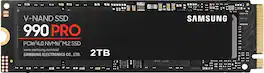
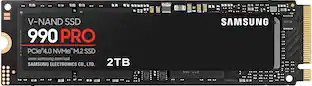
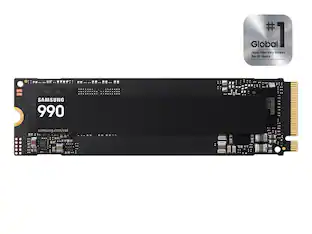
Samsung - 990 PRO 2TB Internal SSD PCle Gen 4x4 NVMe

Designed for tech enthusiasts, hardcore gamers and heavy-workload professionals who want blazing fast speed. Sequential read/write speeds up to 7,450/6,900 MB/s
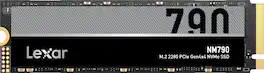
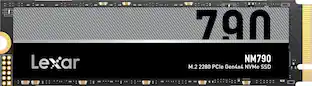
Lexar - 2TB NM790 M.2 2280 PCle Gen4 NVMe SSD, Compatible with PS5, laptops, desktops, Read Speeds Up to 7400MB/s
5.0(1)

Whether you’re looking to defeat the competition in your favorite game or create and edit massive, high-res files, the Lexar NM790 M.2 2280 PCIe 4.0 NVMe SSD has the performance and capacity to keep up with your pursuits.

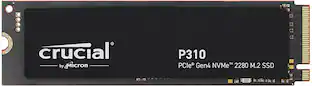
Crucial - P310 2TB Internal SSD PCIe Gen 4 x4 NVMe M.2

Introducing the Crucial P310 Gen4 NVMe SSD, delivering read speeds up to 7,100MB/s, making it a gaming storage leader in the Gen4 space. Engineered with the latest Micron 3D NAND technology, the Crucial P310 can level up your gaming experience in generous capacities and offers backward compatibility, performing 2x faster than Gen3 SSDs.

Pros for Crucial - T500 2TB Internal SSD PCIe Gen 4 x4 NVMe M.2 with 3D TLC Memory
There were no pros for this productSpeed, Performance, Storage, Ease of use, InstallationThere were no pros for this productSpeed, Overall Performance, Storage Capacity, Installation Ease, Heat Dissipation
Cons for Crucial - T500 2TB Internal SSD PCIe Gen 4 x4 NVMe M.2 with 3D TLC Memory
There were no cons for this productHeat, FirmwareThere were no cons for this productIncluded Accessories

Specs

Questions & Answers
  • What type of computers is this SSD compatible with?

    This SSD is compatible with both laptop and desktop computers.

    This question and answer was generated by AI based on customer and product data.
  • What is the maximum read speed of this SSD?

    The maximum read speed of this SSD is 7400 megabytes per second.

    This question and answer was generated by AI based on customer and product data.
  • How easy is it to install this SSD?

    The T500 SSD is easy to install with online tutorials, how-to guides, videos, and free Acronis True Image cloning software.

    This question and answer was generated by AI based on customer and product data.
  • Does this SSD have a heatsink?

    No, this SSD does not come with a heatsink.

    This question and answer was generated by AI based on customer and product data.
  • What is the storage capacity of this SSD?

    This SSD has a storage capacity of 2 terabytes.

    This question and answer was generated by AI based on customer and product data.
Ask a question
No content

Customers often buy these together

Sponsored

Finance Options

My Best Buy® Credit Card
Choose a benefit:Or
Buy Now, Pay Later
Lease to own