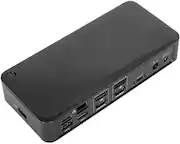
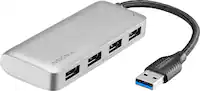
Dell - Pro Dock WD25 - 130W, USB-C, 4 Displays, 6 USB Ports, 2.5G Ethernet - Black
Dell - Pro Dock WD25 - 130W, USB-C, 4 Displays, 6 USB Ports, 2.5G Ethernet - Black
FREE shipping to
More Buying Options
Related Item

About This Item
- Key Specs
- Maximum Number of Displays Supported: 4
- Number of DisplayPort Outputs (Total): 2
- General
- Brand: Dell
- Model Number: DELL-WD25
- Product Name: Dell Pro Dock WD25 - 130W, USB-C, 4 Displays, 6 USB Ports, 2.5G Ethernet
- Color: Black
- Display
- Maximum Number of Displays Supported: 4
- Ports
- Display Connector(s): 2 x DisplayPort (The number and type of connectors used to connect to an external display.)
- Number of DisplayPort Outputs (Total): 2
- Number of HDMI Ports (Total): 0
- Number of VGA Ports: 0 (VGA (Video Graphics Adapter or Video Graphics Array) is a display standard that transmits via analog signals. This type of interface is typically used to connect a computer to a display device such as a monitor, projector, or TV.)
- Number of USB Ports (Total): 6
- USB Ports: 2 x USB-A 3.2, 1 x USB-B, 2 x USB-C 3.2 (The number and type of USB ports the product has.)
- Power
- Powered: true
- Compatibility
- Brand Compatibility: Dell
- Model Compatibility: WD25
- Dimensions
- Product Height: 3.00 inches (The out of box height of the item. Height is measured as the vertical distance from the bottom of the item to the top as it would be primarily used or placed.)
- Product Length: 12.00 inches (The out of box length of the item. Length is measured as the longest dimension of the item.)
- Product Width: 10.00 inches (The out of box width of the item. Width is measured as the horizontal distance from one side of the item to the other as it would be primarily used or placed.)
- Product Weight: 48.0 ounces (The out of box weight of the item.)
- Warranty
- Warranty - Parts: Limited Warranty period (parts): 1 year
- Warranty - Labor: Limited Warranty period (labor): 1 year
- Other
- UPC: 884116493662
Dell Pro Dock WD25 - 130 W - USB Type C - 4 Displays Supported - 6x USB Ports - 4x USB Type-A Ports - USB Type-A - 2 x USB Type-C Ports - USB Type-C - 2 x DisplayPorts - 2.5 Gigabit Ethernet
- Enables direct device connectivity: MAC Address Pass-through
- Multi-Display Support: PXE Boot
- Advanced Connectivity: Dock Power Button Sync
- Feature 4: Wake-on-LAN
- Feature 5: WLAN to LAN Switch
Whats Included
- 1
A: This is brand new and currently in unavailable status.
Q: Is this product new or refurbished? And does it ship from the US?
A: This is brand new and currently in unavailable status.
Q: What is rhe Dell model number of this unit.
A: It is Dell Pro Dock - WD25.
Reviews
This product doesn't have any reviews yet.
Compare similar products

Dell Pro Dock WD25 - 130 W - USB Type C - 4 Displays Supported - 6x USB Ports - 4x USB Type-A Ports - USB Type-A - 2 x USB Type-C Ports - USB Type-C - 2 x DisplayPorts - 2.5 Gigabit Ethernet
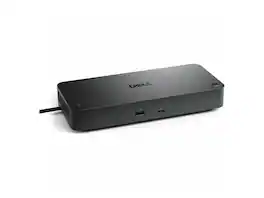
Dell Pro Smart Dock SD25 - 180 W - USB Type C - 4 Displays Supported - 6x USB Ports - 4x USB Type-A Ports - USB Type-A - 2 x USB Type-C Ports - USB Type-C - Wired - 2.5 Gigabit Ethernet

Connect multiple displays, external storage drives, Gigabit Ethernet, and more, all by running a single cable to your computer's Thunderbolt 3 port with the Thunderbolt Dock WD19TBS from Dell. This dock connects to your host system using an integrated 2.6' Thunderbolt 3 cable and comes equipped with one 40 Gb/s Thunderbolt 3 port, two 10 Gb/s USB 3.1 Gen 2 Type-C ports, one of which supports DisplayPort, three 5 Gb/s USB 3.1 Gen 1 Type-A ports, one of which has PowerShare, one HDMI 2.0b port, two DisplayPort 1.4 ports, a Gigabit Ethernet port, a Noble Wedge security slot, and a Kensington security slot.

Connect to just about any device you have, wherever you are. Featuring a wide variety of ports available, the smallest and lightest 6-in-1 adapter offers video, network, data connectivity, and up to 90W power pass-through for your laptop.
| Pros for Dell - Pro Dock WD25 - 130W, USB-C, 4 Displays, 6 USB Ports, 2.5G Ethernet - Black | |||
|---|---|---|---|
| There were no pros for this product— | There were no pros for this product— | There were no pros for this product— | Portability, Connectivity, Overall Performance, Size |
| Cons for Dell - Pro Dock WD25 - 130W, USB-C, 4 Displays, 6 USB Ports, 2.5G Ethernet - Black | |||
| There were no cons for this product— | There were no cons for this product— | There were no cons for this product— | Cable Length |