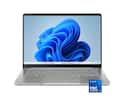
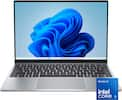
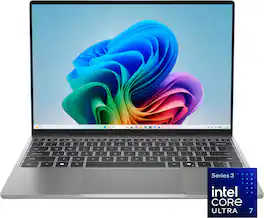
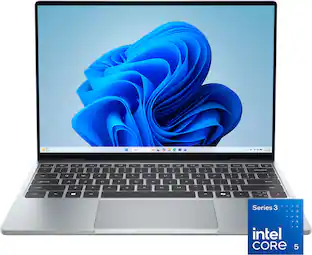
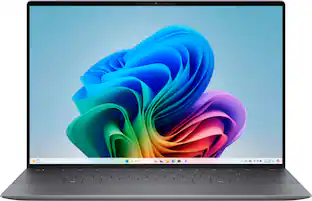
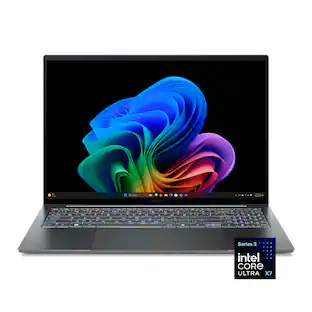
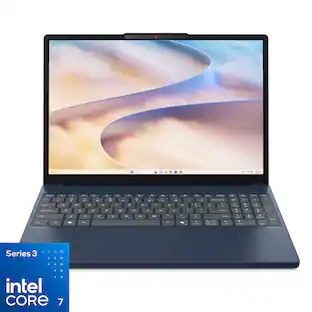
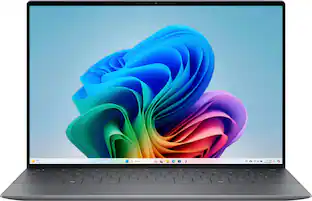
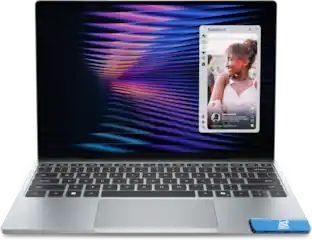
Dell - XPS - 13.4" 2.5K Touchscreen Laptop - Intel Core Ultra 7 Series 3 2026 - 16GB Memory - 512GB Storage - Storm
About this product
The XPS 13 embodies the essence of the XPS brand – combining groundbreaking design, innovation and effortless portability. It’s more than just a laptop, it’s a reflection of XPS’s commitment to pushing boundaries and delivering technology that works seamlessly in your hands, wherever life takes you.
Highlights
Features
Stunning Display
2.5K touch display with InfinityEdge offers vivid color, immersive viewing and efficient power usage.
Smart Performance
Series 3 Intel Core processors with built-in AI deliver smooth, fast performance for multitasking and daily apps.
Featherlight XPS
Razor-thin, featherlight XPS laptop is easy to carry anywhere, with long battery life that keeps you productive all day*.
XPS Craftsmanship
XPS iconic design uses CNC aluminum to create an ultra-thin yet durable laptop with exceptional fit, finish and strength.
Immersive Audio
Quad speakers produce 360-degree sound, projecting audio upward and downward for a richer experience.
Specifications
- Screen Size13 inchesScreen Resolution2560 x 1440 (QHD)Touch ScreenYesRefresh Rate120HzBrightness500 nits
Reviews
Rating 4.3 out of 5 stars with 14 reviews
4.3Customer Images
The vast majority of our reviews come from verified purchases. Reviews from customers may include My Best Buy members, employees, and Tech Insider Network members (as tagged). Select reviewers may receive discounted products, promotional considerations or entries into drawings for honest, helpful reviews.

- Rated 4 out of 5 stars
Impressive Return of the XPS13
For some reason Dell decided last year to try and sunset the iconic XPS brand, which was Dell's Prosumer home lineup that blended impossibly thin and light laptops for the power home user on the go. While it looked a lot like the Macbook Air, it lacked the grunt to compete with the Pro, which was fine, because it was still the sleekest Intel-based Ultrabook option for Windows. I won't even bother trying to remember the name of what they tried to replace it with because they clearly listened to customer feedback and brought the XPS Moniker back with an even thinner and lighter XPS 13 that is aligned to compete with the Macbook Neo. This unit is slightly beefed up and that's where some of the headscratching problems begin and why many will not be impressed with this XPS13 at this price point. 1. Due to the RAM and storage crisis driven by AI, this unit has double the RAM at 16GB compared to the entry level 8GB unit, but nearly doubles the pricetag to compensate. Before, 16GB was considered low-end for Windows but Microsoft has pledged to try and cut down memory usage in Windows to help combat that AI-memory shortage. How does it do? Not great. I'm sitting at 12GB with a browser and a few tabs open. 2. Only 512GB of storage. Again, AI has driven storage costs up a ton and before I'd say 1TB was the minimum for an Ultrabook with 32GB of RAM, but in this day and age, 512GB is what you get. You're instead forced to rely on external or cloud storage. I'm in a position to make use of this with a fast NAS, fast Wi-Fi 7, and a plethora of external USB-C including some Thunderbolt SSDs, but this is all additional costs and not a great solution for those who do not have internet or don't want to tie up valuable USB-C thunderbolt plugs. 3. I/O is a huge sacrifice on this new XPS13, its not the first time Dell has gone with just 2x Thunderbolt 4 connectors but they are both USB-C style and one of them is tied up for Power so this really limits your connectivity if you need external display, external storage, or a peripheral device. You will definitely want to use Bluetooth for any external mouse or keyboard or get a good USB-C Thunderbolt dock if you use this as your primary laptop and want to use external monitors. I have a Zenbook 14 which is just slightly thicker but it has both 2xTB4 but also a full-sized HDMI output as well as a USB-A connector, which makes it infinitely more flexible for outputs. No dongles and I can connect an external monitor or even a projector, which I just did for a Halloween trunk or treat. 4. The screen is a double downgrade from previous models. I've had an XPS13 and even ARM-based XPS laptops that had OLED, and they were glossy too. This new XPS13 unit is back to IPS and the finish is matte. Is this cost-cutting? I am not a fan. It is still touch screen which is nice, but I don't know why they went to matte and IPS again. This definitely is a downgrade as a media/movie device on the go as the colors do not pop as much and the blacks are not as good. It is brighter than OLED but the OLED screens I have were plenty bright. 5. The aluminum unibody is awesome and super sleek, but the buttom cut-out vents are SHARP. If you run your fingers from the center to the outside you will catch your finger and feel how sharp it is. If you do this fast if you're in a hurry, you might actually cut yourself. Dell should add a finishing pass on the body to grind town that sharp edge. I am thinking about taking a fine file and running it across the edge. They also got rid of the tapered wedge slope and it is more uniform across the front and back and both the top and bottom are nearly the same thickness, which is super thin. Its not all bad on this version of the XPS13, and the thinness and lightness are truly amazing. There's also some major upgrades compared to the XPS13 units I've recently used. 1. The new Intel Panther Lake Core Ultra 7 355 is super powerful for such a thin and light laptop, but also extremely power efficient and cool running. You can actually run this without it getting hot or getting loud. There is a small fan that runs but very inaudible. It is also just warm and does not get hot at all. 2. The keyboard is backlit and goes back to individual keys instead of the spongy blended pads on the ARM-based XPS I had a few years ago. Typing on this feels great compared to that blended keypad with square keys that were right next to each other. 3. The speakers are really good, and loud. This also makes the screen downgrade that much more of a shame as it would've been a nice device to watch a game or shows around the house while on the go. 4. The Intel WiFi7 wireless network adapter is super fast, I am able to get 2Gbps up/down on my WiFi7 network and 2.5Gbps fiber plan which is as fast as my larger gaming laptop in the same room as my WiFi7 router. This is needed as this laptop highly relies on being a thin client with wireless connectivity. 5. Windows has also adapted to the wireless requirements of thin client computing and allows better integration with my iPhone with Phone Link and the ability to cast to a wireless display, like a TV with casting capabilities. 6. Battery life is excellent and low-power and resume is also excellent. You can close the lid and resume in seconds with Windows Hello and the battery doesn't drain out like my older XPS/Intel units. So while it seems like there is a lot of negatives with this device, overall I still love it because of how portable it is. I can easily toss it in a bag and it basically feels the same size and thickness as an iPad and the battery is still where I left it even days later. The Intel Panther Lake chip is a nice blend with 4 Perf and 4 Low Power Efficient cores and feels snappy for what you will use this for. Web browsing, web-based AI prompting, 3D printing client, Youtube DIY tutorial companion, bill-paying portal, shopping center, etc. The size and portability and ability to walk around holding it in 1 hand is a huge difference in accessibility and usability that eliminates that friction of reaching for your phone or an iPad. There are just some things I want to have a full Windows machine with keyboard and mouse for and this XPS13 makes this my go-to, although my Zenbook 14 did this as well for me. The XPS13 is just slightly thinner and lighter and also looks better, in my opinion but the Zenbook is similarly awesome. Hopefully, the RAM and storage crisis eases up soon and we can get back to having beefier storage and at least 32GB, and Dell goes back to the OLED screen and then I would have few complaints, but still the thinness and lightness of this new XPS13 is a sight to behold.
Posted by TechBuyer
- Rated 5 out of 5 stars
Fantastic lightweight, ultra portable laptop
I've been looking for a small, thin, extremely portable Windows laptop for a while now, and I think I finally have one that checks all the boxes for my use, and maybe other peoples use as well. This machine offers a fast processor and vibrant touchscreen with adequate RAM for office or personal use. It's a fantastic travel addition for anyone needing the convenience of a high end machine on business trips or vacations. So obviously, if you're looking at reviews for this machine, you're interested in a small, highly portable yet competent laptop. I use it primarily for personal use. Word processing, office apps, web browsing, etc.. The intel core 7 Ultra means you get crazy fast speeds for these types of applications. The processor speed is great, and you get the memory you need, to run any of the basic apps you want. I still see 16GB of RAM offered in gaming machines, so yeah, more than adequate. The display, is 3k which is important on a machine this small size, and it's clear and sharp, despite having integrated graphics and not a stand alone graphics card. On top of that, it's a touchscreen, which is always welcome for quick access tapping. The storage capacity is where some might give it a pass. I feel anything short of 1TB is probably going to be much less future proof. This guy has 512GB, so if you store a lot of files on your laptop, this may not be enough for you. For what I use this machine for, it's completely fine, and helps to keep the overall cost down. It has Wi-Fi 7 connectivity along with Bluetooth, a backlit keyboard, 2-Thunderbolt 4 connectors, and a small charger that looks like it should be included when you buy a cell phone, and I really like that you can use your own charging cable with it or just use the one that comes with it. The charger AC plug folds down so that you can slip it into a bag without it snagging on anything, Each of the USB-C connectors offer Display Port and PD charging. It seems strange to see a machine like this with only 2 ports on it, but I think for the majority of people, this is going to be just fine. I really like the keyboard on this machine. It has extremely low profile keys but each one is large enough to make for comfortable typing. The keys themselves offer a very snappy response and it takes very minimal effort to press each one. They seem to be less than about .05” above the keyboard deck in height. The backlighting is clear on the keys themselves with only a tiny bit of light around the individual keys. The audio is surprisingly good for a laptop this thin. It offers way more low end sound than I expected and is great for movies and videos. This laptop comes in at an unbelievable 2.2 pounds. It's 0.5” thin and looks really nice overall. It has a minimalist appearance but a high end look. It will fit easily into a backpack or bag and you won't even notice any extra weight (even with the included charger). The touchpad is well defined and large enough, and the left and right integrated buttons don't feel mushy like a lot of laptops I've used. The keyboard layout is pretty standard and unremarkable and includes a copilot key (if anyone is interested in that). This laptop is an absolute pleasure to use, and a welcome small format machine all around. It's responsive in use and the touchscreen is clear and sharp with deep, rich colors. The anti-glare finish on the screen means you can use it in any environment without worrying about reflections distracting you. The processor is fast and there's more than enough memory to do pretty much anything you need to do. This will definitely become my go-to machine for travel. It's the perfect size to take along on trips or to work, and you won't need to sacrifice speed and quality when you do.
Posted by enem156
- Rated 5 out of 5 stars
Excellent small lightweight portable lapto
The Dell - XPS - 13.4" 2.5K Touchscreen Laptop is an excellent small laptop. If you need something on the go and can still work well, this is a good choice. With a 13.4” screen it’s a small size, only weighs 2.2 pounds, and is half an inch thick. Easy to slip into bags and carry around. It has 16GB RAM, and 512GB of storage for processing on the device. With Wi-Fi 7 you can connect to storage for bigger jobs with fast storage. My Wi-Fi 7 connections were solid. There are only 2x USB-C Thunderbolt connectors for additional connections. USB-C ports are on the back left and right sides of the device. With one for power, getting dongle may be needed for additional wired accessories. But with Bluetooth wireless, connecting a mouse or other devices does not need a port. I connected an Ethernet adaptor and had no issues using it. Power is through an included small USB power block. The screen is LCD and 2560x1440@120Hz and 2.5K for a clear picture using an integrated Intel GPU from the Intel Core Ultra 7 Series 3 processor. Together, for work and web browsing the computer does great. Just take it with you as needed to the next work location. The keyboard is a little cramped but expected for a laptop this size. Keyboard response is tight with small travel and the backlighting was good. Still easy to work with. The touchpad is a good size and responsive. With a small footprint the touchscreen became a nice option being close to the computer. The touchscreen was accurate and responsive with no issues. Using the laptop is a quiet experience. I had no noise or heat issues while working on it. Whether wired using a dongle or wireless, the laptop worked with ease through workloads. 16GB RAM is nice to cover Windows 10 Home OS overhead and have RAM for running your programs. I found it to be an excellent computer for taking anywhere around the house and connecting to my network for tasks. The small size means some sacrifices are made, but with wireless you can get by on physical two ports. Bloatware and excess programs were easy to remove to a few GB’s of storage back. With the Thunderbolt ports you can connect to external displays as needed. Battery life seemed good with basic tasks being run such as watching videos or having office products open. If you need something lightweight with good battery life and enough options to be flexible on the go computer this can work very well. There is enough power to show work on its own, or connect to other devices if needed. With the RAM and storage in it, it becomes a good value for the price with the cost of memory chips today.
Posted by grimmace
- Rated 5 out of 5 stars
Easy to Carry and Comfortable for Everyday Use
The first thing I noticed about this Dell XPS was how thin and light it is. At just over two pounds and less than 13mm thick, it doesn’t feel like much to carry around. The Storm color looks sharp, and I like that I can easily open the lid while it is sitting flat on a table. It’s a small thing, but something I appreciate each time I use it. The 13.4-inch 2.5K touchscreen looks crisp and clean. It has an almost matte feel to the surface, and it responds quickly to touch. I find myself using the touchscreen a lot for its convenience and because I’m used to it on my tablet. It’s one of my favorite parts of the laptop so far. Getting through the initial Windows 11 setup was simple, with no surprises. This model has an Intel Core Ultra 7 Series 3 processor, 16GB of RAM, and a 512GB SSD. Most of my time with it has been spent using a word processor and updating my financial spreadsheets. It’s been great for simple tasks like browsing the internet, and taking some Zoom meetings but I do push its limits purposely by opening several apps and haven’t noticed too much of a hit to performance. I’ve been happy with the battery during that everyday use. Although I haven’t measured an exact runtime, I haven’t felt like I constantly need to reach for the charger. When it does need a charge, the included 65W charger gets it charged up quickly. The keyboard backlighting is another useful touch. You can leave it off or choose between low and high, depending on the lighting around you. The sound is also decent for a laptop this small. Its four speakers give it a nice stereo effect, although I wouldn’t expect a small laptop to replace a dedicated speaker setup. Connections are kept pretty simple with two USB-C ports for charging, peripherals, and external monitors. Depending on what you connect, an adapter or hub may be something to keep handy. It also includes Bluetooth and Wi-Fi 7, along with Dell’s optimization tools and a year of McAfee. What I like most about this XPS is how easy it is to take along and use. The thin design gets your attention first, but the responsive screen, quick charging, and good battery life are the things I appreciate once I start working. My experience so far has been positive, and it fits well with the way I use a laptop day to day.
Posted by zaxdad
- Rated 3 out of 5 stars
Slim and light weight
The Dell - XPS - 13.4" 2.5K Touchscreen Laptop looks and feels like a premium laptop it is touted to be. It is super slim and light weight, perfect for carrying around. The edge to edge display makes the most out it’s size. Plenty of storage for downloads and apps. 16 gb ram an i7 8 core processor makes multi tasking no problems. This unit is less than a whisper quiet and does not get hot. With WiFi 7, to get you the extra speed if you have it. The facial recognition works great for quick access to the pc. There is a voice access capability that you can enable. While it does work, I feel it is a bit gimmicky. You need to get familiar with the commands and it’s not very quick. AI is the big thing these days and it is ready to go from the start. However I am not purchasing this unit for its AI features is a big draw. AI apps are already availabile everywhere. While this does come with pre installed Co-Pilot app, I don’t see it being any different than what you can already download. And those capabilities are unusually capped until you pay for upgraded services. Don’t get me wrong, there are many things you can do and increase productivity, but it’s not limited to this device alone. There are some built in AI features within this windows operating system, but I find some of it limited and again if you want to uses some of the preinstalled apps like MS paint to the fullest AI capabilities, it does require a subscription service. On other thing to note is the ports available. There’s only two. Both are thunderbolt and can be used for external displays and USB C connections. However one of them will be tied up if you are charging the laptop. The battery in the laptop however is great. Should get most people through the day. An issue that I had encountered was with the display while playing a game. While the display is crisp, there was times where it seemed like the touch screen was getting pressed with the small light circles indicating an area being touched. Not really sure what caused this but while looking it up, it does seem like this has been reported before. Given it’s a brand new laptop, I wouldn’t expect this to happen and hopefully it was a random rare occurrence. This laptop is a great size and will perform well. Looks sleek but and will last a full day. But there are some draw backs to consider.
Posted by RunningMan
Featured products
SponsoredCompare similar products

The XPS 13 embodies the essence of the XPS brand – combining groundbreaking design, innovation and effortless portability. It’s more than just a laptop, it’s a reflection of XPS’s commitment to pushing boundaries and delivering technology that works seamlessly in your hands, wherever life takes you.
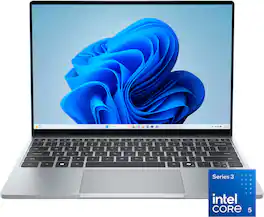
The XPS 13 embodies the essence of the XPS brand – combining groundbreaking design, innovation and effortless portability. It’s more than just a laptop, it’s a reflection of XPS’s commitment to pushing boundaries and delivering technology that works seamlessly in your hands, wherever life takes you.
The XPS 13 embodies the essence of the XPS brand – combining groundbreaking design, innovation and effortless portability. It’s more than just a laptop, it’s a reflection of XPS’s commitment to pushing boundaries and delivering technology that works seamlessly in your hands, wherever life takes you.
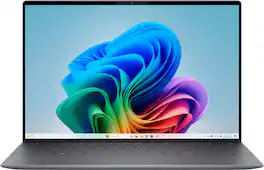
The first XPS CoPilot+ PC has powerful on-device AI that delivers cutting-edge responsiveness and unmatched speed for navigating demanding creative and multitasking workloads with efficiency.
| Pros for Dell - XPS - 13.4" 2.5K Touchscreen Laptop - Intel Core Ultra 7 Series 3 2026 - 16GB Memory - 512GB Storage - Storm | |||
|---|---|---|---|
| There were no pros for this product— | There were no pros for this product— | There were no pros for this product— | Battery Life, Build Quality, Processor Speed, OLED Display, Portability |
| Cons for Dell - XPS - 13.4" 2.5K Touchscreen Laptop - Intel Core Ultra 7 Series 3 2026 - 16GB Memory - 512GB Storage - Storm | |||
| There were no cons for this product— | There were no cons for this product— | There were no cons for this product— | USB Ports, Connectivity, Heat Dissipation |
Specs
Questions & Answers
Hello, uf if i purchase to day, to pickup the Dell XPS laptop at the 8450 Dadeland store, until when would you hold it up for me to pick it up from the store? The eqrliest i could do it is on the 13th of november
Customers often buy these together
Office Software

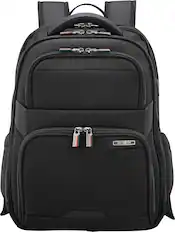
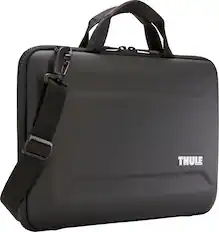
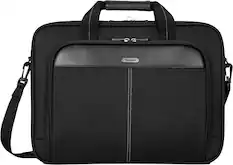
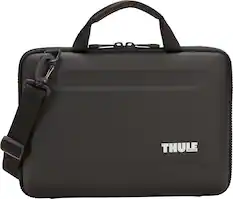
Laptop Bags and Cases
More recommended items
Mice

Antivirus and Internet Security Software
Monitors
Laptop Docking Stations
Inkjet Printers
Headphones
More to consider
Dell Plus 14" 2K 2-in-1 Laptop - Intel Core Ultra 7 Series 2 256V 2026 - 16GB Memory - 512GB Storage - Copilot+ PC
Holiday Deal$799.99$79999The price was $1,299.99Dell 15.6" 2K Touchscreen Laptop - Intel 13th Generation Core i7 1355U 2023 - 16GB Memory - 512 GB Storage
Black Friday Deal$599.99$59999The price was $999.99Dell 16S - 16" 2K Touchscreen Laptop - Intel Core Ultra 7 355 2026 - 16GB Memory - 512GB Storage - Copilot+ PC
$1,179.99$1,17999The price was $1,599.99Dell XPS 13 - 13.4” 2K Laptop - Intel Core Ultra 7 Series 2 256V 2024 - 16GB Memory - 512 GB Storage - Copilot+ PC
Clearance$1,259.99$1,25999The price was $1,399.99Apple MacBook Air 13-inch Laptop - M5 chip with 10-core CPU and 8-core GPU - 16GB Memory - 512GB SSD
$1,149.00$1,14900The price was $1,299.00
Explore tech essentials Sponsored
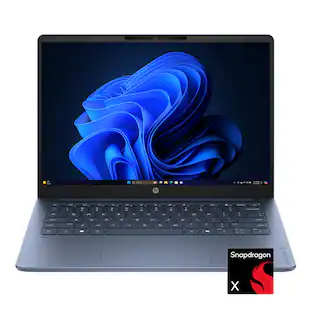
HP OmniBook 3 - 14" 2K OLED Laptop - Snapdragon X (8-Core CPU) - 16GB Memory - 256GB SSD - Copilot+ - 41+ Hrs Battery Life¹
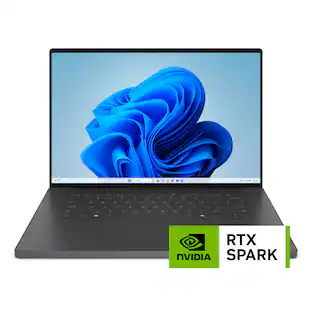
Black Friday Deal$499.99$49999The price was $699.99Dell XPS - 16" 3.2K OLED Touchscreen Laptop - NVIDIA RTX Spark N1X (2026) - 32GB Memory - 512GB Storage
Reviews coming soon
$3,799.99$3,79999HP OmniBook 3 - 14" 2K OLED Laptop - Snapdragon X (8-Core CPU) - 8GB Memory - 256GB SSD - 41+ Hrs Battery Life¹
Black Friday Deal$399.99$39999The price was $599.99Microsoft Surface Laptop - 13" 2K Touchscreen - Snapdragon X2 Plus (6 Core) 2026 - 16GB Memory - 512GB Storage
Reviews coming soon
$1,299.99$1,29999
Discover related products
Apple 12.9-Inch iPad Pro with Wi-Fi - 128GB
$549.99$54999The price was $1,099.99Apple Geek Squad Certified Refurbished 10.2-Inch iPad with Wi-Fi - 64GB
$219.99$21999The price was $329.99Apple 12.9-Inch iPad Pro with Wi-Fi - 256GB
$694.99$69499The price was $1,199.00Apple 10.9-Inch iPad Air - (5th Generation) with Wi-Fi - 64GB
$354.99$35499The price was $599.99Apple Geek Squad Certified Refurbished 10.2-Inch iPad with Wi-Fi - 256GB
$339.99$33999The price was $479.99Apple 11-inch iPad Pro M5 chip Wi-Fi 256GB with OLED
Reviews coming soon
$899.99$89999The price was $999.00Apple iPad mini with Wi-Fi - 64GB
$339.99$33999The price was $499.99Apple 11-inch iPad Pro M4 chip Built for Apple Intelligence Wi-Fi 256GB with OLED
$799.99$79999The price was $999.00Apple 12.9-Inch iPad Pro with Wi-Fi - 512GB
$664.99$66499The price was $1,399.99
Keep exploring
GIGABYTE GAMING A16 PRO Gaming Laptop - 16" 165Hz 2560x1600 IPS Intel Core 7 240H - 1TB SSD - 32GB LPDDR5X RAM GeForce RTX 5070Ti
Reviews coming soon
$1,869.00$1,86900The price was $1,947.69Apple MacBook Pro 14" Laptop - M3 chip - 8GB Memory - 10-core GPU - 512GB SSD
$1,259.99$1,25999The price was $1,399.00Apple MacBook Pro - 13" Display with Touch Bar - Intel Core i5 - 8GB Memory - 256GB SSD
$574.99$57499The price was $1,399.99Apple MacBook Pro - 13" Display with Touch Bar - Intel Core i5 - 8GB Memory - 256GB SSD
$569.99$56999The price was $1,249.99Apple MacBook Pro 14-in. Apple M4 Pro chip Built for Apple Intelligence-24GB Memory-512GB SSD
$1,799.99$1,79999The price was $1,999.00Apple MacBook Air 13.3" Laptop - Intel Core i3 - 8GB Memory - 256GB Solid State Drive
$499.99$49999The price was $949.99Dell XPS 13.4" 2.5K 120Hz Touchscreen Laptop - Intel Core 5 Series 3 320 2026 - 8GB Memory - 512GB Storage - Wi-Fi 7
Reviews coming soon
$799.99$79999The price was $849.99Apple MacBook Air 15" Laptop - M2 chip - 8GB Memory - 256GB SSD
$924.99$92499The price was $1,299.00Apple MacBook Air 13.3" Laptop - Apple M1 chip - 8GB Memory - 256GB SSD
$629.99$62999The price was $699.00IST Computers 16" FHD+ Touchscreen Laptop - Intel Core Ultra 7 - 16GB Memory - 512GB SSD
Reviews coming soon
$989.00$98900The price was $999.99Apple MacBook Pro 16" Laptop - i7 2.6GHz chip - 16GB Memory - 512GB SSD
Reviews coming soon
$499.00$49900