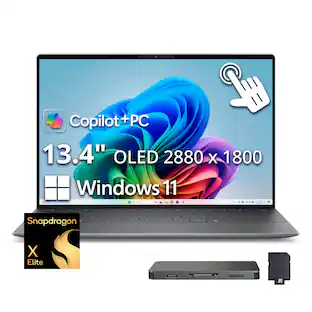
Dell - XPS - 13.4" 3K OLED Touchscreen Laptop - Snapdragon X Elite X1E-80 2024 - 16GB Memory - 512 GB Storage - Copilot+ PC - Graphite
Customers are saying
Customers find value in the excellent battery life, vibrant OLED display, and solid build quality. They also appreciate its fast processor speed, portability, and lightweight design. However, some customers note a limitation in the number of USB ports. Additionally, a few users have observed that the system can run a bit warm.
System Memory (RAM)
16GBHighlights
Copilot+ PCs. A new AI era begins.
Turn your ideas from text prompts into generated artwork. With Recall, search across time to find the content you need. Understand new languages instantly with Live Captions. Copilot+ PCs powered by the Snapdragon X Elite processor come with 45 Trillion Operations Per Second of NPU power, and they’re all set to transform the way you create, find and communicate.
Get a fresh perspective with Windows 11
From a rejuvenated Start menu, to new ways to connect to your favorite people, news, games, and content—Windows 11 is the place to think, express, and create in a natural way.
13.4" 3K OLED Display
True-to-life color and sharp detail on a 13.4”. InfinityEdge display plus incredible sound brings content to life, so you are totally immersed. Available with 3K OLED touch display option and quad speaker design.
Snapdragon X Elite Processor
The Snapdragon X Elite Processor powering Copilot+ PCs offers a new era of performance, intelligence, and power efficiency for creators, collaborators, and engineers alike. Get astonishing processing speeds and power efficiency from a record-breaking CPU and NPU.
Iconic Design
Crafted with machined (CNC) aluminum and Gorilla Glass 3 to deliver a strong, lightweight laptop. XPS is available in Platinum or Graphite with tone-on-tone finishes for an elegant, minimalistic design.
Innovative Interiors
Modern, easy to use interiors like the unique touch function row, seamless glass touchpad and comfortable keyboard deliver a clean, harmonious look and allow you to switch tasks effortlessly.
Ultimate Mobility
Fearlessly designed to be sleek, ultra-portable and powerful. Our thinnest and lightest XPS weighs in at only 2.6 pounds* and just 14.8mm thin so you can stay productive anywhere.
Powerfully Efficient
On-device AI powered by Snapdragon X Elite gives you unmatched speed and efficiency.
Immersive experience
Get detailed, true-to-life color and sound with QHD+, DCI-P3 and quad audio so content comes to life.
New AI superpowers
Discover the power of Recall (preview), improved Windows search, and Click to Do (preview) on Copilot+ PCs. Effortlessly locate past content, perform natural searches, and interact with text and images – all while ensuring your data remains private and you stay productive*.
- Screen TypeWVAScreen Size13.4 inchesScreen Resolution2880 x 1800Touch ScreenYesRefresh Rate60Hz
Reviews
Rating 4.4 out of 5 stars with 213 reviews
- Battery Life (69)
- OLED Display (54)
- Build Quality (46)
- Processor Speed (44)
- Portability (34)
- USB Ports (16)
- Heat Dissipation (5)
- Connectivity (3)
Customer Images
The vast majority of our reviews come from verified purchases. Reviews from customers may include My Best Buy members, employees, and Tech Insider Network members (as tagged). Select reviewers may receive discounted products, promotional considerations or entries into drawings for honest, helpful reviews.
From the manufacturer


Customers often buy these together
Office Software





Laptop Bags and Cases

More recommended items
 Mice
Mice Antivirus and Internet Security Software
 Monitors
 Laptop Docking Stations
 Inkjet Printers
 Headphones
Customers ultimately bought
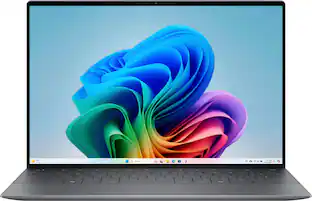 $1,369.00The price was $1,399.99
 Black Friday in July Deal$849.99The price was $1,299.99
 Black Friday in July Deal$749.99The price was $1,099.99
 Black Friday in July Deal$1,299.99The price was $1,599.99
 $1,149.00The price was $1,489.00
 $1,014.99The price was $1,199.99
 $1,018.00The price was $1,199.99
 $899.00The price was $999.99
 Black Friday in July Deal$749.99The price was $1,199.99
 $1,529.00The price was $1,599.00
 $1,349.00The price was $1,449.99
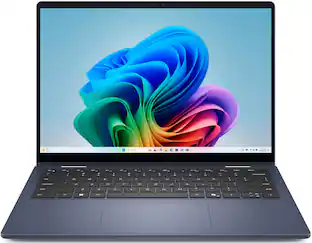
Explore tech essentials Sponsored
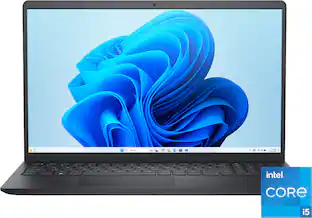 $449.99The price was $849.99
- Black Friday in July Deal$749.99The price was $1,199.99
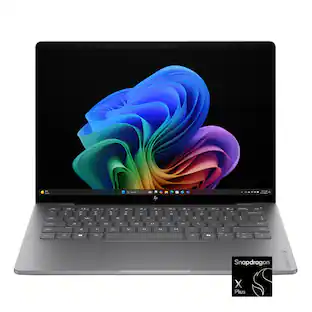 Black Friday in July Deal$649.99The price was $1,099.99
- Black Friday in July Deal$1,299.99The price was $1,599.99
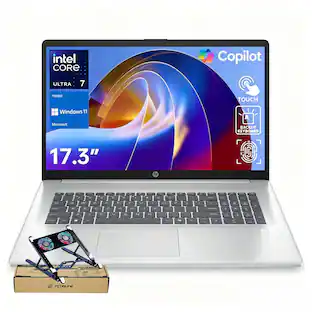 $1,299.00The price was $1,769.00
 Black Friday in July Deal$649.99The price was $1,199.99
 Black Friday in July Deal$499.99The price was $999.99
Keep exploring
 $1,799.99The price was $1,899.99
 $949.99The price was $1,429.99
 $479.99The price was $601.24
 $479.00The price was $559.00
 Black Friday in July Deal$399.00The price was $429.00
 $199.99The price was $229.99
 Black Friday in July Deal$889.99The price was $999.99
 $629.00The price was $859.00