DigiDraw - T410 Drawing Tablet for Graphics Drawing, 6.3 inch with 16384 Stylus Battery-free Pen - Black
Reviews coming soon
About this product
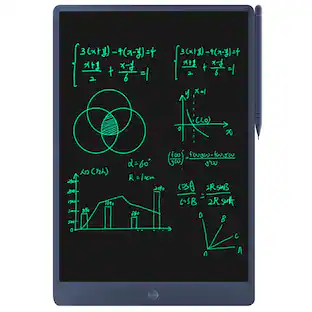
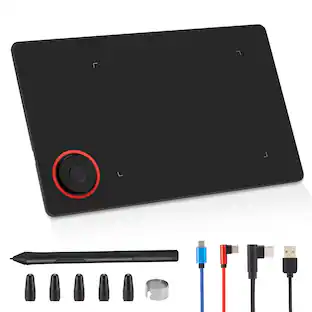
Unleash your creativity anywhere with the DIGIDRAW T410, a sleek graphics tablet designed for digital artists, students, and designers who demand precision on the go. Bridging the gap between traditional sketching and digital efficiency, the T410 combines a tactile paper-like surface with industry-leading stylus technology to bring your imagination to life on Windows, Mac, Chromebook, and Android.
Features
Ultra-Thin & Portable Design:
Sleek and lightweight at just 8.66 × 6.52 × 0.30 inches (220 × 165.7 × 7.5 mm), with a generous 6.3 × 3.9-inch (160 × 100 mm) active area. The button-less, narrow-bezel design maximizes your workspace, perfect for sketching on the go.
Magic Pen 3.0
Battery-free stylus with 16,384 pressure levels, 5080 LPI resolution, 300 PPS report rate, and an ultra-fine 1.6 mm tip. Its slim 9 mm body and 0.03 mm gap reduce wobble by 50%, delivering smooth, accurate lines in Adobe, Clip Studio, Corel, and more.
Zero-Latency Wired Connection
USB-C connectivity ensures a fast, stable connection across Windows, macOS, ChromeOS, and Android 14+ devices. Supports all orientations (0°,90°,180°,270°) and comes with a V3 driver for workspace and angle customization.
Ergonomic Paper-Like Experience
Textured surface simulates real paper, while the curved palm rest reduces fatigue during long sessions. The minimalist, button-free design prioritizes comfort, precision, and creativity for illustrators and designers.
Complimentary One-Year Warranty
Enjoy peace of mind with a one-year limited warranty covering defects in materials or workmanship under normal use. Turing support is ready for repairs or replacements (excludes misuse or unauthorized modifications).
Specifications
- Screen Size6.3 inchesActive Area160 x 100mmTotal Storage Capacity0 gigabytesBattery ChemistryNot battery powered
Reviews
This product doesn't have any reviews yet.
Compare similar products
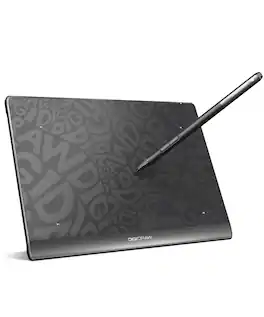
Unleash your creativity anywhere with the DIGIDRAW T410, a sleek graphics tablet designed for digital artists, students, and designers who demand precision on the go. Bridging the gap between traditional sketching and digital efficiency, the T410 combines a tactile paper-like surface with industry-leading stylus technology to bring your imagination to life on Windows, Mac, Chromebook, and Android.
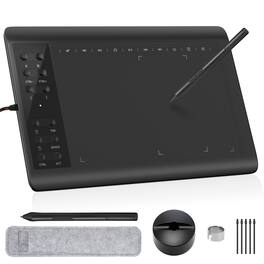
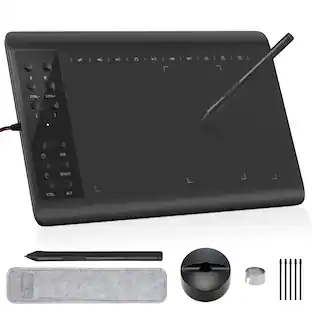
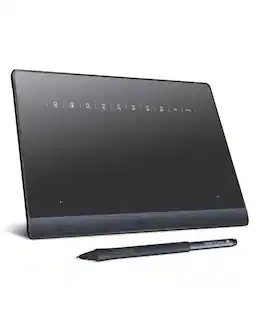
Boasting a spacious 10 x 6 inch active drawing area with a natural paper-like texture, the IMAGE graphic drawing tablet delivers a smooth, lag-free experience ideal for digital artwork. It comes equipped with a passive stylus featuring 8192 levels of pressure sensitivity and ±60° tilt support, enabling precise control over line weight, opacity, and natural shading—just like traditional tools. With 12 customizable shortcut keys and 10 multimedia keys (Windows-compatible), your workflow is streamlined for greater efficiency. This versatile tablet supports a wide range of systems and creative software, including Photoshop, Illustrator, SAI, and many others on Windows, Mac OS, and Android platforms. (For Mac users, please enable necessary permissions during setup for full functionality.)
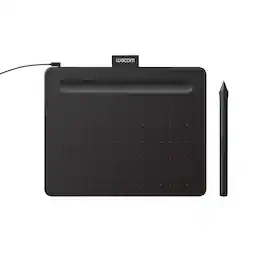
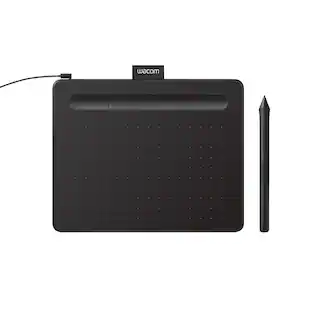
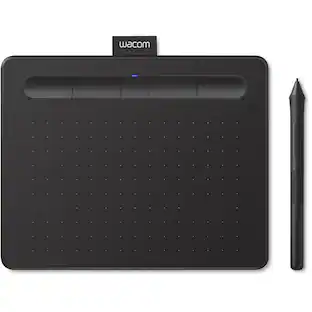
Transform your creative ideas into digital reality with Wacom Intuos drawing tablets. Perfect for casual or aspiring artists this compact graphics tablet delivers reliable Wacom-quality precision at an accessible price. The battery-free, pressure-sensitive pen provides natural, responsive drawing with no charging needed - just pick up and draw, with smooth, jitter-free lines and consistent pressure response. Get started immediately with over $240 in included downloadable creative software and trials, including 2 years of Clip Studio Paint Pro, 12 months of Boris FX Optics, and much more. The paper-like surface texture and four customizable ExpressKeys make digital art, photo editing, illustration, and design feel natural and efficient. Select models (CTL4100WL, CTL6100WL) offer Bluetooth wireless connectivity, letting you create freely at your desk, sofa, or anywhere in the room - with the option to switch to wired mode for ultimate flexibility. The wireless freedom is especially popular with educators and presenters who use the drawing tablet to control their computer while moving around a classroom or conference room. Certified to work with Chromebook and compatible with Windows and Mac, Wacom Intuos seamlessly integrates with Adobe, Corel, and all major creative applications. Backed by Wacom's 40+ years of industry leadership, you're choosing the same pen technology trusted by professional studios worldwide - at a creator-friendly price.
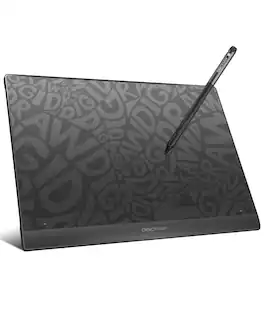
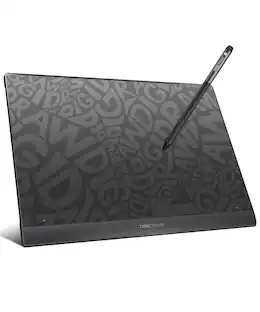
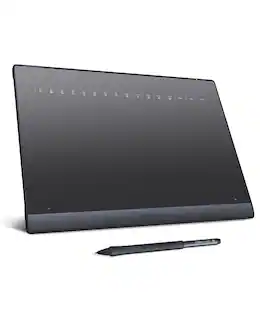
Unlock your full creative potential with DIGIDRAW T610, a streamlined USB-C graphics tablet built for digital artists, students, and design professionals who value precision and control. Combining a finely textured, paper-like drawing surface with high-accuracy stylus performance, T610 delivers a natural, intuitive workflow for sketching, illustrating, editing, and note-taking. Optimized for seamless compatibility with Windows, Mac, and Chromebook, T610 transforms every stroke into a smooth, responsive digital experience—empowering you to bring ideas to life with confidence and consistency.
| Pros for DigiDraw - T410 Drawing Tablet for Graphics Drawing, 6.3 inch with 16384 Stylus Battery-free Pen - Black | |||
|---|---|---|---|
| There were no pros for this product— | There were no pros for this product— | Ease of use, Overall Performance, Size, Price, Software | There were no pros for this product— |
| Cons for DigiDraw - T410 Drawing Tablet for Graphics Drawing, 6.3 inch with 16384 Stylus Battery-free Pen - Black | |||
| There were no cons for this product— | There were no cons for this product— | Connectivity, Pen, Setup, Features | There were no cons for this product— |
Specs
Customers often buy these together
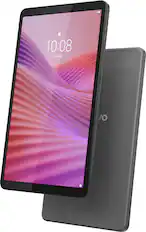
Lenovo - Tab One - 8.7" HD Tablet - 4GB RAM - 64GB eMMC - Luna Grey
$149.99The price was $169.99
More to consider
 Top Deal$69.95The price was $79.95
 $20.99The price was $30.99

Explore tech essentials Sponsored
 $80.99The price was $99.99
 $124.99The price was $139.99