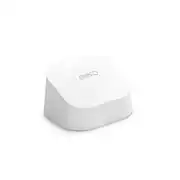
With the eero 6 extender, you can add up to 1,500 square feet of Wi-Fi 6 to your eero network in minutes. Boost your entertainment-grade wifi throughout your home, get automatic updates, and manage everything with the eero app.
Q: What is the maximum Wi-Fi coverage area that this extender can add?
A: The eero 6 extender can add up to 1,500 sq. ft. of Wi-Fi 6 coverage to your existing eero mesh wifi system.
Q: What is the Wi-Fi speed of this extender?
A: The Wi-Fi speed of this extender is 1.8 gigabits per second.
Q: Does this extender receive updates?
A: Yes, it receives automatic updates to maintain network safety and security.
Q: How does this extender help with streaming 4K video or gaming?
A: The eero extender uses TrueMesh technology to intelligently route traffic and reduce drop-offs, allowing for smooth 4K video streaming, gaming, and video conferencing.
Q: Does this extender require a specific type of network to function?
A: Yes, this extender requires an existing eero network to function.
Q: Is this extender compatible with older Wi-Fi devices?
A: Yes, the eero 6 extender is backwards compatible with most previous wifi generations and client devices.
A: It does not, I know cause I bought it not knowing and when I got home to plug it into my cable company (spectrum) router it didn't have any cables. Then I read the box and it said "What you'll need... Eero Router etc." haha sooo yeah learned my lesson hope it helps.
A: You will want to stay with another Eero device to connect to your existing Eero Pro 6 system. You can add any of them (Eero Pro 6 Router, Eero 6 Router, or Eero 6 Extender) to your existing network, it just depends how you want to connect them. Heck, you can even add one of the older Eero units if you find them cheap enough. You will obviously need a power drop at the new location (even if it is outside), and you could also add an Ethernet drop at that same location (even outside). If you do choose to run power and Ethernet outside, make sure they are protected from weather and the outdoor elements. Lightning Arrestors and proper grounding are required by law when connecting outdoor antennas, so make sure you follow local ordinances if you go that route. An easier option is to install a device inside your house next to a window or exterior wall and *some* coverage will extend outside. You will have to play with a few locations to see what gives you the coverage that you need. If you go with a wireless backhaul (not recommended), make sure the new unit is placed close enough to the existing wireless signal as you will need a strong signal between the Eero 6 units in order to provide adequate speeds to the outdoor areas. Also realize that whenever you do a wireless backhaul, that adds one wireless hop and effectively cuts the available bandwidth in half. To further compound that, if you connect one of the new units wirelessly to another unit that is also connected wirelessly, you will effectively have 25% of the bandwidth and speed (i.e. 50% drop of an already 50% drop equals 25%).

With the eero 6 extender, you can add up to 1,500 square feet of Wi-Fi 6 to your eero network in minutes. Boost your entertainment-grade wifi throughout your home, get automatic updates, and manage everything with the eero app.

eero 6+ is our most affordable gigabit system ever. Access premium wifi performance and speeds up to a gigabit, without the premium price tag. eero 6+ gives you all the connectivity, with all the reliability. So you can work from home with confidence—and say goodbye to dropped video calls. Or keep your entire smart home running, even when you’re away.*

Experience fast, reliable Wi-Fi 6 for your connected home. eero 6 uses the power of Wi-Fi 6 to support faster speeds to every corner of your space, increase your internet’s efficiency, and reduce network congestion compared to prior Wi-Fi standards. eero makes it easy to expand your system as your needs change. With cross-compatible hardware, you can easily add eero products in minutes. Best of all, you can say goodbye to dead spots and buffering. eero’s mesh wifi technology optimizes for your space—so you can confidently stream 4K video, game, and video conference across your home.

Experience fast, reliable Wi-Fi 6 for your connected home. eero 6 uses the power of Wi-Fi 6 to support faster speeds to every corner of your space, increase your internet’s efficiency, and reduce network congestion compared to prior Wi-Fi standards. eero makes it easy to expand your system as your needs change. With cross-compatible hardware, you can easily add eero products in minutes. Best of all, you can say goodbye to dead spots and buffering. eero’s mesh wifi technology optimizes for your space—so you can confidently stream 4K video, game, and video conference across your home.
| Pros for eero - 6 Dual-band Mesh Wi-Fi 6 Extender (1-pack) (Add-on Only) - White | |||
|---|---|---|---|
| Cons for eero - 6 Dual-band Mesh Wi-Fi 6 Extender (1-pack) (Add-on Only) - White | |||
| There were no cons for this product— |
Customers often highlight the ease of use and significant improvement in Wi-Fi range and coverage this extender provides. Many appreciate the straightforward setup process and reliable performance, resulting in stronger signal strength throughout their homes. Positive feedback frequently mentions the product's ability to eliminate connectivity issues. While some find the price to be a drawback, the overall experience is overwhelmingly positive.
The vast majority of our reviews come from verified purchases. Reviews from customers may include My Best Buy members, employees, and Tech Insider Network members (as tagged). Select reviewers may receive discounted products, promotional considerations or entries into drawings for honest, helpful reviews.
This extender is connected to an Eero 6 Pro wifi router network in my house, single story, which is 1800 sq. ft in area. Setup is through the Eero app available for Android and Apple. The router and the extender are about 30 feet apart with 2 walls between. This network has improved use and access to two Ring outdoor cameras and one Ring Pro doorbell through the Ring app on an Android phone and an iPad. Minimum number of connected devices on my home network is 20. Eero rates the speed of the Extender at up to 500 Mbps. Note on the Eero Pro 6 wi-fi router: there are only 2 ethernet ports on the router. I use an 8 port ethernet unmanaged switch wired to the router in order to connect 3 to 4 other devices to the network via ethernet cable.
Posted by 63Cobra
Works extremely well, improved the distance of reception.
Posted by JackH
Added 2 of these WiFi extenders to my home, and wow What a difference! Happy camper!!
Posted by Albee