Skip to contentGo to Product Search
Main Content

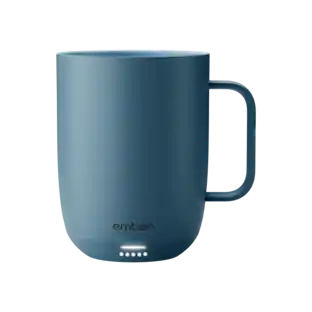
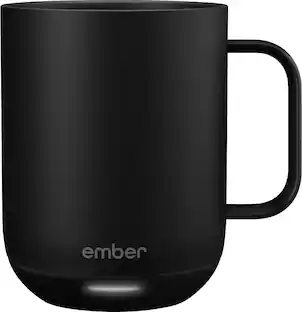
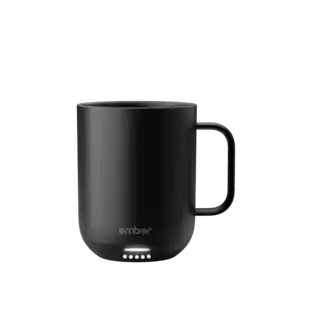
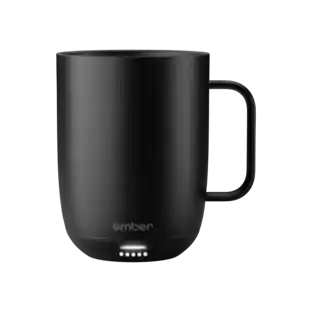
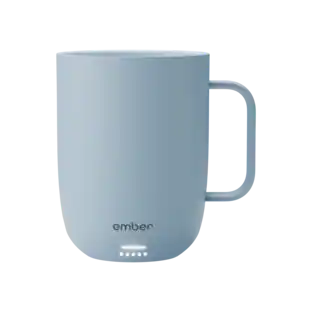
Ember - Temperature Control Smart Cup - 6 oz - Black

Model: CM210600US
SKU: 11255218
Sold & shipped by

About this product

Ideal for espresso-based drinks such as cappuccinos, cortados, and flat whites, the new Ember Cup, 6 oz, offers a premium coffee experience that does more than keep your coffee hot. Our smart mug allows you to set your preferred drinking temperature, so you can enjoy your expertly crafted hot drink —just the way you like it— from the first sip to the last drop. Ember Cup’s built-in battery maintains your precise drinking temperature for up to 1.5 hours or all day with the included charging coaster.

Features
  • Sip And Savor

    Capacity: 6 fl. oz. (178 ml) Dimensions: 3.3 in (84.5 mm) x 3.3 in (85.3 mm) Weight: 11.5 oz (326 g)

  • Long Lasting Battery Life

    Maintain your perfect drinking temperature in the Ember Cup for 1.5 hours on a single charge or all day on the included Charging Coaster 2.

  • Charge Status Indicator

    Set your Ember Cup down on the included Charging Coaster 2 2 to charge your Ember Cup. The smart LED light on the front of the Cup will be solid white when powered on. When your Ember Cup is fully charged the LED light will turn green. The LED light breathes red when your Cup is charging.

  • Easy Cleaning

    Every Ember Cup is IPX7 rated for full underwater submersion making your Cup easy to hand wash, rinse or soak.

  • Your Temperature, Your Way

    Set the temperature of your hot drink down to the degree. Start with the preset 135°F or select your favorite temperature from a  range from 120°F to 145°F (48.9°C to 62.8°C).

  • Auto Sleep

    Simply start pouring to turn on your Ember Cup. When empty, it will automatically enter sleep mode to conserve power. Ember intelligently turns on and off using patented sensors to detect liquid level and temperature.

  • Ember App

    Once you’ve paired your Ember Cup to the Ember app, set your preferred drinking temperature, save your temperatures for all your favorite drinks, try our tea steeping timers, or personalize your Ember Cup to show your name on the touch display. The Ember App is compatible with iOS and Android devices.

  • No More Microwaving

    Enjoy your hot beverages for hours without ever using a microwave. For safety reasons, the Ember Cup should never be placed in a microwave oven.

Specifications
  • Material
    Stainless steel, Plastic
Sponsored

Reviews

Top Mentions

  • Temperature Control (44)
  • Battery Life (20)
  • Ease of use (16)
  • Overall Performance (6)
  • Design (5)
  • Size (16)
  • Capacity (4)
  • Price (4)
  • Charging (3)
  • Weight (3)

Customer Images

The vast majority of our reviews come from verified purchases. Reviews from customers may include My Best Buy members, employees, and Tech Insider Network members (as tagged). Select reviewers may receive discounted products, promotional considerations or entries into drawings for honest, helpful reviews.

  • Rated 5 out of 5 stars

    Great product

    Great product! Keeps my coffee hot and fresh, and very easy to control with the app!

    This review is from Ember - Temperature Control Smart Cup - 6 oz - Black

    Posted by TanyaP

  • Rated 4 out of 5 stars

    Cup that keeps your drink warm for hours

    The Ember mug does what it’s meant to do well, but requires some retraining and keeping your cup in one location (not that you couldn’t travel with it, just too cumbersome for me). And it’s pricey for being a cup. But if you are one to sip and enjoy a hot beverage over a longer period of time, this is something you should look at. I haven’t seen anything else like it, so if you’re reading this and thinking about getting it, you’re likely already intrigued. But there are a few practical things I think one should know when considering purchasing this product. IN THE BOX Inside you’ll find the Ember cup, a charging “saucer,” instruction book, and wall charger. The charging cable is proprietary, at least, it’s not USB-C, so you have to use the included charger. The cable should be long enough for most people but with my setup in my office, I wish I had about an extra foot. SETTING UP There are some stickers on the cup that tell you to charge fully before using. First thing, plug in the saucer to the wall outlet, then place the cup on the saucer to charge. The charging is similar to any wireless charging setup; there’s gold rings on the bottom of the cup that make contact with two gold pins in the saucer that charges it. There’s a light on the bottom of the cup that blinks red when it’s charging and glows green when it’s fully charged. From there you download the Ember app. I’m one to loathe having dozens of unnecessary apps on my phone (at least apps I don’t use frequently) but nonetheless, this is an app you arguable don’t need to access once you set it up. Once the app is downloaded and cup is charged, you hold the power button on the bottom of it until the aforementioned light blinks blue to tell you it’s in pairing mode. From there, the app should find it pretty quickly. Once it’s connected, you’re all set up. APP The app is basic, there’s not much for it to do. You can slide the temperature bar on the app which tells the cup what to hold the temperature of your beverage at. There’s also presets for tea, coffee, etc. You can even make your own presets. I noticed a timer for steeping your tea, but I didn’t use that (I always “eye ball” the length of time to steep my tea). The temperature differences between the coffee preset and green/black teas are just several degrees. To me personally, that temperature difference doesn’t warrant me opening the app each and every time I pour something in it. The app will give you a notification when your drink hits the optimum level (you can disable this). USE Pretty self explanatory, as long as your cup is charged, once you pour liquid in it, it will begin warming it up to the right temperature. The light blinks white on the cup to let you know it’s not quite to the optimal temperature yet and it’s working on it. It can detect if it’s empty and if so, it won't heat up. The cup itself gets slightly warm on the outside, but never does it feel too hot to hold. It’s pretty insulated. The battery purportedly lasts for 2.5 hours. I found this to be pretty accurate. I’ve left the cup off the charging saucer for a few days and used it without issue. But I keep the saucer near my desk (I use mine at work) so I’m always able to simply leave it on the charger. By the time I bring my thermos of coffee into work and pour it into the cup, the temperature is usually in the 118 degrees range. The preset for coffee temp is about 134. I’d say it takes about 5 minutes to bring the temperature up 15-16 degrees which isn’t too bad. It’s not as if I don’t drink it as it’s heating up. As someone who brings in what seems to be a half cup of coffee to work, I really do enjoy the ability to keep it hot all morning. Otherwise, my last sips are almost cold coffee. So for me, this Ember cup is nice to have. As I said, you don’t really need to open the app when you use the cup outside of the initial setup. So I don’t want to give the impression you’re constantly having to open your phone and the app to use the cup. QUIRKS A couple things to mention during my experience. It’s not necessarily advertised in the box, but if you Google search it you can easily figure this out, but it does not heat cold liquids to hot. So don’t expect to pour in a cold cup of coffee or tea and expect it to heat it. If the liquid is too cold, the cup will think it’s empty. Think of this cup as simply maintaining hot temperatures. I don’t know the effective range of the temperatures it will maintain, but something to keep in mind. The charging saucer can be finicky. There’s two gold pins at the bottom. There’s a sticker warning to not let it get wet. Easy enough. But I found the cup failing to charge at one point (after only having it a few days). I reset the cup and repaired it and it didn’t work. But at some point, it started charging again. I don’t know what happened, but it was a tad bit concerning to me when thinking about the device’s longevity. CONCLUSIONS Other than my last two observations, I must say, this cup works as intended and works well. Of course this particular model only holds 6 ounces, so it’s a bit small. But that doesn’t bother me. It’s clearly a luxury item, but if drinking hot liquids over a long period of time (when they would otherwise get cold) is important to you, I would definitely recommend this Ember cup - or any of them for that matter.

    This review is from Ember - Temperature Control Smart Cup - 6 oz - Black

    Posted by callmeageeth

  • Rated 5 out of 5 stars

    Ideal for coffee and tea drinkers

    As a coffee drinker, I have done just about everything to keep my favorite morning beverage at a comfortable drinking temperature while I enjoy it. I was thrilled when I heard about Ember products and couldn’t wait to try them. This smaller mug is perfect for stronger beverages or when you just want a ‘touch’ of something. For example, I like having a cup of coffee in the morning, but in the afternoon, I prefer to have some hot tea. That said, I don’t like to have a large cup of tea. So, this 6oz mug is perfect for that afternoon tea time. Set up of the mug is easy. There is no assembly required and aside from plugging the charging dock into power, the user only needs to connect the mug to the app. The user manual is included as a printed booklet with the mug, but all the languages are not separated. Each step has every language option included with that step. For me, that makes it harder to read. The English instructions are highlighted in orange, but I think it would be easier if each language was separated. I have an iPhone and so the connection to the app was pretty much flawless. I used the original Ember mug a few years back and at the time, the app connection wasn’t very good. It worked, but not as smoothly as it does now. There is also an Apple Watch app that allows you to monitor and change your preferred temperature. To pair the mug to the app, you press/hold the button on the bottom of the mug until you see a blinking LED below the Ember logo. The app should recognize the connection via Bluetooth very quickly. One thing I want to mention is that the app is non-specific about device pairing. It will ask you what product you have and give you three options - the mug, travel mug, or travel mug 2. For a moment I wondered if I had selected the correct app and then I selected mug to see what would happen. It was the right selection, but it would be nice if either the specific products were listed or a dialogue box appeared letting the user know that it isn’t product-specific. This isn’t a dealbreaker for me, but it would make the user experience better. From here, you just set up your Ember account and make sure the firmware is updated. Then you have the option to set your preferences for the device. You can change the color of the LED and your preferred drink temperature as well as if you want the temperature reported in Fahrenheit or Celsius. I think it only took me about 5 minutes to get everything set up - from box to drinking. The mug did have a charge out of the box (about 30%) but I would recommend charging it before use. You can leave the mug on its charging dock while you are enjoying your beverage but you don’t have to for it do its work. As I mentioned I planned on using this smaller mug for my afternoon tea. So, to test how well the mug works to regulate the temperature, I made myself a cup of tea. I have a hot pot to heat water for coffee and tea so I set that to make some hot water and got my tea leaves set in my steeper. I poured the water into the mug and by the time I walked back to my desk, the app had already registered that there was liquid in the mug and that it was 191º. My preferred temperature is set at 135º, which is the default for the mug out of the box. The app had already started to reduce the temperature of the tea and after about 10 minutes, the drink had been reduced to the 135º setting. I took a drink at that temp and decided it was a good average warm temperature for tea. Next, I grabbed an ice cube and dropped it into the mug. The ice cube reduced the temperature to 106º. Once the temperature had stopped dropping, the Ember mug began working to bring the temperature back up to 135º. It only took about 5 minutes for it to raise the temp to 135º. This was very impressive to me. After about 30 minutes of working with the mug, I got a notification that the battery was low (3%), so I set it on its charging dock. I enjoy using this mug and think that if you drink warm drinks regularly, it’s a great investment. Pros: Packaging is subtle, but easily identified App-enabled Works when not on the charger Quick connection to the app cools and warms drink to set temp efficiently Watch app Cons: Manual is not separated by language (English is highlighted in orange). This makes it harder to read. The specific device is not available in the app.

    This review is from Ember - Temperature Control Smart Cup - 6 oz - Black

    Posted by nickcal

  • Rated 5 out of 5 stars

    NICE ENDULGENT HEATED SMART MUG FROM THE FUTURE

    EMBER - TEMPERATURE CONTROL SMART MUG - 6 OZ MODEL:CM210600US Best Buy Tech Insider Network NICE ENDULGENT HEATED SMART MUG FROM THE FUTURE OVERALL I can’t help but thinking of various SI-FI movies as I download a firmware update to my coffee mug! At first, I thought what a silly idea, I already have an old-fashioned coffee warmer on my desk, that , if we are hones, really only works in for the last centimeter of coffee and otherwise just seems to heat up the outside of my mug making it too hot to hold. Along comes the EMBER - SMART MUG to change my mind about how I enjoy my morning drinks. I like to savor my morning tea and coffee as I ease into the morning. Which usually means after a few minutes I’m drinking tepid liquid as best, even with my electric warmer. Now with the EMBER - SMART MUG it is always as hot (or hotter) than the moment it came out of the coffee/tea/espresso maker. We have 2 coffee makers one with decaf and one with regular beans. The one with regular beans makes a better brew, but its temp is a little low. Now with the EMBER - SMART MUG it is heated to the perfect temp. My wife likes her coffee as hot as possible, while I like it a few degrees cooler. With the EMBER - SMART MUG app we can adjust this with a single button press. SETUP I was a little worried with all the stickers, don’t microwave, don’t get the contacts wet, etc. Nevertheless, the setup was one of the better app installations in a while. Just put the EMBER - SMART MUG into pairing mode (I still can’t say that with a straight face), and the app finds it. Then you can control your temp, AND LED EFFECT COLOR! USAGE Somehow it magically knows when you have liquid in there and turns itself on. Then it does a fantastic job regulating the temperature until the liquid is gone. Next you rinse it out make sure it is dry and put it back on the base to recharge. It does take a long time to fully recharge (hours), and I wish it used USB-C chargers for example, instead of another proprietary charger. Yes, this version is only 6 oz, but that is OK as that is just about the size of output on the coffee settings from my espresso machines. I also look forward to having my espressos with the EMBER - SMART MUG which previously got cool too quickly. If you take cream or foam with your drinks, you will have a very small drink indeed. I also would have liked a lighter color. The mug is so dark it is like looking into a black hole and you can’t tell if you have any liquid left in the mug. Owing to the overall weight it always feels full. SUMMARY I like the EMBER - SMART MUG and make no mistakes, that this is a pure luxury item. But if, like me, you like to take your time to enjoy your hot drinks, then it is the perfect gift for yourself or others. I can already see us saving up enough Points to get another one (his/hers) before long.

    This review is from Ember - Temperature Control Smart Cup - 6 oz - Black

    Posted by TheOffice1234

  • Rated 5 out of 5 stars

    Same Great Features in a New Smaller Size

    TLDR: (that’s Too Long, Didn’t Read) If the size of this smaller Ember Cup meets your hot-beverage needs, you’ll find all of the awesome features of the larger Ember Mugs but in a smaller handle-less size. Pros: * Attractive design without a handle. * Easy to use. * Comfortable to hold. * Good enough battery life for between-saucer drinking. * Same great features and app as the larger Ember Mugs. Cons: * Same issue as all other Ember Mugs that the bottom should be air-dried before being placed back on the charging saucer. Details - Setup: Plug the charging saucer in with the provided AC adapter. I’m not sure why they didn’t go with a USB-based charger, but everything works, so it’s not really and issue. If the Cup isn’t already on, press center of the bottom to turn it on and put it in pairing mode. Then place the Cup on the saucer to charge up while you set up the app. After installing the Ember app, just open the app and tap “Pair new device.” The app will find and pair with the cup so you don’t need to first pair via Bluetooth (at least on a current iPhone. Every Ember Mug has a status LED on the front and you can choose that light’s color to more easily identify your Mug from someone else’s of the same model. The app will tell you the Cup’s battery level and whether there are any firmware updates (yeah, for your coffee cup!). If you have an Apple Watch, you can also install the free app for that and see your Cup’s current temperature without reaching for your phone. That’s basically it for setup. You can also choose favorite settings for your hot beverages; like 135F for Coffee or 150F for Tea, etc… Details - Typical Usage: While there is added flexibility and customization when connected to the phone or watch app, you can also easily use the Cup without the app. Pour your favorite hot beverage and the Cup will turn on and keep it at 135F by default. Take it off the charging coaster for up to 90 minutes to keep your drink hot while you roam. When you’ve savored your last sip, the Cup turns off the heater. You can buy extra charging coasters to have them available wherever you typically park yourself and drink, but the Cup is completely compatible with the saucers for all other Ember Mugs. When you’ve finished your drink, just hand wash it in the sink. It’s completely waterproof for hand washing but I wouldn’t put it in the dishwasher. One thing to note is that the bottom of the Cup (and the Mugs) has metal contacts for the charging and a rubber non-slip pad. While this all water-safe, there are nooks and crannies that always seem to trap a bit of water no matter how well you dry it. If you put your freshly washed and dried Cup on the charging coaster right away, some of that trapped water will leach out and moisten the charging area leaving a wet ring between the Cup and the Saucer. This won’t cause damage, but I’ve gotten in the habit of placing my washed mug upside-down on the coaster for an hour or so to air-dry before flipping it right-side up to charge again. As you can see from the attached photos, this new Ember Cup is basically a smaller version of their other Mugs. It holds about 6oz whereas the “regular” Mug holds 10oz and the larger Mug holds 14oz. There is no handle on this one, but I like the feeling of grabbing the cup by the sides. Even with freshly-brewed coffee or tea inside, the outside is comfortable to hold, so no worries about the lack of a handle. Conclusion: This Ember Cup has everything that’s great about the larger Mugs but in a smaller size and without a handle. The same great apps, the same great features, and a fresh handle-less design let you savor your favorite smaller hot beverage for as long as you want.

    This review is from Ember - Temperature Control Smart Cup - 6 oz - Black

    Posted by gadgeTT

Compare similar products

Ember - Temperature Control Smart Cup - 6 oz - Black
4.4(64)

Ideal for espresso-based drinks such as cappuccinos, cortados, and flat whites, the new Ember Cup, 6 oz, offers a premium coffee experience that does more than keep your coffee hot. Our smart mug allows you to set your preferred drinking temperature, so you can enjoy your expertly crafted hot drink —just the way you like it— from the first sip to the last drop. Ember Cup’s built-in battery maintains your precise drinking temperature for up to 1.5 hours or all day with the included charging coaster.

Ember - Temperature Control Smart Mug 2 - 14 oz - Black

Designed for home or office, Ember Mug 2 does more than simply keep your coffee hot. The temperature control smart mug allows you to set your preferred drinking temperature (120°F – 145°F), so you can enjoy your hot drink—just the way you like it— from the first sip to the last drop. Ember Mug 2’s built-in battery maintains your chosen drinking temperature for up to 80 minutes, or all day with the included charging coaster.

Ember - Temperature Control Smart Mug² - 10 oz - Black

Designed for home or office, Ember Mug 2 does more than simply keep your coffee hot. The temperature control smart mug allows you to set your preferred drinking temperature (120°F – 145°F), so you can enjoy your hot drink—just the way you like it— from the first sip to the last drop. Ember Mug 2’s built-in battery maintains your chosen drinking temperature for up to 1.5 hours, or all day with the included charging coaster.
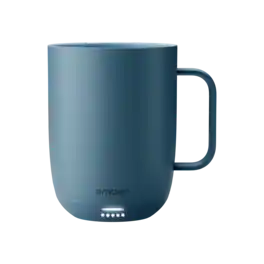
Ember - Mug 3 Smart Heated Coffee Mug Temperature Control, 14 oz - Salt Blue

The perfect temperature with every sip.The mug you know and love is now even better. Ember Mug 3 keeps your drink precisely at your preferred temperature and is easier than ever to use. Set the temperature in the Ember app or directly on the mug, then enjoy every sip at the perfect temperature throughout your day. When you’re done, simply place it in the dishwasher for effortless cleaning. Each mug also includes a sliding lid that helps extend battery life, keeping your drink warm for over three hours on a single charge.

Pros for Ember - Temperature Control Smart Cup - 6 oz - Black
Temperature Control, Ease of use, Overall Performance, Design, Battery LifeTemperature Control, Overall Performance, Ease of use, Color, SizeTemperature Control, Overall Performance, Ease of use, Design, ColorThere were no pros for this product—
Cons for Ember - Temperature Control Smart Cup - 6 oz - Black
Size, Capacity, Price, Charging, WeightBattery Life, Price, Connectivity, Charging, AppBattery Life, Size, Price, Connectivity, CapacityThere were no cons for this product—

Specs

Questions & Answers
  • Is the Ember Cup suitable for use in a work or office environment?

    The Ember Cup is designed for personal use and is ideal for enjoying hot beverages at your preferred temperature. While it can be used in a work or office environment, it may not be the most practical choice due to its limited capacity of 6 ounces and the need for a charging coaster to maintain the desired temperature.

    This question and answer was generated by AI based on customer and product data.
  • What materials are used to make the Ember Cup?

    The Ember Cup is made of ceramic. The product specifications indicate that the material used is ceramic.

    This question and answer was generated by AI based on customer and product data.
  • Does the Ember Cup come with a charging coaster, or is it sold separately?

    Yes, the Ember Cup comes with an included charging coaster. The product description states that the Ember Cup has a built-in battery that maintains the desired drinking temperature for up to 1.5 hours or all day with the included charging coaster.

    This question and answer was generated by AI based on customer and product data.
  • How long does the Ember Cup's battery last on a single charge?

    The Ember Cup's battery can last up to 1.5 hours on a single charge when not used with the charging coaster. However, when used with the included charging coaster, the Ember Cup's battery can last all day.

    This question and answer was generated by AI based on customer and product data.
  • What is the maximum capacity of the Ember Cup?

    The maximum capacity of the Ember Cup is 6 fluid ounces. This information is found in the product specifications under "Container Capacity".

    This question and answer was generated by AI based on customer and product data.
Ask a question
No content
Sponsored
Ember Temperature Control Smart Cup 6 oz Black - Best Buy