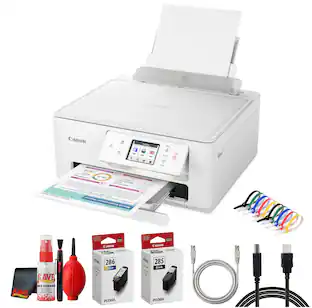
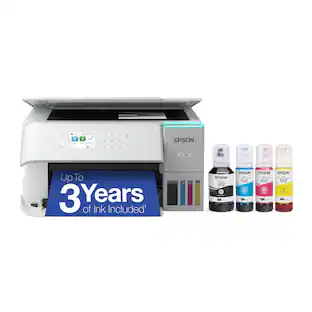
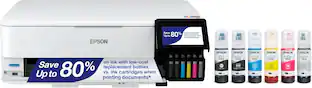
Epson - EcoTank ET-3830 All-in-One Supertank Inkjet Printer - White
Customers are saying
Customers frequently mention that this printer delivers excellent print quality and is remarkably easy to use and set up. Users also appreciate its overall performance, compact size, and straightforward connectivity options. While the majority of feedback is positive, some customers have noted concerns regarding the noise level during operation and the limited functionality of the display. Additionally, a few users expressed a desire for a document feeder and encountered minor difficulties with firmware updates.
Features
Innovative Cartridge-Free Printing
No more tiny, expensive ink cartridges; each ink bottle set is equivalent to about 80 individual cartridges (2)
Dramatic Savings on Replacement Ink
Save up to 90% with replacement ink bottles vs. ink cartridges (1) – that’s enough to print up to 7,500 pages black/6,000 color (3)
Stress-Free Printing
Up to 2 years of ink in the box (4) – and with every replacement ink set – for fewer out of ink frustrations
High-Capacity Ink Tanks
Epson’s exclusive EcoFit ink bottles make filling easy and worry-free
Zero Cartridge Waste
By using an EcoTank printer, you can help reduce the amount of cartridge waste ending up in landfills
Impressive Print Quality
Unique PrecisionCore Heat-Free technology and pigment black ink produce extremely sharp text – plus impressive color photos and graphics – on virtually any paper type
Robust Paper Handling
Paper-saving auto 2-sided printing and a 250-sheet paper tray for higher productivity
Built-In Scanner & Copier
High-resolution flatbed scanner and a 2.4" color display for easy document copying and navigation
Modern Connectivity
Features Ethernet and wireless, plus hands-free voice-activated printing (5). Easily print from your smart device (6) with the intuitive Epson Smart Panel app (7)
Use Genuine Epson Ink
For optimal print quality and performance. Non-genuine ink could cause damage not covered by the printer’s limited warranty
Specifications
- NetworkingWireless, WiredENERGY STAR CertifiedYesPrinter TypeAll In One, Copier, PrinterTouch ScreenNo
Reviews
Rating 4.6 out of 5 stars with 1312 reviews
- Print Quality (581)
- Ease of use (271)
- Overall Performance (192)
- Setup (69)
- Size (53)
- Noise Level (18)
- Price (9)
- Document Feeder (7)
- Display (5)
- Firmware Update (5)
Customer Images
The vast majority of our reviews come from verified purchases. Reviews from customers may include My Best Buy members, employees, and Tech Insider Network members (as tagged). Select reviewers may receive discounted products, promotional considerations or entries into drawings for honest, helpful reviews.

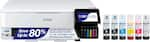
Compare similar products
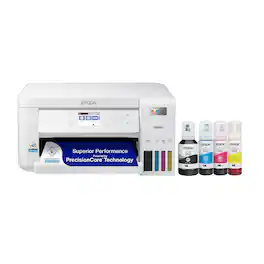
Your busy home needs a printer that’s fast, affordable, easy to use, and has premium features. That’s why we developed the EcoTank ET-3830 – an innovative cartridge-free solution that uses high-capacity, easily refillable ink tanks. So you’ll worry less about running out of ink, and save a lot on replacement ink (1). The ET-3830 features fast printing with outstanding print quality, productive paper handling, a high-resolution flatbed scanner, and a large color display – making it the perfect printer for productive families.
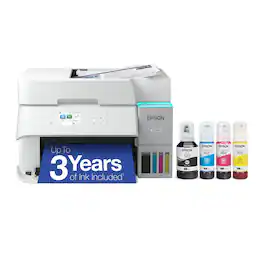
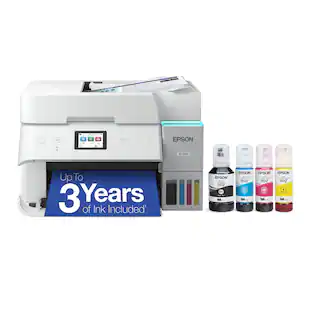
Introducing the EcoTank ET-3950 — The Perfect Printer for Busy Families. Say goodbye to expensive cartridges with the Epson EcoTank ET-3950, the newest innovation from a recognized leader in photographic printing. Combining simplicity with a modern design, the ET-3950 features advanced technology that enhances both performance and print quality, making it an ideal choice for home office printing—including content created by AI. Powered by PrecisionCore Heat-Free technology, the ET-3950 offers a duty cycle that’s twice as robust as its predecessor (1). And unlike conventional thermal inkjet printers, its unique permanent printhead is engineered to last the life of the printer. Designed to be simple and error-free, refilling ink is a breeze with large ink tanks and uniquely keyed EcoFit bottles—no mess, no stress and no ink bottle mix-ups. And with enough ink in the box to last up to three years (2), you'll enjoy affordable color printing without the hassle of frequently replacing cartridges. Featuring Ethernet and Wi-Fi for seamless connectivity, along with the user-friendly Epson Smart Panel app (3), you can easily print, scan, and more directly from your computer or mobile device (4). Choose Epson EcoTank, the #1 Best-Selling Supertank Printer (5). With more than 100 million units sold globally (6) across seven generations of innovation, EcoTank consistently delivers affordable, photo-quality prints, making it a reliable choice for all your printing needs.
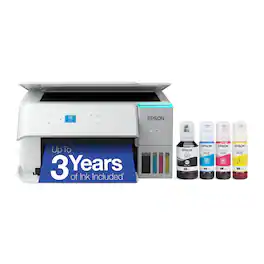
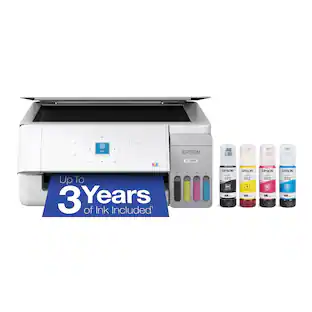
Introducing the EcoTank ET-2980—The Perfect Family Printer. Say goodbye to expensive cartridges with the Epson EcoTank ET-2980. Combining simplicity with a modern design, the ET-2980 features advanced technology that enhances both performance and print quality, making it an ideal choice for everyday family printing – including content created by AI. Powered by PrecisionCore Heat-Free technology, the ET-2980 delivers print speeds 50% faster than its predecessor (1). And unlike conventional thermal inkjet printers, its unique permanent printhead is engineered to last the life of the printer. Designed to be simple and error-free, refilling ink is a breeze with large ink tanks and uniquely keyed EcoFit bottles that help prevent ink from drying out. And with enough ink included to last up to three years (2), you'll enjoy affordable color printing without the hassle of frequently replacing cartridges. Featuring built-in USB and Wi-Fi for seamless connectivity, along with the user-friendly Epson Smart Panel app (3), you can easily print, scan, and more directly from your computer or mobile device (4).
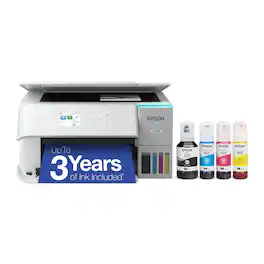
Introducing the EcoTank ET-3930—The Perfect Printer for Busy Families. Say goodbye to expensive cartridges with the Epson EcoTank ET-3930, the newest innovation from a recognized leader in photographic printing. Combining simplicity with a modern design, the ET-3930 features advanced technology that enhances both performance and print quality, making it an ideal choice for productive home printing—including content created by AI. Powered by PrecisionCore Heat-Free technology, the ET-3930 offers a duty cycle that’s twice as robust as its predecessor (1). And unlike conventional thermal inkjet printers, its unique permanent printhead is engineered to last the life of the printer. Designed to be simple and error-free, refilling ink is a breeze with large ink tanks and uniquely keyed EcoFit bottles—no mess, no stress and no ink bottle mix-ups. And with enough ink in the box to last up to three years (2), you'll enjoy affordable color printing without the hassle of frequently replacing cartridges. Featuring built-in USB and Wi-Fi for seamless connectivity, along with the user-friendly Epson Smart Panel app (3), you can easily print, scan, and more directly from your computer or mobile device (4). Choose Epson EcoTank, the #1 Best-Selling Supertank Printer (5). With more than 100 million units sold globally (6) across seven generations of innovation, EcoTank consistently delivers affordable, photo-quality prints, making it a reliable choice for all your printing needs.
| Pros for Epson - EcoTank ET-3830 All-in-One Supertank Inkjet Printer - White | |||
|---|---|---|---|
| Print Quality, Overall Performance, Size, Ease of use, Setup | Print Quality, Overall Performance, Connectivity, Size, Noise Level | Print Quality, Setup Ease, Connectivity, Noise Level, Size | Print Quality, Setup Ease, Connectivity, Size, Noise Level |
| Cons for Epson - EcoTank ET-3830 All-in-One Supertank Inkjet Printer - White | |||
| Noise Level, Price, Document Feeder, Display, Firmware Update | Setup Difficulty, Control Panel | There were no cons for this product— | Automatic Document Feeder |
Specs
Questions & Answers
Does the Epson ET-3830 handle printing on card stock well?
Answered by EpsonHi Cheryl, We do not test card stock with the EcoTank ET-3830, so cannot guarantee print quality. The heaviest Epson paper for the printer is 44 lb. Premium Presentation Paper Matte. That is probably the upper range of paper weight for the ET-3830. Regards, Mark - The Epson Team.
Does the ET-3830 come with a USB cable in the box to connect it to the desktop?
Answered by EpsonHi, It does not include a USB cable. The EcoTank ET-3830 has a standard USB port. To connect it to a computer, you must have a USB 2 Type-A to Type-B cable. Regards, Mark - The Epson Team.

Can I use sublimation ink with this printer? If not what's a good suggestion.
Answered by EpsonHi CRob. The Epson ET-3830 was not designed for dye-sublimation printing nor the use of non-genuine Epson ink cartridges. Using sublimation ink in this printer could damage the print head and impact warranty coverage. Regards, Kevin - The Epson Team.
Can I print wirelessly with this printer?
Yes, this printer features both Ethernet and wireless connectivity options.
This question and answer was generated by AI based on customer and product data.Does this printer offer double-sided printing?
Yes, this printer has an auto 2-sided printing feature to help save paper.
This question and answer was generated by AI based on customer and product data.

Customers often buy these together





Customers ultimately bought
HP Envy 6165 Wireless AI-Enabled All-in-One Inkjet Printer with 6 months of Instant Ink
$79.99The price was $159.99


Explore tech essentials Sponsored
Epson EcoTank ET-15000 Wireless All-In-One Wide-format Supertank Inkjet Printer
Top Deal$599.99The price was $699.99


Discover related products
Acer USB C Docking Station With 2 HDMI, 9-IN-1 Docking Hub with USB A&C 3.0, SD/Micro SD, 100W Charging
$40.99The price was $47.99Logitech X56 HOTAS Microsoft Flight Simulator RGB Dual-Throttle and Joystick
$247.00The price was $275.00Acer USB C to HDMI Cable for Home Office 6.6FT (4K@60Hz), High-Speed Type C to HDMI 2.0 Braided Cord
$12.99The price was $13.99














Keep exploring
Epson EcoTank ET-2988 Wireless All-in-One Color Supertank Inkjet Printer
$149.99The price was $169.99