Epson - PowerLite 1781W WXGA Wireless 3LCD Projector - Black
About this product
Be prepared for presentations anywhere with this Epson Powerlite projector. Its small size and low weight make it portable for business travel, and its LCD display provides 1280 x 800 WXGA resolution for sharp images at up to 3200 lumens of brightness. This Epson Powerlite projector includes NFC connectivity for wireless communication.
Portable design
Weighs 4 lbs. for easy transport to meetings, presentations and more.
Wireless capability
Lets you present wirelessly over a network via PC or Mac.
3LCD 3-chip technology
Delivers best-in-class Color Brightness* and reliable performance with no rainbow effect.
±30° keystone correction
For distortion-free images.
3200 lumens of color brightness and 3200 lumens of white brightness
Boost display visibility and produce clear, vibrant on-screen images.
1280 x 800 WXGA resolution
Delivers crisp, detailed high-definition images.
HDMI input
Makes it easy to connect to high-definition sources.
30" - 300" viewable screen size
Allows everyone in the room to enjoy a clear view.
2.2' - 26.8' projector distance
Allows flexible placement.
1.04 - 1.26:1 throw ratio range
Reproduces wide images in their correct proportions.
USB Plug 'n Play instant setup
Instantly projects audio and video from a PC or Mac via a USB connection.
Horizontal and vertical image correction
Projects rectangular images from any angle; just move the easy-slide control bar to make the necessary horizontal image adjustments; vertical adjustments are automatic.
Manual zoom
Offers setting versatility.
214W lamp
Delivers up to 7,000 hours of lamp life in ECO mode and up to 4,000 hours of lamp life in normal mode for extended use.
30-39dBA fan noise
Ensures quiet operation.
Built-in 1W speaker
Provides crisp sound.
Remote
Enables operation from a distance.
*Color Brightness measured per IDMS 15.4. Additional colors and picture modes tested. Top-selling Epson 3LCD projectors vs. comparable top-selling 1-chip DLP projectors based on NPD sales data for May 2017 - April 2018. Color brightness will vary based on usage conditions.
- Product Weight4 poundsLight SourceLampResolution800pWhite Brightness (ISO)3200 lumensContrast Ratio10000:1Projector UseBusiness
Reviews
Rating 4.7 out of 5 stars with 56 reviews
Customer Images
The vast majority of our reviews come from verified purchases. Reviews from customers may include My Best Buy members, employees, and Tech Insider Network members (as tagged). Select reviewers may receive discounted products, promotional considerations or entries into drawings for honest, helpful reviews.
Compare similar products
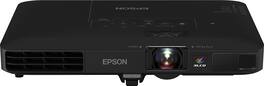
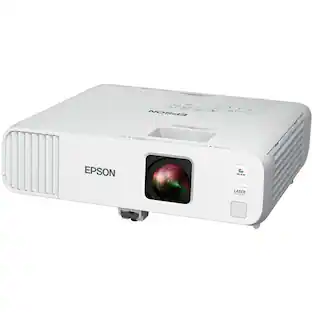
Be prepared for presentations anywhere with this Epson Powerlite projector. Its small size and low weight make it portable for business travel, and its LCD display provides 1280 x 800 WXGA resolution for sharp images at up to 3200 lumens of brightness. This Epson Powerlite projector includes NFC connectivity for wireless communication.

Impress your audience and own the room with the ultra bright EX3290 projector. See and be seen with images up to 300''—4x the size of a 75'' flat panel—perfect for maximizing productivity. Offering 4,000 lumens of color brightness (IDMS rated) and 4,000 lumens of white brightness (ISO rated)¹, the EX3290 delivers vivid, professional-quality presentations, spreadsheets and videos—even in well-lit spaces. This sleek, compact projector makes it easy to display captivating images using advanced 3-chip 3LCD technology, stunning widescreen WXGA resolution and real-time, scene-by-scene adaptive correction technology for vibrant color and sharp contrast, every time you display. Ideal for creating dynamic, engaging presentations, the EX3290 conveniently connects to streaming devices², such as Amazon Fire, Apple TV, Roku, and Chromecast. In addition, easily connect laptops so you can video conference and share a variety of rich content, including movies, TV shows and more². And with a built-in speaker, you can enjoy hassle-free setup for video and audio—right out of the box.
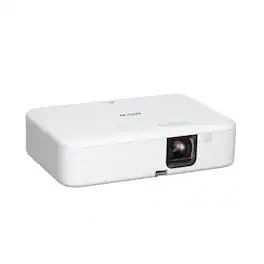
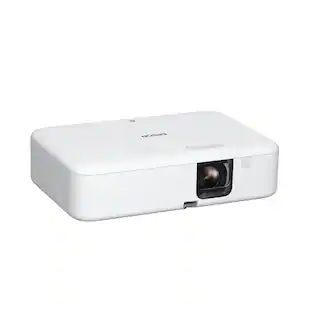
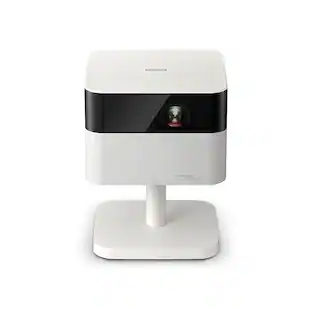
Enjoy versatile projection for remote work, home entertainment and beyond with the Epson EpiqVision Flex CO-FH02 Smart Streaming Portable Projector. Designed to bring more ease and convenience to your workday, the Epson EpiqVision Flex CO-FH02 delivers a Full HD 1080p picture up to 300"—that’s four times larger than a 75" flat panel—for collaborative online meetings and detailed presentations. Perfect for engaging at-home learning, immersive movie watching and more, this 3,000-lumen projector1 offers Best-in-Class Color Brightness2 to deliver crisp, colorful images in virtually any lighting environment—even during the daytime. Sleek and compact, this portable projector can be easily carried in bags and backpacks for easy viewing virtually anywhere. It features a powerful, high-quality speaker system for a truly amazing viewing experience. And, with Android TV3 included, you can tune into all your favorite streaming channels, including Netflix, Apple TV+, Amazon Prime, Hulu, Disney+, HBO Max, YouTube and more4.

Designed for modern hybrid workspaces, the Pro EX9270 offers a bright, dynamic display that elevates visibility and cultivates collaboration. See and be seen with images up to 300''—4x the size of a 75'' flat panel—perfect for maximizing productivity. The Pro EX9270 offers 4,100 lumens of color brightness (IDMS rated) and 4,100 lumens of white brightness (ISO Rated)¹ for bright images—even in well-lit spaces. Stunning Full HD 1080p resolution, combined with real-time adaptive scene-by-scene color processing, helps ensure vibrant colors and sharp contrast, every time you display. With Apple AirPlay, wirelessly stream videos, music, photos and presentations to your projector right from your iPhone, iPad, or Mac for hassle-free content sharing². Plus, easily mirror your screen and stream directly from your Windows PC using Miracast³. With a wide range of connectivity options and a built-in speaker, you can connect devices such as Amazon Fire, Apple TV, Roku and Chromecast for streaming⁴, right out of the box. In addition, you can connect laptops for seamless video conferencing, Zoom meetings and more. And enjoy easy installation in nearly any space with 1.6x optical zoom, keystone correction and four-corner adjustment for accurate alignment.
| Pros for Epson - PowerLite 1781W WXGA Wireless 3LCD Projector - Black | |||
|---|---|---|---|
| There were no pros for this product— | Overall Performance, Ease of Use | Picture Quality, Brightness, Ease of use, Setup, Size | Brightness, Picture Quality, Connectivity, Setup Ease |
| Cons for Epson - PowerLite 1781W WXGA Wireless 3LCD Projector - Black | |||
| There were no cons for this product— | Connectivity | Bluetooth, Fan Noise, Heat, Focus | Noise Level |
Specs
Can I connect an external speaker using Bluetooth or a cable?
Answered by EpsonHi JohnS, The PowerLite 1781W has a built-in speaker, but does not have a speaker output connection. Regards, Mark - The Epson Team.

Can I connect the projector to my computer via Bluetooth?
Answered by EpsonHi, The PowerLite 1781W does not have Bluetooth capabilities. It connects using your Wi-Fi network. You can project from your laptop, tablet, or smartphone without plugging into the projector using the free Epson iProject software. Regards, Dylan - The Epson Team.
Can I use the 1781w with Teams?
Answered by EpsonHello wisgirda. The 1781W Projector can be connected to a computer running Teams via USB, HDMI, or VGA connections. Regards, Kevin - The Epson Team.
What is the Model #? Only part of it shows on the specifications part.
Answered by EpsonHi Ombudsman, The Epson model number for the PowerLite 1781W Projector is V11H794120. Regards, Mark - The Epson Team.
Can this project on multiple screens
Answered by EpsonHello BB. Unfortunately not, the Epson PowerLite 1781W can only project to a single screen via HDMI, VGA port, or a component and composite video connections. Regards, Kevin - The Epson Team.
Find more like this
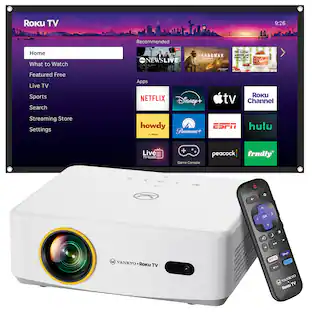 Top Deal$209.99The price was $229.99
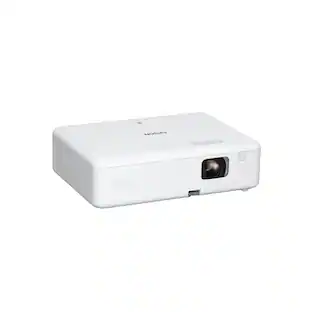 Top Deal$329.99The price was $399.99
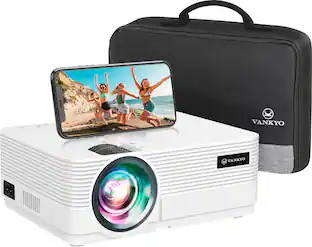 Top Deal$129.99The price was $169.99
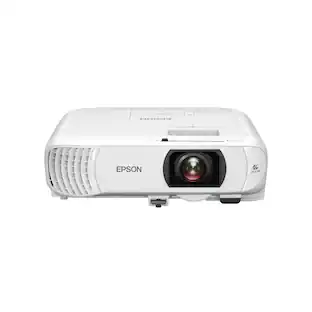 Top Deal$749.99The price was $849.99
 Top Deal$599.99The price was $649.99
 Top Deal$949.99The price was $999.99

More to consider
- Top Deal$599.99The price was $649.99
- Top Deal$949.99The price was $999.99
- Top Deal$749.99The price was $849.99
- Top Deal$329.99The price was $399.99
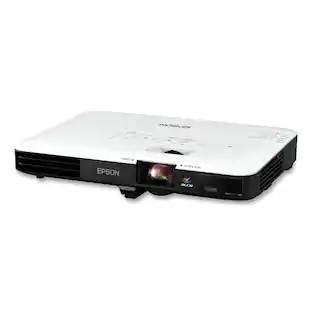
Epson - V11H796020 PowerLite 1795F 3200 lm 1920 x 1080 Pixels Wireless Full HD 1080P 3 LCD Projector
$1,166.00The price was $1,260.80
Elevate your entertainment Sponsored
 $3,399.00The price was $4,499.00
- Top Deal$329.99The price was $399.99
- Top Deal$599.99The price was $649.99
- Top Deal$749.99The price was $849.99

Discover related products


Keep exploring
 $59.99The price was $99.99
- $3,999.00The price was $4,099.00
 $449.99The price was $499.99
 $149.99The price was $289.99