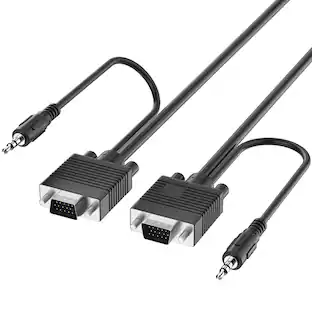
Fosmon - (25 FT) VGA/SVGA/UXGA Monitor Cable with 3.5mm Audio Jack (Male to Male) - Support High Video Resolution - Black
Reviews coming soon
About this product
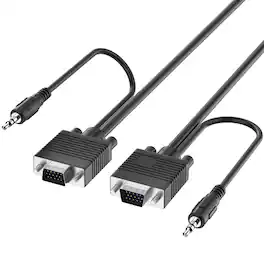
Connectivity. Fosmon's High Resolution VGA (Video Graphics Array) Monitor Cable uses the standard 15-pin D-sub VGA connector that connects desktop and laptop computers to a display, such as a TV, monitor, or projector. High Resolution Support. Resolutions up to WUXGA (1920x1200) are supported, higher than Full HD resolutions of 1920x1080. Other lower resolutions such as UXGA (1600x900), WXGA+ (1440x900), WXGA (1366x768), WXGA (1280x1024), WXGA (1280x800), and others are also supported. 3.5mm TRS Audio Cable Attached. VGA cables are only capable of transmitting video signals. This is remedied by the attached 3.5mm TRS audio cable. Connect the audio cable to the proper ports on the source computer and display (if supported) to provide audio through the TV, monitor, or projector's speakers. Plug-And-Play. Simply plug the High Resolution VGA Monitor Cable into the source device and display to get it working. Audio is supported with the 3.5mm TRS audio cable. No downloads, drivers, or installations are required. Each end of the VGA cable has two thumbscrews to secure the plugs into the devices. NOTE. VGA connectors and VGA technology do not have audio support. Only video will be transmitted from the source to the display. For audio, connect the attached 3.5mm TRS audio cable to the correct audio ports.
Cable Length
25.0'Compatibility
VGA male to VGA male monitor cable to connect desktop and laptop computers to monitors, TVs, and projectors
Resolution Support
High resolutions up to WUXGA (192x12) and Full HD are supported
3.5mm TRS audio cable attached to provide audio
VGA alone does not support audio
Plug-and-play design
Secure Connection
Thumbscrews help secure the VGA cable into the connected devices
- Cable Length25.0 feetConnector Type (End 1)VGAGender (End 1)MaleConnector Type (End 2)VGAGender (End 2)MaleIn-Wall RatedNo
Reviews
This product doesn't have any reviews yet.
Compare similar products
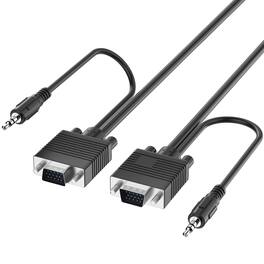
Connectivity. Fosmon's High Resolution VGA (Video Graphics Array) Monitor Cable uses the standard 15-pin D-sub VGA connector that connects desktop and laptop computers to a display, such as a TV, monitor, or projector. High Resolution Support. Resolutions up to WUXGA (1920x1200) are supported, higher than Full HD resolutions of 1920x1080. Other lower resolutions such as UXGA (1600x900), WXGA+ (1440x900), WXGA (1366x768), WXGA (1280x1024), WXGA (1280x800), and others are also supported. 3.5mm TRS Audio Cable Attached. VGA cables are only capable of transmitting video signals. This is remedied by the attached 3.5mm TRS audio cable. Connect the audio cable to the proper ports on the source computer and display (if supported) to provide audio through the TV, monitor, or projector's speakers. Plug-And-Play. Simply plug the High Resolution VGA Monitor Cable into the source device and display to get it working. Audio is supported with the 3.5mm TRS audio cable. No downloads, drivers, or installations are required. Each end of the VGA cable has two thumbscrews to secure the plugs into the devices. NOTE. VGA connectors and VGA technology do not have audio support. Only video will be transmitted from the source to the display. For audio, connect the attached 3.5mm TRS audio cable to the correct audio ports.

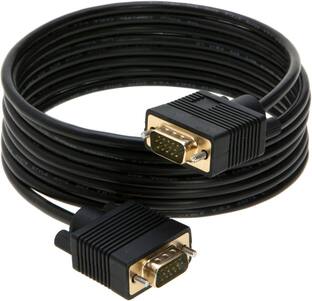
This VGA cable extends and mirrors the screen of your computer to a VGA display, such as a TV or monitor. The corrosion-resistant cable transmits reliable video signals at resolutions up to 1920 × 1200, letting you watch movies, videos and more in full HD. A 6 ft. length ensures you’ll be able to position your devices wherever you want them.
Connectivity. Fosmon's High Resolution VGA (Video Graphics Array) Monitor Cable uses the standard 15-pin D-sub VGA connector that connects desktop and laptop computers to a display, such as a TV, monitor, or projector. High Resolution Support. Resolutions up to WUXGA (1920x1200) are supported, higher than Full HD resolutions of 1920x1080. Other lower resolutions such as UXGA (1600x900), WXGA+ (1440x900), WXGA (1366x768), WXGA (1280x1024), WXGA (1280x800), and others are also supported. 3.5mm TRS Audio Cable Attached. VGA cables are only capable of transmitting video signals. This is remedied by the attached 3.5mm TRS audio cable. Connect the audio cable to the proper ports on the source computer and display (if supported) to provide audio through the TV, monitor, or projector's speakers. Plug-And-Play. Simply plug the High Resolution VGA Monitor Cable into the source device and display to get it working. Audio is supported with the 3.5mm TRS audio cable. No downloads, drivers, or installations are required. Each end of the VGA cable has two thumbscrews to secure the plugs into the devices. NOTE. VGA connectors and VGA technology do not have audio support. Only video will be transmitted from the source to the display. For audio, connect the attached 3.5mm TRS audio cable to the correct audio ports.
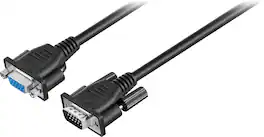
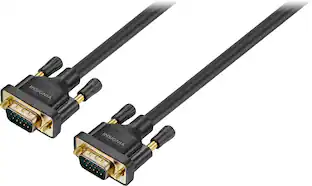
Extend the length of your VGA or Super VGA monitor cable with this 10' Insignia cable that works with most monitors less than 17" and features DB15 male-to-female gold connectors for optimal signal strength.
| Pros for Fosmon - (25 FT) VGA/SVGA/UXGA Monitor Cable with 3.5mm Audio Jack (Male to Male) - Support High Video Resolution - Black | |||
|---|---|---|---|
| There were no pros for this product— | Quality, Ease of use, Cable Length, VGA, Connectivity | There were no pros for this product— | Cable Length, Quality, Ease of use, VGA, Compatibility |
| Cons for Fosmon - (25 FT) VGA/SVGA/UXGA Monitor Cable with 3.5mm Audio Jack (Male to Male) - Support High Video Resolution - Black | |||
| There were no cons for this product— | There were no cons for this product— | There were no cons for this product— | Resolution, Signal Loss |
Specs
Be the first to ask a question.
We’ll try to get your question answered within 24 hours by a Best Buy customer or brand representative.
Customers often buy these together
More to consider
Explore tech essentials Sponsored
 $387.99The price was $465.99
 $179.99The price was $229.99
 Top Deal$79.99The price was $139.99

Discover related products
 $24.99The price was $27.99









Keep exploring
 $12.99The price was $14.99