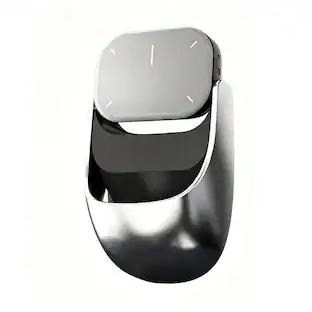
Goldtouch - Newtral 3 Mouse | Wireless Medium - Wireless - Black
Reviews coming soon
About this product
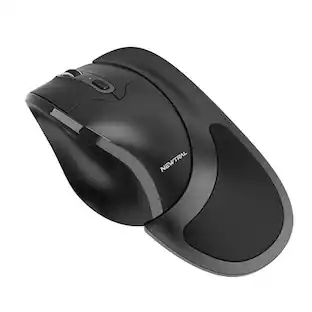
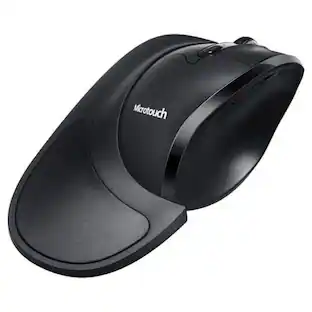
For an ergonomic mouse that fits your grip, choose the Black Newtral 3 Wireless Mouse. With 2.4 GHz wireless technology, pair it to your device and start working without messy wires. The customizable grip options help reduce discomfort while mousing, with a detachable, frictionless flange and gentle slope to support your hand’s natural position.
Features
Ergonomic Design
This mouse reduces wrist and forearm pronation through the concave depression on the thumb side of the mouse combined with the 33 degree slope off the horizontal from the pointer finger to the fifth finger position.
Reduces Grip Requirements
The slanted semi-fist shape design allows gravitational force on the hand to be employed to provide the majority of the control required to precisely move the mouse
Gripping Options
With the Newtral 3 Mouse, you will have two grip options: the Precision Grip and Ergo-Grip (attachment flange). The Ergo-Grip design with detachable palm support keeps the underside of the pinky finger and palm off the surface of the desk to reduce friction
Reduces Pressure of Your Wrist
The soft gel applied to the Ergo-Grip flange support increases the size to bear your hand weight and reduces the pressure of your wrist
Programmable Buttons
With 6 entirely programmable buttons on the mouse, you can customize how you navigate. Driver installation is needed to program the button functions, and is only compatible with Windows systems
Specifications
- Connection TypeWireless
Reviews
This product doesn't have any reviews yet.
Compare similar products
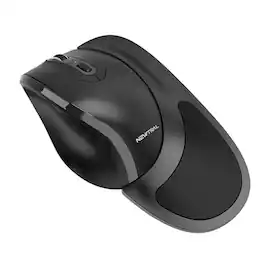
For an ergonomic mouse that fits your grip, choose the Black Newtral 3 Wireless Mouse. With 2.4 GHz wireless technology, pair it to your device and start working without messy wires. The customizable grip options help reduce discomfort while mousing, with a detachable, frictionless flange and gentle slope to support your hand’s natural position.
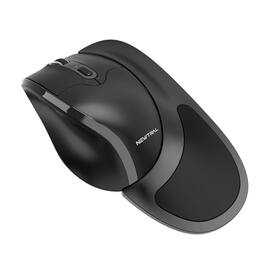
For an ergonomic mouse that fits your grip, choose the Black Newtral 3 Wireless Mouse. With 2.4 GHz wireless technology, pair it to your device and start working without messy wires. The customizable grip options help reduce discomfort while mousing, with a detachable, frictionless flange and gentle slope to support your hand’s natural position
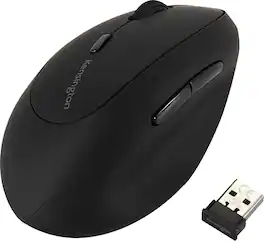
The Kensington Pro Fit Left-Handed Ergo Wireless Mouse is designed specifically for left-handed users, combining ergonomic comfort, precision, and reliable performance. Its contoured shape supports a natural hand position, reducing wrist and hand strain during extended computing sessions. Equipped with advanced optical tracking technology, it delivers smooth and accurate cursor control across a variety of surfaces, enhancing productivity for office, creative, or home tasks. The mouse features conveniently placed forward and back buttons for seamless navigation and a responsive scroll wheel for effortless scrolling through documents, spreadsheets, and web pages. Wireless connectivity ensures a clutter-free workspace, providing freedom of movement without compromising reliability. With a sleek and professional design, the Pro Fit Left-Handed Ergo Wireless Mouse offers left-handed users an ergonomic, high-performing, and stylish solution for daily computing needs.
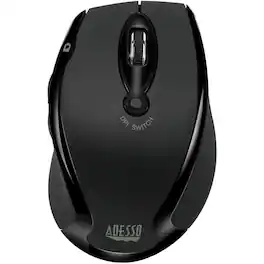
Adesso Mouse - Optical - Wireless - Red - 6 Button(s)
Specs
Be the first to ask a question.
We’ll try to get your question answered within 24 hours by a Best Buy customer or brand representative.
Customers often buy these together
Computer Keyboards

![esc ~ ! 1 tab caps lock shift ctrl F2 Fl # 2 3 Q W A S Z start opt L F3 $ 4 E D X alt cmd3 ) FS F4 A % 5 6 R T F G V C logi 44 HI & F9 FID FB F7 F6 * ) - - & 0 8 9 7 O P U I Y K L H J > < N M 1 B PM + = { [ : I ; ? I alt cmd D 2 4 300 3 1 F12 . * page I insert home up clear backspace 8 9 + 7 page A pg up end down home } I delete ] / 6 4 5 4 enter 2 3 enter 1 dn Pg end shift = 0 del ins etrl fn opt](https://pisces.bbystatic.com/image2/BestBuy_US/images/products/6539/6539505_sd.jpg;maxHeight=232;maxWidth=233?format=webp)
![Esc F1 F2 F3 F4 F5 F6 F7 F8 F9 F10 F11 F12 Print Screen Scroll Lock Pause Break 1 2 3 4 5 6 7 8 9 0 - + = Backspace Insert Home H Page Up A Num Look 1 I Tab Q W E R T Y U I o P { [ } ] I I Delete End IN Page Down 7 Home 8 9 Pg Up Caps A Lock A S D F G H J K L ; : DE g Enter 4 5 6 Shift Z X C V N M < > ? I Shift 1 End 2 3 Pp Dn Enter Ctrl Alt Alt Ctrl 0 Ins Del](https://pisces.bbystatic.com/image2/BestBuy_US/images/products/a588d446-5678-40ae-86b8-1f15e0026e66.jpg;maxHeight=232;maxWidth=233?format=webp)











More to consider
 $59.99The price was $99.99

Explore tech essentials Sponsored





Keep exploring
 $139.95The price was $187.95
 Techtober Deal$24.99The price was $32.99
 $119.95The price was $199.95