Kensington - Pro Fit Left-Handed Ergo Wireless Mouse - Wireless - Black
Reviews coming soon
About this product
The Kensington Pro Fit Left-Handed Ergo Wireless Mouse is designed specifically for left-handed users, combining ergonomic comfort, precision, and reliable performance. Its contoured shape supports a natural hand position, reducing wrist and hand strain during extended computing sessions. Equipped with advanced optical tracking technology, it delivers smooth and accurate cursor control across a variety of surfaces, enhancing productivity for office, creative, or home tasks. The mouse features conveniently placed forward and back buttons for seamless navigation and a responsive scroll wheel for effortless scrolling through documents, spreadsheets, and web pages. Wireless connectivity ensures a clutter-free workspace, providing freedom of movement without compromising reliability. With a sleek and professional design, the Pro Fit Left-Handed Ergo Wireless Mouse offers left-handed users an ergonomic, high-performing, and stylish solution for daily computing needs.
Features
Ergonomist-Approved Left-Handed Design
Sculpted with a 41º inclined angle, the mouse supports a neutral handshake grip that reduces wrist strain and enhances comfort for left-handed users.
Six-Button Productivity Layout
Includes forward/back navigation, scroll wheel, and DPI toggle for efficient multitasking and control across applications.
Triple DPI Settings
Switch between 800, 1200, and 1600 DPI for precise cursor movement tailored to your screen size and task requirements.
Secure Wireless Transmission
128-bit AES encryption protects data during wireless communication, ensuring secure performance in professional environments.
Customizable Controls
KensingtonWorks™ software allows users to assign functions to buttons, optimizing workflow and enhancing user experience.
Specifications
- Connection TypeWireless
Reviews
This product doesn't have any reviews yet.


Compare similar products
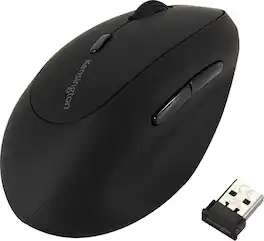
The Kensington Pro Fit Left-Handed Ergo Wireless Mouse is designed specifically for left-handed users, combining ergonomic comfort, precision, and reliable performance. Its contoured shape supports a natural hand position, reducing wrist and hand strain during extended computing sessions. Equipped with advanced optical tracking technology, it delivers smooth and accurate cursor control across a variety of surfaces, enhancing productivity for office, creative, or home tasks. The mouse features conveniently placed forward and back buttons for seamless navigation and a responsive scroll wheel for effortless scrolling through documents, spreadsheets, and web pages. Wireless connectivity ensures a clutter-free workspace, providing freedom of movement without compromising reliability. With a sleek and professional design, the Pro Fit Left-Handed Ergo Wireless Mouse offers left-handed users an ergonomic, high-performing, and stylish solution for daily computing needs.
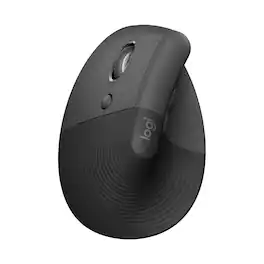
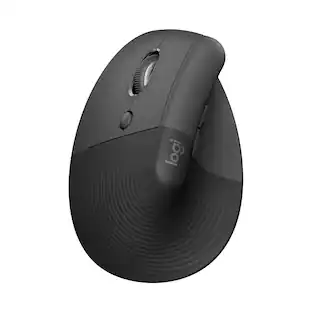
Desk life getting you down? Lift yourself up with Lift Vertical Ergonomic Mouse – a comfy and intuitive wireless mouse with quiet clicks crafted specially for small-to-medium hands. Available in right and left. Lift’s unique 57-degree angle elevates your wrist to give a feeling of relief — and sends a wave of comfort through the forearm and upper body. Scrolling feels second nature with SmartWheel, which easily shifts from precision to speed-scroll. Customize Lift ergo mouse using intuitive Logi Options+ Software.
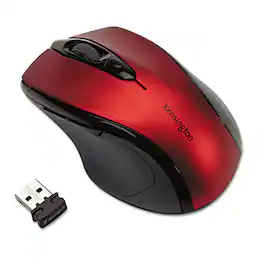
A mouse that not only fits your hand, but also your style sensibilities. The ergonomic right-handed design provides hours of comfort. The Pro Fit Mid-Size Wireless Mouse is built to deliver years of service. Perfect for desktop and mobile users alike, the Pro Fit Mid-Size Wireless Mouse has a nano receiver that operates 2.4 GHz to reduce interference in crowded office environments. The receiver is so small you can leave it in your computer, or slide it in the Pro Fit’s built-in receiver storage compartment. Compact mouse provides users with clutter-free productivity for a desktop PC. Complements mobile laptop usage for travel with a storable nano receiver. The ergonomic, right-handed design with a high-definition optical sensor offers precise and responsive control.
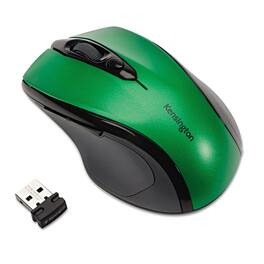
A mouse that not only fits your hand, but also your style sensibilities. The ergonomic right-handed design provides hours of comfort. The Pro Fit Mid-Size Wireless Mouse is built to deliver years of service. Perfect for desktop and mobile users alike, the Pro Fit Mid-Size Wireless Mouse has a nano receiver that operates 2.4 GHz to reduce interference in crowded office environments. The receiver is so small you can leave it in your computer, or slide it in the Pro Fit’s built-in receiver storage compartment. Compact mouse provides users with clutter-free productivity for a desktop PC. Complements mobile laptop usage for travel with a storable nano receiver. The ergonomic, right-handed design with a high-definition optical sensor offers precise and responsive control.
| Pros for Kensington - Pro Fit Left-Handed Ergo Wireless Mouse - Wireless - Black | |||
|---|---|---|---|
| There were no pros for this product— | Ergonomics, Connectivity, Build Quality, Glide Smoothness, Performance | There were no pros for this product— | There were no pros for this product— |
| Cons for Kensington - Pro Fit Left-Handed Ergo Wireless Mouse - Wireless - Black | |||
| There were no cons for this product— | Size | There were no cons for this product— | There were no cons for this product— |
Specs
Customers often buy these together
Computer Keyboards

![The text on the image reads:
888 DD DI DD 4 DSC i F2 F3 4 FS T6 ET 1. 1N IN F.. 11 1.. 114 1n F1 F12 118 in9 - a ee 1 8F 2 3 $ 4 % 5 A 6 & 7 . 8 I 9 I 0 ee I + = delete fn home page up clear - / + tab Q W E R T Y U I 0 P { [ ] ] | I delete end page down 7 8 9 ee caps lock A S D F G H J K L : I - return 4 5 6 + shift Z X C V N M < F > ? / shift a 1 2 3 control option 2 command 3 command option control Y - 0 enter
After grouping and correcting the text, it reads:
888 DD DI DD 4 DSC i F2 F3 4 FS T6 ET 1. 1N IN F.. 11 1.. 114 1n F1 F12 118 in9 - a ee 1 8F 2 3 $ 4 % 5 A 6 & 7 . 8 I 9 I 0 ee I + = delete fn home page up clear - / + tab Q W E R T Y U I 0 P { [ ] ] | I delete end page down 7 8 9 ee caps lock A S D F G H J K L : I - return 4 5 6 + shift Z X C V N M < F > ? / shift a 1 2 3 control option 2 command 3 command option control Y - 0 enter](https://pisces.bbystatic.com/image2/BestBuy_US/images/products/f4059d3a-0c2a-46ef-bcfd-4e11b9b26d5d.jpg;maxHeight=232;maxWidth=233?format=webp)
Mouse Pads
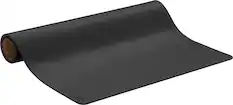
Insignia™ - Desk Mat - Black
Black Friday Deal$12.49The price was $24.99
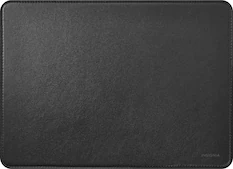



Customers ultimately bought
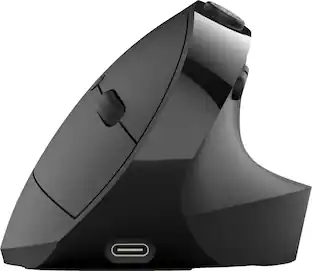
Logitech Lift Left Vertical Wireless Ergonomic Left-Handed Mouse with 4 Customizable Buttons
$59.99The price was $99.00Logitech M325s Wireless Optical Compact Ambidextrous Mouse
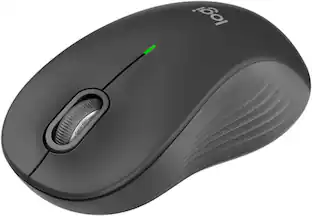
Black Friday Deal$9.99The price was $22.99Logitech Signature M550 L Full Size Wireless Bluetooth Optical Ambidextrous Mouse with Silent Clicks
$19.99The price was $29.99

Explore tech essentials Sponsored
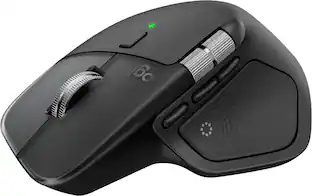
Logitech MX Master 4 - Adobe Edition - Wireless Laser Ergonomic Mouse with Advanced Performance Haptic Feedback
Black Friday Deal$109.99The price was $119.99Logitech MX Anywhere 3S Wireless Bluetooth Optical Fast Scrolling Mouse with Programmable Buttons
Black Friday Deal$69.99The price was $89.99

Keep exploring
GravaStar Mercury M2 Wireless Gaming Mouse with 26000 DPI PAW3395 Sensor and 79g Lightweight Design
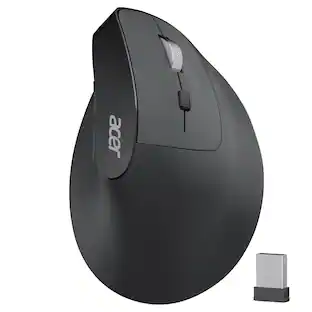
$59.95The price was $79.95Acer Computer Mouse Wireless, 2.4G Slim USB Wireless Mice with USB Receiver, 800/1200/1600 Adjustable DPI
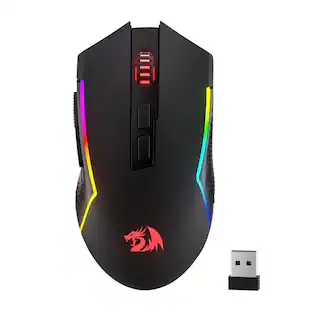
Black Friday Deal$12.99The price was $14.99REDRAGON M914P Wireless Optical 9 Programmable Button Tri-mode Gaming Mouse with 12,000 DPI HERO Sensor & RGB Lighting - Wireless
Black Friday Deal$33.99The price was $39.99GravaStar Mercury M1 Pro Special Edition Wireless Gaming Mouse with 26000 DPI and Magnesium Alloy Frame
$74.95The price was $99.95