Google - DisplayPort to Type C Cable - Black
Reviews coming soon
Related Item

About This Item
- Key Specs
- Cable Length: 3 feet
- Connector Type (End 1): DisplayPort
- Connector Type (End 2): USB-C
- General
- Brand: Google
- Model Number: GA3C00043-A00
- Product Name: Google DisplayPort to Type C Cable
- Color: Black
- Connectivity
- Cable Type: HDMI, USB
- Cable Length: 3 feet
- Product Type: Cable
- Connector Type (End 1): DisplayPort
- Connector Type (End 2): USB-C
- Other
- UPC: 811571015887
The Google USB Type-C to DisplayPort Cable lets you seamlessly connect your USB-C device to any DisplayPort-enabled monitor or display.
- Feature: Connects USB-C devices to DisplayPort displays
Reviews
This product doesn't have any reviews yet.
Compare similar products
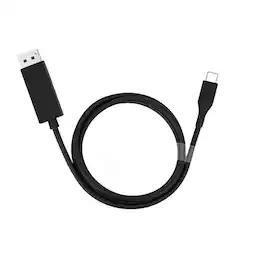
The Google USB Type-C to DisplayPort Cable lets you seamlessly connect your USB-C device to any DisplayPort-enabled monitor or display.
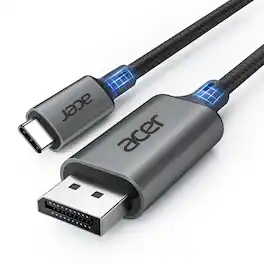
acer USB C to DisplayPort Cable 6.6 FT (4K@60HZ 2K@165Hz), Type-C to DisplayPort Cord (Sturdy Aluminum, Plug & Play) Thunderbolt 3/4/5 Compatible with MacBook Pro/Air, iPhone 16 Pro/Max, XPS, Surface
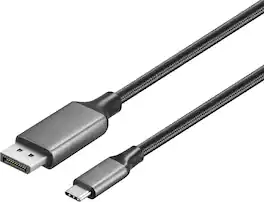
Improve your workstation by connecting your laptop to an external monitor with this Insignia 6 ft. USB-C to DisplayPort Cable. The cable supports 4K Ultra HD to prevent loss in quality when transferring between screens. It features a sleek braided cable jacket for protection, and the plug-and-play design makes setup a breeze.

This 1-meter charge cable is made with a woven design with USB-C connectors on both ends, and is ideal for charging, syncing, and transferring data between USB-C devices. Pair the USB-C Woven Charge Cable with a compatible USB-C power adapter to conveniently charge your devices from a wall outlet and take advantage of fast-charging capabilities. USB-C power adapters sold separately.
| Pros for Google - DisplayPort to Type C Cable - Black | |||
|---|---|---|---|
| There were no pros for this product— | Build Quality, Cable Length | Overall Performance | Durability, Charging Speed, USB-C, Price, Design |
| Cons for Google - DisplayPort to Type C Cable - Black | |||
| There were no cons for this product— | There were no cons for this product— | There were no cons for this product— | Heat |