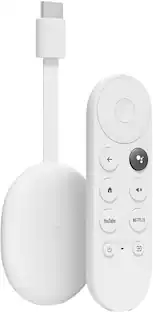
Google - TV Streamer 4K - Fast Streaming Device in 4K HDR - 32 GB of Storage - Porcelain
Customers are saying
Customers are delighted by the product's exceptional overall performance, impressive speed, and user-friendly interface. Users frequently praise the simple setup process, the versatile smart remote, and the generous storage capacity. While the device is highly regarded for its quality design, some users have noted minor concerns regarding audio synchronization, pricing, and occasional software updates.
Features
Everything you stream, on one screen.
See movies and TV shows from all your services right from your home screen.¹ No more jumping back and forth between apps to decide what to watch.
Personalized finds for the whole fam.
It’s easy to find new things to watch, with tailored recommendations for everyone in your home based on individual interests, viewing habits, and more.
Channel more of your favorites, free.
Watch live TV and access over 800 free channels from Pluto TV, Tubi, and more – all organized alongside your subscriptions for easy browsing.³
Save it now, search less later.
Discover an interesting show or movie on your TV, mobile app, or Google search? Simply add it to your watchlist, so it’s ready when you are.²
Set the scene for epic home viewing.
Up to 4K HDR with Dolby Vision delivers captivating, true-to-life detail.⁴ And connect speakers that support Dolby Atmos for more immersive 3D sound.
Best performance by a supporting cast.
With a 22% faster processor and twice the memory of the previous generation, enjoy smooth navigation and quick switching between apps.⁵
More space, more entertainment.
With 32 GB of storage, you can install more of your favorite apps.² So you’ll always have a wide variety of entertainment to choose from.
Just ask for what you want.
The redesigned voice remote is easy to use and comfortable to hold. Use your voice to find shows, get answers, and control smart home devices.⁶,⁷
Launch right into it.
Now you can use the remote to open your favorite app or the home panel, or switch inputs with a press of a button. Simply program it and you’re good to go.
Lost remote? Your search is over.
End the frustration of misplacing your remote. Now you can make it ring simply by pressing a button on your Google TV Streamer or asking Google.⁸
Your photos, as seen on TV.
Enjoy a slideshow of your pictures from your Google Photos library right on your TV.¹
Doubles as a hub for Google Home and Matter.
Enjoy a faster, more responsive smart home by connecting and controlling all your compatible devices with your Google TV Streamer. And Thread is built in for improved connectivity.
Manage your home without missing a scene.
It’s even easier to control your smart home devices from your TV with the new home panel.¹ Dim the lights or check a camera’s live view without pausing your shows.⁹
Don’t let spotty Wi-Fi steal the show.
Use the built-in Ethernet port to connect directly to your router for uninterrupted streaming, even if your Wi-Fi signal is weak.
Designed to feel right at home.
The Google TV Streamer’s sleek design blends beautifully with any decor. And it’s made with at least 65% recycled plastic.¹⁰
Bring it to the big screen. Seamlessly.
Effortlessly cast content from multiple compatible Android and iOS apps on your phone, tablet, or laptop right to your TV.¹
The next generation of entertainment, your way.
Get everything you love about Chromecast with Google TV and more. Enjoy super fast performance, added storage, and a sleek, reimagined design.
Specifications
- Featured Streaming ServicesYouTube, YouTube TV, Netflix, Hulu, Apple TV, Prime Video, HBO Max, Disney+, ESPN+, SpotifyMaximum Supported Resolution2160p (4K)High Dynamic Range (HDR)YesHeadphone/Headset ConnectivityBluetoothOperating System CompatibilityAndroid TVRemote Control IncludedYes
Reviews
Rating 4.5 out of 5 stars with 818 reviews
- Overall Performance (300)
- Ease of Use (100)
- Speed (58)
- Interface (53)
- Remote Control (47)
- Audio Quality (18)
- Price (9)
- Software (5)
Customer Images
The vast majority of our reviews come from verified purchases. Reviews from customers may include My Best Buy members, employees, and Tech Insider Network members (as tagged). Select reviewers may receive discounted products, promotional considerations or entries into drawings for honest, helpful reviews.
Compare similar products

The Google TV Streamer (4K) delivers your favorite entertainment quickly, easily, and personalized to you.¹,² Get fast performance, responsive navigation, and tailored recommendations from Google’s most advanced streamer yet.⁵ And all your content is organized for you in one place, so you’ll do a lot less searching and way more watching.

The Google TV Streamer (4K) delivers your favorite entertainment quickly, easily, and personalized to you.¹,² Get fast performance, responsive navigation, and tailored recommendations from Google’s most advanced streamer yet.⁵ And all your content is organized for you in one place, so you’ll do a lot less searching and way more watching.
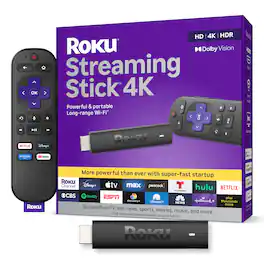
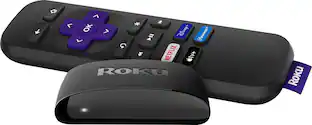
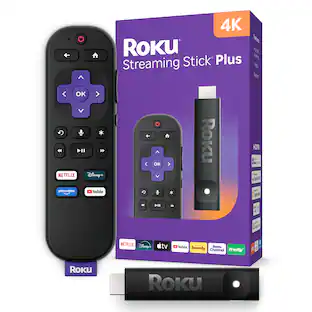
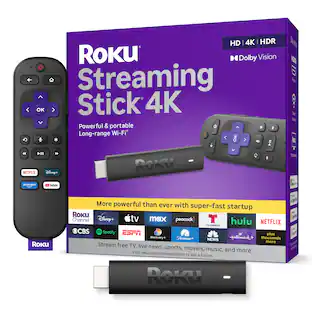
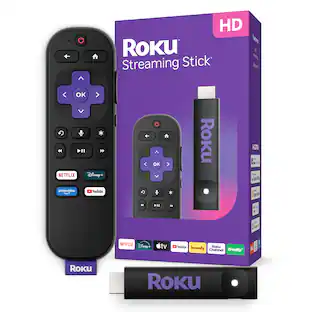
Roku Streaming Stick 4K is the easiest way to give any 4K TV the ultimate upgrade to America’s #1 TV streaming platform*. Start streaming in a snap and enjoy 500+ free TV channels with live news, weather, sports coverage, and more. Watch your favorites in stunning 4K, Dolby Vision, and rich HDR10+ colors packed into this slim Roku player with long-range Wi-Fi. The sleek, portable design won’t block neighboring HDMI ports, so you can switch from streaming to gaming with ease. Plus, it stays hidden behind your TV, keeping wires neatly out of sight. *Based on hours streamed—Hypothesis Group

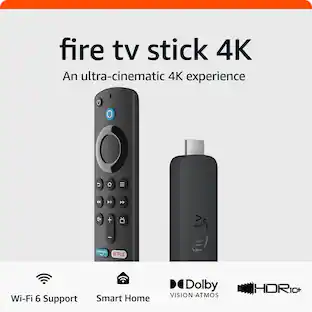
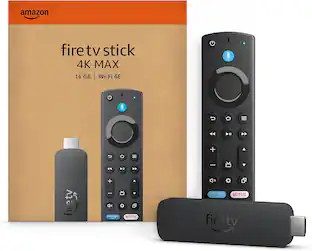
Our most powerful streaming stick - Elevate your entertainment experience with a powerful processor for lightning-fast app starts and fluid navigation.
| Pros for Google - TV Streamer 4K - Fast Streaming Device in 4K HDR - 32 GB of Storage - Porcelain | |||
|---|---|---|---|
| Overall Performance, Ease of Use, Speed, Interface, Remote Control | Overall Performance, Ease of Use, Speed, Interface, Remote Control | Ease of use, Overall Performance, Remote Control, Setup, Wi-Fi | Overall Performance, Ease of use, Speed, Setup, Storage |
| Cons for Google - TV Streamer 4K - Fast Streaming Device in 4K HDR - 32 GB of Storage - Porcelain | |||
| Audio Quality, Price, Software | Audio Quality, Price, Software | Battery Life, Compatibility, Overheating | Buffering, Remote Control, Lag |
Specs
Questions & Answers
My tv is not Smart tv Can we get rid of the cable box from Comcat after installing the Google tv streamer that I will buy from you?
Answered by Google TeamGood news, Charlie! The Google TV Streamer (4K) can turn your regular TV into a smart TV, allowing you to access various streaming services. A Google TV streamer works with most TVs that have an HDMI port. However, there are a few things to consider: > Internet Connection: You'll need a reliable internet connection to stream content. > Cable TV Services: If you rely on specific cable TV channels that aren't available through streaming services, you might still need a cable box for those channels. > Live TV Streaming Services: Some streaming services offer live TV channels, but your local channel availability may vary. > Subscriptions: Each streaming service requires a subscription with its own cost. If you have any other questions, please contact us at the following link: https://support.google.com/chromecast/googletvstreamer#topic=15435243
Can I cast to this from a Chromium browser like I can with the discontinued Chromecast line of products?
Answered by Google TeamGreat question. Yes, you can cast directly from your browser to the Google TV Streamer (4K). Here’s a link with more details: https://support.google.com/chromecast/answer/3228332
I subscribed to various streaming apps. Do I have to enter each one separetly with each password?
Answered by Google TeamThanks for the inquiry, LaoR. Yes, you’ll need to login into each individual streaming service as they are all independent apps on the Google TV Streamer (4K).
How much storage space does the Google TV Strreamer have?
The Google TV Streamer has 32 GB of storage space.
This question and answer was generated by AI based on customer and product data.Can I use voice control with this Google TV Streamer?
Yes, the Google TV Streamer comes with a voice control remote and has Google Assistant built-in.
This question and answer was generated by AI based on customer and product data.

Customers often buy these together
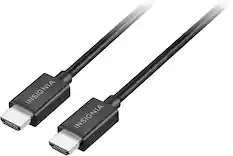
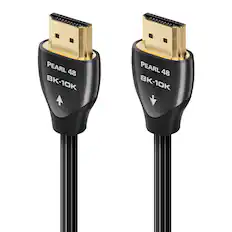
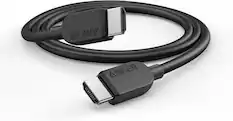
4K HDMI (2.0) Cables


8K HDMI (2.1) Cables





More to consider
 $119.00The price was $129.00
 $49.99The price was $59.99

Elevate your entertainment Sponsored
- $49.99The price was $59.99
Discover related products
 $99.00The price was $159.99

Keep exploring
 $329.99The price was $340.99