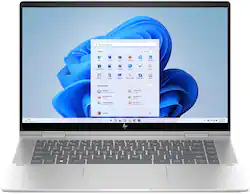
HP - Envy 2-in-1 15.6" Full HD Touch-Screen Laptop - Intel Core i5 - 8GB Memory - 256GB SSD - Natural Silver
- Key Specs
- Screen Type: IPS
- Screen Size: 15.6 inches (Size of the screen, measured diagonally from corner to corner.)
- Screen Resolution: 1920 x 1080 (Full HD) (Screens come in a range of resolutions (measured in pixels, horizontal x vertical). The higher the resolution, the greater the picture quality.)
- Touch Screen: true (Touch-screen devices make navigating more intuitive. Using a touch-screen display, you can do things such as tap to select, hold and drag to move items, swipe to scroll, and pinch to zoom.)
- Brightness: 250 nits (A measure of the total light output.)
- Processor Model: Intel 13th Generation Core i5 (Your computer's processor is like its brain. Working in combination with system memory, the power of the processor determines the complexity of software you can run, how many programs you can have open at the same time, and how fast those programs will run. Most computers feature an AMD, Intel or Snapdragon processor.)
- CPU Base Clock Frequency: 1.3 gigahertz (Actual central processing unit (CPU) speed may vary by device configuration and design. The average rate at which the processor is able to execute tasks under normal operating conditions as asserted by the manufacturer.)
- Storage Type: SSD
- Total Storage Capacity: 256 gigabytes
- System Memory (RAM): 8 gigabytes (Random-access memory (RAM) is a computing device's short-term data storage, which allows active information to be accessed quickly. The size and type of RAM determines how efficiently the device can handle large amounts of information at one time. For example, gaming or video editing requires more RAM for optimal performance.)
- Graphics: Intel Iris Xe Graphics (Often referred to as a "graphics processing unit" (GPU), this device is responsible for displaying image content and decoding/encoding video content in programs and games.)
- Display Connector(s): 2 x Thunderbolt 4, 1 x HDMI 2.1 (The number and type of connectors used to connect to an external display.)
- Battery Life (up to): 12.75 hours (Battery life will vary depending on the product configuration, product model, applications loaded on the product, power management setting of the product and the product features used by the customer. As with all batteries, the maximum capacity of this battery will decrease with time and usage.)
- Battery Chemistry: Lithium-ion polymer
- 2-in-1 Design: true (A laptop and a tablet combined in one lightweight, portable device. Sometimes referred to as "convertible" or "hybrid" laptops, these devices deliver the processing power and keyboard of a laptop. When you're ready to play, either detach the screen or fold your 2-in-1 into tablet mode to comfortably watch movies, play games, read an e-book and more.)
- Backlit Keyboard: true (Integrated lights allow for visibility of the keys in low-light conditions.)
- General
- Brand: HP
- Model Number: 7H9Y2UA#ABA
- Product Name: Envy 2-in-1 15.6" Full HD Touch-Screen Laptop - Intel Core i5 - 8GB Memory - 256GB SSD
- Color: Natural Silver
- Year of Release: 2023
- Display
- Screen Type: IPS
- Screen Size: 15.6 inches (Size of the screen, measured diagonally from corner to corner.)
- Screen Resolution: 1920 x 1080 (Full HD) (Screens come in a range of resolutions (measured in pixels, horizontal x vertical). The higher the resolution, the greater the picture quality.)
- Touch Screen: true (Touch-screen devices make navigating more intuitive. Using a touch-screen display, you can do things such as tap to select, hold and drag to move items, swipe to scroll, and pinch to zoom.)
- Brightness: 250 nits (A measure of the total light output.)
- Processor
- Processor Brand: Intel
- Processor Model: Intel 13th Generation Core i5 (Your computer's processor is like its brain. Working in combination with system memory, the power of the processor determines the complexity of software you can run, how many programs you can have open at the same time, and how fast those programs will run. Most computers feature an AMD, Intel or Snapdragon processor.)
- Processor Model Number: 1335U
- CPU Base Clock Frequency: 1.3 gigahertz (Actual central processing unit (CPU) speed may vary by device configuration and design. The average rate at which the processor is able to execute tasks under normal operating conditions as asserted by the manufacturer.)
- CPU Boost Clock Frequency: 4.6 gigahertz (Actual central processing unit (CPU) speed may vary by device configuration and design. The maximum rate at which the processor is able to execute tasks, typically only used for a short period of time as needed. This rate may temporarily boost the processor's performance, but may result in overheating, shutdown, or damage to equipment if sustained.)
- Number of CPU Cores: 10-core (A core, or "brain" of a CPU, allows it to receive and execute instructions. Each core can work independently or together to perform parallel operations.)
- CPU Cache Memory Level: L3
- L3 Cache: 12 megabytes (Cache memory, also called CPU memory, is random-access memory (RAM) that a computer microprocessor can access more quickly than it can access regular RAM. This memory is typically integrated directly with the CPU chip or placed on a separate chip that has a separate bus interconnect with the CPU.)
- Neural Processing Unit (NPU): false (Whether the product comes with an integrated neural processing unit (NPU) that performs computations for AI (artificial intelligence) functions to increase proficiency of the CPU and reduce power consumption.)
- Storage
- Storage Type: SSD
- Total Storage Capacity: 256 gigabytes
- Solid State Drive Capacity: 256 gigabytes (The amount of data that can be stored on the device's solid state drive (SSD). SSD is a flash-based storage with faster speeds than a hard disk drive (HDD).)
- Solid State Drive Interface: PCIe (Connects the solid state drive to the host system. PCI and SATA interfaces are the most common; PCI interfaces are typically faster, but SATA interfaces are compatible with a wider range of systems.)
- Memory
- System Memory (RAM): 8 gigabytes (Random-access memory (RAM) is a computing device's short-term data storage, which allows active information to be accessed quickly. The size and type of RAM determines how efficiently the device can handle large amounts of information at one time. For example, gaming or video editing requires more RAM for optimal performance.)
- Type of Memory (RAM): LPDDR5 (Each type of RAM delivers a different level of speed, bandwidth, energy efficiency and performance.)
- System Memory RAM Speed: 5200 megahertz (How fast the information-storing hardware operates. The faster the RAM, the faster memory can be transferred to other system components. Ultimately, faster RAM improves operational efficiency.)
- Graphics
- Graphics Type: Integrated (Dedicated graphics uses a separate graphics card for processing video images. Because it does not use memory from the system's RAM, there is no extra burden on the CPU and graphics are processed more efficiently. Integrated graphics shares system RAM to process video images.)
- GPU Brand: Intel
- Graphics: Intel Iris Xe Graphics (Often referred to as a "graphics processing unit" (GPU), this device is responsible for displaying image content and decoding/encoding video content in programs and games.)
- Compatibility
- Operating System: Windows 11 Home (The operating system manages all software and hardware, including files, memory and connected devices. Most importantly, it lets you interact with your device and your programs in a visual way; otherwise, you'd be typing computer code to get anything done.)
- Voice Assistant Built-in: No (A digital assistant built into the device that uses voice commands to answer questions and control smart devices.)
- Connectivity
- Display Connector(s): 2 x Thunderbolt 4, 1 x HDMI 2.1 (The number and type of connectors used to connect to an external display.)
- Number of HDMI Outputs (Total): 1
- Number of Thunderbolt Ports (Total): 2
- USB Ports: 2 x USB-A 3.2 (The number and type of USB ports the product has.)
- Number of USB Ports (Total): 2
- Headphone Jack: true (The device features an interface that allows for the connection of headphones.)
- Wireless Connectivity: Bluetooth, Wi-Fi (The manner in which a device sends data to another device over a short distance without the use of wires or cables.)
- Power
- Power Supply Maximum Wattage: 65 watts
- Battery Life (up to): 12.75 hours (Battery life will vary depending on the product configuration, product model, applications loaded on the product, power management setting of the product and the product features used by the customer. As with all batteries, the maximum capacity of this battery will decrease with time and usage.)
- Battery Cells: 4-cell
- Battery Chemistry: Lithium-ion polymer
- Camera
- Front-Facing Camera: true
- Front Facing Camera Megapixels: 5 megapixels (The more megapixels, the more detail that the camera facing the user can capture.)
- Built-In Microphone: true
- Features
- 2-in-1 Design: true (A laptop and a tablet combined in one lightweight, portable device. Sometimes referred to as "convertible" or "hybrid" laptops, these devices deliver the processing power and keyboard of a laptop. When you're ready to play, either detach the screen or fold your 2-in-1 into tablet mode to comfortably watch movies, play games, read an e-book and more.)
- Backlit Keyboard: true (Integrated lights allow for visibility of the keys in low-light conditions.)
- Media Card Reader: true (A hardware device that allows for access to data on a memory card and enables the transfer of its files to a computer. These devices may have one or multiple slots for various types of memory cards, and may be integrated into the computer or available as an external device.)
- Audio Technology: Dual Speakers by Bang & Olufsen
- Speaker Type: Dual speakers with audio by Bang & Olufsen
- Security Features: Privacy camera
- Casing Material: Aluminum
- Dimensions
- Product Height: 0.72 inches (The out of box height of the item. Height is measured as the vertical distance from the bottom of the item to the top as it would be primarily used or placed.)
- Product Width: 14.07 inches (The out of box width of the item. Width is measured as the horizontal distance from one side of the item to the other as it would be primarily used or placed.)
- Product Depth: 8.99 inches (The out of box depth of the item. Depth is measured as the distance from the front of the item to the back as it would be primarily used or placed.)
- Product Weight: 4.22 pounds (The out of box weight of the item.)
- Certifications Listings & Approvals
- ENERGY STAR Certified: true (Devices carrying the ENERGY STAR service mark, such as computer products and peripherals, kitchen appliances, and other products, generally use 20% to 30% less energy than required by federal standards.)
- EPEAT Qualified: true (The Electronic Product Environmental Assessment Tool (EPEAT) was designed to provide an environmental assessment tool for purchasers. In order to qualify for EPEAT, a product must meet all 23 required criteria.)
- EPEAT Level: Gold (The Electronic Product Environmental Assessment Tool (EPEAT) was designed to provide an environmental assessment tool for purchasers. In order to qualify for EPEAT, a product must meet all 23 required criteria. Products are rated Bronze, Silver or Gold based on how many of 28 optional criteria they meet (below 50%, 50%, 75%).)
- Included
- Optical Drive Type: None (An optical disk drive (ODD) uses a laser light to read data from or write data to an optical disc. These discs include CDs, DVDs, and Blu-ray Discs. This allows you to play music or watch movies using prerecorded discs.)
- Numeric Keypad: false
- Warranty
- Warranty - Parts: 1 year
- Warranty - Labor: 1 year
- Other
- UPC: 197192434888
This HP Envy x360 15.6 inch 2-in-1 laptop levels up your go time, camera time, and screen time with the touchscreen display, audio by Bang & Olufsen and HP Presence collaboration technology. And with a sustainable design, serious power, and all the apps you could imagine, your flow is–Unstoppable. Dynamic. Cinematic. Elevate every experience.
- Get a fresh perspective with Windows 11: From a rejuvenated Start menu, to new ways to connect to your favorite people, news, games, and content—Windows 11 is the place to think, express, and create in a natural way.
- FHD IPS touchscreen: Always see your content at its best with 178-degree wide-viewing angles, FHD and a vibrant picture. And with touchscreen technology, you can control your PC right from the screen.
- Extend beyond performance to let your PC do even more at once: Offering more than just a performance score. This 13th Gen Intel Core processor advances real-world computing and delivers more ultra-efficient multi-tasking.
- Intel Iris Xe graphics: Impressive performance for creating, gaming, and entertainment. A new level of graphics performance and crisp, stunning visuals – with the convenience of a thin & light laptop.
- Memory: 8GB LPDDR5-5200 MHz RAM (onboard)
- PCIe NVMe SSD storage: Get up to 15x faster performance than a traditional hard drive.¹
- An exceptionally rich audio experience: HP Dual Speakers, HP Audio Boost, and expert tuning by Bang & Olufsen bring audio perfection to your PC.
- HP Fast Charge: Go from 0 to 50% charge in approximately 30 minutes.²
- Work. Write. Play. Naturally.: The 360-degree hinge gets you in the perfect position to work, write, watch, and play.
- Optimized metal design: Streamlined, metal design delivers a thinner, lighter PC with greater durability.
- 88% screen-to-body ratio: Revolutionize your display and see more of what you love with this slim bezel design. Enjoy an immersive multimedia experience with a maximized viewing area.
- Micro-edge display: By squeezing a larger screen into a smaller frame, this ultra-thin, barely visible bezel revolutionizes your display's appearance with a beautifully efficient design.
- Thunderbolt 4 with USB Type-C: The latest Thunderbolt solution lets you power your device or connect up to two 4K displays with a single cable and blazing 40Gbps signaling rate.
- Effortlessly connected: Enjoy faster speeds, improved performance, greater capacity and lower latencies than earlier iterations with Wi-Fi 6E and Bluetooth 5.3 wireless card.
- Camera Shutter: No more unsightly tape and tacky gum to hide your private moments. Ensure your privacy and security with a visible, physical shutter that turns off your PC’s camera when not in use.
- HP Wide Vision 5MP IR Camera: Log in safely through Windows Hello with the infrared sensor, and video chat with your entire family in stunning detail thanks to the 88-degree wide-angle field of view.
- Backlit keyboard: Keep going comfortably even in darker environments.
- Microphone Mute: Dedicated microphone mute button with an LED indicator light.
- Designed for sustainability with the planet in mind: This laptop is built for daily use—today and tomorrow — it contains recycled aluminum and ocean bound plastics, 100% recyclable packaging, and is EPEAT Gold and ENERGY STAR certified.
Whats Included
- Envy 2-in-1 15.6" Full HD Touch-Screen Laptop - Intel Core i5 - 8GB Memory - 256GB SSD
Product Manuals
A: Yes and No. Out of the box, the keyboard backlight does timeout after 30 seconds. However, you could set the backlight to Never, 30 sec or 3 min. To set this, you need to go to the BIOS settings by restarting your laptop and continuing pressing the F10 button until the BIOS opens. Use the arrow key and navigate to the Configuration tab and select Keyboard Backlight Timeout and then select Never, 30 sec, or 3 min. One last thing, the backlight will turn off if your computer goes to sleep mode even on NEVER setting, which should be a good thing.
Q: Can the Ram be upgraded in this laptop ?
A: RAM cannot be upgraded since it is soldered to the board.
A: This model does not come with a pen/stylus. However, any pen that uses the Microsoft Pen Protocol (MPP) is compatible. You can find them from Best Buy!
Q: Does this come with a stylus? If not, what stylus is compatible?
A: My laptop did not come with a stylus, but I have not felt the need for a stylus.
A: No, this Envy 2-in-1 laptop has the Windows 11 Home operating system.
Q: Does this laptop come with a battery charger? If not, what is the correct one to purchaes?
A: It comes with a cord and plug that also charges the battery.
Q: Is there another slot for RAM?
A: Nope. Cannot expand RAM.
A: Very quiet! You won't even know it's on.
People also viewed
 $640.00The price was $799.99
 $436.00The price was $599.99
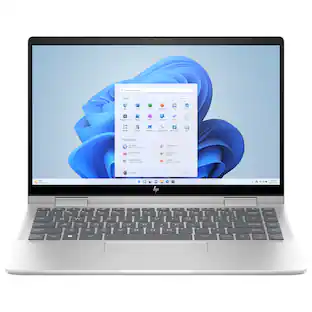 $724.00The price was $740.44
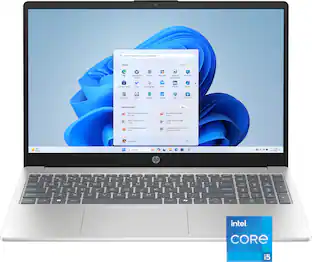 $584.00The price was $649.99
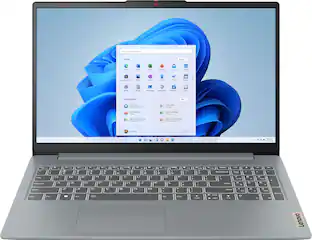 $299.99The price was $399.99
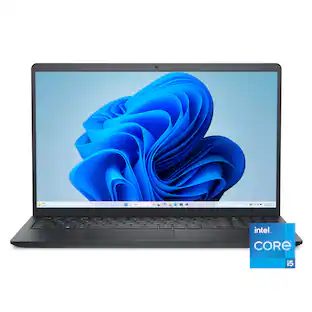 Clearance$377.99The price was $629.99
 $379.99The price was $529.99
 $844.99The price was $999.99


Today's top picks
 $799.99The price was $1,199.99
 $499.99The price was $749.99
 $499.99The price was $629.99
 $299.99The price was $399.99
 $1,099.99The price was $1,449.99
 $1,149.99The price was $1,199.99
- $379.99The price was $529.99
 $1,549.99The price was $1,999.99