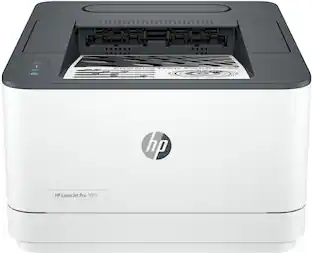
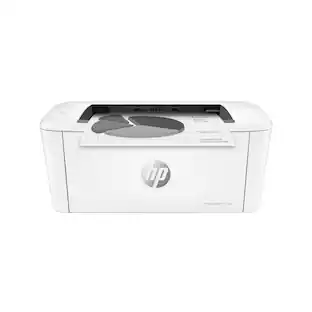
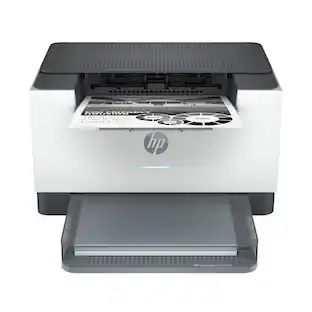
HP - LaserJet M140w Wireless AI-Enabled Black and White Laser Printer - White

Key Accessories:
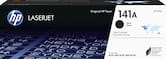
- HP - 141A Standard Capacity Toner Cartridge - Black$61.89
More Buying Options from Best Buy and Marketplace sellers
Related Item

Specifications
- NetworkingWireless, WiredENERGY STAR CertifiedYesPrinter TypePrinter, Copier, ScannerDuty CycleUp to 8,000ISO Mono Print Speed21 pages per minuteMonochromatic/ColorMonochromatic
- Key Specs
- Networking: Wireless, Wired
- ENERGY STAR Certified: true (Devices carrying the ENERGY STAR service mark, such as computer products and peripherals, kitchen appliances, and other products, generally use 20% to 30% less energy than required by federal standards.)
- Printer Type: Printer, Copier, Scanner
- Duty Cycle: Up to 8,000 (The maximum number of pages per month that the device can produce without failing, as specified by the manufacturer.)
- ISO Mono Print Speed: 21 pages per minute (The number of black ink (grayscale) pages able to be printed per minute in the device's default single-side mode, as tested by the International Standards Organization (ISO).)
- Monochromatic/Color: Monochromatic
- General
- Brand: HP
- Model Number: M140W/7MD72F#BGJ
- Product Name: LaserJet M140w Wireless AI-Enabled Black and White Laser Printer
- Color: White
- Display Screen: true
- Display Screen Size: 1 inches
- Dimensions
- Product Height: 7.8 inches (The out of box height of the item. Height is measured as the vertical distance from the bottom of the item to the top as it would be primarily used or placed.)
- Product Width: 14.2 inches (The out of box width of the item. Width is measured as the horizontal distance from one side of the item to the other as it would be primarily used or placed.)
- Product Depth: 10.4 inches (The out of box depth of the item. Depth is measured as the distance from the front of the item to the back as it would be primarily used or placed.)
- Product Weight: 11.86 pounds (The out of box weight of the item.)
- Features
- Automatic Document Feeder: false
- Photo Printing: false
- Touch Screen: false (Touch-screen devices make navigating more intuitive. Using a touch-screen display, you can do things such as tap to select, hold and drag to move items, swipe to scroll, and pinch to zoom.)
- Automatic Two-Sided Printing: false
- Connectivity
- Wired Connectivity: USB-B
- Wireless Connectivity: Wi-Fi (The manner in which a device sends data to another device over a short distance without the use of wires or cables.)
- Minimum System Requirements: PC: Microsoft Windows 11, 10, 7 SP1: 32-bit or 64-bit, 2GB available hard disk space, Internet, Microsoft Internet Explorer or Edge.; Mac: Apple macOS Catalina (v10.15) macOS Big Sur (v11.0) macOS Monterey (v12.0); 2GB HD; Internet
- Certifications Listings & Approvals
- EPEAT Qualified: true (The Electronic Product Environmental Assessment Tool (EPEAT) was designed to provide an environmental assessment tool for purchasers. In order to qualify for EPEAT, a product must meet all 23 required criteria.)
- EPEAT Level: Silver (The Electronic Product Environmental Assessment Tool (EPEAT) was designed to provide an environmental assessment tool for purchasers. In order to qualify for EPEAT, a product must meet all 23 required criteria. Products are rated Bronze, Silver or Gold based on how many of 28 optional criteria they meet (below 50%, 50%, 75%).)
- Ink
- Compatible Cartridges: HP 141
- Ink Cartridges Required: 1 x Black (The quantity and color of ink cartridges required for the printer to operate.)
- Ink Cartridges Included: 1 x Black (The quantity and color of ink cartridges included.)
- Copier Info
- Copier Resolution (Black): Up to 600 x 400 (Refers to the number of pixels/dots, both horizontally and vertically, of the image produced by the copier in black ink. Generally, the higher the resolution, the sharper and cleaner the produced image.)
- Maximum Number Of Copies: 99
- Scanner Info
- Duplex Scan Function: false
- Scanner Resolution: Up to 600 (Refers to the number of pixels/dots, both horizontally and vertically, of the image produced by the scanner. Generally, the higher the resolution, the sharper and cleaner the produced image.)
- Scanner Type: Flatbed
- Paper Info
- Maximum Document Length: 14 inches
- Maximum Document Width: 8.5 inches
- Paper Feeder: Bottom loader
- Paper Handling: 150-sheet input tray; 100-sheet output bin
- Supported Paper Sizes: Letter, envelopes (No. 10); custom, Legal
- Tray Capacity: 150
- Performance
- Approximate Page Yield (Black): 950
- Printer Resolution (Black): Up to 600 x 600 (Refers to the number of pixels/dots, both horizontally and vertically, of the image produced by the printer in black ink. Generally, the higher the resolution, the sharper and cleaner the produced image.)
- Output Tray Capacity: 100
- Recommended Monthly Volume: 100 to 1000 (The maximum number of pages that can be printed per month, as recommended by the manufacturer. Printing in excess of this number may reduce the machine's overall lifespan or print quality over time.)
- First Page Out Time: 8 seconds (The time it takes the printer to print and deliver the first page in the output tray. May depend on the complexity of the copy being printed.)
- Warranty
- Warranty - Parts: 1 year
- Warranty - Labor: 1 year
- Other
- UPC: 194850677281
From America's most trusted printer brand¹, the compact, multifunction LaserJet MFP M140w boosts productivity with smart mobility solutions and wireless printing.
- Perfectly formatted prints with AI²: Print web pages and emails with precision—no wasted pages or awkward layouts; HP AI easily removes unwanted content, so your prints are just the way you want
- Super compact performance for small business and home office: Print, scan and copy professional-quality documents with the smallest multifunction laser in its class³. Scan or copy a range of document sizes on the flatbed scanner. Perfect for 1-5 people.
- Stays connected: Wi-Fi with self-reset helps you maintain your wireless connection
- Easy to set up: Get started fast with easy setup that guides you, step by step. Simply download the HP app, connect to a network, and share your printer across all your devices
- HP Auto-On/Off Technology: Built-in intelligence turns your printer on when you need it and off when you don’t, helping to save resources without sacrificing performance
- HP Smart app: Eliminate steps in repetitive tasks, scan to the cloud and print or copy from your smartphone using HP Smart app
- Dynamic security: This printer is intended to work only with cartridges with original HP chips or circuitry and will block cartridges using non-HP chips or circuitry. Periodic firmware updates will maintain the effectiveness of these measures.
Whats Included
- HP LaserJet M140w Wireless Black & White Printer
- HP 141A Black LaserJet Toner Cartridge
- Power Cord
- Setup Poster
- Reference Guide
- Warranty Guide & Flyer
Product Manuals
Disclaimers
- ¹Based on 2022 semi-annual internal brand surveys commissioned by HP.
- ²Requires Windows 11. HP AI features are available in U.S. English only and require a U.S. location for printer setup. Availability of features varies by supported printers. Requires HP AI-enabled printer set-up after September 15, 2025, and the HP app. Internet access is required and must be purchased separately. Wireless operations are compatible with 2.4GHz and 5.0GHz operations only.
- ³Compared to in-class monochrome laser printers and MFPs less than $210 USD for single function or less than $310 USD for multifunction, all with a published maximum monthly duty cycle of 20,000 or lower. Buyers Lab September 2020 study commissioned by HP, based on a research survey OEM published specifications publicly available information as of 09/01/2020. Market share as reported by IDC Quarterly Hardcopy Peripherals Tracker - Final Historical 2020Q2 for North America.
- Requires a high-speed Internet connection.
- Print speeds vary with use. See manufacturer for info on print speeds.
Q: Can I print from my phone with this HP printer?
A: Yes, you can print wirelessly from any mobile device, PC, or tablet.
Q: What is the monthly recommended print volume for this HP printer?
A: The monthly recommended print volume for this printer is 100 to 1000 pages.
Q: How do I copy an ID card on this HP printer?
A: You can copy both sides of ID cards or other small documents onto a single side of one sheet of paper.
Q: What is the printer's speed for single-sided black and white pages?
A: This printer can print up to 21 single-sided black and white pages per minute.
Q: Does this HP printer have a display screen?
A: Yes, this printer has a 1-inch display screen.
Q: How many pages can the HP printer hold in the output tray?
A: The output tray can hold up to 100 pages.
A: Currently, on 9/23/2025, the price is $71.99. BEWARE! A previous answer here to this question states that the replacement cartridges are available in two-pack online for a reasonable price. TRUE BUT... I checked that seller on Am*z*on and found, in the recent one-star reviews, that those cartridges do not work with this printer! Apparently because HP does not allow third party cartridges to function on this printer. IN FACT THE PRICE OF THE REPLACEMENT HP CARTRIDGES IS $71.99.
A: Hello and thank you for asking. The HP LaserJet MFP M140w cannot scan to email because there is no way to enter a destination email address. It will scan to your computer, and the scan file will go wherever your computer's scan software specifies as the destination. You also have the option to use the HP Smart app to scan to email. the scan option on the HP Smart app to share via email. To make it easier the next time, we recommend using Shortcuts. It allows you to make a Shortcut, i.e. a scanned item to be emailed to this email address. There is a limit of 99 copies because 99 is the largest number that can be entered on the printer.
Compare similar products
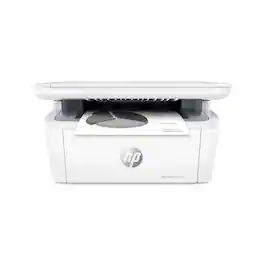
From America's most trusted printer brand¹, the compact, multifunction LaserJet MFP M140w boosts productivity with smart mobility solutions and wireless printing.
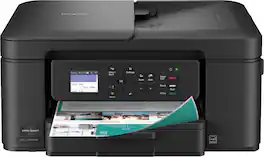
The Brother Work Smart 1360 Wireless All-in-One Refresh Subscription Eligible Inkjet Printer is the perfect choice for a reliable printer with robust efficiency-boosting features. With tools like automatic duplex (2-sided) printing, a 20-page single-sided automatic document feeder(1), and wireless(2) and Cloud connectivity(3) options available on the 1.8” color display, this multifunction printer helps you get your work done with simplicity and ease. Perfect for printing anything from to-do lists to business reports, this color inkjet printer outputs quality prints at fast speeds. Brother Page Gauge(4) monitors your ink usage so you know when you’re running low. When paired with the Brother Mobile Connect app(5), setup is quick and easy – plus, you’ll be able to print from virtually anywhere on your mobile device(6). Print Confidently with Brother Genuine LC501 Ink in your Brother Work Smart 1360 for reliable, consistent prints –it’s the only brand we recommend for your Brother printer.
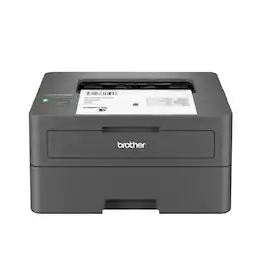
Best for homes and home offices, the Brother HL-L2405W Wireless Compact Black & White (Monochrome) Laser Printer is the sensible, time-saving choice for connected printing. Simple and affordable, this reliable printer consistently produces crisp, easy-to-read black & white prints and offers print speeds up to 30 ISO pages per minute (1) (ppm). The 250-sheet paper tray (2) reduces the frequency of paper refills, helping to save you more time in the workday. You can connect this dependable printer to multiple devices using built-in dual-band wireless or connect locally to a single device with the USB 2.0 interface. Safeguard your information and maintain secure connections while printing with advanced security features. Efficient, durable, and cost-effective, this wireless printer is a time-saving addition to any home workspace.

The HP OfficeJet Pro 8125e delivers fast color printing, 225-sheet paper capacity, and scan and copy capabilities. It's AI-enabled to intuitively adapt to your workflow, with wireless and security features that keep your multifunction printer up to date and secure.
| Pros for HP - LaserJet M140w Wireless AI-Enabled Black and White Laser Printer - White | |||
|---|---|---|---|
| There were no pros for this product— | Overall Performance, Print Quality, Connectivity, Size, Noise Level | There were no pros for this product— | Overall Performance, Print Quality, Connectivity, Setup, Ease of Use |
| Cons for HP - LaserJet M140w Wireless AI-Enabled Black and White Laser Printer - White | |||
| There were no cons for this product— | Setup Difficulty | There were no cons for this product— | There were no cons for this product— |
Specs

- HP - LaserJet M234sdw Wireless AI-Enabled Black-and-White Laser Printer - White & Slate$229.00The price was $279.00
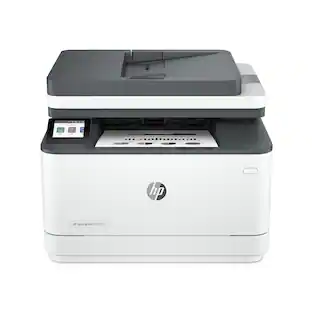
- HP - LaserJet Pro MFP 3101sdw Wireless AI-Enabled Black-and-White All-in-One Laser Printer - White$269.99The price was $349.99
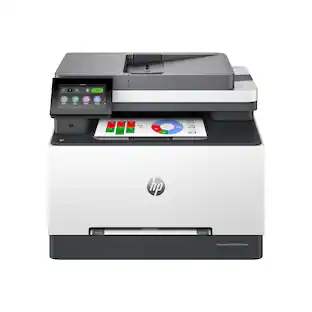
- HP - LaserJet Pro MFP 3301sdw Wireless AI-Enabled Color All-in-One Laser Printer - White$439.00The price was $539.00

Reviews
Customers are saying
Customers find value in the LaserJet M140w Wireless AI-Enabled Black and Laser Printer's print quality, ease of use, and compact size, making it well-suited for home use. The printer's setup process is straightforward, and it offers both wired and wireless connectivity. Some customers have noted concerns about the amount of toner included in the cartridge.
Customer Images
The vast majority of our reviews come from verified purchases. Reviews from customers may include My Best Buy members, employees, and Tech Insider Network members (as tagged). Select reviewers may receive discounted products, promotional considerations or entries into drawings for honest, helpful reviews.
- Rated 4 out of 5 stars
A mini but mighty all in one!
This isn't my first printer, but it's become a reliable addition to my home office. A printer/scanner/fax all-in-one that fits is a smaller amount of space and doesn't break the bank to purchase. Copy is clean, maintenance is minimal and it's easy to print wirelessly from any of my devices! If you don't require color printing, this is a great way to go for your home setup!
Oni5150 Posted
- Rated 4 out of 5 stars
Think of it as the "espresso shot" of printers!
If you’re tired of your printer acting like a clunky piece of 90s office furniture, the HP LaserJet M140w might just be your new best friend. It’s tiny, it’s sleek, and it’s built for the "I just need to print this real quick" crowd. Think of it as the "espresso shot" of printers: small, fast, and strictly black-and-white. The Good Stuff (Why You’ll Love It) It’s Adorably Small: Seriously, this thing is tiny. It’s roughly the size of a large loaf of bread. You can tuck it on a bookshelf or the corner of a messy desk without it taking over your life. No More Clogged Ink: If you’ve ever gone to print a boarding pass only to find your inkjet nozzles are "clogged," you know the pain. This is a laser printer, so it stays ready to go even if you don't use it for weeks. Speedy Delivery: It cranks out about 21 pages a minute. It’s crisp, it’s professional, and it’s done before you can finish your coffee. The "Magic" App: The HP Smart App uses its "AI" brains to fix your crooked scans and even lets you scan both sides of an ID card onto one page without any "copy shop" gymnastics. The Reality Check (The "Meh" Parts) Strictly Grayscale: It’s a monochrome world here. If you need to print a photo of your cat or a colorful pie chart, you’re out of luck. Manual Labor: To save space, HP skipped the auto-flipper. If you want to print on both sides, you’ll have to be the "human duplexer" and flip the pages yourself. The "HP+" Catch: HP really wants you to stay in their ecosystem. To get the most out of it, you’ll need to keep it connected to the internet and use their official toner. The Vibe Check The M140w is perfect for students, home office minimalists, or anyone who just wants to print shipping labels and contracts without the drama. It’s not a powerhouse for high-volume publishing, but for daily life? It’s a total space-saver.
docintherock Posted
- Rated 5 out of 5 stars
Small and might printer!
My goal was to find a compact fully functional printer to keep in my kitchen. Goal met with my Hp Laser Jet 140 w. This model was easy to set up and it has all the functions needed. Connecting to my wifi also is super quick. I highly recommend it.
LindaM Posted
Explore tech essentials Sponsored
 $269.99The price was $349.99
 $399.00The price was $659.00
 $439.00The price was $539.00
 $299.99The price was $379.99