Everything for Back to School — and then someShop now

Skip to contentGo to Product Search
Main Content

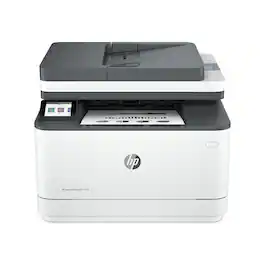
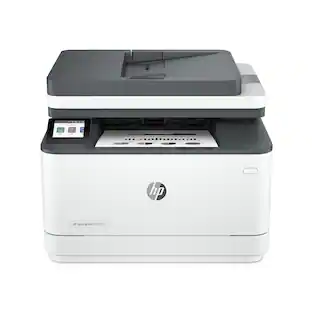
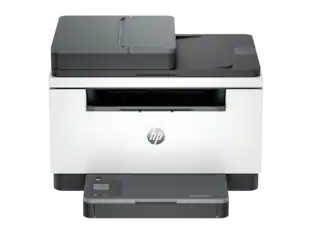
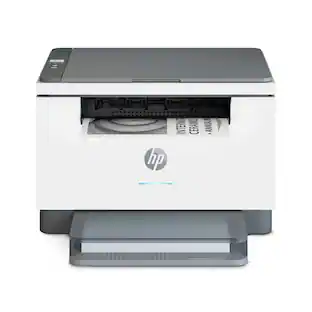
HP - LaserJet Pro MFP 3105sdw Wireless AI-Enabled Black-and-White All-in-One Laser Printer - White

Model: 3G646A#BGJ
SKU: 6678655
Sold byBest Buy

Customers are saying

Customers enjoy the fantastic print quality and the simple setup process that makes getting started effortless. Users also appreciate the convenience of wireless connectivity and the printer's compact, space-saving design. Additionally, the device operates at a reasonable noise level, ensuring it is not too loud during use.

Generated by AI based on customer reviews.
Features
  • The B&W printing performance small offices need

    Print, scan and copy professional-quality documents and reports. Auto 2-sided printing, plus auto 1-sided scanning through the document feeder. Perfect for up to 7 users.

  • Simplify scan to email

    Save time when scanning documents to email. HP AI automatically generates smart subject lines, file names, and actionable summaries to streamline your workflow and find files effortlessly.

  • Reduce wasted pages and odd layouts

    Turn web pages and emails into neatly formatted prints. HP AI Precise Print easily removes unwanted content, so your prints are just the way you want.

  • Stays connected

    Intelligent Wi-Fi looks for the best connection to stay online and ready to print

  • Fastest-in-class two-sided printing

    Up to 33 black-and-white pages per minute², with sharp, professional-quality text and graphics

  • Protects your data

    Includes HP Wolf Pro Security with customizable settings so your printer and information are always secure

  • Easy to set up

    Get started fast with easy setup that guides you, step by step. Simply download the HP app, connect to a network, and share your printer across all your devices.

See all features
Specifications
  • Networking
    Wired, Wireless
    ENERGY STAR Certified
    Yes
    Printer Type
    All In One
    Duty Cycle
    Up to 50,000
    ISO Mono Print Speed
    33 pages per minute
    Monochromatic/Color
    Monochromatic
Sponsored

Reviews

Rating 4.8 out of 5 stars with 23 reviews

5 star rating. 19 reviews4 star rating. 4 reviews
96% would recommend to a friend
Customers are sayingCustomers enjoy the fantastic print quality and the simple setup process that makes getting started effortless. Users also appreciate the convenience of wireless connectivity and the printer's compact, space-saving design. Additionally, the device operates at a reasonable noise level, ensuring it is not too loud during use.
This summary was generated by AI based on customer reviews.
  • Print Quality (17)
  • Ease of Setup (6)
  • Connectivity (4)
  • Design (3)
  • Noise Level (3)

Customer Images

The vast majority of our reviews come from verified purchases. Reviews from customers may include My Best Buy members, employees, and Tech Insider Network members (as tagged). Select reviewers may receive discounted products, promotional considerations or entries into drawings for honest, helpful reviews.

  • Rated 5 out of 5 stars

    Easy setup ever. Less than 10 min to 1st print.

    This HP Printer was the easiest setup ever. It took longer to remove the box and all the shipping tape strips then it did to add my wi-fi and get my first print. Software is a download, but PC will add drivers upon setup. The whole process from sealed box to first print was about 10 minutes or a bit less. Extremely easy printer setup, especially for a wi-fi model. The small screen on the printer handles most of the settings and use cases I commonly use like double sided and scan/copy prints. Unboxing: Not much to say. The box has the printer, power cord, paperwork and Styrofoam and quite a few tape strips to keep parts in place till you put the printer in service. The pre-installed toner is 800 page starter. No paper is included. Be sure to add some to you order. First Use: Once plugged in and placed where you will use the printer. Install some paper in the paper tray. Power it on, say yes to you preferred language and a couple license screens. Then input your wi-fi credentials and the printer checks for updates (none available when I checked). The printer is now ready. Just tell your PC to add a new printer, it sniffs the wi-fi and adds it super quick. Now you can send prints from PC. It is a bit more involved with HP apps and settings for Android to send prints to the printer. As I rarely print from phone, I only did it to see if it was possible. It is. The prints and scans/copies are super sharp and I have no complaints. Software: I found the default drivers from PC were all that is needed to use the printer. The small screen on the printer is also very easy to navigate and I prefer it to adding more software on my PC. If you want the HP suite for printing. You have to download the software from HP. It's a quick download. It does install 4 apps/links. They have their use to see what settings you might want to tweak directly on PC screen or for scanning into PC programs. After trying them, I will probably delete them. The shopping link for toner and supplies didn't work. Great printer. Installs easier than anything I have had in the past. The screen on the printer is just a few taps to double sided printing and document scans. That is all I will likely ask of it. The only negative. HP only includes a roughly 800 page starter toner. Since HP chips their toner. Would have been nice to see a full or at least fuller toner.

    Posted by JinOH

  • Rated 5 out of 5 stars

    High quality printing and easy to use

    The HP LaserJet Pro MFP 3105sdw printer is a fantastic option for my home office needs. The printer offers a professional quality print at the convenience of using it at home. The printer can handle up to 33 pages per minute which is helpful for my school, office, writing, and home needs. Single sided and two-sided printing works very smoothly and produces high-quality printouts. The printer is very easy to setup, connect to home network, and install. It works with Windows, Apple, Android. The Wi-Fi setup was fast, and I had it unboxed and printing within 10 minutes. If you choose to not go with Wi-Fi printing you can use the available Ethernet or USB connection, but you’ll need to have your own cables to connect. This printer has the ideal items I need for my home office such as print, copy, and scan functions. This is a black and white printer with HP laser toner preinstalled. The mobile printing option is a nice feature to have that allows me to print and scan using the HP app. I like the 2.7” touchscreen because it’s easy to read and accurate when I touch it for the settings and features. In our current digital age and sensitive documents, I’m thankful for the security HP offers. The print jobs and data are not stored on the printer, and they are erased after each print job. My one negative about the printer is that you can only purchase a replacement HP original equipment toner cartridge. This is a security and tamper resistant feature that HP forces on to the consumer. I would like to be able to purchase and use generic cartridges to save money if possible. Overall, it’s a great printer that is efficient, high quality, and multi-functional. The printer looks modern and fits great on a desk in an office, home office, or school setting. Reliability and maximum efficiency with HP’s energy saving technology and Energy Star rating.

    Posted by JKinSYR

  • Rated 4 out of 5 stars

    Nicely compact, high speed LaserJet Pro

    The LaserJet Pro MFP 3105sdw is a solid offering from HP. It is a compact, space saving design with a document handler/scanner up top. Setting up the 3105sdw was easy & quick. For those that wish to skip using any kind of mobile app, it's all doable via the touch screen. From what I can tell, most every setting within the 'brains' of this printer are configurable via the same screen. As powerful as that screen interface is, my only beef with this printer is the sheer smallness of the screen and it's semi washed-out presentation. For what printers are costing these days along with price of consumables - HP should include a larger screen, an updated color palette and one that articulates a bit more - from the retracted or down/default position. The competition is beating HP in this area! Moving past the tiny screen complaints, the printer itself is easy to operate and about as quiet or loud as most desktop sized laser printers go. This printer is fast, in its default configuration and print outputs over a home WiFi network are sure to please most everyone. One thing I did notice is that Windows 11 Pro will throw printer not ready errors if you don't have the 3105sdw set up as your default printer. Not sure why that is and it my very well be a Microsoft issue. But one I figured out to set it as my default printer, those errors went away. Print quality is ALL HP and top shelf. Scanning capability is good too and pretty much on-par with the state-of-tech for home/SMB lasers of this class. The toner cartridge is very compact and easy to install. All in all, I think this is a solid printer and apart from my dislike of the super tiny touch screen, it does everything one could ask... and does everything well. Highlights: Fast Stylish Ethernet, WiFi and USB connectivity Quality printing & scanning capability Works well out-of-the-box without requiring any HP software installations whatsoever (for those wanting a truly plug & play experience without all the software hassles...)

    Posted by YourMainDude

  • Rated 5 out of 5 stars

    Clear, sharp, detailed B&W prints/copies

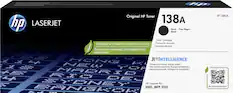
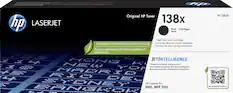
    If you don’t need to print in color, the HP LaserJet Pro MFP 3105sdw monochrome printer is a great option for business, home office, and school use. This printer measures 16” wide, 12.5” tall, with a 15.5” depth and weighs just over 21 lbs. When the scanner lid is open, the total height is about 20”. The paper tray also extends to accommodate legal-size paper but will stick out from the front of the machine about 2-1/4”. There’s a paper jam access panel at the back that requires an additional 7” of clearance to use. There is an auto-document feeder (ADF) on top, a flat bed scanner, and it handles duplex-output printing and copying up to 33 pages per minute. For connectivity, there are USB-B and Ethernet ports at the back for wired connections, dual-band Wi-Fi, Bluetooth, and Wi-Fi Direct with Apple Airprint and Mopria support. The ADF has a 50-sheet capacity and allows you to scan or copy pages at a rate of up to 19 ppm. It can only capture one side of each page, however, since two-sided scanning is not available. A work around could be to use the 1->2-sided option to combine individual pages to produce two-sided documents. You can also scan manually on the flatbed up to A4 paper size. This printer has one paper tray at the bottom with a 250-sheet capacity. As there is no manual feed slot, you will be limited in terms the paper types and sizes you can use, namely printer paper, envelopes, or smaller card stock. The printer has on-board controls via the pop-up, color LCD touchscreen. It is easy to use and navigate and you have shortcuts for copy, scan, and quick forms. Quick forms let you print standard templates like graph paper, ruled paper, and blank music sheets which I thought was pretty neat. Setup was quick and straightforward. When connecting to my Wi-Fi network, I was happy to see that 5 GHz networks are supported, and there were no issues getting it to connect to my home network. For scanning from or to a computer, additional software, HP Scan, needs to be installed on the PC. Once it was setup, I was able to initiate scans from the computer and send scans to it from the printer’s control panel. You can also choose to scan to a network folder, Sharepoint, or E-mail. When you add the printer to an HP Cloud account, there’s even the option to send print jobs to it remotely by simply sending a document to the printer's email address. There is a toner cartridge pre-installed out-of-the-box. I did find, however, that the first couple prints that came out of the machine had a small black smudge near the top of each page. While it appeared to be getting lighter with each print, upon closer inspection of the toner cartridge, I found some toner powder clinging to the roller. I was able to gently remove it with a lint-free wipe, so after that minor cleanup, subsequent prints came out perfect with no visible flaws. The standard 138A cartridge has a yield of 1500 pages, while the high yield version goes up to 4000 pages. For printing text, I found the output to be sharp, uniform, and clearly legible. When making photocopies from the scanner bed with the default settings, text remained very readable, though slightly underweight, as the light from the scanner tends to soften the edges of the lettering, resulting in a “skinnier” font. However, bumping up the quality to ‘Best’ (300 dpi) and adjusting to print slightly darker resulted in a copy that was nearly was indistinguishable from the original. When using the ADF with text documents, however, due to the mechanical action of the paper moving through the machine via rollers, text tends to stretch or compress at different points in the page. What you end up with is line spacing and lettering that isn't uniform, with some lines stretched taller while others appear compressed shorter, with an overall reduction in print area by a few pixels; so when compared side-by-side or overlaid, the copies don't line up perfectly. Most of the time, these flaws did not impact copying for the sake of having a duplicate and aren’t as noticeable on documents that don’t have a lot of text. Just keep this in mind if precision is important. I was surprised with how good images were reproduced in grayscale, both by printing and when scanning a physical original. Photographs print clean with deep, uniform blacks, lots of detail, little to no pixilation, and only occasionally had subtle areas of minor banding. When scanning, the highest resolution the ADF can achieve is 300 dpi, but the flatbed captures up to 1200 dpi; just note that resulting file sizes can be large at higher resolutions. Color scan were accurate to the originals with only a slight brightening effect. The printer is a bit noisy while it’s operating and during warm up. There is, however, a setting called ‘Quiet Mode’ that reduces the noise by operating the motors at lower speeds. It doesn’t make the machine completely silent though and print speed will be slower. I was also able to print from and scan to my smartphone using the HP mobile app. You can manage the printer, monitor the amount of toner remaining, and order more supplies directly in the app as well. Overall, performance from the MFP 3105sdw was exactly what I wanted from a monochrome printer. As someone who infrequently scans documents and mostly prints text, the printer works great for my needs. The black and white image output was impressive nonetheless, so there’s a use case there for that as well. Even with the text distortion using the ADF, it’s still convenient for scanning a stack of documents all at once. The only thing to remember is that you can’t scan or copy two-sided documents in a single pass.

    Posted by ReviewedByPhil

  • Rated 5 out of 5 stars

    Reliable black and white workhorse

    The HP LaserJet Pro MFP 3105sdw is exactly what a small office black and white printer is supposed to be. It's designed to print documents quickly, reliably, and economically without adding a bunch of unnecessary complexity - think invoices, receipts, shipping labels, instructions, contracts, or other everyday office documents. In recent years, HP has become one of my favorite manufacturers when it comes to printer setup, and this model was no exception. I plugged it in, turned it on, connected it to my Wi-Fi when prompted, and that was pretty much it. Since I already have the HP app installed on my phone, I just opened it up and selected "Find Printer on Network.” That was the extent of the setup process. The HP Smart app keeps he setup process simple without making you jump through a bunch of unnecessary steps. I also had no trouble finding the printer or printing through Apple AirPrint Over the past few days, I’ve had this thing running side-by-side with my primary office printer, which is a much larger and significantly more expensive color laser printer. They're really in different classes, so I wasn't expecting identical performance. However, print quality genuinely impressed me. I printed several comparison pages using text, graphics, and black-and-white images, and the results were surprisingly sharp. On a few very dark test images, I noticed an occasional faint line in areas that were supposed to be completely solid black, but this only showed up during some of my comparison testing. During normal day-to-day printing, I honestly don't think most people would ever notice it. One thing I did notice is that when printing through AirPrint, the HP takes a good bit longer to receive and process the print job before it actually starts printing. My larger office printer is almost instantaneous. Once this printer starts printing, though, it's fast. I’ve included a few black-and-white images that I actually preferred from this printer over my main office printer. My larger printer has a little more overall contrast, but I prefer the crisp text and clean detail of this HP, which is really what should be prioritized in a small business black and white printer. Scanning has also been excellent. One of my favorite features with any HP printer is being able to initiate scans directly from the HP Smart app. I can place a document on the scanner, press Scan on my phone, and have the image saved directly on my phone. This way you don’t have to scan and then email it from the printer with some bizarre generated scanner name in the email subject The printer is larger than most, but for an office printer, it has really small footprint. It’s about half the size of my other printer, and fits neatly on my desk beside me. Overall, I think HP did a really nice job with this printer. It's easy to set up, easy to use, produces sharp black-and-white prints and scans well. It feels like it was built to be a dependable workhorse. If you're looking for a reliable B&W printer for a home office or small business, I don't think anyone would be disappointed with this one.

    Posted by CatCity

Compare similar products

HP - LaserJet Pro MFP 3105sdw Wireless AI-Enabled Black-and-White All-in-One Laser Printer - White
4.8(23)

From America's most trusted printer brand¹, the LaserJet Pro MFP 3105sdw delivers compact design with reliable performance. Get fast black-and-white printing speeds, high-volume scanning, and easy management tools designed for the office.
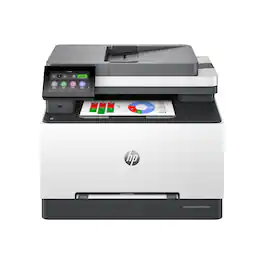
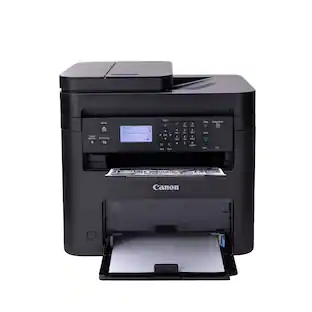
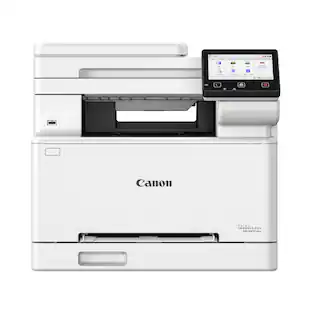
Canon - imageCLASS MF273dw Wireless Black-and-White All-In-One Laser Printer - Black

Designed for small and medium-size businesses, the imageCLASS MF273dw model balances speedy performance and minimal maintenance. The MF273dw is easy to set up and offers media versatility to print on a variety of media types and sizes, including envelopes. The 5-line, adjustable screen delivers an intuitive user experience. Produce crisp, bold documents with fast print speeds of up to 30 pages per minute 1, using high quality Canon Genuine Toner 071 / 071 H. The MF273dw offers paper capacity of up to 150 sheets in the paper tray and 35-sheet automatic document feeder. Easily connect and print through wirelessly2 from computers or mobile devices. Print using a variety of mobile apps, including the Canon PRINT Business app3 using your compatible mobile device. The MF273dw comes with a 1-year limited warranty4 and is backed by Canon's Service and Support network.

HP - LaserJet Pro MFP 3101sdw Wireless AI-Enabled Black-and-White All-in-One Laser Printer - White
4.4(81)

From America's most trusted printer brand, the LaserJet Pro MFP 3101sdw delivers compact design with reliable performance. Get fast black-and-white printing speeds, high-volume scanning, and easy management tools designed for the office.
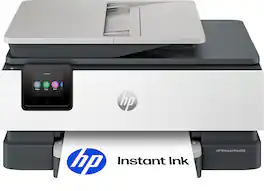
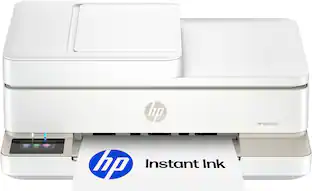
HP - Envy 6555 Wireless All-in-One Inkjet Printer, Scanner, Copier, AI-Enabled with 3 Months of Instant Ink - White
4.5(74)

The HP Envy 6555 All-in-One delivers color printing, scanning and copying, plus a 35-sheet auto document feeder and 100-sheet paper capacity. It's AI-capable to intuitively adapt to your workflow, with wireless and security features that keep your multifunction printer up to date and secure, and prints high-quality documents and photos every time with true-to-screen tech. This inkjet printer also lets you easily navigate print jobs with its intuitive color touchscreen.

Pros for HP - LaserJet Pro MFP 3105sdw Wireless AI-Enabled Black-and-White All-in-One Laser Printer - White
Print Quality, Connectivity, Design, Noise Level, Ease of SetupOverall Performance, Print Quality, Ease of Use, Connectivity, SetupPrint Quality, Connectivity, Noise Level, Setup EaseEase of Use, Print Quality, Overall Performance, Design, Connectivity
Cons for HP - LaserJet Pro MFP 3105sdw Wireless AI-Enabled Black-and-White All-in-One Laser Printer - White
There were no cons for this productUser InterfaceThere were no cons for this productThere were no cons for this product

Specs

Questions & Answers
  • Is this printer equipped with a touch screen?

    Yes, this printer features a 2.7-inch touch screen for operation.

    This question and answer was generated by AI based on customer and product data.
  • What is the maximum number of copies this printer can make at once?

    This printer can make up to 999 copies at one time.

    This question and answer was generated by AI based on customer and product data.
  • Does this printer include integrated fax capabilities?

    No, this printer does not have integrated fax functionality.

    This question and answer was generated by AI based on customer and product data.
  • How many sheets of paper can the automatic document feeder hold?

    The automatic document feeder on this printer has a capacity of 50 sheets.

    This question and answer was generated by AI based on customer and product data.
  • Does this printer support automatic two-sided printing?

    Yes, this printer supports automatic two-sided printing for your documents.

    This question and answer was generated by AI based on customer and product data.
Ask a question
No content

Customers often buy these together

Sponsored

Finance Options

My Best Buy® Credit Card
Choose a benefit:Or
Buy Now, Pay Later
Lease to own

Finance Options

My Best Buy® Credit Card
Choose a benefit:Or
Buy Now, Pay Later
Lease to own