Everything for Back to School — and then someShop now

Skip to contentGo to Product Search
Main Content

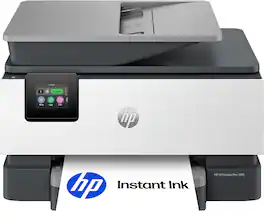
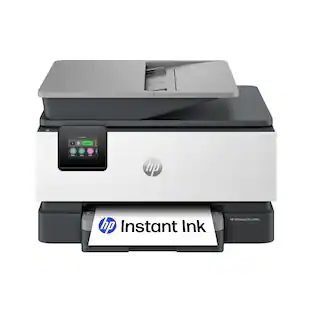
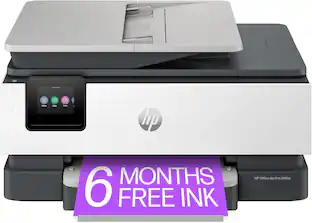
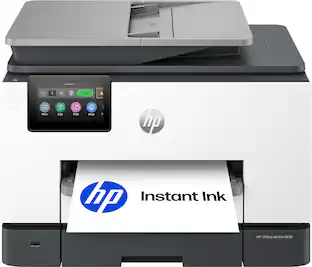
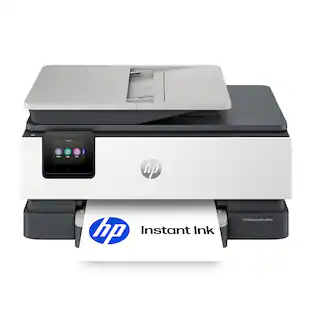
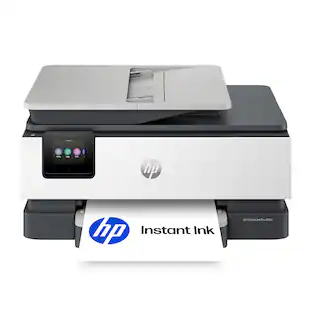
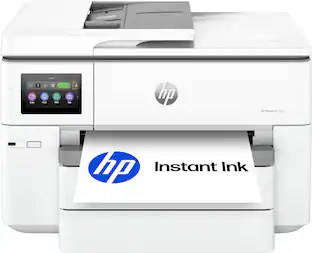
HP - OfficeJet Pro 9125 Wireless All-in-One Inkjet Printer, Scanner, Copier, AI-Enabled with 3 Months of Instant Ink - White

Model: OfficeJet Pro 9125/C2VZ0A#B1H
SKU: 6673910
Sold byBest Buy

Customers are saying

Customers are satisfied with the impressive print speed and the straightforward Wi-Fi connectivity process. Users also appreciate the reliable overall performance and the convenient 250-page capacity of the paper tray. These features combine to make the printer a highly functional and efficient choice for daily tasks.

Generated by AI based on customer reviews.
See it in-store: Roseville has a demo model on display.
Features
  • From America's most trusted printer brand

    The OfficeJet Pro 9125 is perfect for offices printing professional-quality color documents like presentations, brochures and flyers. Print speeds up to 22 ppm black, 18 ppm color.

  • Optimize print formatting with HP AI¹

    Print web pages and emails with precision—no wasted pages or awkward layouts; HP AI easily removes unwanted content, so your prints are just the way you want

  • Upgraded features

    Fast color printing, copy, fax, auto 2-sided printing and scanning, auto document feeder, and two 250-sheet input trays

  • Wireless printing

    Stay connected with our most reliable dual-band Wi-Fi, which automatically detects and resolves connection issues

  • 3 months of free Instant Ink

    Subscribe to the Instant Ink delivery service to get ink delivered directly to your door before you run out, and you save up to 50% on ink. After 3 months a monthly fee applies unless cancelled.

  • HP app

    Print, scan, copy, or fax right from your smartphone with the easiest-to-use print app

  • Protects your data

    Built-in HP Wolf Pro Security uses a powerful suite of customizable tools that boosts security and helps keep networks protected against cyber threats and malware

  • 2.7-inch touchscreen

    Quickly navigate your printer with a large color touchscreen and a phone-like user interface

  • Sustainable design

    Made with more than 40% recycled plastic

  • Dynamic security

    This printer is intended to work only with cartridges with original HP chips or circuitry and will block cartridges using non-HP chips or circuitry. Periodic firmware updates will maintain the effectiveness of these measures.

See all features
Specifications
  • Networking
    Wireless, Wired
    ENERGY STAR Certified
    Yes
    Printer Type
    All In One
    ISO Color Print Speed
    18 pages per minute
    ISO Mono Print Speed
    22 pages per minute
    Touch Screen
    Yes
Sponsored

Reviews

Rating 4.5 out of 5 stars with 66 reviews

91% would recommend to a friend
Customers are sayingCustomers are satisfied with the impressive print speed and the straightforward Wi-Fi connectivity process. Users also appreciate the reliable overall performance and the convenient 250-page capacity of the paper tray. These features combine to make the printer a highly functional and efficient choice for daily tasks.
This summary was generated by AI based on customer reviews.
  • Print Speed (28)
  • Connectivity (12)
  • Setup Ease (12)
  • Paper Tray Capacity (9)
  • Build Quality (3)

Customer Images

The vast majority of our reviews come from verified purchases. Reviews from customers may include My Best Buy members, employees, and Tech Insider Network members (as tagged). Select reviewers may receive discounted products, promotional considerations or entries into drawings for honest, helpful reviews.

  • Rated 5 out of 5 stars

    OfficeJet Pro 9125 Does the Job!

    Purchased the printer a couple of weeks ago and it has exceeded my expectations. The print quality is fantastic for my office work and the mobile app makes it easy to print and scan from my phone or computer. Would highly recommend

    Posted by ASaratoga

  • Rated 5 out of 5 stars

    Amazing All-In-One Duplex Printer/Copier/Scan/Fax

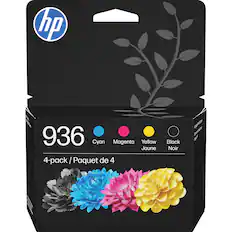
    [ Verdict first: 5 out of 5 stars; highly recommended ] I have always appreciated HP's OfficeJet Pro printers, and I have been using various models since 2010. I remember the 8600 series, which lasted for more than 10 years before it needed a new printer head. This one, the HP Officejet Pro 9125, is absolutely fabulous. Just like previous models, it comes with a duplex document feeder, which allows you to fax, scan, and copy 2-sided documents. This, to me, is a must-have because I am digitizing all correspondence, such as insurance papers, bank statements, etc. (which typically come printed on both sides), instead of keeping the paper. The printer is super-fast, and the colors look vibrant and genuine. Colored pages and brochures have never looked better (and printed faster), and the same is true for printing photos using HP's Premium Plus Photo Paper (soft gloss). Stunningly beautiful. Setting up the printer is easy and speedy, too. The printer's control panel display and the online HP Smart wizard (which you would typically load on your smartphone by scanning the QR code on the printer's display or in the Quick Start Guide) work in concert and guide you through the setup process delightfully. Setting up the printer comes down to 4 phases (but make sure you remove all tape from the printer before powering on): (1) Adding Paper; (2) Installing the Ink cartridges; (3) Aligning the printer heads; and (4) Installing the "HP app" (HP Smart) on your smartphone. It is noteworthy that the printer is set up via Direct Wi-Fi, a Peer-to-Peer solution that broadcasts its own signal, rather than connecting to a router-based network. Direct Wi-Fi actually works really well as Windows 11 laptops and desktops can natively see peer-to-peer printers and, as such, let you add them to your devices. Of course, you can always use the "HP Easy" app to add your printer, the "HP Smart" app, the most recent printer drivers, and set it up so you can scan documents to your desktop/laptop, whose network name will appear on the printer control panel as a selectable device to scan to. Scanned documents are stored in your Windows 11 "Documents" folder. You can, however, easily connect the printer to your home network, too, by using the printer's touchscreen control panel. You will be prompted for your network name (SSID) and WPA password. Home devices connected to the internet through your network router make it easy to use them throughout your entire house, regardless of how far away the printer is from your device. In Windows 11, adding a printer is done via [Settings -- Bluetooth & devices -- Devices -- Add device]. In my case, I was presented with "HPIE5A18F (HP OfficeJet Pro 9120 Series)". For Direct Wi-Fi/Peer-to-peer printers, you would need to select "Show Wi-Fi Direct printers". [ HP's Instant Ink subscription service ] Part of the setup process introduces HP's Instant Ink subscription service, which you can sign up for. This service needs some clarification, as it hasn't been clearly communicated and is found confusing. It's not just another subscription service that charges a monthly or annual fee. This service provides peace of mind to avoid never ending up with empty printer cartridges. To fully understand its benefits, you would need to know how many pages a month (or a year) you estimate printing. When you compare the price of a new set of HP-936 4-Pack Standard Capacity Ink Cartridges - Black/Cyan/Magenta/Yellow (Model: 6C3Z5LN, SKU: 6562274), the Instant Ink service might not only be a more convenient but also a significantly cheaper option, especially when you color-print in "best" quality and/or print photos that use plenty of ink. Only the page count is taken into consideration for HP to mail a new set of printer cartridges, and not what you print. For the Instant Ink service to work properly, the printer needs to be connected to your router network and allow HP to collect data on ink levels, number of pages printed (but not the content; HP does not track what is being printed), and the printer's serial number. For example, printing a letter-size photo is considered just one page. Imagine how fast the ink cartridges run low when printing high-quality color documents and/or photos. Again, this is some math you want to do before signing up for this service. When on a monthly plan, unused pages roll over to the next month. For your reference, the "recommended" monthly plan is 100 pages for $7.99 per month. According to my calculations, even if I were to pay this fee for 12 months (estimating 1,200 pages), it might still be cheaper than buying replacement cartridges. You can change, pause, or cancel your subscription anytime. Do know, though, according to HP's Terms & Conditions for the Instant Ink service, cancellation results in the deactivation of your cartridges. There is a free 3-month trial for this service, but you need to sign up within 8 days after you have set up your printer.

    Posted by UweZ

  • Rated 5 out of 5 stars

    The Fastest I've Gone From Unboxing to Printing

    I’ve long been a fan of the HP Officejet line of printers and with the release of the brand-new Officejet Pro 9125, I’m confident that this is one of the top multifunction printers you could get for your home or small business. After spending a few days with the printer, I can say that it just works – and that’s a big deal with any printer. Setup was straightforward. I appreciate small touches like a design meant to easily pull the printer outside of the box without worry about having to wrestle equipment and juggling boxes. There’s very little documentation. A quick start guide, some info on the Instant Ink program, and some required documentation. Beyond this, the box has the ink cartridges and a power cable and that’s it. There is no included USB cable, should you want this hard wired to your computer. Setup does require you to both use and download the HP app for your phone. This is the first printer I’ve setup that removes the computer from the equation, at least for initial setup. While new and novel for me, it was easy. The only hiccup I encountered was my Android phone trying to automatically sign the printer into WiFi, which didn’t work. This was, of course, easily solved by just typing in my WiFi network password. The process of installing the cartridges, printing and scanning the alignment page and connecting to the internet was quick. I’d be remiss if I didn’t discuss the Instant Ink program, as it is integrated into the setup and, well, in your face at nearly every step of the process. I’ve mixed thoughts on the program in general but do be aware that you’re going to need to decide if you’d like to use it fairly quickly as the free 3 month trial expires within 7 days of your initial printer setup. The program is simple: pay for X number of printed pages (B&W, color, photo, it doesn’t matter) per month and HP will ship you replacement ink cartridges before you run out, including a return shipping box for the old ones. It’s a value of a program compared to buying cartridges outright, but HP controls the MSRP of those cartridges to begin with so they’re providing you value from themselves. I’d for sure look into the details of this program before setting up your printer. After setup was completed, installing on my Windows 11 computer was as easy as installing the HP app and searching for the printer on my network. Honestly, I don’t think I’ve had a printer setup and installation experience that took me directly from unboxing to printing and scanning in under an hour. The design of the printer feels as compact as can be for the features it packs. It’s a little taller, but length and width wise feels as minimal as can be. The duplex scanner sticks up a bit, but I appreciate that it still looks sleek and part of the design. The 2.7” touchscreen is bright and responsive. It tils at enough of an angle to make it comfortable to work from, although you likely won’t need to as both the Windows and phone apps look to cover every setting necessary. As for features, it has both a flatbed scanner and ADF Duplex scanner. The latter means you can stack unstapled papers and have it feed through the scanner, scanning both sides. It’s super helpful for scanning multi page and duel sided documents. I’ve not tested it’s capacity of 35 sheets, but that feels like a very impressive number. The flatbed scanner is easy to open and get access to and I appreciate that it’s nearly flat with the printer itself – it makes for removing single pages easily by sliding them off. The printer function itself can cover a wide range of paper weights and sizes up to 8.5x14 and as small as I believe 3x5. This covers just about everything you’d need without starting to look as specialty large format sizes. That said, if you’re constantly swapping between sizes, do note that this is a single paper tray. For standard paper, it holds about 250 sheets, which is quite a capacity. Printing is both quiet and fast. Quiet is a bit relative for a printer, of course, but the noise I found to be very minimal. And the speed impressed me greatly – a standard quality full page color print was done in seconds. At 18ppm color (22 black), I’m just astonished it can print that quickly. Quality for both the printer and scanning great. I’m sure this won’t fully replace professional photo printing, but certainly there are zero complaints from me for home use and friendly snapshots printed for friends. I can’t speak to the fax functionality as I don’t have any phone lines, but I did notice the ability to send a fax over the internet using the HP software. However, you cannot receive faxes this way. Overall, if you’re out for a multi-function printer and you’ve a high volume need for either scanning or printing but not quite at the need for a laser printer, you cannot go wrong with the Officejet Pro 9125.

    Posted by Eric

  • Rated 5 out of 5 stars

    Has great features, is fast, and reliable.

    I have always liked HP printers, and this HP OfficeJet Pro 9125 All-In-One Printer is no exception. This office printer is loaded with features that are essential to every office and home office. In the box comes the OfficeJet Pro 9125 All-in-One Printer, power cord, set of ink cartridges (black, cyan, magenta, yellow), quick start guide, other paperwork. Setup is pretty simple and straightforward. There are instructions in the quick start guide, and you can scan the QR code to download the HP app that walks you through installation along with the touchscreen. After removing all the packing materials and blue tape from the printer, setup took less than 5 minutes, plus time to do the first alignment after installing the ink cartridges. Features: The features that stand out to me are the ADF auto document feeder on the scanner that will scan the front and back automatically of up to 35 sheets. The paper tray will hold 250 sheets of paper. There are guides to adjust the feeders to different sizes for different sizes of paper, envelopes and business cards. I usually put the business cards on the flatbed scanner. This printer will also do duplex printing (front and back) automatically without having to remove the paper and turning it over. This printer will allow you to fax without a phone line with software that you can get from HP, HP Smart. You can print from your desktop, laptop, smartphone, and tablet. You can print over WiFi, AirPrint, physical RJ45 Ethernet, USB connections. The printer has a USB port on the left side towards the front for convenience. There is a 2.7” color touchscreen that comes in very handy. You can push a button to copy, scan, or go to settings and the rest of the menu. Print speed is really great for an inkjet thermal printer. 22 pages per minute in black and 18 pages per minute in color. Special features. This printer is HP AI capable. That means when printing a web page, HP AI will optimize the page before printing it, getting rid of wasted space, unwanted content, and multiple pages that are not necessary. It will arrange everything so that it will fit neatly on one page, if possible. There is also a low ink indicator on the printer screen. This printer comes with a 3 month trial of HP Instant Ink. I use HP Instant Ink on all of my HP printers. I will continue to use it on this one as well. It saves me so much money. The HP App that you can download will help you a lot with this printer in many ways during and after setup. It has Printables that you can use and other templates you can use in the HP App as well. You can also print remotely and it print on your printer. The scanning software built into the HP App allows you to scan to email. file, pdf, and many more. I thoroughly tested this printer and covered so much it can do. I’m very pleased with the performance of the printer as well as the size of the footprint.

    Posted by MoniMouse

  • Rated 4 out of 5 stars

    Most Things I Like, One Thing I Really Did Not

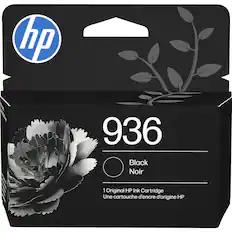
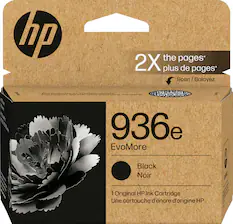
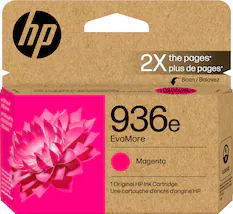
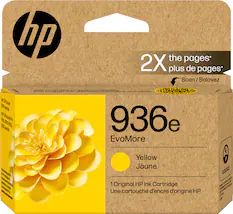
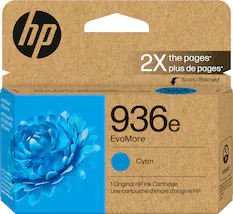
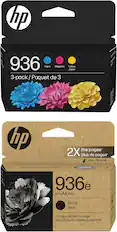
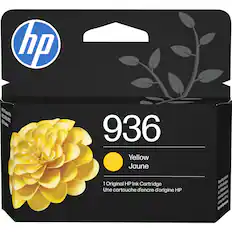
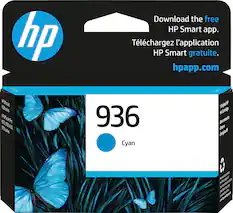
    The HP - Office jet Pro 9125 Wireless AI-Enabled All-in-One Ink-jet Printer was sent by HP, via their logistics partner, to me FedEx and a signature was required-not happy about that because of the inconvenience. However, this is a very productive printer and the setup was seamless. It is well-packed, and you must remember to take all the blue-colored tape off that immobilizes the doors and other parts that have the potential to open during the shipping process inadvertently. This box contains the printer, its power plug, 4 setup 936 cartridges, and a very basic one quick start guide insert. First thing it instructs you to do is to plug in the printer to a power source, and then it wants you to scan the QR code with your smartphone, which most of us have access to. If for some reason the user does not have a smartphone, they can also go to HP's website and go to a start menu there. This start process takes you through the steps to insert the 4 ink cartridges, connect to Wi-Fi, fill the paper tray and get printing. The unit has you perform alignment and other function checks along the way, too. I already have an HP online account established and the HP app on my smartphone, so I connected to that. The app identifies all my various printers, and allows me to use my phone to print, scan, fax, etc., as well as troubleshoot from there. So, what do I like. I very much like the auto document feeder, ADF, I like the speed of printing, I like the seamless Wi-Fi connectivity, I like the bigger capacity 250 sheet paper capacity, and the 2.7" LCD touchscreen Also, the scanning process was easy, too. What is it that I do not like. It goes back to the fact that while the price of even upper-level printers has gone down as technology has progressed, the cost of ink has not. On the box of this printer, it explicitly states that this device is intended to only work with either HP new or reused chips and that periodic firmware updates will try to maintain that. Also, the CYM setup 936 cartridges that came with the printer only have 420-page limits and the black setup 936 cartridge has a 800-page limit. The replacement cartridges for CYM have 800-page limits and the black one has a 1250-page limit. To get better limits there is a 936e available for all cartridges. The problem for real HP cartridges is the cost vs. the off-label ones. Yes, HP does have an Instant Ink plan that gives you 3 months free, and I did that back in the day with some of my older machines that were more affordable for greater number of pages. Those in place plan monthly costs have escalated, however the monthly plans on this machine are not reasonable to me at this time. Yes, it says that you can cancel or change your subscription anytime, but you know that once a subscription starts it takes thought and time to make changes. I guess my point is that while the initial cost to buy a printer may be reasonable, the cost to use it may not be and that to me is a really valid point to consider before purchase. It is important to do your research based on what you think that your monthly usage will be.

    Posted by KansasMeddlingMom

Compare similar products

HP - OfficeJet Pro 9125 Wireless All-in-One Inkjet Printer, Scanner, Copier, AI-Enabled with 3 Months of Instant Ink - White
4.5(66)

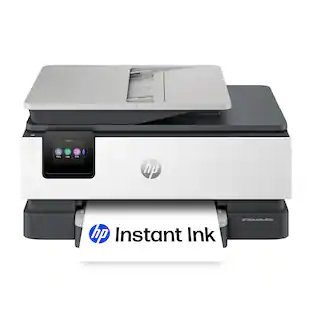
The HP OfficeJet Pro 9125 All-in-One Printer delivers fast color, fade-resistant prints, 250-sheet paper capacity, and duplex scan, copy capabilities plus fax, perfect for your office. Navigate this printer with the 2.7" color touchscreen and phone-like user interface. It includes wireless and printer security features to keep your multifunction printer up to date and secure, and is made with more than 40% recycled plastic content. Optimize print formatting with HP AI, that easily removes unwanted content from emails and web pages so your prints are just the way you want—no wasted pages or unwanted content. Subscribe to Instant Ink delivery service and get 3 months of free ink delivered directly to the door of your office. The HP OfficeJet Pro 9125 All-in-One also lets you print from anywhere with the HP app.

HP - OfficeJet Pro 9135 Wireless All-in-One Inkjet Printer, Scanner, Copier, AI-Enabled with 3 Months of Instant Ink - White
4.7(53)

The HP OfficeJet Pro 9135 All-in-One Printer delivers fast color, fade-resistant prints, 500-sheet paper capacity, and single-pass duplex scan, copy capabilities plus fax, perfect for your office. Navigate this printer with the 4.3" color touchscreen and phone-like user interface. It includes wireless and printer security features to keep your multifunction printer up to date and secure, and is made with more than 40% recycled plastic content. Optimize print formatting with HP AI, that easily removes unwanted content from emails and web pages so your prints are just the way you want—no wasted pages or unwanted content. Subscribe to Instant Ink delivery service and get 3 months of free ink delivered directly to the door of your office. The HP OfficeJet Pro 9135 All-in-One also lets you print from anywhere with the HP app.
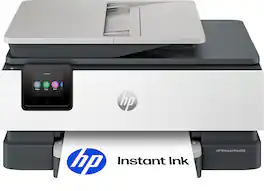
HP - OfficeJet Pro 9125e Wireless AI-Enabled AiO Inkjet Printer w/ 3 Months of Instant Ink - White

The HP OfficeJet Pro 9125e delivers fast color printing, 250-sheet paper capacity, and duplex scanning and copying. It's AI-enabled to intuitively adapt to your workflow, with wireless and security features that keep your multifunction printer up to date and secure.

HP - OfficeJet Pro 8125 Wireless All-in-One Inkjet Printer, Scanner, Copier, AI-Enabled with 3 Months of Instant Ink - White

The HP OfficeJet Pro 8125 All-in-One Printer delivers fast color, water-resistant, smear-resistant, and fade-resistant prints, 225-sheet paper capacity, and scan and copy capabilities perfect for your home office. Navigate this printer with the 2.7" color touchscreen and phone-like user interface. It includes wireless and printer security features to keep your multifunction printer up to date and secure, and is made with more than 45% recycled plastic content. Optimize print formatting with HP AI, that easily removes unwanted content from emails and web pages so your prints are just the way you want—no wasted pages or unwanted content. Subscribe to Instant Ink delivery service and get 3 months of free ink delivered directly to the door of your office. The HP OfficeJet Pro 8125 All-in-One also lets you print from anywhere with the HP app.
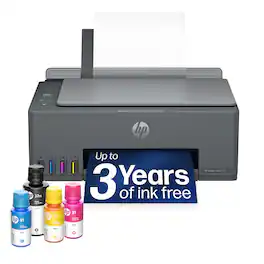
Pros for HP - OfficeJet Pro 9125 Wireless All-in-One Inkjet Printer, Scanner, Copier, AI-Enabled with 3 Months of Instant Ink - White
Connectivity, Print Speed, Setup Ease, Paper Tray Capacity, Build QualityPrint Quality, Overall Performance, Noise Level, ConnectivityPrint Quality, Overall Performance, Size, Ease of use, SetupPrint Quality, Overall Performance, Connectivity, Size, Noise Level
Cons for HP - OfficeJet Pro 9125 Wireless All-in-One Inkjet Printer, Scanner, Copier, AI-Enabled with 3 Months of Instant Ink - White
There were no cons for this productSizeNoise Level, ConnectivitySetup Process

Specs

Questions & Answers
  • Does the Fax work with a regular landline?

    Yes, it will work with an ordinary phone line.

    Answered by Davejr
  • Can you use generic cartridges with this printer?

Ask a question
No content

Customers often buy these together

Sponsored
Ask BlueAI

Finance Options

My Best Buy® Credit Card
Choose a benefit:Or
Buy Now, Pay Later
Lease to own

Special Offers

Included with Purchase

Finance Options

My Best Buy® Credit Card
Choose a benefit:Or
Buy Now, Pay Later
Lease to own

Special Offers

Included with Purchase