Skip to contentGo to Product Search
Main Content

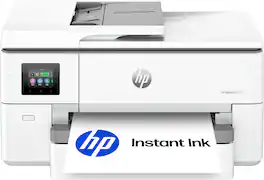
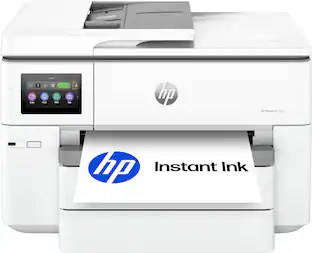
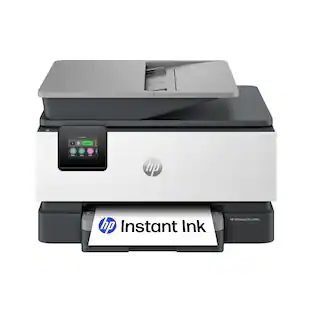
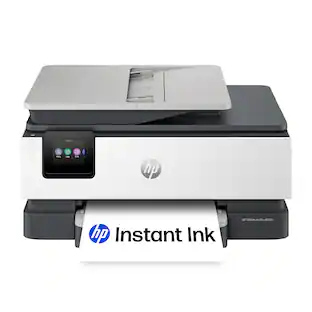
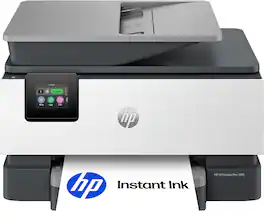
HP - OfficeJet Pro 9720 Wireless Wide Format All-in-One Inkjet Printer, Scanner, Copier, AI-Enabled with 3 Mos of Instant Ink - Cement

Model: OfficeJet Pro 9720/C2XF9A#B1H
SKU: 6674507
Sold byBest Buy

Customers are saying

Customers regard this printer highly for its exceptional print quality and reliable overall performance. Users also appreciate the convenient wireless connectivity and the intuitive touchscreen interface. While the device is well-received, some individuals have noted that the display screen can be difficult to see clearly.

Generated by AI based on customer reviews.

Features

  • From America's most trusted printer brand

    The OfficeJet Pro 9720e is perfect for offices printing professional-quality color documents like floorplans, mood boards and spreadsheets. Print speeds up to 18 ppm color, 22 ppm black.

  • Optimize print formatting with HP AI¹

    Print web pages and emails with precision—no wasted pages or awkward layouts; HP AI easily removes unwanted content, so your prints are just the way you want

  • 3-month Instant Ink trial included

    Subscribe to Instant Ink delivery service to get ink delivered directly to your door before you run out. After 3 months, monthly fee applies unless canceled.

  • Easily achieve vibrant, screen-accurate prints

    Print true to screen with P3² for a wider color gamut vs. sRGB

  • Upgraded features

    Fast color printing up to 11 x 17, copy, auto 2-sided printing, auto document feeder, and 250-sheet input tray

  • Wireless printing

    Stay connected with our most reliable dual-band Wi-Fi, which automatically detects and resolves connection issues

  • HP app

    Print, scan, copy, or fax right from your smartphone with the easiest-to-use print app

  • Protects your data

    HP Wolf Pro Security bolsters security and helps keep your network protected from cyber threats

  • 2.7-inch touchscreen

    Quickly navigate your printer with a large color touchscreen and a phone-like user interface

  • Sustainable design

    Made with at least 30% recycled plastic

  • Dynamic security

    This printer is intended to work only with cartridges with original HP chips or circuitry and will block cartridges using non-HP chips or circuitry. Periodic firmware updates will maintain the effectiveness of these measures.

Specifications

  • Networking
    Wired, Wireless
    ENERGY STAR Certified
    No
    Printer Type
    All In One
    ISO Color Print Speed
    18 pages per minute
    Output Tray Capacity
    75
    Touch Screen
    Yes
Sponsored

Reviews

Rating 4.6 out of 5 stars with 27 reviews

89% would recommend to a friend
Customers are sayingCustomers regard this printer highly for its exceptional print quality and reliable overall performance. Users also appreciate the convenient wireless connectivity and the intuitive touchscreen interface. While the device is well-received, some individuals have noted that the display screen can be difficult to see clearly.
This summary was generated by AI based on customer reviews.
  • Print Quality (25)
  • Overall Performance (7)
  • Connectivity (4)
  • Interface Design (4)
  • Display Brightness (4)

Customer Images

The vast majority of our reviews come from verified purchases. Reviews from customers may include My Best Buy members, employees, and Tech Insider Network members (as tagged). Select reviewers may receive discounted products, promotional considerations or entries into drawings for honest, helpful reviews.

  • Rated 5 out of 5 stars

    A very good and easy to use printer

    This HP OfficeJet Pro has proven to be my ultimate home office printer. I struggled with printers that would either break down or the cost of ink would be too much. Now, with the 9720, I am very happy with how this has helped both my home office work and my children's school needs. Despite coming in a large box, the 9720 printer itself is remarkably lightweigh and features a nice soft-white design that matches my aesthetics and white all-in-one desktop computer. The setup process is the only issue I ran into. You are provided a QR code to set up with a step-by-step visual guide. My issue lay with the HP app as it was not syncing into my accound. Everything ran smoothly once I was able to get past this issue and finally having the printer connected to my home wifi and into my account. The 9720 has a very responsive, tiltable LCD screen that makes navigating settings simple, even adjusting the dates and time. Using the app on my ios devices makes this even more simple and effortless. Performance wise, the 9720 is excellent on all aspects. It handles both standard and legal-sized paper without needing two separate trays. This also has auto-duplex printing, and an automatic document feeder that works and has never jammed at all. Text and images are very crisp and high quality, especially when using standard bright 24lb paper. Replacing cartridges is very simple, and HP offers the Instant Ink Subscription where your monthly rate is based on how many pages you use. You can opt out of the subscription if you feel it doesn't meet your needs. Overall, this has been such a joy to have in my home office and for my teens to use for thier summer school needs.

    Posted by APFLORES413

  • Rated 5 out of 5 stars

    Excellent option for larger scale prints

    The HP9720 is the world's first wide-format printer with P3 color. The P3 color system delivers an impressive true to screen color gamut with the widest spectrum of vibrant colors to date on any large format printer. P3 printers offer 25% more colors than traditional sRGB printers. Prints are supposed to match modern smartphone and laptop displays much more closely, reducing the surprise color shifts common with standard sRGB output. I printed a few maps on 11 x 17 copy paper, and printed full border-less photos on 11 x 17 glossy photo paper. All the prints came out with impressive clarity, definition and color. I didn't use HP photo papers, because none of the local stores had 11 x 17 HP photo papers in stock, so I just got some 3rd party glossy photo paper. The prints came out pretty nice, but didn't match colors exactly to my original photos. My original pics were in the P3 color profile, however some of the color and contrast seem to have been lost. Again, this could be due to the fact that I am not using HP photo paper. Most printers do best with their own brands of media, because they have been tested and designed to work best with their hardware. I am uploading 2 color photos and a couple maps I printed. While the colors were not exact in this test print, the pictures by themselves still look very good. The high def photos took about 2 minutes to print, and the maps printed in just a few seconds on regular copy paper. I originally wanted this printer for it's wide format capabilities, because I intended on printing maps for delivery applications. For this purpose, the printer will be perfect. The printer does except all the standard paper sizes and envelopes for printing. The flat bed scanner can handle up to 11 x 14 inch media. The auto document feeder can only handle 8.5 x 11 inch papers. The Auto doc feeder can scan double sided papers with the dual pass method. The depth of the printer is pretty close to HP's other 8 x 10 Officejet printers. The paper tray sits at a normal position to the printer for 8 x 10 papers, but needs to be extended forward to accommodate any media that is greater than 8 x 10 papers, like the 11 x 17. The extended paper tray is a little obtrusive, but not really noticed if you have the ouput tray extended anyway. the 2.7" Color Touchscreen is big enough to easily read and make selections on. IT also tilts outward to give you a better view from higher angles while using the printer. The width of the printer is about 23 inches wide, and about 32lbs, making it a bit bulkier than HPs other standard format printers which are about 17 inches wide and roughly 20lbs Regular prints and scans come out great as expected. FYI after printing about 8 full size 11 x 17 photos my ink reserves were down to about half, so if your intent is large format photos, you might want to make sure you have some additional ink cartridges on hand. Photo paper typically uses 2 to 4 times as much ink as plain paper. If you subscribe to HP's Instant Ink program you can utilize their mobile app to print from anywhere, as long as you have a data connection. The same goes for their PC app. This is extremely useful if you travel a lot or have multiple locations that you work from. I subscribe to the Instant Ink program specifically for this feature, and the FAX feature. I no longer have a FAX machine as I can send one from the HP app itself without the need for additional hardware or accessories. I printed a few larger scale images combining the prints to make larger posters. I taped the edges to join the sheets of paper. This is a great way to create much larger projects, without spending a ton of extra money. Overall this printer works great, and is a great option for anyone looking to make larger than 8 x 10 prints. It prints great on photo paper as well as plain paper. The colors were not as accurate as I would have expected on the photo prints, but that could also be because I was not using HP papers. I still love all the features that this printer brings to the table, especially with the added option of remote prints.

    Posted by Aaronxx7

  • Rated 5 out of 5 stars

    Easy Setup, Great Print Quality, Feature Pack

    This HP 9720 OfficerJet Pro printer is well built, easy to set up, and surprisingly heavy around 33lbs. As an all-in-one device, it can print, scan, and copy. For scanning, it offers both a flatbed glass scanner and a 35-page automatic document feeder (ADF). The paper tray holds up to 250 sheets, and the printer includes a 2.7-inch color touchscreen for manual operation. The setup process is very straightforward and practically plug-and-play. Simply connect the printer to power and follow the prompts on the screen. There is also a QR code sticker on the printer that takes you to HP's website, where you can follow the installation instructions. During setup, you are directed to the Apple App Store or Google Play Store to download the HP app. The HP app is user-friendly, and once the setup is complete, connecting the printer to Wi-Fi is easy. You can then print documents from any device connected to the same network. I printed several documents, and everything came out as expected, with great print quality and relatively fast printing speeds. I was also offered a three-month trial of HP Instant Ink, which I accepted. I have used this subscription service with other HP printers in the past and have generally had a good experience. HP sends replacement ink cartridges directly to your home and charges a monthly fee based on the number of pages you print. Plans range from $1.99 per month for 10 pages to $32.99 per month for 700 pages. One reason I decided to try Instant Ink again is that I don't print very often, and in the past, I have had issues with ink drying out before I could use it all. With this subscription, I find it more convenient to have replacement cartridges delivered when needed. Overall, this 9720 OfficeJet printer is a great printer, with a bunch of features including Ai is a great addition to my setup. It is marketed toward business owners, and I can definitely see how its features and convenience would be beneficial in that environment. WIth its fast printing, scanning and wide-printing format definitely a printer for a business. Be aware that it is considerably larger than a standard home printer and requires adequate space. In the box you get the printer, power cable, ink cartridges, and quick starter guide.

    Posted by Wishkid

  • Rated 5 out of 5 stars

    My Home Office finally prints Big

    The Officejet Pro 9720 Wide Format Printer is the first office machine I have had that prints 11x17" color. As a family of 7 we print legal documents, professional work documents, schoolwork for the kids, and glossy full color photos of our family. One limitation I've had recently is paper size. Letter and legal size documents cover most of what I print, but when I want a full color poster, an 11x17 spread of a booklet for work or a spreadsheet that's readable without shrinking it down, a standard printer can't do it. This is what led me to the OfficeJet Pro 9720 wide format. - Unboxing - The printer shipped in a large box with plenty of padding and support, and mine arrived without any damage. Inside you get the printer, four setup cartridges in black, cyan, magenta, and yellow, the power cord, a setup poster, a reference guide, and the typical documentation. There's no USB cable, so if you plan to connect directly to a computer instead of over the network, you'll need to buy one. Personally, I think wireless is the easy method here. I can connect through my phone or my PC wirelessly. The setup ink cartridges actually give you a significant amount of printing before you buy more. I would estimate it at about several hundred pages (more or less depending on the type of coverage.) - Design & Build - It’s approximately 23 inches wide, 17 and a half deep, 12 tall, and a little over 30 pounds. It looks like a true home office printer, and even though it’s larger, it’s still economical with space. The wider body is what gives you the 11x17" print path. The control panel is a 2.7-inch color touchscreen that flips up on a firm hinge, so you can angle it toward where you're standing. It's a fairly large display for a printer, the icons are easy to press, and it's touch screen. From the home screen you can start a copy job and set the copy count. You can choose document or ID card mode, or start a scan to email, cloud, a network folder, or your computer. The menu button opens copy, scan, and utilities like printer info and connectivity, and there's a settings area for general, network, tray, and supplies options. This menu is very easy to navigate, intuitive, and the ability to tilt it up makes it easy to read. The off-white body is hard plastic. Nothing flexes when you press on it, the scanner lid has a solid, heavy feel and a sturdy hinge with enough travel for a thick document, and the main tray slides in and out without wobbling. The output tray has a paper catcher that easily flips out, keeping the long sheets from sliding off. One thing to be aware of: the scanner glass tops out at legal, 8.5x14. - Specs & Features - HP rates it at up to 22 pages per minute in black and 18 in color. Print resolution is 1200 x 1200 dpi black and up to 4800 x 1200 in color. HP uses thermal inkjet technology and you can print borderless up to 11x17”. For paper handling, the main tray holds 250 sheets of 20# bond, which is about half a package of paper, and the output tray holds about 75 sheets. There's a 35 sheet automatic document feeder on top that is very convenient for multiple copies. Two sided printing is automatic. Connectivity covers dual-band Wi-Fi, Wi-Fi Direct, Gigabit Ethernet, and USB. I'm on Wi-Fi and the connection has been stable. When I installed it there was an immediate firmware update through my wireless connection. Wi-Fi connectivity is a simple setup right through the app on your phone. It uses four individual HP cartridges, one per color. I signed up for InstantInk so for a flat monthly fee I will receive ink cartridges before they run out. It's a monthly HP program where you can estimate your print usage, choose a tier, and receive replacement cartridges as needed. The nice thing about instant ink is that a full color photo counts the same as a quick business copy so ink usage is not the determining factor, it’s print count. It also has HP Wolf Pro Security built in (protects against phishing and malware through AI boosted software, and it secures your printer’s connection on the network). One tip on setup: If you run into problems installing the printer through the HP app, you can always switch to the HP app on your computer (this is what I did.) You will need to set up a login for your HP account. The benefit will be access to your cloud prints, access to Instant Ink, print diagnostics, etc. However, if you need to, most of these features are accessible through the flip up touch screen. And last, it also supports Apple AirPrint and Chrome OS. - Software - The HP app handles setup. I already had an HP account, so I opened the app and found the printer, connected it to Wi-Fi, and it was ready. I've been using the app on my computer as well, and it's straightforward, with everything I need in one place. The app does more than print. There's a dashboard for the printer, options to add more printers and users, warranty status, a creative template library. I use scan to file often. I can use my phone camera to turn a document into a PDF, or scan from the glass and save as JPG, TIF, PNG, or HEIF. It can also convert to a searchable PDF, a DOCX, or plain text. Scans also save to HP Cloud, so I can reach them from other devices. Shortcuts have been useful. You can combine actions into one step, such as scanning a document and emailing it to yourself, saving straight to Google Drive, or printing something and emailing or sharing it to the cloud at the same time. Quick sets do something similar for starting a print or scan without configuring every option each time. You can also set up a contact list so you're not retyping addresses for scans and faxes. The printer's control panel has plenty of options as well. You can adjust tray settings and set prompts like low-on-paper warnings or a tray lock, check supply levels and the print heads, and view jobs in progress, queued, and in your print history. The help section stood out. The help button pulls up short how-to videos. They're basic, but they cover things people commonly get stuck on: loading paper in the tray, replacing cartridges, loading small or photo paper, loading large paper, envelopes, and legal, placing originals in the ADF, and cleaning the scanner glass and document feeder. There are also tip sections for working smart, digital office, environmental practices, and a product tour. Along with the template library on the mobile app, the software side is clearly well thought out and more useful than most printer software I've used. HP is doing a great job here. You can send a fax from the app, which I've done. This is HP's mobile fax service running through the app, not a phone-line fax modem. Personally, I rarely fax so the mobile option is fine for me. There are AI features included in this printer. The main feature is print formatting, which cleans up web pages and emails so you don't waste sheets on ads and menu bars. It runs through the HP app on my PC. - Performance - Photo output was better than I expected. A full-coverage 8.5x11 photo on HP Glossy Photo paper printed in 1 minute 51 seconds, edge to edge with no white border. For that level of quality, it's fast, quicker than other printers I've used that print photos this well. Color is accurate. Skin tones look correct and dark areas hold their detail. Everyday documents print quickly. Text is sharp and dark at default settings. The 11x17 capability is the main reason to choose this over a standard all in one printer. Being able to print a full spread, a large chart, or a poster without sending a file to a print shop is convenient. Scanning is one-sided whether you use the ADF or the glass, and it handles up to legal size. The quality is good and it's been reliable. The optical scan resolution is up to 1200 dpi. For everyday documents, receipts, and paperwork going to email or the cloud, it's been more than enough. For color, it does the job. - Pros - * Prints up to 11x17, which few all-in-ones at this size do * Flip up 2.7-inch touchscreen that's large and responsive, and adjustable * Photos look excellent * 250 sheet tray and 35 ADF handle a household or small office pace without constant reloads * Four individual cartridges, so you replace only what runs out or you can use instant ink * HP app is exceptional * Useful on screen help with how-to videos * Instant Ink covers more than one printer under a single plan * Solid build with a flip-out paper catcher and a sturdy scanner lid * Wi-Fi, Ethernet, and USB connectivity - Cons - * Scanning only up to 8.5x14”, and one-sided only from the feeder * Larger footprint, over 30 lbs, you need to plan your space * No hardware Fax (mobile option only but it’s easy from the app to send a fax) The OfficeJet Pro 9720 does everything I need it to do. In the past, every print over 8.5x14” went to a print shop, and this one removes that step for anything up to 11x17. It handles all the printing I send to it: family printing, business printing, and just fun creative printing. The HP app has a ton of free creative template ideas. Of course it has some limits, but if wide-format printing is something you'd actually use, this covers that along with everything a home office all-in-one does. The exceptional design of the HP app makes it easy enough that the rest of my family can use it without help. If you have the desktop space or a printer stand I highly recommend this printer.

    Posted by NanoEthan

  • Rated 5 out of 5 stars

    The Big Boy

    The HP OfficeJet Pro 9720 is one big boy! It designed to offer wide format printing while still being an all in one printer. The wide format allows you to print up to 11 x 17 pages and load them into the paper tray below. The scanner only supports 11 x 14 with an extended tray so that way as we’re scanning, it’s not falling off the printer. All of this makes it one big boy. Set up was common and easy just like any HP printer. Unbox it, remove all packaging tape, plug it in, scan the QR code and follow step-by-step instructions. Once you start following the instructions, it will instruct you to connect to WiFi, you’ll open the front of the case and insert the four ink cartridges and then you will through the proper procedure of aligning your ink jet heads. If you haven’t already, it will instruct you to open a HP account. They’ll ask you if you want to do a trial of their ink refill. A good thing to know is that once you set it up on one device on your Wi-Fi at home, it will be available on all of your other devices as a wireless printer so you don’t have to download the app multiple times over. I do recommend downloading the app, especially to your cell phones because most people use our cell phones or an iPad and it allows just more feature features that allows you to scan or even print from anywhere. This printer supports a ton of features. It has double-sided printing. It’s very fast. I was able to print a 20 page double sided document and to be honest by the time I hit start and got downstairs, which wasn’t that long. Maybe just a few minutes the printer was already done printing all 20 pages. That statistic is backed up by. It’s estimated print speed of 20 pages per minute black-and-white in 18 pages per minute in . I think that’s relatively fast for an inkjet. Although the scanner only supports 11 x 14 and not the same size that it can print 11 x 17 it does hold 35 documents. The print quality is strong 1200 x 1200 for black-and-white 4800 x 1200 for color which will support some nice graphics for large 11 x 17 prints or any photo. Other features include a 250 page tray to store paper, an illuminated interior so you can see jams and where you’re putting the ink in this is the first printer I’ve ever earned with an illuminated interior like a vintage car and finally the screen is 2.7 inches and it is a touchscreen which is adequate size to use the printer sometimes they can be too small while this is on the smaller side it is still very usable. The 9720 is advertised as a small to medium business printer but it is a well diverse tool and I really think it’s good for anyone that prints heavily. Well, I don’t own a small business. I am on a few boards and very active within the community and with my job having this tool ready to go just makes things easy. I’m excited to use this printer contact time because of how large it is and the ability to handle larger pages usually during tax time that’s when I start receiving some some large statements, and I can just pop them in and hit scan. I’m also on a public image committee for a nonprofit and excited that I’ll be able to print large flyers and graphics right at home. My local Staples and printing shops have all closed and I think that’s a common theme in our country especially outside of cities or high dense populations but that’s not always a case nowadays either so why not have the tool right at home?

    Posted by Tstall

Compare similar products

HP - OfficeJet Pro 9720 Wireless Wide Format All-in-One Inkjet Printer, Scanner, Copier, AI-Enabled with 3 Mos of Instant Ink - Cement
4.6(27)

The HP OfficeJet Pro 9720 Wide-Format All-in-One Printer delivers fast color, fade-resistant prints, 250-sheet paper capacity, and scan and copy capabilities perfect for your office. Print up to 11 x 17 inches, and scan legal-size documents on the flatbed scanner. Navigate this printer with the 2.7" color touchscreen and phone-like user interface. It includes wireless and printer security features to keep your multifunction printer up to date and secure, and is made with more than 30% recycled plastic content. Optimize print formatting with HP AI, that easily removes unwanted content from emails and web pages so your prints are just the way you want—no wasted pages or unwanted content. Subscribe to Instant Ink delivery service and get 3 months of free ink delivered directly to the door of your office. The HP OfficeJet Pro 9720 Wide-Format All-in-One also lets you print from anywhere with the HP app.

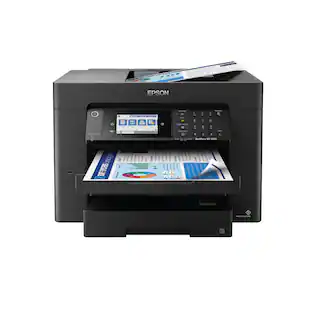
Epson - WorkForce Pro WF-7310 Wireless Wide-Format Inkjet Printer - Black
4.2(66)

Enhance office productivity with the high-powered WorkForce Pro WF-7310. A high-performance, wide-format printing solution, the WorkForce Pro WF-7310 delivers print-shop-quality graphics up to 13" x 19" and borderless up to 11" x 17". Offering fast print speeds, this efficient printer streamlines workflow at an astounding up to 25 black/12 color ISO ppm*. Designed with durability and reliability in mind, the WorkForce Pro WF-7310 features PrecisionCore Heat-Free Technology and DURABrite Ultra instant-dry pigment inks to quickly and consistently deliver crisp, vibrant prints with sharp text and vivid colors. The perfect choice for fast, efficient printing, the WorkForce Pro WF-7310 easily tackles high-volume print jobs with two 250-sheet trays, a rear feed and Wi-Fi 5 compatibility. Plus, with the Epson Smart Panel App, you can conveniently manage printer workflow from your smart device.
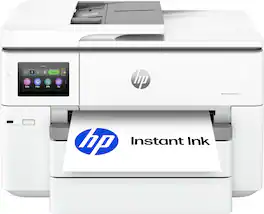
HP - OfficeJet Pro 9730 Wireless Wide Format All-in-One Inkjet Printer, Scanner, Copier, AI-Enabled with 3 Mos of Instant Ink - White
4.6(29)

The HP OfficeJet Pro 9730 Wide-Format All-in-One Printer delivers fast color, fade-resistant prints, 500-sheet paper capacity, and single-pass duplex scan and copy capabilities perfect for your office. Print up to 11 x 17 inches, and scan legal-size documents on the flatbed scanner. Navigate this printer with the 4.3" color touchscreen and phone-like user interface. It includes wireless and printer security features to keep your multifunction printer up to date and secure, and is made with more than 30% recycled plastic content. Optimize print formatting with HP AI, that easily removes unwanted content from emails and web pages so your prints are just the way you want—no wasted pages or unwanted content. Subscribe to Instant Ink delivery service and get 3 months of free ink delivered directly to the door of your office. The HP OfficeJet Pro 9730 Wide-Format All-in-One also lets you print from anywhere with the HP app.
HP - OfficeJet Pro 9125 Wireless All-in-One Inkjet Printer, Scanner, Copier, AI-Enabled with 3 Months of Instant Ink - Cement

The HP OfficeJet Pro 9125 All-in-One Printer delivers fast color, fade-resistant prints, 250-sheet paper capacity, and duplex scan, copy capabilities plus fax, perfect for your office. Navigate this printer with the 2.7" color touchscreen and phone-like user interface. It includes wireless and printer security features to keep your multifunction printer up to date and secure, and is made with more than 40% recycled plastic content. Optimize print formatting with HP AI, that easily removes unwanted content from emails and web pages so your prints are just the way you want—no wasted pages or unwanted content. Subscribe to Instant Ink delivery service and get 3 months of free ink delivered directly to the door of your office. The HP OfficeJet Pro 9125 All-in-One also lets you print from anywhere with the HP app.

Pros for HP - OfficeJet Pro 9720 Wireless Wide Format All-in-One Inkjet Printer, Scanner, Copier, AI-Enabled with 3 Mos of Instant Ink - Cement
Print Quality, Overall Performance, Connectivity, Interface DesignPrint Quality, Overall Performance, Ease of use, WirelessPrint Quality, Connection StabilityPrint Quality, Connectivity, Ease of Setup, Design, Paper Tray Capacity
Cons for HP - OfficeJet Pro 9720 Wireless Wide Format All-in-One Inkjet Printer, Scanner, Copier, AI-Enabled with 3 Mos of Instant Ink - Cement
Display BrightnessThere were no cons for this product—There were no cons for this product—Noise Level

Specs

Questions & Answers

  • Does this have fax capabilities

    Yes, this printer includes a fax function.

    Answered by HP Team
    HP Team response
  • Will this printer enlarge my printed pictures

    Yes, you can enlarge photos when printing or copying. This printer also supports wide-format printing up to 11" x 17", allowing you to print larger images.

    Answered by HP Team
    HP Team response
  • IS THI A LAZER

    This is an Inkjet printer, not a laser.

    Answered by backerly
Ask a question
No content

Customers often buy these together

Sponsored