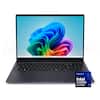
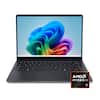
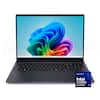
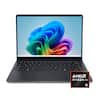
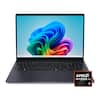
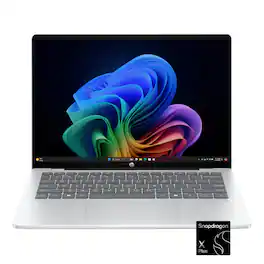
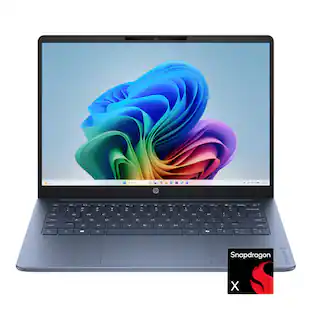
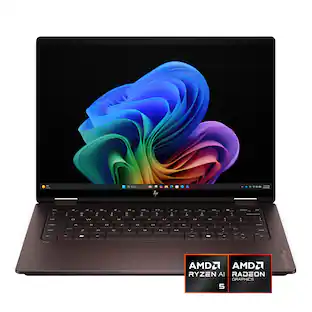
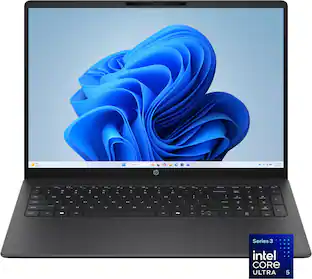
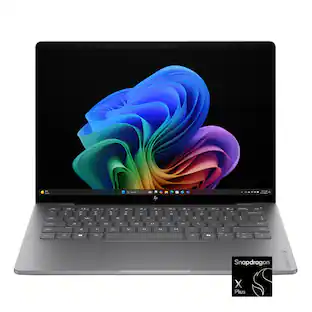
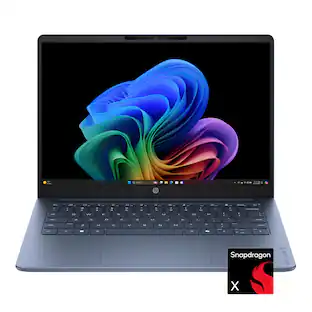
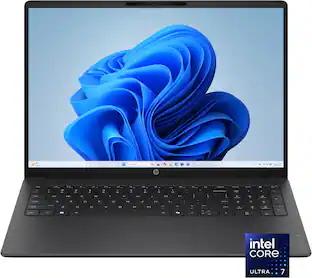
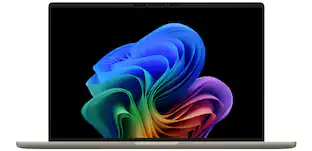
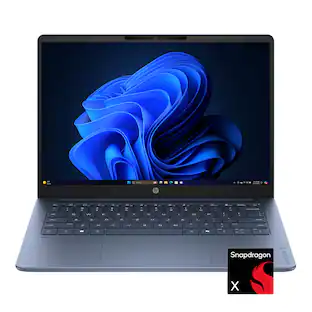
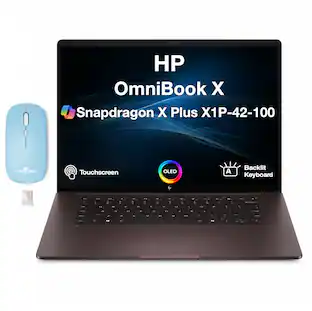
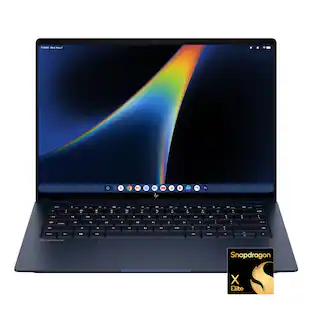
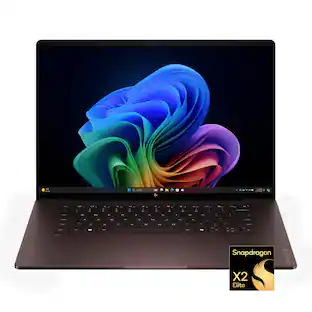
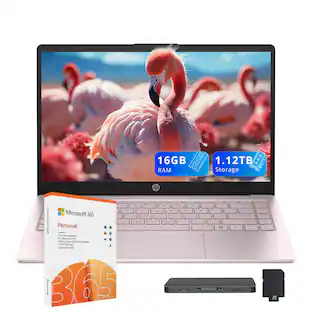
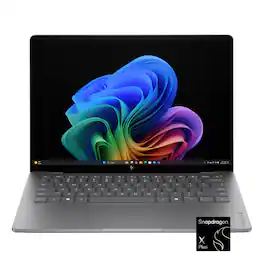
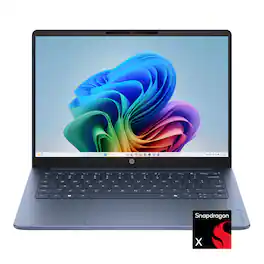
Built for advanced performance and seamless productivity, with an ultra-thin profile and HP AI Companion to act as your on-device personal assistant. Streamline your workflow with the AI-driven Snapdragon processor and an incredible battery life that holds up to heavy multitasking and intensive workloads. Stunning audio-visual experiences with the 1080p infrared camera and OLED display keep you looking and sounding your best.
Q: Is this next generation? The latest version
A: This is not the latest gen processor from Snapdragon , that will coming out in 2026. With that being said the chip on here is amazing for just about everything (unless your doing some serious video/music editing). I would recommend it, the SSD is a bit slow but you can upgrade it on the cheap. I have used this thing more than I use my Macbook Pro M4.
Q: Do it have backlite keyboard
A: The keyboard is not fully backlight , but a few keys do have some lighting (mic mute/unmute and volume mute/unmute)
Q: Can you use a stylus pen with this laptop?
A: undefined
A: undefined
Q: Can I extend 16Gb RAM to 32Gb RAM?
A: undefined
A: Yes it does
Q: Does it come with Microsoft Office?
A: Only if you already have an account. Otherwise, you can't use the Microsoft features that are on it.

Built for advanced performance and seamless productivity, with an ultra-thin profile and HP AI Companion to act as your on-device personal assistant. Streamline your workflow with the AI-driven Snapdragon processor and an incredible battery life that holds up to heavy multitasking and intensive workloads. Stunning audio-visual experiences with the 1080p infrared camera and OLED display keep you looking and sounding your best.

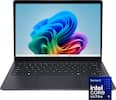
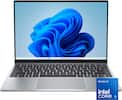
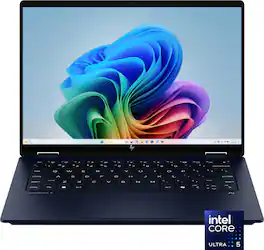
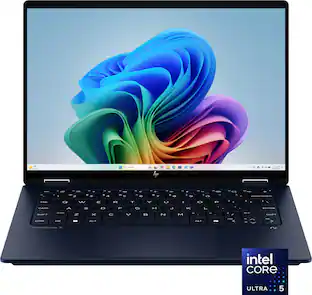
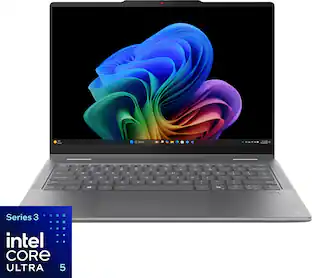
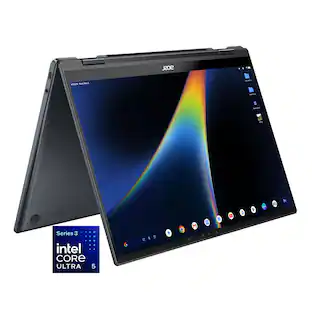
Take your creativity to go with the thin and light HP OmniBook X Flip 14 Next Gen AI PC. Multiple modes enable you to work and play from any angle, while a high-resolution edge-to-edge 2K multitouch-enabled display makes every view crisp and clear. An AI-powered Intel Core Ultra processor and an all-day, fast-charging battery ensures that you have the speed, performance, and endurance to create wherever you are. Copilot+ PCs bring exclusive on-device AI experiences designed to accelerate productivity and creativity.
Take your creativity to go with the thin and light HP OmniBook X Flip 14 Next Gen AI PC. Multiple modes enable you to work and play from any angle, while a high-resolution edge-to-edge 2K multitouch-enabled display makes every view crisp and clear. An AI-powered Intel Core Ultra processor and an all-day, fast-charging battery ensures that you have the speed, performance, and endurance to create wherever you are. Copilot+ PCs bring exclusive on-device AI experiences designed to accelerate productivity and creativity.

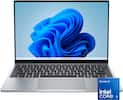
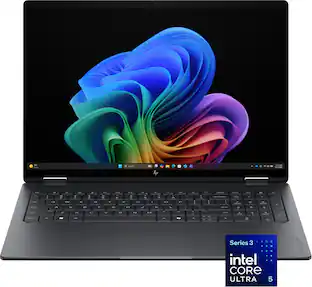
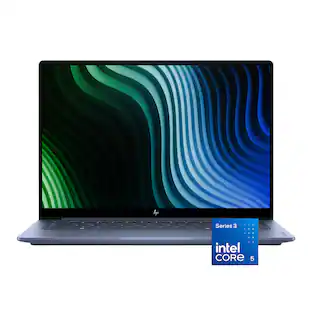
Designed to flex your way. Powered by an Intel Core processor, packed with ports and premium speakers, it has everything you need to get things done. Plus, you can pick the perfect position to work and tap into your creative side with this versatile 360-degree flip design.
| Pros for HP - OmniBook 5 - Copilot+ PC - 14" 2K OLED Touch-Screen Laptop - Snapdragon X Plus 2025 - 16GB Memory - 512GB SSD - Glacier Silver | |||
|---|---|---|---|
| There were no pros for this product— | |||
| Cons for HP - OmniBook 5 - Copilot+ PC - 14" 2K OLED Touch-Screen Laptop - Snapdragon X Plus 2025 - 16GB Memory - 512GB SSD - Glacier Silver | |||
| There were no cons for this product— | There were no cons for this product— |
Customers value the OmniBook 5 Copilot+ PC's overall performance, describing it as high-quality and capable of keeping up with their needs. Positive feedback highlights the laptop's ability to handle various tasks effectively. There were no negative customer comments reported.
The vast majority of our reviews come from verified purchases. Reviews from customers may include My Best Buy members, employees, and Tech Insider Network members (as tagged). Select reviewers may receive discounted products, promotional considerations or entries into drawings for honest, helpful reviews.
I have really enjoyed using my new HP Omnibook 5 laptop. I was looking for a smaller laptop that I could use while traveling and also just around the house. This laptop absolutely exceeded my expectations in almost every single way. - Battery life is insane. I can easily go multiple days without charging even if I'm using it 4-5 hours per day. Even if I leave it to sleep overnight I open it up the next morning and maybe 1-2% of the battery has drained. I have never seen a Windows laptop do that! I don't hesitate to leave the charger behind if I'm going out for the day or on a 2-3 day trip. - This laptop has easily kept up with me in all I've been doing. Granted, I'm not doing design work or playing FPS games but this laptop shows no sign of slowing down. The Snapdragon X Plus processor runs cool and I never even hear a fan. - Quick resume. When I open the laptop the webcam uses Windows Hello and instantly logs me in. There is ZERO wait time. You open the lid, log in and are ready to go within a second. Never have I seen this on a Windows laptop. - Overall great value. For $699 you'd expect to get a laptop with pretty basic specs and probably all plastic. This is a metal laptop with an OLED screen and 16GB of memory. If your budget is around $700 look no further. Storage of 512GB is also plenty. Seriously, probably one of the better values you can find in Windows laptops. - Zero compatibility issues. I had read about some applications not working on this laptop as well since it's not AMD or Intel. I have had zero issues and have been running Photoshop, Lightroom, Chrome, VLC. My HP printer also works flawlessly. I was ready to accept a few minor hiccups to have this kind of battery life but have found zero tradeoffs. I'd say purchase with confidence. - Port selection. I do appreciate having the traditional USB-A port on the right side. There are also two USB type C ports on the left. Ideally there would be one more on the right side but that's a very minor complaint. - Keyboard is comfortable. Doesn't feel cramped at all. Trackpad feels solid too. No haptic feedback but I wouldn't expect that at this price. - AI features. I haven't used Copilot+ too much yet but I do like knowing that as more applications are running AI on the computer this one is ready for it. The Microsoft Co-Creator feature in paint is cool but probably won't use much. I have found Recall to be helpful and I've programmed it to not take snapshots of sensitive stuff (like bank info). Makes it super easy to find things so I'm comfortable using it. Overall, this laptop is insane value for money and I'd recommend it to anyone who needs a laptop with multiple day battery life and doesn't want to carry around a heavier model. At $699 this is excellent and when if it goes on sale it will be even more appealing.
Posted by TexTech
At $700, one may not expect a fast laptop or an amazing display. This OmniBook 5 has both of these items. The OmniBook 5 is fast, and the display is beautiful. I have been using this laptop for the past couple of days now, and was left surprised at how well it performed in most tasks. Of course, it does have its downfalls, but there are certainly more positives that were found. This is my review of the HP OmniBook 5 14-inch Laptop. *TLDR at the bottom ========= IN THE BOX/SET-UP: The box is lightweight and small itself. The box contains the ultra-light OmniBook 5, a 65W USB-C charger, and some documentation. Setup is straightforward. It is your typical Windows 11 out-of-the-box experience. I typically go through the laptop and delete any bloatware or apps I won’t ever use before setting up my stuff. There were some bloatware apps like McAfee, HP apps, and some AI apps like Otter.ai. I uninstalled most of the built-in AI apps because I only really use a select few LLMs. I hope HP, in the future, can give the consumer the option to install these apps if they desire, rather than the apps coming preinstalled. ========= DESIGN/SPECS: In terms of design, one of the first items I noticed was how lightweight and thin the OmniBook 5 was. The small size makes this laptop extremely portable, which is a plus for students and travelers. For $700, I thought HP would’ve cut corners on the materials, but this laptop feels very sturdy. The aluminum frame feels to be on par with some of their more high-end laptops. On the other hand, the keyboard is not backlit. Luckily, the keys are gray with white lettering, which, in a way, makes them slightly more visible. The keyboard is also quiet, and along with the large trackpad, this all makes the laptop comfortable to use. When it comes to ports, there isn’t much. This makes sense with how thin the laptop is. There are only 2 USB-C ports, 1 USB-A port, and the all-important AUX port. If you need more ports than what this has, I recommend buying a USB Port Extender. One of the better features is the display. It is a 2k OLED display with a brightness of up to 300 nits. It looks amazing in most lighting. The screen can be viewed from any angle without the colors being washed out, and it does have touchscreen capabilities if needed. Below are some of the computer’s internal hardware specs: CPU: Snapdragon X Plus X1P42100 GPU: Integrated Qualcomm Adreno X1-45 Memory: 16GB Storage: 1 512GB SSD NIC: FastConnect 6900 Wi-Fi 6E ========= PERFORMANCE: I was able to use the OmniBook 5 in a variety of situations over the past couple of days. I work in IT and was able to stress test some of its business capabilities there. While this laptop is not marketed as a gaming laptop, I still tried some games to see how it performs in that space. I was also able to watch a couple of movies and live events. Finally, I ran several benchmark software programs. I will first cover the benchmark software. The first one I ran was 3D Mark. This was used to test out the laptop’s gaming capabilities. PC Mark was used to test out the computer’s capabilities with modern office applications like Word, video conferencing software, web browsing, data processing, etc., Cinebench was used to test out the computer’s CPU rendering, and CanYouRunIt was used to see what percentage of the most popular games the computer could run at minimum and recommended requirements. The scores for these benchmark applications can be seen below. 3DMark Time Spy Score: 1065 Steel Nomad Light Score: 1081 PCMark10 Overall Score: TEST WAS NOT SUPPORTED Cinebench CPU (Multi Core): 6562 CPU (Single Core): 1013 CYRI MIN: TEST WAS NOT SUPPORTED REC: TEST WAS NOT SUPPORTED The benchmarks did not go as planned. I was able to successfully run 3DMark, and as expected, the scores are low. The laptop is not meant for gaming, but I decided to attempt to run Control anyway to see how far I could take it. The game would run in the lowest settings, but I was only averaging about 20fps, which is terrible. I was able to make it playable by dialing down the rendering resolution to around 480p. Only then was the game playable at about 58fps. On the other hand, online games portals like Cool Math, Crazy Games, and Roblox ran extremely well. To put it together, the laptop can be used for games, but only in an online or cloud gaming setting. The Cinebench scores tell you that this laptop does a decent job with rendering. If light video editing is on your radar, this laptop will complete the task just fine. Two benchmark tests could not run: PCMark10 and CYRI. PCMark10 would flat out not run at all, and CYRI did run initially, but no scores were ever given, which tells me the test was not supported. These tests not being supported simply came down to the ARM-based processor in the hardware. To keep it short, most apps run on x86 architecture these days. The apps that could not run were coded to run on this architecture and not ARM architecture. Unfortunately, it is hard to tell which apps will and which apps won’t run on ARM architecture without doing some research. On the bright side, ARM-based processors are known to be energy efficient and fast, which this laptop excels at. The laptop was able to go through every business-related task I put it through. From heavy web browsing to word processing and even some light photo editing, this laptop excelled in all of these quickly. On top of this, battery life is amazing. I was able to get about 13 hours of battery life. HP claims that the laptop can go up to 34 hours, but I was not able to get there. If I had optimized the settings of the laptop to save more energy, I may have reached that number. ========= FEATURES/OTHER NOTES: The following lists some features and other notes about the OmniBook 5: - Built-in speakers are decent, there is a lack of lows - Good 1080p webcam, will work great for video calls - The fans are quiet, even when running heavy computing tasks - Perfect for viewing media, the OLED screen makes the colors pop out - A 2-in-1 laptop version of this would be nice for a slightly higher price - 3 free months of PC Game Pass are included with the device ========= CONCLUSION/TLDR: Overall, the OmniBook 5 is an excellent budget-friendly laptop. For $700, you will be getting a lot more than you expect. The fast processing, bright OLED display, and energy-efficient design are some of the key features that will make everyday use feel like you are receiving more than your money's worth. A couple of downsides are the lack of a backlit keyboard and the uncertainty of whether an app will run on the ARM-based processor this laptop has. I highly recommend conducting some research and verifying that the apps you want to use are compatible with this processor. Now, who is this for? This is the perfect laptop for the average student and business professional. If you are one of these individuals or someone who is looking for a budget-friendly laptop that runs well, I wholeheartedly recommend you try this one out!
Posted by BarackObama
TLDR: A Lightweight, long-lasting PC. Perfect daily driver KEY SPECS Snapdragon X Plus ARM 8C / 8T 16GB LPDDR5X RAM 512GB NVMe (Appears User Upgradeable) OLED Touchscreen Display PROS Lightweight Long Battery Life Extremely Quiet Gorgeous OLED screen CONS No user replaceable RAM Limited USB-C functionality No backlit keyboard McAfee installed & functioning by default FIRST BOOT & INITIAL IMPRESSIONS The Omnibook 5 went through its initial boot & start-up without issue. Unlike my previous ARM based PC, this one encountered no issues or hiccups during first start, activation, or Windows Update. Excellent work HP. The Omnibook is impressively light, weighing only slightly more than my 13" OLED from another manufacturer. It is thin, compact, and easy to carry on a day-to-day basis, adding minimal weight to my already crowded backpack. SCREEN The OLED display is absolutely gorgeous. It puts ALL IPS & VA panels to shame. Yes, ALL is capitalized. The difference between an OLED display and the older VA and IPS displays is astonishing. Blacks are inky and dark with no light bleeding around objects on the screen. Images, videos, text, everything is so much clearer and well defined with an OLED display that the difference is hard to put into words. Once you have a laptop with an OLED display, you would be hard pressed to go back to anything else. The only thing that keeps this display from scoring a 5/5 is the limited resolution. This 14" display is stuck at 1920 x 1200. Certainly, adequate for this small size, but nowhere near as crisp and sharp as the competitions' 3k and 4k offerings. One thing to mention that is a touchscreen. While I don't use the touchscreen as often as I should, I can see why people do and I think all laptops should be touchscreens. Props to HP for including it in the Omnibook. KEYBOARD The Omnibook's keyboard is on-par with the competition. A membrane style keyboard with decent support underneath. There is some deflection in the middle of the keyboard for us heavy handed typers, but better than most laptops at this price point. I have no complaints with the size of the keys, the accuracy of the trackpad or the amount of deflection under the keyboard. The only thing I would like to see included is backlighting. I'm not asking for garish RGB backlighting, just the option of a dimmable white backlight would be a great and welcome addition. I find that I do a bunch of my work in darkened areas, and the addition of a backlit keyboard is nearly a must in my opinion. PORT SELECTION Here is where I start to get some beefs with the Omnibook. This laptop is limited to only 3 ports. 2 USB-C 3.1 ports and 1 USB-A 3.1 port. While it is perfectly adequate, especially in this small of a form factor, the USB 3.1 limitation is several generations old at this point. This severely limits the overall potential for expansion. In the ultra-competitive market, there is no excuse for not having USB 4 support in a premium laptop like the Omnibook. The bandwidth limitation of the USB 3.1 is immediately apparent when connecting external devices to the laptop. Not supporting a true 40Gb connection is a misstep. To give HP credit, both USB-C ports will support external displays and external docks, but even my Satechi Thunderbolt dock is limited in performance when hooked to the Omnibook. Still, the little HP will drive my LG UltraGear OLED monitor at its 4k resolution, but it is limited to a maximum of 30fps at this resolution. Again, limited by the throughput of the USB-C interface. Not to mention, at 4k resolution there isn't enough bandwidth left to support audio over the USB-C connection. Effectively, my UltraGear becomes only a display at this resolution. Maybe the weaker GPU of the Snapdragon Plus is partially to blame, but this is not something I've experienced with similarly spec'd laptop from other manufacturers. BATTERY LIFE HP claims using their AI algorithms, buyers can expect up to 34 hours of battery life. Even at 50% brightness, I don't come close to 34 hours. So far, my best day has been roughly 15 hours. Not bad, but not 34. Not sure what they used to get to 34 hours of runtime. However, I have no complaints about the 15 hours of battery life. It is superior to any x86 laptop I have with either Intel or AMD processors. NOISE One of the biggest distractions with a laptop is fan noise. Not only does it ruin a quiet environment, it is distracting. This is one area that the ARM based Snapdragon laptops put their x86 cousins to shame. The Snapdragon processors are energy efficient with excellent thermal characteristics. Even running a full gamut of Passmark tests on the machine, the CPU fan was barely audible. Under full load, the fan is remarkably quiet. This is due mostly to Snapdragon's excellent thermal efficiency. It just doesn't generate a bunch of heat even when being pushed hard. If you've never used an ARM based PC, I'm sure you will find it as welcoming as I do. During normal use, whether it be day-to-day tasks, surfing, or watching videos, the Snapdragon doesn't need a bunch of airflow to keep cool. For 90% of the day, the fan never spins up. OUTSTANDING. SOFTWARE / BLOATWARE HP still, to this day, remains committed to installing McAfee Anti-Virus with its PC's. McAfee is a resource intensive hog, though it has gotten significantly better of the years. Unlike my last HP that I tried uninstalling McAfee from, this Omnibook did not need a full, clean Windows re-install to function properly after removal. A welcome surprise. Most PC's that come with some form of anti-virus other than Windows Defender seem to get corrupted after attempting to remove it. This was a pleasant surprise. I tried HP's new AI assistant. I achieved mixed results. HP touts that most of the processing can be done on device via the Snapdragon's integrated NPU. I don't find this to be the case. The AI assistant reaches out to the interwebs for most, if not all interactions with it. While it isn't a deal breaker, as nearly all AI assistants do, HP shouldn't brag about their on-device capabilities without being able to deliver. FINAL THOUGHTS I like the Omnibook 5 and there is a lot to like about it. The display, though limited in resolution is bright, sharp, and vibrant. I have several laptops with resolutions the same as this Omnibook and the Omnibook's display is superior to them all. An OLED display is lightyears ahead of the other LCD technologies. My only real complaint about the Omnibook is the lackluster specs on the USB ports. A laptop with these specs should not skimp on the USB interface, especially when there are so few of them available. I would totally forgive HP if the USB-A port was a 3.1 spec, but have ALL ports limited to the 3.1 spec is unforgiveable. This laptop cries out for the increased bandwidth afforded by the USB 4.0 specification. Still, if you are in the market for a beautiful, lightweight laptop, this should be on your list. If it came down to selecting a laptop with an OLED display and older USB specs or a laptop with a VA or IPS display supporting the latest USB 4.0 or Thunderbolt specs, which would I choose? If I wasn't using the laptop with an external monitor most of the time, I would pick the OLED display any day and twice on Sunday. If I primarily used the laptop with an external OLED display, the choice would be harder to make. If the software you use on a day-to-day basis is fully compatible with the ARM architecture, the Snapdragon platform is great option. Battery life is superior to its Intel and AMD counterparts, as is its thermal efficiency. This Omnibook offers great battery life, a gorgeous touchscreen display, and amazing heat management in a thin, lightweight, well-built design. Display: 4.5/5 Battery Life: 4/5 Noise Levels: 5/5 Keyboard: 4/5 Expansion: 3/5 RECOMMENDED
Posted by NAMO