Holiday deals. Holideals?Either way, start saving.Shop now

Skip to contentGo to Product Search
Main Content

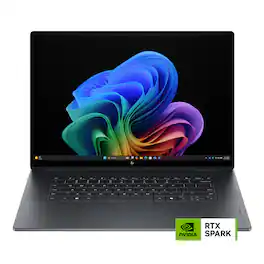
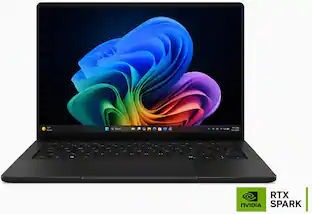
HP - OmniBook Ultra 16" 3K OLED Touchscreen Laptop - NVIDIA RTX Spark N1X 20-Core (2026) - 32GB Memory - 1TB SSD -Copilot+ PC - Eclipse Gray

Model: DK7N7UA#ABA
SKU: 6690025
Sold byBest Buy

About this product

The PC that works on your behalf—thin, intelligent, unstoppable. Powered by NVIDIA RTX Spark, this HP OmniBook introduces a new way of working—one where intelligence lives on both sides of the keyboard. More than a tool that responds to commands, it brings intelligent assistants, agents, and applications into your workflow, helping you build faster, automate more, and solve bigger challenges. Built for a future where AI works alongside you—not just for you. Designed for those creating the next generation of intelligent applications, the HP OmniBook Ultra 16 combines breakthrough performance with an exceptionally thin premium design, giving you the freedom to build, experiment, and innovate without compromise.

See it in-store: Maplewood (6.2 miles away) 
is the closest store with a demo model on display.

Highlights

Features

  • NVIDIA RTX Spark N1X AI performance

    Powered by NVIDIA RTX Spark N1X, the HP OmniBook Ultra 16 brings AI assistants, agents, and RTX AI performance into an exceptionally thin premium design to help you create faster, automate tasks, and solve bigger challenges.

  • 16" 3K OLED touchscreen

    The HP OmniBook Ultra 16 features a 16-inch 3K OLED touchscreen that brings work, entertainment, and creative projects to life with vibrant color, remarkable contrast, and sharp detail.

  • 32GB memory

    32GB memory helps keep AI tools, creative apps, browser tabs, and everyday productivity workflows running smoothly for responsive multitasking.

  • 1TB storage

    1TB storage gives you space for files, creative projects, apps, photos, videos, and everyday work while keeping important content close at hand.

  • Up to 17 hours of battery life¹

    Up to 17 hours of battery life helps you work, create, meet, stream, and multitask through the day without constantly searching for an outlet.

  • Windows 11 Home operating system

    Windows 11 Home makes it easier to work, create, connect, and play with a modern interface, familiar tools, and features designed for productivity, gaming, and everyday use.

  • Wi-Fi 7 and Bluetooth 6.0 wireless connectivity

    MediaTek Wi-Fi 7 MT7925 (2x2) and Bluetooth 6.0 help deliver fast speeds, improved stability, and reliable wireless connections for video calls, cloud apps, streaming, and connected devices, even in busy networks.

  • Quad speakers with Cirrus Logic smart amplifiers

    Quad speakers powered by next-generation Cirrus Logic smart amplifiers deliver loud and full sound with deeper bass and clear voice detail for calls, movies, music, and creative work.

  • DTS Sound Unbound 3D audio

    DTS Sound Unbound creates immersive, spatial 3D audio for movies, games, and music, helping sound feel more directional, detailed, and realistic.

  • AI-ready thermal architecture

    HP's first consumer tower hinge and trunk design helps maximize airflow and heat dissipation in a remarkably thin laptop. Larger heat pipes and dual ultra-thin fans help sustain performance for AI development, agentic workflows, creative projects, and heavy multitasking.

  • Haptic touchpad with gesture control

    The haptic touchpad delivers responsive, durable control with all-zone clickable input, silent clicks, adjustable haptic force levels, and gesture controls.

  • HP Fast Charge

    HP Fast Charge helps power the laptop from 0 to 50% in approximately 30 minutes², so you can get back to work, school, or creative projects faster.

  • Advanced AI noise reduction

    Advanced AI noise reduction helps make calls clearer by focusing on your voice and filtering background noise and other speakers during conference calls.

  • Posture detection

    Posture detection provides real-time reminders that help you stay aligned and focused during long work, study, or creation sessions.

  • VESA Certified DisplayHDR True Black 1000

    VESA Certified DisplayHDR True Black 1000 delivers ultra-deep blacks, vibrant color, and up to 1000 nits peak brightness for high-contrast visuals in entertainment, design, and content creation.

  • HP 5MP IR camera with HDR switch

    The HP 5MP IR camera with HDR switch helps you look clear and detailed on video calls and content capture. High Dynamic Range and a 16:10 aspect ratio capture more detail across light and dark areas for truer color and a more natural image.

  • Copilot+ PC on-device AI experiences

    Copilot+ PC experiences brings on-device AI to help accelerate productivity and creativity, so you can find information faster, turn ideas into action, respond quickly, and protect sensitive work.

  • Smart Display productivity features

    LookToMove, Screen Shift, and Task Group features help you move, snap, launch, and organize windows across displays, making multitasking easier during research, creation, and productivity workflows.

  • Versatile ports

    Connect your devices with 2 USB Type-C ports with 40Gbps signaling rate, 2 USB Type-A ports with 10Gbps signaling rate, 1 headphone/microphone combo jack, and 1 HDMI 2.1 port.

  • Dynamic Wallpaper

    Dynamic Wallpaper turns your PC into a personalized visual companion with premium aesthetics that evolves with your lifestyle.

  • Thin and light 16" design

    Weighing 4.89 lbs. and measuring 0.62 inches thin, the HP OmniBook Ultra 16 is built for portable productivity, creative work, and AI workflows wherever you work. Includes an 6-cell, 99 Wh Li-ion polymer battery.

  • Microsoft Copilot in Windows 11

    Microsoft Copilot helps you get relevant answers, simplify tasks, start new projects, and find support when you need it.

  • Making responsible choices

    Designed using responsible materials like recycled metal and ocean-bound plastic to help drive progress toward a more sustainable future.

Specifications

  • Screen Type
    UWVA
    Screen Size
    16 inches
    Screen Resolution
    2880 x 1800
    Touch Screen
    Yes
    Refresh Rate
    120Hz
Sponsored

Reviews

Rating 4.8 out of 5 stars with 20 reviews

5 star rating. 15 reviews4 star rating. 5 reviews
90% would recommend to a friend

Customer Images

The vast majority of our reviews come from verified purchases. Reviews from customers may include My Best Buy members, employees, and Tech Insider Network members (as tagged). Select reviewers may receive discounted products, promotional considerations or entries into drawings for honest, helpful reviews.

  • Rated 5 out of 5 stars

    The King of the N1X

    THIS… IS The HP OmniBook Ultra, HP’s official entry into the N1X chipset with a premium 16” laptop packed with just about every feature you could want. With a sleek all black full metal construction, a 3K OLED touchscreen and 32gb of ram… lets see how the HP OmniBook Ultra stacks up to the competition. Taking the HP OmniBook Ultra out of the box for the first time, I was honestly almost jaded on how good HP could make a laptop from my highschool chromebook days… but I was instantly impressed at how HP does premium. This is the laptop that your girlfriend tells you not to worry about! The OmniBook Ultra is by far one of the most well done, cleanest designs I have seen in a long time. Wrapped in a sleek matte black metal frame with brushed aluminum edges, there is no guessing that this is a premium design that HP took their time with. Something I really appreciate is that HP didn’t opt to try and minimize or hide their logo, but leaned into it using a unique black chrome font embossed in the lid that lets you know that HP is here and it is cooler than whatever you are using. Moving into its form, HP uses a trunk on the rear side of the laptop to hide its hinges, fans and rear heatpiping in an effort to shift the hot air created away from you and your desk. Rounding out the exterior, there is minimal lighting on the exterior and honestly I am fine with it. While some white lighting might have made this feel a bit more premium… I am really satisfied with the sleek black exterior. The matte finish also does a fantastic job at hiding and fighting against dust, dirt and fingerprints over time and use. Ports are plentiful with the right side having two legacy usb-a ports and a micro-sd card slot with the left containing your HDMI 2.1, dual 40gb type-c ports (with support for displayport 2.1) and a microphone/headphone port. The only annoying part of the layout of the OmniBook Ultra is that there isn’t a type-c on either side as this is your primary port for charging… meaning you will only be able to plug in on the left side… not the worst but certainly a minor head scratcher. Opening up the OmniBook Ultra makes you quickly forget about this as the idea of excellence and premiumness is continued. The OmniBook lid is able to be opened with one hand and zero lid flex as you are greeted with a bright 2880x1800 glossy OLED touchscreen (500nit sdr/ 1100nit HDR) with 120hz VRR and 100% DCI-P3, a giant haptic touchpad and HP’s second generation latticeless keyboard. One of the easiest indicators to a premium and well done laptop is how much the deck of the laptop (the area around the keyboard and trackpad) flexes or depressed under force and the OmniBook Ultra does a great job with minimal to no deck flex. Starting this puppy up, there is a dedicated power button attached to one of the best laptop keyboards I have typed on. The OmniBook Ultras keyboard does a great job at not only providing a decent travel for a mobile platform but giving a very satisfying click at the end of the keys travel. My only gripe with the keyboard is how uncustomizable the key lighting is, with only three modes for brightness and one of those is off. There is also seemingly no ambient sensor that will turn the keyboard on when the room gets dark, meaning you will have to DIY it when it gets dark… not the worst issue but certainly something I would have expected at this pricepoint. Moving to the trackpad, honestly, fantastic. Giant, easy to click and a minimal learning curve to get used to it… this is how it should be done. While not mind blowing, the speaker setup on the OmniBook Ultra is very well done with clear audio and great multimedia reproduction, and while the bass has minimal kick, I didn’t expect it to and appreciate that it stays so clear and accurate from the lows to the mids and highs across the volume range. The biggest gripes you will find on the OmniBook Ultra aside from what has already been mentioned is the fact that it comes in at almost 5 pounds (4.89 to be exact), a 5mp integrated camera and McAfee security software. Starting with the heft, while certainly being noticeable, the OmniBook wears it well and honestly was never an issue for me when moving, using or backpacking the OmniBook. The 5mp camera comes in soft but is good enough for most business uses such as zoom without looking like a potato, and while I would want more… it is probably the least used feature on my laptop and something that I would never think about unless I was writing a review. The largest sin is obviously the McAfee software but it is more an incidental annoyance than anything. When setting up a new computer or laptop, it just adds one more step in deleting it after downloading chrome. Now what we are all here for! How does the N1X perform? Honestly, the N1X does one of the best jobs at being an extremely balanced powerhouse. To compare it plainly, it games like a ryzen 7 / ultra 7 paired to a 5060/5070 mobile gpu, meaning you will be able to play almost anything at 3k 120hz with no issues on medium to high settings. From Call of Duty to Forza 6 to Civ 7, the N1X made me feel like I was playing on a gaming laptop. It doesn’t stop there, with productivity apps such as Ableton and Adobe also running very well. Export times were reasonable and obviously scaled with resolution and length, and projects through Ableton were for the most part seamless. Arm through Windows is going to be the largest hurdle for the N1X, as Apple has beat everyone to the punch and simply does better at native support and is world class in emulation. That being said, this is something that I think windows and other arm processor manufacturers will get better at with time and software updates. The performance of the N1X doesn’t come at the fatal cost of battery life in everyday use, with the N1X being able to transform itself into a relatively power efficient everyday notebook. Battery life was about as good as you wanted it to be, with general light use garnering all day 10+ hour battery life and heavy use burning a full battery in a few hours away from the charger. The RTX N1X touts its ability for AI use, and having never run a native LLM, I decided to give it a try. Nvidia does a good job at outlining how to do it and giving great suggestions in an 'AI for dummies' fashion with very simplified but well explained options. After downloading Hermes (an nvidia reccomended platform) and establishing my own LLM, I can say that it is pretty fun! It really is only as good as you are knowledgeable, so there will be a learning curve… but overall it is a very fun way to expand your utility without having to use a subscription or cloud based LLM. That being said, the biggest limiter in performance will be your available ram...so keep that in mind if this is something important to you as larger models might require 48gb of ram... but the 32gb on this OmniBook Ultra was more than sufficent for as far as I have gotten. Wrapping this up, HP has hit it out of the park with the OmniBook Ultra from top to bottom. With a build quality that rivals a macbook and performance that enables me to do anything, I feel like we have finally started to hit the next generation in mobile productivity and HP is certainly at the forefront of it. Something to be said though, nearly all N1X laptops are going to be in the same ballpark of performance… so it really comes down to the incidentals such as the screen, keyboard/trackpad and overall utility and build quality when picking one out which honestly elevates the HP OmniBook Ultra even more in the rankings. Yes this laptop is nearly 5 pounds and it is somewhat annoying that the charge port is only on the left side… but everything else is honestly flawless and even the negatives on the OmniBook are really… forgettable?! While I would recommend going into a BestBuy and typing on a few of the N1X laptops, I can certainly guarantee you that the HP OmniBook Ultra will not disappoint! Until next time :)

    Posted by Exander

  • Rated 5 out of 5 stars

    HP OmniBook Ultra 16: AI Power Meets Everyday Use

    I've been using this laptop for several weeks, and I can honestly say it's one of the first laptops in a long time that feels built for where computing is heading, not where it's been. When I first unboxed it, the display immediately grabbed my attention. The 16-inch 3K OLED screen is easily one of the nicest laptop displays I've ever used. I spent the first hour doing what most people probably do with a new OLED display: opening random photos, YouTube videos, and wallpapers because everything just looks incredible. The colors pop, black, and text is crisp. The setup was easy enough. Signed into Windows, ran updates, installed my usual apps, and got everything configured the way I like it. Within an hour, I was up and running. What really intrigued me about this laptop, though, wasn't the display. This is the RTX Spark platform. Several reviews focus on benchmarks and synthetic performance tests. I honestly don't care much about those. What matters to me is whether a laptop feels fast when I'm actually using it. This one does. My normal workload isn't exactly light. Most days I've got: Chrome with way too many tabs open Outlook Teams Excel spreadsheets Multiple applications open Copilot AI tools PDFs and documentation everywhere The OmniBook simply handles it all with ease. What surprised me the most was how capable it is with local AI models. I've started using AI more for everyday tasks. Summarizing documents, analyzing logs, rewriting content, brainstorming ideas, troubleshooting issues, image generation, and research. Most laptops can use AI if you're sending everything to a cloud service. This laptop can actually run a lot of that stuff locally. After experimenting with local LLMs and AI tools, I was able to run models directly on the machine for things like: Local chat assistants Document analysis Log file analysis Coding assistance Content generation Offline AI workflows Image creation and enhancement The big advantage is privacy and responsiveness. Sometimes I don't want to upload documents to a cloud service just to get an answer. Being able to process things locally feels like the future. That's where RTX Spark really stands apart from mainstream laptops. Most premium laptops today are great for web browsing, Office, streaming video, and everyday productivity. The OmniBook does all of that too, but it also has enough AI horsepower to start treating local AI as an actual tool instead of a novelty. And here's the part I didn't expect. It can game too. I didn't buy this laptop for gaming, but I couldn't resist trying. With a little tweaking of the settings like DLSS and frame generation where available, RTX Spark performs surprisingly well. It honestly reminded me more of what I'd expect from an RTX 5070-class mobile gaming experience than a typical thin-and-light productivity laptop. No, this isn't a giant RGB gaming machine. But being able to finish work, run local AI models, then fire up a game and get performance that feels closer to gaming-laptop territory than business-laptop territory is pretty impressive. It's one of those situations where you start wondering what this machine can't do. The 32GB of RAM helps. I've never felt constrained, even while running local AI workloads and my normal daily applications at the same time. The keyboard is excellent. The touchpad feels great. Battery life has been better than I expected. Fan noise is surprisingly well controlled considering what's packed inside. Most importantly, the laptop is simply enjoyable to use. Now for the one warning that I wish somebody had given me before I learned it the hard way. SSD Upgrade Warning: If you're planning to upgrade the internal SSD, clone the original drive first. Seriously. I upgraded the SSD like I've done on countless laptops before and assumed HP Cloud Recovery would be my backup plan if something went wrong. That turned into a complete nightmare. Multiple recovery attempts failed. Multiple chats with HP Support. Multiple phone calls. Hours digging through logs and troubleshooting recovery issues. *Based on my experience, the HP Cloud Recovery is currently not recommended for this laptop. If you're going to replace the SSD, make a full clone of the factory drive before touching anything. "It could save you tons of frustration.". Pros: Gorgeous 3K OLED display RTX Spark makes local AI genuinely useful Can run local LLMs far better than most mainstream laptops Excellent multitasking performance Surprisingly capable gaming performance with tuning 32GB RAM is ideal for AI workloads Great keyboard and touchpad Quiet operation Premium build quality Feels like a true next-generation AI PC Cons: HP Cloud Recovery was extremely frustrating SSD upgrades require planning ahead Premium price tag Final Thoughts: What I like most about this laptop is that it feels like several devices are rolled into one. It's a premium productivity laptop. It's an AI workstation. It's a content creation machine. It’s a surprisingly capable gaming laptop as well. The OLED display gets your attention first, but after living with it for a while, the real story is RTX Spark. Being able to run local AI models, keep sensitive work on device, accelerate AI workloads, and still have enough graphics performance left over to enjoy modern games makes this feel very different from the average laptop. Most laptops today feel fast. This laptop feels like it’s ready for what's coming next. Just clone that SSD before you upgrade it. Trust me. That's one lesson you don't want to learn the same way I did.

    Posted by Jaguarone

  • Rated 5 out of 5 stars

    A Productivity Amplifier when used with AI.

    I love this new HP OmniBook Ultra 16 that I just got. It arrived quickly, and was well packaged in a cardboard clamshell style box so that it was protected during shipping. It came with a quick-start guide and the power adapter and cable. I gave it a quick charge, and from there, setting it up was just like setting up a normal laptop. It depends on your Wi-Fi connection and whether you’re bringing files or settings over from another computer, but for me it took about 30 to 35 minutes to get everything updated and ready to use. I was up and running without any trouble. The build of this laptop is one of the first things that really stood out to me. It feels sturdy and durable when I pick it up, and the aluminum body gives it a nice premium feel. It has some weight to it, but it feels like a concentrated weight, solid in my hands, not flimsy at all.. The dark gray finish looks clean, and the whole laptop feels like it was put together well. This is a laptop that I can move around and use without feeling like I have to be extra careful when bringing it from one room to another, or when I’m travelling with it. And I will definitely be travelling with this laptop. I really like the keyboard on this thing. The keys have a slight bevel around the edges, and the surface has this silky smooth feel as I’m typing. They press down really nicely, too, and it just feels comfortable to use. The keyboard is full-size and backlit, which is great, especially when I’m working in the evening or somewhere with less light. It’s one of those things that might sound small, but when you’re typing a lot, having a keyboard that just feels right, well, it makes a big difference. The screen is one of the standout features of this laptop. It’s a 16-inch 3K OLED touchscreen that really makes everything look sharp, bright, and colorful. I create a lot of digital and AI generated art and videos, so I’m always looking closely at the colors and details in what I create, and the screen on this laptop makes everything look great. The touch is very responsive, too, maybe perfect. I can tap, scroll, and move around naturally, and it reacts right away, the right way. I’ve been really impressed with how good the screen looks, whether I’m working on something or just watching a video.. Like I said, it’s one of the real stand out features and I love it. The RTX Spark N1X is another big part of why I’m enjoying this laptop. It has a 20-core processor and a 6,144-core graphics processor which is ideal for somebody like me who works with AI every day. I’m constantly creating videos, building websites and games, online content, artwork, and music with AI, and I move between different AI programs as I’m working. So far, it has handled that really well, with everything running smoothly, and I haven’t had a problem bouncing between the different sites, apps or programs at all.. It feels quick and responsive, and I can stay focused on what I’m creating instead of waiting around for the laptop to catch up. The sound is much better than I expected from a laptop. The built-in speakers sound clear and full, and music and video sound really good coming through them. It has four speakers with Poly Studio tuning and DTS Virtual:X, and you can tell HP put some thought into the audio quality. It’s nice to be able to watch something or listen to music and enjoy the sound without immediately needing to connect an external speaker or headphones. Sometimes I just want to put a show on and carry the laptop into different rooms with me while I clean and not have to lug around a bluetooth speaker with me. The laptop has two USB-C ports, two USB-A ports, an HDMI port, a microSD card reader, and a headphone & microphone jack. So there are plenty of ways to connect the things I use, and I like having USB-A along with USB-C so I can plug in different accessories without having to keep looking for an adapter. It also has Wi-Fi 7 and Bluetooth 6.0, so it’s equipped with the newer wireless connections that I need too. I’m very happy with the HP OmniBook Ultra 16 laptop. It feels sturdy and premium, the keyboard is a pleasure to use, the screen is stunning, and the sound is better than I was expecting. Most of all, it has been working very well for the kind of creative work I do every day with AI. I create a lot of different things, working on multiple projects at one time, and this laptop has made it easy to move between my programs and keep working without needing to slow down one bit. I’m really enjoying it, and I think it’s a great fit for creators who want a powerful laptop with a beautiful screen and a comfortable keyboard.

    Posted by Orion

  • Rated 4 out of 5 stars

    Great, but Not the Revolution I Was Hoping For

    I’ve been really interested in the RTX Spark laptops ever since they were announced. It feels like this is supposed to be Windows’ MacBook Pro moment like the Snapdragon laptops were supposed to be the MacBook Air answer a couple years ago. Both then and now there’s things to like, but I think Windows on ARM still has a little ways to go. Platform issues aside, the OmniBook Ultra is an extremely nice laptop and it’s got the performance to back it up, though depending on what you are doing you may be better off with an x86-based PC, at least for now. The quality of this laptop is immediately apparent. The case is all aluminum and the corners are all nicely rounded. The finish does a decent job of resisting fingerprints and feels nice against my skin. There is no noticeable flex in either the keyboard deck or the screen. The screen holds its position well and does not wobble, but the range of adjustment is limited compared to other laptops due to it being positioned slightly forward from the rear. The overall dimensions are very close to a 16in MacBook Pro, though it’s slightly deeper. There are 2 intake fans on the bottom of the laptop and air is exhausted through the rear. Overall the build quality is excellent. Included with the OmniBook Ultra is a 140W GaN charger that’s very compact and has a detachable 2-meter USB-C cable. There are (2) USB-C 40Gbps ports and (2) USB-A 10Gbps ports, so you will have high-speed USB for anything you connect. Either of the USB-C ports can be used for charging, but they’re both on the left side of the laptop. There is also HDMI 2.1, a microSD reader, and a headphone jack. A full size SD card reader would have been nice to see. In terms of internal specifications, the RTX Spark is the star of the show and you get the full 6144 CUDA core N1X variant here paired with 32GB of 9400 MT/s RAM. That 32GB of RAM does need to be split between the CPU and GPU and by default 12GB is dedicated to VRAM, but this can be adjusted in the Nvidia app. There is also an insanely fast 1TB PCIe Gen 5 SSD as well. For wireless, you get the latest Wi-Fi 7 and Bluetooth 6 via the MediaTek MT7925. The Windows install is mostly free of unnecessary stuff from HP with the one exception being McAfee Antivirus. There is also an HP TV+ app that is shown pretty prominently that I ended up removing, though I did briefly open it and it seems like an okay app for free ad-supported content. The HP app controls some device-specific features. There are things like gesture controls and additional trackpad functionality that can be enabled there, but most of them are turned off by default and I like that. Since the RTX Spark is an ARM-based chip, most of the advantages and disadvantages of Windows on ARM are still applicable. Windows is still mostly an x86 affair and while there have been improvements made to Windows on ARM over the years, the amount of available native ARM apps is still relatively low. Everything still works through emulation at the cost of some performance, but the N1X can brute force most applications well enough that they feel native. Some applications like Steam and Epic Games were slower than I expected them to be. In general I found the performance to be in line with higher-end Intel laptops I’ve used this year. From what I’ve seen elsewhere, where the N1X really excels compared to others is running local AI and I just am not in a position to evaluate that properly - it does seem like this particular configuration with ‘only’ 32GB of RAM is not necessarily well suited for that though. Besides AI and creative work, gaming is another touted feature of the RTX Spark, which you’d expect from an Nvidia chip. The OmniBook Ultra can game and the RTX Spark definitely has the most powerful iGPU out there, but an equivalently-priced gaming laptop will still outperform it. The performance varied from game to game, but it was mostly around RTX 5070 laptop performance, sometimes a little lower. Unplugging from the wall I saw performance drop by around 10-15%. I was not able to get Forza Horizon 6 to run at all as it would crash at the main menu. It’s early days still for drivers, so I think there’s improvements to look forward to. The OLED display looks fantastic and it gets very bright. HDR can hit 1000+ nits. It also supports a 120Hz refresh rate with G-Sync. The keyboard and the trackpad on the OmniBook Ultra are both very excellent. The keys have a tiny bit more travel than I’m used to, but they are quiet and feel good to type on. The trackpad uses haptic feedback instead of a mechanical click, though this doesn’t have the advanced haptic feedback that the Surface Laptop Ultra has. The trackpad takes a little getting used to at first, but after using it for a couple hours I haven’t had any problems - it’s also very large and the palm rejection is good. The Wi-Fi performance has been excellent. I’ve heard of people having issues with other MediaTek Wi-Fi chips, but I haven’t had any issues and I’ve been able to pull down nearly my full Gigabit connection over Wi-Fi. The 5MP webcam looks good, even in low light. It supports Windows Hello for logging in and it also has a physical privacy shutter. The microphone also sounds pretty good and cancels out background noise pretty well with the default setting, though it’s a little compressed. It sounds best when using the ‘Studio recording’ in the HP app, but this does introduce some echo and background noise, depending on the space you’re in. The speakers sound great. They don’t quite have the bass response I’ve heard on the very best laptop speakers, but they do a great job on both voice and music playback. Battery life is one area I was a little disappointed with on the OmniBook Ultra. You would think with the RTX Spark being an ARM-based chip that you’d see some efficiency benefits, but battery life is more or less on par with what I’ve seen on Panther Lake laptops, even with a large 99 Wh battery. It’s still good and it should get you through a full work day of basic tasks. Leaving it in sleep mode is generally fine and I only saw 2-3% battery drain overnight. The 140W charger also tops it off very quickly, so you don’t have to stay plugged in long if you run low. Opening up the laptop is easy and only requires removing 4 exposed Phillips head screws and a plastic pry tool. There isn’t really a whole lot you can do once you’re inside of it though. The SSD can be replaced and maybe you’d want to replace the battery at some point in the future, but everything else, including the memory, is soldered on. I can forgive the soldered memory though because the 9400 MT/s memory speeds are just not possible on SO-DIMM. Overall, I think OmniBook Ultra is a great laptop, but it feels like it could use more updates and optimizations to truly make it the do-it-all device I’m hoping it can be. For the money and depending on what your needs are, you could get a pretty powerful x86 laptop with a dedicated GPU with potentially fewer tradeoffs. In the end though it comes down to what you need to use this for and if it fits it’s a great device.

    Posted by SamG

  • Rated 4 out of 5 stars

    A premium laptop for creators

    The HP Omnibook Ultra 16-bk0013dx is a slim, lightweight, incredibly well made, laptop with an incredible 3K OLED touchscreen, beautiful layout and design. This laptop is geared towards creators, running AI agent workflows, and portability. You also get USB-C charging port, and a 140W watt charger. The screen is phenomenal. It's 2880x1800, and has a 120 Hz refresh rate. It has very rich and vibrant colors. Black is pitch black and the screen can get extremely bright. Everything looks very crisp. I highly recommend enabling HDR and running the Windows HDR calibration tool to maximize your experience. And it is a touchscreen. I was excited about the ARM architecture. It's supposed to consume up to 70% less power than the traditional AMD and Intel chips. The issue is that at least in the past, Windows generally doesn't work the greatest on these chips. I've noticed longer than expected loading times on apps like Chrome, but after loading a few times this load times have improved. Battery life for me has been about the same as any other traditional laptop. Even right now, I've been just browsing the internet and writing this review for about 30 minutes at this time, and the battery has gone from 92% to 86%. HP claims up to 17 hours battery life. I'm not so sure about that. I'm hopeful as time goes by this will become better optimized through updates. The RAM spec was bit confusing to me at first, and I should have done my homework, because the 32 GB of RAM is actually unified RAM. The system shares from a pool of 32 GB LPDDR5X 9400 MHz RAM. 12 GB has been dedicated for VRAM leaving 18.8 GB of usable system RAM. Fortunately you can adjust how much VRAM you want via the NVidia app, but your AI capability may take a performance hit lowering this. The Omnibook Ultra's speaker sound is about average as far as laptops go. It will get you by, but you're most likely going to want to use headphones. The keyboard feels great. It's one of the nicest I have used on a laptop. Everything is clearly marked, and functions well and a nice white backlight. I believe it is missing one feature/function though. That being an option to disable the camera. The touchpad is very large, excellent for creating without the use of a mouse. It's also very sensitive. Sometimes too sensitive. What I mean by that is sometimes while typing, the cursor will jump to another location and disrupt where I was typing. But overall I really like the large touchpad. My research also led me to believe, the Spark N1X would perform more like a mobile RTX 5070 in games. I was very excited about this, but... I happen to have a laptop with a RTX 5070, and it's not even close. To get anywhere near that you have to use DLSS, and hope your game of choice actually supports this. Even if it does, it falls short. This is another area that can probably be improved upon with updates and optimizations. But this is also a laptop focused towards creators, so maybe this is just what it is. One thing to note is that when you initially setup this laptop, if you use an offline account, you will not get the option install any AI models during the setup. I understand that you're not connected to the internet, so it makes sense, but even after you log into your Windows account there is not really a clear way to go about this. I usually setup my machines offline because I setup each one differently. It's just easier for me. I was able to install Hermes and ran it through a some programing prompts, and it was able to do what I asked with ease. I ended up using Hermes and the Qwen3.5-4B-Q4_K_M package because the default suggested packages had warnings that they were too big to run on this machine. I had Hermes create a widget that monitors the CPU and GPU temps, along with RAM and VRAM usage to see how the laptop was performing during the AI operations. Hermes was able to create this tool for me rather quickly, and with out much system usage. There is some HP bloatware loaded onto this laptop as well, and it didn't show it's face until after a couple of power cycles. After the first few days with the laptop I started getting HP app pop-ups for TV, password manager, registration, etc. I'm not a fan of this, and having tested out other laptops brands recently, HP has been the only one that I've experienced this. It's my opinion that if you wanted those features, you would go search them out yourself with the exception of the registration app. The online hype had my expectations possibly too high for the Spark N1X chip, but given my real world experience so far, I'm leaning towards being a bit disappointed. That said, it's still a fantastic premium laptop that can definitely get the job done.

    Posted by kwilks3

Compare similar products

HP - OmniBook Ultra 16" 3K OLED Touchscreen Laptop - NVIDIA RTX Spark N1X 20-Core (2026) - 32GB Memory - 1TB SSD -Copilot+ PC - Eclipse Gray
4.8(20)

The PC that works on your behalf—thin, intelligent, unstoppable. Powered by NVIDIA RTX Spark, this HP OmniBook introduces a new way of working—one where intelligence lives on both sides of the keyboard. More than a tool that responds to commands, it brings intelligent assistants, agents, and applications into your workflow, helping you build faster, automate more, and solve bigger challenges. Built for a future where AI works alongside you—not just for you. Designed for those creating the next generation of intelligent applications, the HP OmniBook Ultra 16 combines breakthrough performance with an exceptionally thin premium design, giving you the freedom to build, experiment, and innovate without compromise.
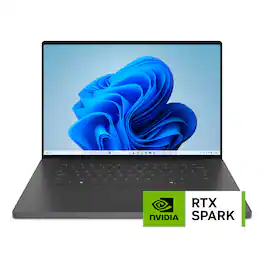
Dell - XPS - 16" 3.2K OLED Touchscreen Laptop - NVIDIA RTX Spark N1X (2026) - 32GB Memory - 512GB Storage - Graphite

Our first laptop powered by NVIDIA RTX Spark and engineered for creators and expert AI builders. NVIDIA RTX Spark provides the engine. XPS 16 Creator Edition provides the vehicle — purpose-engineered to extract every ounce of performance, wrapped in a design that sets the bar for premium laptops. This is your new standard.
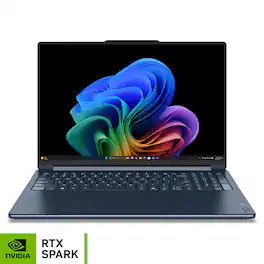
Lenovo - Yoga 9n 2-in-1 16" 3K OLED Touchscreen Laptop - NVIDIA RTX Spark N1X 18-Core ((2026)) - 32GB Memory - 1TB Storage - Cosmic Blue
5.0(1)

Powered by NVIDIA RTX Spark architecture, the Lenovo Yoga 9n 2-in-1 is designed around those moments. It combines class-leading performance with a flexible 360° design, allowing creators to sketch, collaborate, edit 4K content, explore AI-powered workflows, and even enjoy AAA gaming in whatever way feels most natural. With pen input supported on both the PureSight Pro OLED display and haptic Force Pad, it unlocks new ways to interact with ideas while delivering the power needed for demanding creative and devel opment workloads.
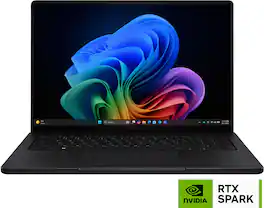
ASUS - ProArt P16 16" 4K OLED Touchscreen Laptop - NVIDIA RTX Spark N1X 18-Core (2026) - 24GB Memory - 512GB Storage - Nano Black
4.7(17)

ASUS ProArt P16 empowers creators with next-generation AI performance in an ultra-portable design. Powered by NVIDIA RTX Spark with a 5,120-core Blackwell RTX GPU, an 18-core Grace CPU, unified memory, and 512GB storage, it delivers seamless multitasking and accelerated AI workflows. The 16-inch 4K ASUS Lumina Pro OLED touchscreen provides exceptional color accuracy and up to 1,600 nits of peak brightness, while ASUS-exclusive creative apps and RTX-accelerated AI tools and tech unlock new levels of productivity and creativity.

Specs

Questions & Answers

  • Does the keyboard backlight allow you to really dial in your desired brightness (granular) or is it the basic 4 step adjustment (off, low, medium, high) ?

No content

Customers often buy these together

Sponsored