
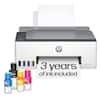
HP - Smart Tank 7001 Wireless AI-Enabled All-In-One Supertank Inkjet Printer with 3 Years of Ink Included¹ - White & Slate
HP - Smart Tank 7001 Wireless AI-Enabled All-In-One Supertank Inkjet Printer with 3 Years of Ink Included¹ - White & Slate
- HP - 32XL Original Ink Bottle - Black$23.89


More Buying Options
Related Item

Specifications
- NetworkingWirelessENERGY STAR CertifiedYesPrinter TypeAll In OneISO Color Print Speed9 pages per minuteISO Mono Print Speed15 pages per minuteOutput Tray Capacity100
- Key Specs
- Networking: Wireless
- ENERGY STAR Certified: true (Devices carrying the ENERGY STAR service mark, such as computer products and peripherals, kitchen appliances, and other products, generally use 20% to 30% less energy than required by federal standards.)
- Printer Type: All In One
- ISO Color Print Speed: 9 pages per minute (The number of color pages able to be printed per minute in the device's default single-side mode, as tested by the International Standards Organization (ISO).)
- ISO Mono Print Speed: 15 pages per minute (The number of black ink (grayscale) pages able to be printed per minute in the device's default single-side mode, as tested by the International Standards Organization (ISO).)
- Output Tray Capacity: 100
- Touch Screen: false (Touch-screen devices make navigating more intuitive. Using a touch-screen display, you can do things such as tap to select, hold and drag to move items, swipe to scroll, and pinch to zoom.)
- General
- Brand: HP
- Model Number: SMART TANK 7001/28B49A#B1H
- Product Name: Smart Tank 7001 Wireless AI-Enabled All-In-One Supertank Inkjet Printer with 3 Years of Ink Included¹
- Color: White & Slate
- Display Screen: true
- Display Screen Size: 1 inches
- Dimensions
- Product Height: 7.82 inches (The out of box height of the item. Height is measured as the vertical distance from the bottom of the item to the top as it would be primarily used or placed.)
- Product Width: 16.83 inches (The out of box width of the item. Width is measured as the horizontal distance from one side of the item to the other as it would be primarily used or placed.)
- Product Depth: 14.33 inches (The out of box depth of the item. Depth is measured as the distance from the front of the item to the back as it would be primarily used or placed.)
- Product Weight: 14.07 pounds (The out of box weight of the item.)
- Features
- Automatic Document Feeder: false
- Photo Printing: true
- Wide Format Printing: false (Machines with this function support printing on media with widths between 18 and 100 inches, such as posters, banners, canvases, and more.)
- Wide Format Scanning: false
- Monochromatic/Color: Color
- Automatic Reduction/Enlargement: false
- Automatic Two-Sided Printing: true
- Tray Capacity: 250
- Duty Cycle: Up to 5,000 (The maximum number of pages per month that the device can produce without failing, as specified by the manufacturer.)
- Connectivity
- Wired Connectivity: USB-B
- Wireless Connectivity: Wi-Fi (The manner in which a device sends data to another device over a short distance without the use of wires or cables.)
- Minimum System Requirements: Windows 11, 10, 7: 32-bit or 64-bit, 2 GB available hard disk space, Internet connection, Internet Explorer, Mac: Apple macOS v10.15 Catalina, macOS v11 Big Sur, macOS v10.14 Mojave; 2 GB HD; Internet
- Certifications Listings & Approvals
- EPEAT Qualified: true (The Electronic Product Environmental Assessment Tool (EPEAT) was designed to provide an environmental assessment tool for purchasers. In order to qualify for EPEAT, a product must meet all 23 required criteria.)
- EPEAT Level: Silver (The Electronic Product Environmental Assessment Tool (EPEAT) was designed to provide an environmental assessment tool for purchasers. In order to qualify for EPEAT, a product must meet all 23 required criteria. Products are rated Bronze, Silver or Gold based on how many of 28 optional criteria they meet (below 50%, 50%, 75%).)
- Scanner Info
- Scanner Type: Flatbed
- Duplex Scan Function: false
- Scanner Resolution: Up to 1200 x 1200 (Refers to the number of pixels/dots, both horizontally and vertically, of the image produced by the scanner. Generally, the higher the resolution, the sharper and cleaner the produced image.)
- Fax Info
- Integrated Fax: false
- Ink
- Compatible Cartridges: HP 32
- Ink Subscription Service Available: false (The printer monitors ink usage and alerts the subscription provider when levels are low. A purchased subscription provides refills of ink based on usage.)
- Ink Cartridges Required: None (The quantity and color of ink cartridges required for the printer to operate.)
- Ink Cartridges Included: None (The quantity and color of ink cartridges included.)
- Ink Bags/Bottles Required: 1 x Black, 1 x Cyan, 1 x Magenta, 1 x Yellow (The quantity and color of ink bags/bottles required for the printer to operate.)
- Ink Bags/Bottles Included: 2 x Black, 1 x Cyan, 1 x Magenta, 1 x Yellow (The quantity and color of ink bags/bottles included.)
- Memory
- Memory Card Slot: false
- Paper Info
- Supported Paper Sizes: Letter; Legal; Government Legal; Executive; Statement; 4 x 6 in; 5 x 7 in; 8 x 10in; L; Photo 2L; Envelope( #10, Monarch, 5.5 bar); Card (4 x 6 in, 5 x 8 in)
- Paper Feeder: Cassette tray
- Paper Handling: 250-sheet input tray; 100-sheet output tray
- Compatible Media Types: Plain Paper, HP Photo Papers, HP Matte Brochure or Professional Paper, HP Matte Presentation Paper, HP Glossy Brochure or Professional Paper, Other Photo Inkjet Papers, Other Matte Inkjet Papers, Glossy Inkjet Papers, Plain Paper
- Performance
- Printer Resolution (Black): Up to 1200 x 1200 (Refers to the number of pixels/dots, both horizontally and vertically, of the image produced by the printer in black ink. Generally, the higher the resolution, the sharper and cleaner the produced image.)
- Printer Resolution (Color): Up to 4800 x 1200 (Refers to the number of pixels/dots, both horizontally and vertically, of the image produced by the printer in colored ink. Generally, the higher the resolution, the sharper and cleaner the produced image.)
- Approximate Page Yield (Black): 0
- Copier Info
- Copier Resolution (Black): Up to 600 (Refers to the number of pixels/dots, both horizontally and vertically, of the image produced by the copier in black ink. Generally, the higher the resolution, the sharper and cleaner the produced image.)
- Copier Resolution (Color): Up to 600 (Refers to the number of pixels/dots, both horizontally and vertically, of the image produced by the copier in colored ink. Generally, the higher the resolution, the sharper and cleaner the produced image.)
- Warranty
- Warranty - Parts: 1 year
- Warranty - Labor: 1 year
- Other
- UPC: 195908302230
From America's most trusted printer brand², the HP Smart Tank 7001 is a smart, connected and refillable tank printer that makes printing seamless for the whole family with its high capacity and wireless connectivity. Create everyday color documents at a low cost with 3 years of Original HP Ink included in the box¹. It's AI-enabled³ to intuitively adapt to your workflow, with wireless and security features that keep your multifunction printer up to date and secure.
- From America's most trusted printer brand¹: The Smart Tank 7001 is perfect for families and small businesses printing a variety of color documents in high volumes. Print up to 15 pages per minute black and 9 pages per minute color.
- Perfectly formatted prints with HP AI³: Print web pages and emails with precision—no wasted pages or awkward layouts; HP AI easily removes unwanted content, so your prints are just the way you want
- Easiest-to-use tank printers⁴: Quick setup, easy print and scan, reliable Wi-Fi and an app that makes it all easy.
- Exceptional everyday print quality: HP tank printers deliver crisp text and frame-worthy photos with vivid, true-to-life colors for consistently impressive prints.
- Mess-free refill: Replenish ink with HP's easy-access, mess-free refill system. Simply plug the ink bottles into this cartridge-free ink tank and let them drain—no squeezing, no spilling.
- Fully loaded with savings: Best for low-cost, high-volume printing—3 years of Original HP Ink included¹; get up to 8,000 color pages or 6,000 black pages right out of the box⁵.
- Key features: Print, copy and scan, plus automatic 2-sided printing, borderless prints, mobile and wireless printing.
- HP app: Print, scan and copy from your phone—whenever, wherever, with the easiest-to-use print app.
- Worry-free Wi-Fi: Stay connected with self-healing dual-band Wi-Fi® that automatically detects and resolves connection issues, and easily share resources with Ethernet networking.
- Protects your data: HP Wolf Essential Security helps maintain privacy and control with basic encryption and password protection.
- From America's most trusted printer brand¹: The Smart Tank 7001 is perfect for families and small businesses printing a variety of color documents in high volumes. Print up to 15 pages per minute black and 9 pages per minute color.
- Perfectly formatted prints with HP AI³: Print web pages and emails with precision—no wasted pages or awkward layouts; HP AI easily removes unwanted content, so your prints are just the way you want
- Easiest-to-use tank printers⁴: Quick setup, easy print and scan, reliable Wi-Fi and an app that makes it all easy.
- Exceptional everyday print quality: HP tank printers deliver crisp text and frame-worthy photos with vivid, true-to-life colors for consistently impressive prints.
- Mess-free refill: Replenish ink with HP's easy-access, mess-free refill system. Simply plug the ink bottles into this cartridge-free ink tank and let them drain—no squeezing, no spilling.
- Fully loaded with savings: Best for low-cost, high-volume printing—3 years of Original HP Ink included¹; get up to 8,000 color pages or 6,000 black pages right out of the box⁵.
- Key features: Print, copy and scan, plus automatic 2-sided printing, borderless prints, mobile and wireless printing.
- HP app: Print, scan and copy from your phone—whenever, wherever, with the easiest-to-use print app.
- Worry-free Wi-Fi: Stay connected with self-healing dual-band Wi-Fi® that automatically detects and resolves connection issues, and easily share resources with Ethernet networking.
- Protects your data: HP Wolf Essential Security helps maintain privacy and control with basic encryption and password protection.
Whats Included
- HP Smart Tank 7001 series
- HP 32 Black Original Ink Bottle; HP 32XL Black Original Ink Bottle;
- HP 31 Cyan Original Ink Bottle; HP 31 Magenta Original Ink Bottle; HP 31 Yellow Original Ink Bottle;
- HP Black Printhead; HP Tri-color Printhead;
- Ink caution flyer; Repacking flyer; Setup guide; Reference guide; Regulatory flyer; PT flyer; RoH-EAC Regulatory flyer;
- Power cord;
- HP Smart Tank 7001 series
- HP 32 Black Original Ink Bottle; HP 32XL Black Original Ink Bottle;
- HP 31 Cyan Original Ink Bottle; HP 31 Magenta Original Ink Bottle; HP 31 Yellow Original Ink Bottle;
- HP Black Printhead; HP Tri-color Printhead;
- Ink caution flyer; Repacking flyer; Setup guide; Reference guide; Regulatory flyer; PT flyer; RoH-EAC Regulatory flyer;
- Power cord;
Product Manuals
Disclaimers
- ¹Based upon 200 pages per month of HP Smart Tank customers usage. Actual yield varies considerably based on content of printed pages and other factors. Average based on ISO/IEC 24711 or HP testing methodology and continuous printing. Some ink from included bottles is used to start up the printer.
- ²Based on 2024 semi-annual internal brand surveys commissioned by HP.
- ³Requires Windows 11. HP AI features are available in U.S. English only and require a U.S. location for printer setup. Availability of features varies by supported printers. Requires HP AI-enabled printer set-up after September 15, 2025, and the HP app. Internet access is required and must be purchased separately. Wireless operations are compatible with 2.4GHz and 5.0GHz operations only.
- ⁴Compared to the majority of in-class, 3:1 and 4:1 duplex, wireless A4 ink tank printers under $552 USD. Printers selected by market share as reported by IDC Quarterly Hard copy peripherals Tracker-Final Historical CYQ3 2023. Claim based on publicly available information as of September 2023 and Keypoint Intelligence hands-on testing and study in September 2023 commissioned by HP.
- ⁵Black and composite color average per bottle (cyan/magenta/yellow) results based on HP methodology and continuous printing of ISO/IEC 24712 test pages. Not based on ISO/IEC 24711 test process. An additional black ink bottle is required to print 8,000 color test pages. Actual yield varies based on content of printed pages and other factors. Some ink from included bottles is used to start up the printer.
- *Requires a high-speed Internet connection.
- ¹Based upon 200 pages per month of HP Smart Tank customers usage. Actual yield varies considerably based on content of printed pages and other factors. Average based on ISO/IEC 24711 or HP testing methodology and continuous printing. Some ink from included bottles is used to start up the printer.
- ²Based on 2024 semi-annual internal brand surveys commissioned by HP.
- ³Requires Windows 11. HP AI features are available in U.S. English only and require a U.S. location for printer setup. Availability of features varies by supported printers. Requires HP AI-enabled printer set-up after September 15, 2025, and the HP app. Internet access is required and must be purchased separately. Wireless operations are compatible with 2.4GHz and 5.0GHz operations only.
- ⁴Compared to the majority of in-class, 3:1 and 4:1 duplex, wireless A4 ink tank printers under $552 USD. Printers selected by market share as reported by IDC Quarterly Hard copy peripherals Tracker-Final Historical CYQ3 2023. Claim based on publicly available information as of September 2023 and Keypoint Intelligence hands-on testing and study in September 2023 commissioned by HP.
- ⁵Black and composite color average per bottle (cyan/magenta/yellow) results based on HP methodology and continuous printing of ISO/IEC 24712 test pages. Not based on ISO/IEC 24711 test process. An additional black ink bottle is required to print 8,000 color test pages. Actual yield varies based on content of printed pages and other factors. Some ink from included bottles is used to start up the printer.
- *Requires a high-speed Internet connection.
Q: What is the monthly duty cycle of this HP printer?
A: The monthly duty cycle for this printer is up to 5,000 pages.
Q: How many pages can I print with the included ink?
A: With the included ink, you can print up to 8,000 color pages or 6,000 black pages.
Q: What is the maximum print resolution for color prints?
A: The maximum print resolution for color prints is up to 4800 x 1200 optimized dpi when printing from a computer.
Q: Does this printer come with a warranty?
A: Yes, this printer comes with a 1-year warranty for both parts and labor.
Q: How does the self-healing Wi-Fi feature work on this printer?
A: The self-healing Wi-Fi automatically detects and resolves connectivity issues, ensuring a stable connection.
Q: Does this printer have wireless connectivity?
A: Yes, this printer offers wireless connectivity through Wi-Fi and Bluetooth LE.
Q: What is the print speed of this HP printer?
A: This HP printer can print up to 15 pages per minute in black and 9 pages per minute in color.
Q: Does this have a USB port to scan to?
A: Hello, Mike. This HP Smart Tank 7001 printer does not have a front USB host port for scanning to a USB flash drive.
Compare similar products

From America's most trusted printer brand², the HP Smart Tank 7001 is a smart, connected and refillable tank printer that makes printing seamless for the whole family with its high capacity and wireless connectivity. Create everyday color documents at a low cost with 3 years of Original HP Ink included in the box¹. It's AI-enabled³ to intuitively adapt to your workflow, with wireless and security features that keep your multifunction printer up to date and secure.

From America's most trusted printer brand², the HP Smart Tank 7301 is a smart, connected and refillable tank printer that makes printing seamless for your home and small business with its high capacity, wireless connectivity and Ethernet networking. Create everyday color documents at a low cost with 3 years of Original HP Ink included in the box¹. It's AI-enabled³ to intuitively adapt to your workflow, with wireless and security features that keep your multifunction printer up to date and secure.

The HP OfficeJet Pro 8125e delivers fast color printing, 225-sheet paper capacity, and scan and copy capabilities. It's AI-enabled to intuitively adapt to your workflow, with wireless and security features that keep your multifunction printer up to date and secure.

From America's most trusted printer brand², the HP Smart Tank 6001 is a smart, connected and refillable tank printer that makes printing seamless for the whole family with its high capacity and wireless connectivity. Create everyday color documents at a low cost with 3 years of Original HP Ink included in the box¹. It's AI-enabled³ to intuitively adapt to your workflow, with wireless and security features that keep your multifunction printer up to date and secure.
| Pros for HP - Smart Tank 7001 Wireless AI-Enabled All-In-One Supertank Inkjet Printer with 3 Years of Ink Included¹ - White & Slate | |||
|---|---|---|---|
| Print Quality, Ease of use, Setup, Overall Performance, Noise Level | Print Quality, Ease of use, Overall Performance, Setup, Size | Overall Performance, Print Quality, Setup, Ease of Use, Connectivity | Print Quality, Ease of use, Overall Performance, Setup, Size |
| Cons for HP - Smart Tank 7001 Wireless AI-Enabled All-In-One Supertank Inkjet Printer with 3 Years of Ink Included¹ - White & Slate | |||
| Paper Tray, Price, Connectivity | Paper Tray, Connectivity, Scanning, Price, LCD Display | There were no cons for this product— | Connectivity, Scanning, Noise Level, Paper Jam |
Specs



Reviews
Customers are saying
Customers regard the Smart Tank 7001 printer highly for its print quality and ease of use. Many find the setup process straightforward and appreciate the printer's overall performance and minimal noise level. Criticisms include concerns about the paper tray, price, and connectivity issues.
Customer Images
The vast majority of our reviews come from verified purchases. Reviews from customers may include My Best Buy members, employees, and Tech Insider Network members (as tagged). Select reviewers may receive discounted products, promotional considerations or entries into drawings for honest, helpful reviews.
- Rated 4 out of 5 stars
Nice printer. Shame about the ink on my foot
Gosh this one is a tough review... I remember when printers were something you plugged into your computer and they printed... Those days are long gone, so I am trying to not blame this printer. Oh, and to print now you need to submit email address, etc, to set up account, so there's that.... I'm junking my old printer because it always wants new print cartridges even when the old ones are completely full, I hope this will be better because think ink is always wet, although now I think of it I don't understand why that should be better. Oh, and this one will install a bunch of software... which is kind of an HP thing, not really printer issue. I've attached screen snapshot. I now have four separate products install to scan pictures from the device. Not including HP Smart that is, I guess, being smart, but seems to do nothing except record what I am printing. I happen to know that one of these software's actually works, but more on that later. Installing the software was a pain in the neck. The printer would chat happily to my PC via bluetooth and said installs installed and, er..., then it didn't and after five mins or so said my device wasnt recognized. I was [only] able to circumvent this by Googling install driver and installing "7000-Series Printers" instead of the "7001-Printer" that I had purchased. Also, DANGER, most of the addresses you get for installing HP printer device software turn out to be Russian bots. I had to change my credit card. I guess that is not exactly the fault of the printer, but.... anyway, go with 7000-series printer not the 7001. Ok, so now three hrs later you have a printer and drivers and it is finally happy. Time to add the ink, which was kind of cool. Little bottles of, er, ink. And I swear I didn't spill any. But when I picked up the printer there was ink on the floor. And on my toe. Which is still stained black after four days. I view it as a badge of honor.... I was able to very easily get the ink off the wood floor. Glad it wasn't carpet or a porous tile.. Ok time to print. It printed. Windows and iPhone trivially found the printer, set it as default printer, etc. It is still working five days after not being used at all [which was a big issue for me: I rarely print and the last HP Printer used to dry up all the time] Hence the Review Stars! Both kids' ChromeBooks found the printer once without having to install HP Smart but neither has been able to find it since. Fine by me, they can sort it out. In the meantime, they can mail to me what they need to print and that kinda slows them down. And the scanner works fine. Or something works. Scans look fine. I now have five pieces of scanning software and at least one of them works when I click "Scan". Fine by me. I guess I'll slowly delete each of the scanning software's one-by-one until I find the work. Or not bother, I really just want a printer. But the scan looked good. Getting even better: deleting the HP Smart application still allows me to both print and scan, so why did I have to install and submit email? Don't care. Happy it's gone. On a roll.. my toe now is barely black and there have been no ink leaks at all since installation. Also, unlike previous HP printers it prints when I ask it too, whereas the old ones would always want to do maintenance for fifteen minutes before printing. Sounds like this one is a winner. I mean really, I'm not joking. After all of the above, now I have a printer and it, er, prints. And it has already costs less than the cost of 2021 replacement cartridges in the old HP printer [suspect an evil glitch in that old printer's "need-new-ink" software, but I digress] So in summary: I'm happy to recommend you buy this provided you are ready for : software glitches on install and be sure to not add ink while printer is above a carpet
John Posted
- Rated 5 out of 5 stars
Great Printer for the home from HP
It was a breeze to install despite seeming daunting when you remove the printer and the components from the box. The printer did a great job with my IOS method of setup and printed a great test page. Very quiet and works good across floors in the house. Free ink for a whole 2 years is amazing.
SudarshanA Posted
- Rated 5 out of 5 stars
Love this printer!!!
After reading mixed reviews...i was skeptical but i purchased it anyway. This ink jet printer is amazing! I have printed over 3k copies and my black ink is just now at the half way point. The other three colors are almost full....the blue is closer to half. I came print 600 copies in about an hour. If you print a lot this is definitely the best choice. Get ready of those ink cartridges.....
Lbug Posted







