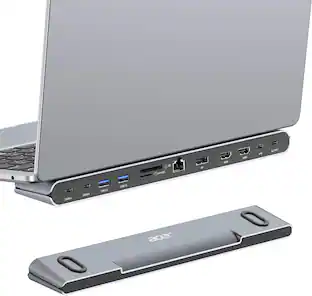
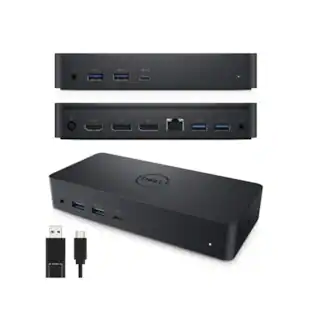
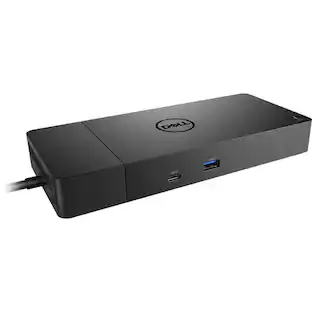
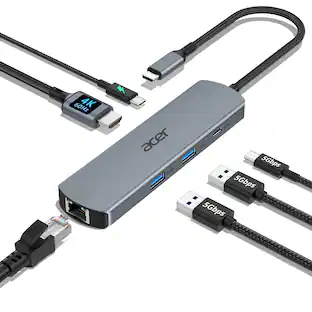
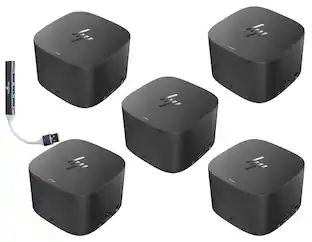
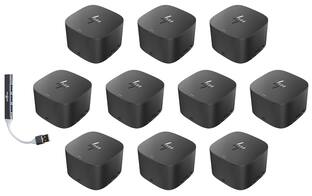
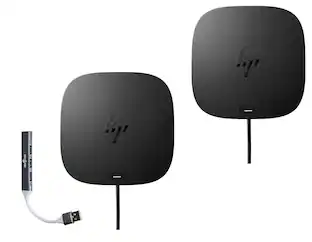
HP - Thunderbolt Dock 230W G2 3VL22AV#ABA Bundle with Dockztorm Hub, Dual 4K Display Support, USB-A, VGA & Ethernet 5Pack - Black
Reviews coming soon
About this product
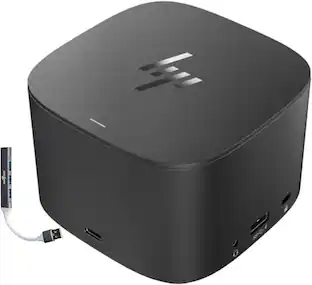
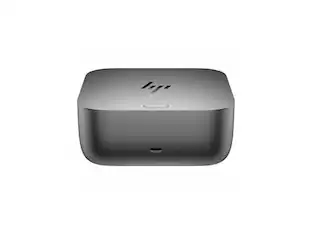
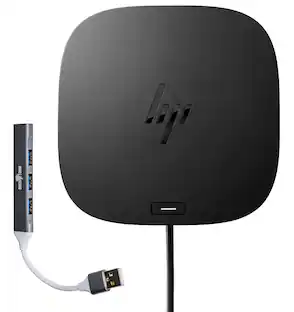
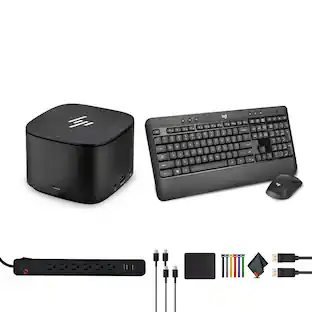
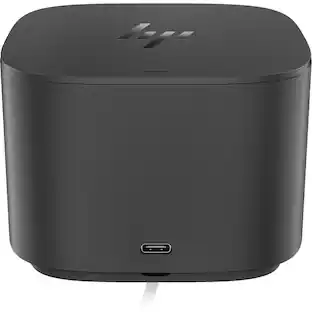
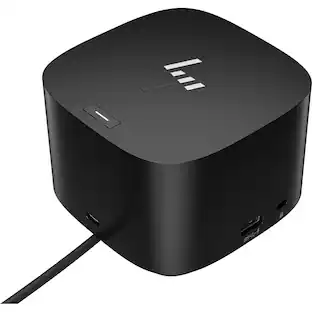
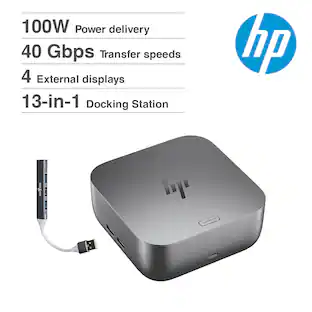
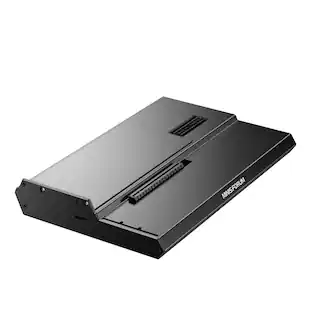
The HP Thunderbolt Dock G2 230W Docking Station (3VL22AV#ABA) delivers up to 230W of power with a maximum output current of 11.8A at 19.7V, providing up to 100W Power Delivery for compatible laptops. Finished in black, it supports resolutions up to 4K at 60Hz and connects via USB Type-C/Thunderbolt with a 2.29 ft integrated cable. Designed for productivity, it features 3 USB-A ports, 2 USB-C ports, 2 DisplayPort outputs, 1 VGA port, 1 Gigabit Ethernet (RJ-45) port, 1 Thunderbolt port, and a 3.5mm audio combo jack. The dock operates in temperatures ranging from 32°F to 95°F with 10–90% non-condensing humidity and can be stored between -4°F and 140°F. Measuring 3.9 × 3.9 × 2.7 inches and weighing 1.76 lb, it offers a compact, space-saving design for professional workstations. This bundle also includes a Dockztorm USB Hub (Special Edition Portable Data Hub) with SuperSpeed USB data transfer rates of up to 5Gbps for expanded connectivity.
Powerful 230W Docking Solution
HP Thunderbolt Dock 230W G2 delivers up to 100W Power Delivery to compatible laptops while expanding your workspace with a single Thunderbolt 3 or USB-C connection.
Dual 4K Ultra HD Display Support
Boost productivity with support for up to two 4K displays at 60Hz via Dual DisplayPort outputs. Also includes a VGA port for compatibility with legacy monitors and projectors.
Fast & Reliable Performance
Supports high-speed data transfer through Thunderbolt 3 technology, stable wired networking via Gigabit Ethernet, and efficient device charging, making it ideal for business, office, and home workstation setups.
Extensive Connectivity
Features Thunderbolt 3/USB-C connectivity, 3 USB-A ports, additional USB-C ports, Gigabit Ethernet (RJ-45), DisplayPort, VGA, and a 3.5mm audio combo jack for seamless connection of peripherals and accessories.
Includes
Dockztorm Dock (Special Edition Portable Dockztorm Data Hub; Super Speedy Data Sync Rate upto 5Gbps)
- Maximum Number of Displays Supported3Number of DisplayPort Outputs (Total)2
Reviews
This product doesn't have any reviews yet.
Compare similar products
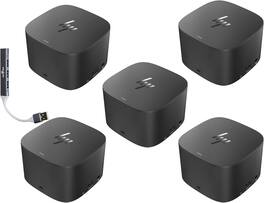
The HP Thunderbolt Dock G2 230W Docking Station (3VL22AV#ABA) delivers up to 230W of power with a maximum output current of 11.8A at 19.7V, providing up to 100W Power Delivery for compatible laptops. Finished in black, it supports resolutions up to 4K at 60Hz and connects via USB Type-C/Thunderbolt with a 2.29 ft integrated cable. Designed for productivity, it features 3 USB-A ports, 2 USB-C ports, 2 DisplayPort outputs, 1 VGA port, 1 Gigabit Ethernet (RJ-45) port, 1 Thunderbolt port, and a 3.5mm audio combo jack. The dock operates in temperatures ranging from 32°F to 95°F with 10–90% non-condensing humidity and can be stored between -4°F and 140°F. Measuring 3.9 × 3.9 × 2.7 inches and weighing 1.76 lb, it offers a compact, space-saving design for professional workstations. This bundle also includes a Dockztorm USB Hub (Special Edition Portable Data Hub) with SuperSpeed USB data transfer rates of up to 5Gbps for expanded connectivity.

The USB-C to 4-port HDMI Multi-Monitor Adapter functions as an external video card for your MacBook or personal computer. It allows you to add four additional monitors/displays through your USB-C port. This is the perfect alternative to a costly video card. With the JCA366, you can quickly install the driver with a simple USB-C plug-in. Afterwards, connect your device to your monitors using HDMI cables and you have just created a new visual environment in seconds. With this multi-monitor adapter, you can extend your desktop across multiple displays, clone one screen onto another, and have individual applications displayed on each monitor. You can also enable additional features with the Multi-Monitor Assistant Application for your Windows devices.
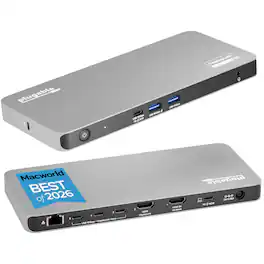
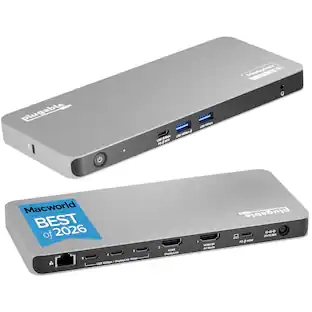
Experience unparalleled productivity with the Plugable USB-C 5-Display computer dock (UD-7400PD). Recognized as the MacWorld Editor's Choice "Best DisplayLink Dock for 5 Displays" and awarded Editors’ Choice in Macworld’s “5-display Mac bliss” review, this powerful dock is engineered for modern professionals, combining USB-C and DisplayLink technologies to support up to five external monitors simultaneously.The setup includes one HDMI 2.1 port (up to 8K 30Hz), one HDMI 2.0 port (4K 60Hz), and three USB-C ports (via DisplayLink, each 4K 60Hz, driver required) powered by the DL-7400 chipset, making it the ideal hub for creative projects, financial analysis, and demanding workflows. Beyond the display capabilities for MacBook Pro, MacBook Air, and Windows, the UD-7400PD provides up to 140W charging for host laptops, ensuring uninterrupted productivity on high-performance machines. The front USB-C port offers up to 30W power delivery for smartphones or tablets. Whether you’re working with large files or video conferencing, the 2.5Gbps Ethernet port delivers a fast, reliable connection. Additional front-facing USB-A 10Gbps ports keep peripherals ready, with one port supporting BC 1.2 for quicker charging. Designed to integrate easily, the UD-7400PD features DockTag OSD to display the dock’s status, asset details, and a QR code for fast access to setup instructions. This Windows and Mac dock is compatible with systems featuring a 10Gbps USB-C port with video output. A 3.5mm audio jack ensures clear connectivity, while a Kensington lock slot offers security in shared environments. Requiring no Thunderbolt, this MacWorld Editor's Choice winner is an exceptional choice for users seeking to expand screen real estate, streamline charging, and enhance network performance—all from a single, sophisticated solution
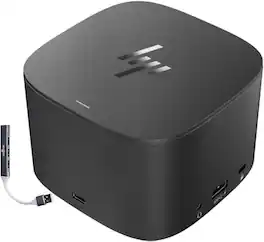
The HP Thunderbolt Dock G2 230W Docking Station (3VL22AV#ABA) delivers up to 230W of power with a maximum output current of 11.8A at 19.7V, providing up to 100W Power Delivery for compatible laptops. Finished in black, it supports resolutions up to 4K at 60Hz and connects via USB Type-C/Thunderbolt with a 2.29 ft integrated cable. Designed for productivity, it features 3 USB-A ports, 2 USB-C ports, 2 DisplayPort outputs, 1 VGA port, 1 Gigabit Ethernet (RJ-45) port, 1 Thunderbolt port, and a 3.5mm audio combo jack. The dock operates in temperatures ranging from 32°F to 95°F with 10–90% non-condensing humidity and can be stored between -4°F and 140°F. Measuring 3.9 × 3.9 × 2.7 inches and weighing 1.76 lb, it offers a compact, space-saving design for professional workstations. This bundle also includes a Dockztorm USB Hub (Special Edition Portable Data Hub) with SuperSpeed USB data transfer rates of up to 5Gbps for expanded connectivity.
| Pros for HP - Thunderbolt Dock 230W G2 3VL22AV#ABA Bundle with Dockztorm Hub, Dual 4K Display Support, USB-A, VGA & Ethernet 5Pack - Black | |||
|---|---|---|---|
| There were no pros for this product— | Overall Performance, Ease of use, HDMI, Connectivity, Size | There were no pros for this product— | There were no pros for this product— |
| Cons for HP - Thunderbolt Dock 230W G2 3VL22AV#ABA Bundle with Dockztorm Hub, Dual 4K Display Support, USB-A, VGA & Ethernet 5Pack - Black | |||
| There were no cons for this product— | Heat, Compatibility, Driver Installation, Lag, Mac Compatibility | There were no cons for this product— | There were no cons for this product— |
Specs
Be the first to ask a question.
We’ll try to get your question answered within 24 hours by a Best Buy customer or brand representative.
Customers often buy these together
 $99.99The price was $109.99



More to consider
 $1,159.99The price was $1,449.99
Explore tech essentials Sponsored




Keep exploring
 $119.99The price was $139.00