Plugable - USB C Docking Station 5 Monitors,140W DisplayLink Dock Connects up to Five 4K Displays for MacBook Windows Thunderbolt 4 - Space Gray
About this product
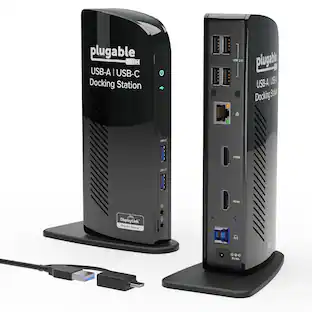
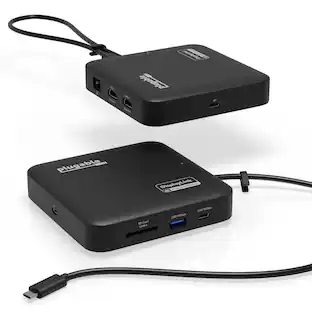
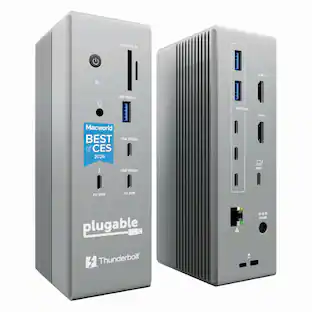
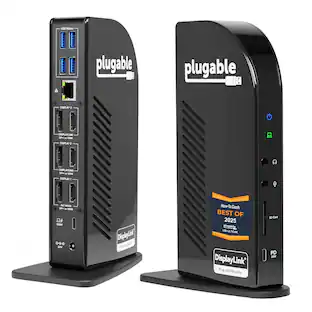
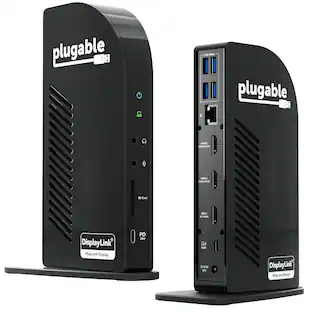
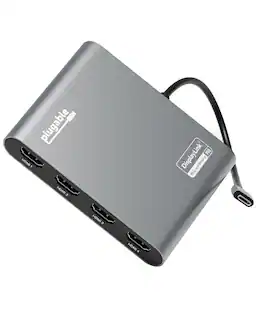
Experience unparalleled productivity with the Plugable USB-C 5-Display computer dock (UD-7400PD). Recognized as the MacWorld Editor's Choice "Best DisplayLink Dock for 5 Displays" and awarded Editors’ Choice in Macworld’s “5-display Mac bliss” review, this powerful dock is engineered for modern professionals, combining USB-C and DisplayLink technologies to support up to five external monitors simultaneously.The setup includes one HDMI 2.1 port (up to 8K 30Hz), one HDMI 2.0 port (4K 60Hz), and three USB-C ports (via DisplayLink, each 4K 60Hz, driver required) powered by the DL-7400 chipset, making it the ideal hub for creative projects, financial analysis, and demanding workflows. Beyond the display capabilities for MacBook Pro, MacBook Air, and Windows, the UD-7400PD provides up to 140W charging for host laptops, ensuring uninterrupted productivity on high-performance machines. The front USB-C port offers up to 30W power delivery for smartphones or tablets. Whether you’re working with large files or video conferencing, the 2.5Gbps Ethernet port delivers a fast, reliable connection. Additional front-facing USB-A 10Gbps ports keep peripherals ready, with one port supporting BC 1.2 for quicker charging. Designed to integrate easily, the UD-7400PD features DockTag OSD to display the dock’s status, asset details, and a QR code for fast access to setup instructions. This Windows and Mac dock is compatible with systems featuring a 10Gbps USB-C port with video output. A 3.5mm audio jack ensures clear connectivity, while a Kensington lock slot offers security in shared environments. Requiring no Thunderbolt, this MacWorld Editor's Choice winner is an exceptional choice for users seeking to expand screen real estate, streamline charging, and enhance network performance—all from a single, sophisticated solution
The 5 Display Dock at a Glance
Recognized as the MacWorld Editor's Choice "Best DisplayLink Dock for 5 Displays,” the UD-7400PD Plugable docking station drives up to 5 high-res displays (3x 8K, or 1x 8K + 4x 4K), with up to 140W laptop charging + 30W device charging, 2.5Gbps Ethernet, USB and USB-C ports. It’s what multitasking would look like if multitasking multitasked
Extend to 5x 4K Displays
The USB-C docking station offers 1x HDMI 2.1 (up to 8K 30Hz), 1x HDMI 2.0 (4K 60Hz), and 3x USB-C DisplayLink (4K 60Hz each) so you can extend to up to 5x 4K 60Hz screens or 3x at 8K 30Hz. Note: The DisplayLink software application must be installed on a Windows or Mac computer for the dock’s HDMI video outputs to function. This process is typically automatic on Windows, manual install required on macOS.
Made for the IT Pro
The UD-7400PD comes equipped with DockTag™ On Screen Display (OSD) to quickly display the dock’s status, asset details, and a QR code for fast access to set up instructions and support resources
Incredibly Compatible
DisplayLink (driver required) universal docking station features HDMI & USB-C video ports. Works with video-enabled USB-C or Thunderbolt Windows 10+ or macOS 14+ hosts; even base M1/M2/M3/M4 Macs can connect 5 4K displays. Note: HDCP video (Netflix, Hulu, etc.) not supported
Lifetime Support
This USB-C and DisplayLink Docking Station has been designed with reliability at its core and was built to meet the deployment demands of IT departments and the ease of use necessary for home offices. Includes lifetime support from our North American team of connectivity experts
- Maximum Number of Displays Supported5Maximum Supported Resolution8K (4320p)Number of DisplayPort Outputs (Total)0Passthrough PowerYes
Reviews
Rating 5 out of 5 stars with 2 reviews
Customer Images
The vast majority of our reviews come from verified purchases. Reviews from customers may include My Best Buy members, employees, and Tech Insider Network members (as tagged). Select reviewers may receive discounted products, promotional considerations or entries into drawings for honest, helpful reviews.
Compare similar products
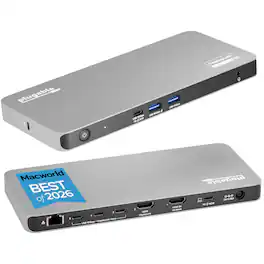
Experience unparalleled productivity with the Plugable USB-C 5-Display computer dock (UD-7400PD). Recognized as the MacWorld Editor's Choice "Best DisplayLink Dock for 5 Displays" and awarded Editors’ Choice in Macworld’s “5-display Mac bliss” review, this powerful dock is engineered for modern professionals, combining USB-C and DisplayLink technologies to support up to five external monitors simultaneously.The setup includes one HDMI 2.1 port (up to 8K 30Hz), one HDMI 2.0 port (4K 60Hz), and three USB-C ports (via DisplayLink, each 4K 60Hz, driver required) powered by the DL-7400 chipset, making it the ideal hub for creative projects, financial analysis, and demanding workflows. Beyond the display capabilities for MacBook Pro, MacBook Air, and Windows, the UD-7400PD provides up to 140W charging for host laptops, ensuring uninterrupted productivity on high-performance machines. The front USB-C port offers up to 30W power delivery for smartphones or tablets. Whether you’re working with large files or video conferencing, the 2.5Gbps Ethernet port delivers a fast, reliable connection. Additional front-facing USB-A 10Gbps ports keep peripherals ready, with one port supporting BC 1.2 for quicker charging. Designed to integrate easily, the UD-7400PD features DockTag OSD to display the dock’s status, asset details, and a QR code for fast access to setup instructions. This Windows and Mac dock is compatible with systems featuring a 10Gbps USB-C port with video output. A 3.5mm audio jack ensures clear connectivity, while a Kensington lock slot offers security in shared environments. Requiring no Thunderbolt, this MacWorld Editor's Choice winner is an exceptional choice for users seeking to expand screen real estate, streamline charging, and enhance network performance—all from a single, sophisticated solution
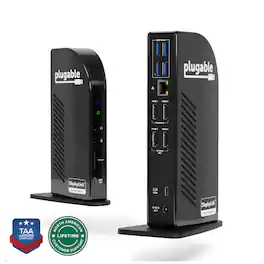
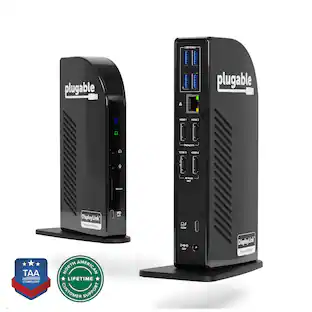
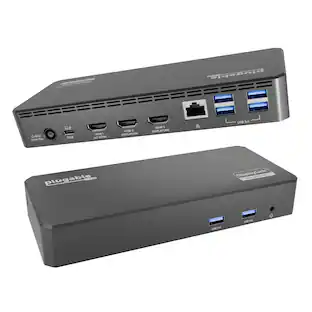
4 Monitor Docking Station for Ultimate Productivity The Plugable UD-3900C4 is the only solution of it’s kind - it’s the only quad monitor docking station combining DisplayLink and MST (multi-stream Transport) Alt mode technologies to deliver seamless four display expansion over USB-C. This TAA-compliant universal docking station drives four extended 1080p displays at 60Hz, with HDMI 1-2 powered by DisplayLink and HDMI 3-4 powered by MST Alt Mode. No other dock offers this hybrid integration, giving you unmatched flexibility in display configurations. Whether you're configuring a hot-desk environment, building out a permanent fixed workstation, or designing a multi-display content creation suite, this docking station for 4 monitors transforms your setup with performance and connectivity that cant’ be found anywhere else. Powerful Ports to Power Through Work This USB dock goes beyond displays. It features a USB-C port with 20W charging, four 5Gbps USB 3.0 ports, Gigabit Ethernet, audio in/out, and an SD Card Reader - offering everything you need to stay connected and productive. Plus, with up to 96W power delivery to your laptop, your system stays charged and ready to perform. System Compatibility Fully compatible with Windows 10 or later and ChromeOS 100+, the UD-3900C4 works with USB4, Thunderbolt 3/4, and USB-C hosts. Requires DisplayLink drivers (automatically installed with Windows Update). While it functions as a triple display docking station on macOS, the fourth display will mirror due to macOS’s lack of MST support. Lifetime Support Every Plugable product is backed by a 2-year warranty and lifetime support. Our US-based team is ready to assist before and after your purchase to ensure your docking experience is seamless. Included in the Box - The Plugable UD-3900C4 - Power Adapter and Cord - USB-C to USB-C Cable (1m / 3.3 ft): For host connection - Quick Start Guide: Easy setup instructions for DisplayLink driver installation and port usage
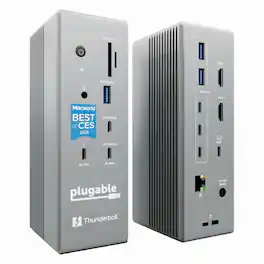
Meet the Plugable TBT-UDH2, a 16-in-1 Windows and Mac docking station with Thunderbolt 5 is built for serious productivity. With 140W host charging, native Dual HDMI 2.1 (up to 8K 60Hz or 4K 144Hz), 6x USB-C ports, including a downstream Thunderbolt 5 port, 2.5Gb Ethernet, and UHS-II SD/microSD readers. This dock delivers next-gen performance without adapters. Whether you're powering a MacBook Pro M4 or a high-end Windows laptop, the TBT-UDH2 docking station for laptops simplifies your setup with driverless, plug-and-play support and a full port lineup. And it’s all in a TAA-compliant design perfect for enterprise, education, or hybrid work. No dongles. No compromises.
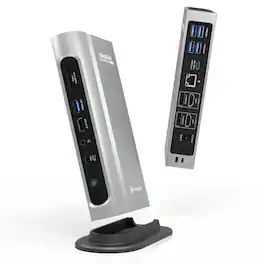
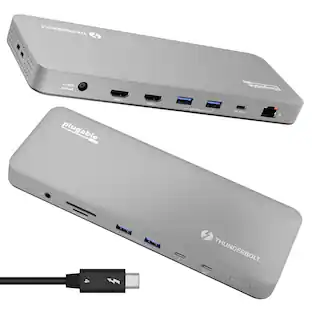
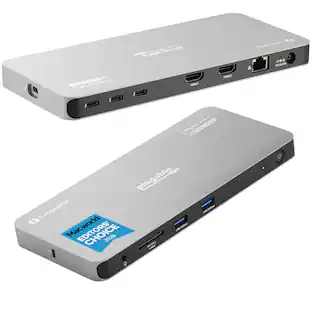
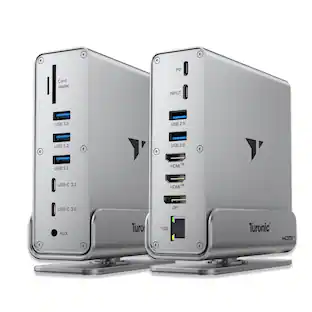
The Thunderbolt Certified 16-in-1 Quad docking station from Plugable delivers peak performance. The innovation starts with our display connections. Connect your 4K screens through 2x HDMI ports and 2x DisplayPort ports — a rare level of display flexibility in a Thunderbolt dock. But the real expansion picks up at the ports. Offering sixteen total ports to park your peripherals, including 7x USB ports, SD and microSD card readers, Audio, and 2.5Gbps Ethernet. It even adapts to your desk with an included stand for vertical or horizontal orientation options. Quad Display With this Thunderbolt 4 docking station Windows computers can use the 2x HDMI ports, and 2x DisplayPort ports to connect as many as 4x screens at up to 4K 60Hz. Can also be used a single, dual, or triple display docking station. On Mac (Intel, M1 / M2 / M3 Pro/Max, M4 / Pro/Max, M5 / Pro/Max CPU), extend your desktop to 2x screens using any combination of HDMI and/or DisplayPort. Macs with an M1 / M2 / M3 CPU only support one external display. 100W Power Delivery The laptop Thunderbolt docking station offers USB Power Delivery up to 100W (98W certified) — no more climbing under the desk to get plugged in. Not all laptop docking stations handle power the same. With the TBT4-UDZ, if your laptop needs less power, the docking station adjusts and only sends the optimal wattage. And with 6x available USB ports, and one USB-C port, your devices will always have a place to connect. Compatibility The TBT4-UDZ is compatible with *Windows 10 and later and **macOS 11+. Actual number of screens that can be extended depends on capabilities of the host computer. Be sure to see the Display Compatibility Chart below. *On some Windows laptops, enabling four displays may require a Windows settings change to disable the internal screen. **On Macs, additional monitors beyond specs below may not function, and/or will “mirror” rather than extend.
Specs
Be the first to ask a question.
We’ll try to get your question answered within 24 hours by a Best Buy customer or brand representative.
Customers often buy these together
 $119.83The price was $139.99
 $12.99The price was $13.99



More to consider





Explore tech essentials Sponsored
 $38.99The price was $45.99


Discover related products
 $573.99The price was $659.99
- $12.99The price was $13.99
 $504.68The price was $535.66
 $249.00The price was $275.00




Keep exploring
 $17.99The price was $21.99