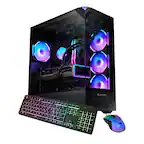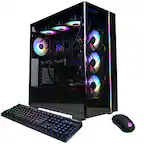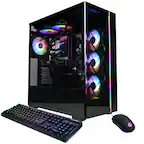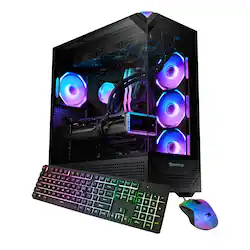
iBUYPOWER - Element Pro Gaming Desktop PC- Intel Ultra 7 265KF, NVIDIA GeForce RTX 5070 12GB, 32GB RAM, 2TB SSD - Black
- Key Specs
- Processor Model: Intel Core Ultra 7 Series 2 (Your computer's processor is like its brain. Working in combination with system memory, the power of the processor determines the complexity of software you can run, how many programs you can have open at the same time, and how fast those programs will run. Most computers feature an AMD, Intel or Snapdragon processor.)
- Storage Type: SSD
- Total Storage Capacity: 2000 gigabytes
- System Memory (RAM): 32 gigabytes (Random-access memory (RAM) is a computing device's short-term data storage, which allows active information to be accessed quickly. The size and type of RAM determines how efficiently the device can handle large amounts of information at one time. For example, gaming or video editing requires more RAM for optimal performance.)
- Graphics Type: Dedicated (Dedicated graphics uses a separate graphics card for processing video images. Because it does not use memory from the system's RAM, there is no extra burden on the CPU and graphics are processed more efficiently. Integrated graphics shares system RAM to process video images.)
- Graphics: NVIDIA GeForce RTX 5070 (Often referred to as a "graphics processing unit" (GPU), this device is responsible for displaying image content and decoding/encoding video content in programs and games.)
- General
- Brand: iBUYPOWER
- Model Number: EPBI7N5701
- Product Name: Element Pro Black Gaming Desktop PC- Intel Ultra 7 265KF, NVIDIA GeForce RTX 5070 12GB, 32GB RAM, 2TB SSD
- Color: Black
- Year of Release: 2025
- Processor
- Processor Brand: Intel
- Processor Model: Intel Core Ultra 7 Series 2 (Your computer's processor is like its brain. Working in combination with system memory, the power of the processor determines the complexity of software you can run, how many programs you can have open at the same time, and how fast those programs will run. Most computers feature an AMD, Intel or Snapdragon processor.)
- Processor Model Number: 265KF
- CPU Base Clock Frequency: 3.9 gigahertz (Actual central processing unit (CPU) speed may vary by device configuration and design. The average rate at which the processor is able to execute tasks under normal operating conditions as asserted by the manufacturer.)
- CPU Boost Clock Frequency: 5.5 gigahertz (Actual central processing unit (CPU) speed may vary by device configuration and design. The maximum rate at which the processor is able to execute tasks, typically only used for a short period of time as needed. This rate may temporarily boost the processor's performance, but may result in overheating, shutdown, or damage to equipment if sustained.)
- Number of CPU Cores: 20-core (A core, or "brain" of a CPU, allows it to receive and execute instructions. Each core can work independently or together to perform parallel operations.)
- Number of CPU Threads: 20 (Generally, the more threads, the faster and more responsive the operating system.)
- Storage
- Storage Type: SSD
- Total Storage Capacity: 2000 gigabytes
- Solid State Drive Capacity: 2000 gigabytes (The amount of data that can be stored on the device's solid state drive (SSD). SSD is a flash-based storage with faster speeds than a hard disk drive (HDD).)
- Solid State Drive Interface: NVMe (Connects the solid state drive to the host system. PCI and SATA interfaces are the most common; PCI interfaces are typically faster, but SATA interfaces are compatible with a wider range of systems.)
- Memory
- System Memory (RAM): 32 gigabytes (Random-access memory (RAM) is a computing device's short-term data storage, which allows active information to be accessed quickly. The size and type of RAM determines how efficiently the device can handle large amounts of information at one time. For example, gaming or video editing requires more RAM for optimal performance.)
- Type of Memory (RAM): DDR SDRAM (Each type of RAM delivers a different level of speed, bandwidth, energy efficiency and performance.)
- System Memory RAM Speed: 5200 megahertz (How fast the information-storing hardware operates. The faster the RAM, the faster memory can be transferred to other system components. Ultimately, faster RAM improves operational efficiency.)
- Graphics
- Graphics Type: Dedicated (Dedicated graphics uses a separate graphics card for processing video images. Because it does not use memory from the system's RAM, there is no extra burden on the CPU and graphics are processed more efficiently. Integrated graphics shares system RAM to process video images.)
- GPU Brand: NVIDIA
- Graphics: NVIDIA GeForce RTX 5070 (Often referred to as a "graphics processing unit" (GPU), this device is responsible for displaying image content and decoding/encoding video content in programs and games.)
- Advanced Graphics Rendering Technique(s): DLSS 3 (Deep Learning Super Sampling), Ray tracing (Imaging technology designed to improve graphics rendering.)
- GPU Base Clock Frequency: 12 gigahertz (The minimum rate at which the graphics controller is guaranteed to operate.)
- GPU Video Memory (RAM): 12 gigabytes (Random-access memory (RAM) is a GPU’s, or graphics cards, short-term data storage, which allows active information to be accessed quickly. The size and type of RAM determines how efficiently the GPU can handle large amounts of information at one time. For example, larger amounts of RAM for gaming or video editing increases performance.)
- Compatibility
- Operating System: Windows 11 Home (The operating system manages all software and hardware, including files, memory and connected devices. Most importantly, it lets you interact with your device and your programs in a visual way; otherwise, you'd be typing computer code to get anything done.)
- Motherboard Model Number: Z890
- Connectivity
- Display Connector(s): 1 x HDMI, 3 x DisplayPort (The number and type of connectors used to connect to an external display.)
- Number of HDMI Outputs (Total): 1
- Number of DisplayPort Outputs (Total): 3
- USB Ports: 2 x USB-C, 6 x USB-A 2.0, 5 x USB-A 3.2 (The number and type of USB ports the product has.)
- Number of USB Ports (Total): 13
- Wireless Connectivity: Wi-Fi, Bluetooth (The manner in which a device sends data to another device over a short distance without the use of wires or cables.)
- Number Of Ethernet Ports: 1
- Cooling
- CPU Cooling System: Liquid
- Power
- Power Supply Maximum Wattage: 750 watts
- Expansion
- Number Of Internal 2.5" Bays: 2
- Number Of Internal 3.5" Bays: 2
- Features
- Keyboard Type: RGB
- Customizable Keyboard Lighting: RGB
- Keyboard Technology: Membrane (Type of technology that detects a key press.)
- Size: Standard
- Dimensions
- Product Height: 17.4 inches (The out of box height of the item. Height is measured as the vertical distance from the bottom of the item to the top as it would be primarily used or placed.)
- Product Width: 9.1 inches (The out of box width of the item. Width is measured as the horizontal distance from one side of the item to the other as it would be primarily used or placed.)
- Product Depth: 20 inches (The out of box depth of the item. Depth is measured as the distance from the front of the item to the back as it would be primarily used or placed.)
- Product Weight: 36 pounds (The out of box weight of the item.)
- Certifications Listings & Approvals
- ENERGY STAR Certified: false (Devices carrying the ENERGY STAR service mark, such as computer products and peripherals, kitchen appliances, and other products, generally use 20% to 30% less energy than required by federal standards.)
- EPEAT Qualified: false (The Electronic Product Environmental Assessment Tool (EPEAT) was designed to provide an environmental assessment tool for purchasers. In order to qualify for EPEAT, a product must meet all 23 required criteria.)
- Included
- Optical Drive Type: None, None, None, None, None (An optical disk drive (ODD) uses a laser light to read data from or write data to an optical disc. These discs include CDs, DVDs, and Blu-ray Discs. This allows you to play music or watch movies using prerecorded discs.)
- Keyboard Included: true
- Mouse Included: true
- Wireless Keyboard: false
- Wireless Mouse: false
- Warranty
- Warranty - Parts: 1 year
- Warranty - Labor: 1 year
- Other
- UPC: 848604050812
Level up your setup with the iBUYPOWER EPBI7N5701, the perfect gaming PC build for someone looking to upgrade their desktop computer system for video games, editing, and streaming. This prebuilt iBUYPOWER Gaming PC utilizes professionally vetted components to create a high-performing desktop machine. Take gaming and content creation to a new level on an Intel Core Ultra 7 265KF processor, featuring performance boosts and AI (artificial intelligence) in gaming, paired with an NVIDIA GeForce RTX 5070 12GB graphics card. Enjoy fast load times and ample storage space on a 2TB NVMe solid-state drive. Multitask like no other thanks to 32GB DDR5 RGB RAM. The PC is even Wi-Fi Ready and comes with Windows 11 Home installed so you can plug in and game right away. Discover the gamer experience and upgrade your RGB setup thanks to the included iBUYPOWER gaming keyboard and mouse. To keep your computer cool and quiet at full power, the EPBI7N5701 boasts the new 2024 iBUYPOWER AW4, a 360mm liquid CPU cooling system - White CPU cooler, and RGB fans in a premium iBUYPOWER Element Pro Black case.
- Windows 11 Home: Windows 11 Home has all the power and security of Windows 10 with a redesigned and refreshed look. It comes with new tools, sounds, and apps, every detail coming together to bring you a refreshing experience on your PC.
- Intel Core Ultra 7 265KF: Native 20-core processing delivers aggressive yet power-smart performance for advanced gaming, complex modeling and HD video editing.
- NVIDIA GeForce RTX 5070 12GB graphics card: Driven by 12GB of dedicated video memory to quickly render high-quality images for videos and games.
- 32GB of DDR5 RGB 5200MHz memory: Reams of high-bandwidth DDR5 RGB RAM to smoothly run your graphics-heavy PC games and video-editing applications, as well as numerous programs and browser tabs all at once.
- 2TB NVMe solid state drive: The 2TB NVMe SSD provides fast boot up and load times as well as plenty of storage space for your favorite games and important files.
- Windows 11 Home: Windows 11 Home has all the power and security of Windows 10 with a redesigned and refreshed look. It comes with new tools, sounds, and apps, every detail coming together to bring you a refreshing experience on your PC.
- Intel Core Ultra 7 265KF: Native 20-core processing delivers aggressive yet power-smart performance for advanced gaming, complex modeling and HD video editing.
- NVIDIA GeForce RTX 5070 12GB graphics card: Driven by 12GB of dedicated video memory to quickly render high-quality images for videos and games.
- 32GB of DDR5 RGB 5200MHz memory: Reams of high-bandwidth DDR5 RGB RAM to smoothly run your graphics-heavy PC games and video-editing applications, as well as numerous programs and browser tabs all at once.
- 2TB NVMe solid state drive: The 2TB NVMe SSD provides fast boot up and load times as well as plenty of storage space for your favorite games and important files.
- Windows 11 Home: Windows 11 Home has all the power and security of Windows 10 with a redesigned and refreshed look. It comes with new tools, sounds, and apps, every detail coming together to bring you a refreshing experience on your PC.
- Intel Core Ultra 7 265KF: Native 20-core processing delivers aggressive yet power-smart performance for advanced gaming, complex modeling and HD video editing.
- NVIDIA GeForce RTX 5070 12GB graphics card: Driven by 12GB of dedicated video memory to quickly render high-quality images for videos and games.
- 32GB of DDR5 RGB 5200MHz memory: Reams of high-bandwidth DDR5 RGB RAM to smoothly run your graphics-heavy PC games and video-editing applications, as well as numerous programs and browser tabs all at once.
- 2TB NVMe solid state drive: The 2TB NVMe SSD provides fast boot up and load times as well as plenty of storage space for your favorite games and important files.
Whats Included
- iBUYPOWER- Element Pro Black Gaming Desktop PC- Intel Ultra 7 265KF,NVIDIA GeForce RTX 5070 12GB,32GB memory,2TB SSD
- iBUYPOWER- Element Pro Black Gaming Desktop PC- Intel Ultra 7 265KF,NVIDIA GeForce RTX 5070 12GB,32GB memory,2TB SSD
- iBUYPOWER- Element Pro Black Gaming Desktop PC- Intel Ultra 7 265KF,NVIDIA GeForce RTX 5070 12GB,32GB memory,2TB SSD
Q: What kind of processor does this iBUYPOWER PC use?
A: This iBUYPOWER PC uses the Intel Core Ultra 7 265KF processor.
Q: How much RAM does this iBUYPOWER gaming PC come with?
A: This iBUYPOWER gaming PC comes equipped with 32GB of DDR5 RGB RAM.
Q: What operating system does this iBUYPOWER PC come with?
A: This iBUYPOWER PC comes with Windows 11 Home pre-installed.
Q: What type of graphics card is in this iBUYPOWER PC?
A: This iBUYPOWER PC has the NVIDIA GeForce RTX 5070 graphics card with 12GB of dedicated video memory.
Q: What type of storage drive does this iBUYPOWER PC have?
A: This iBUYPOWER PC comes with a 2TB NVMe solid state drive.
Q: Does this iBUYPOWER PC come with a Wi-Fi adapter?
A: Yes, this PC is Wi-Fi Ready.
Q: Does this iBUYPOWER PC include a CPU cooling system?
A: Yes, to keep the computer cool and quiet, it features the 2024 iBUYPOWER AW4, a 360mm liquid CPU cooling system.
A: Hello there! Once you receive your PC, you can look up the motherboard model online and find its manual, which will show which ports are which. Additionally, modern motherboards color code USB ports. Blue is USB 3.0, Red is USB 3.2, and Black are 2.0.