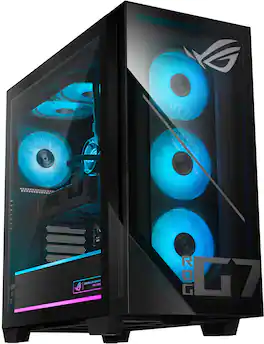
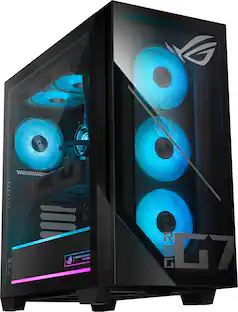
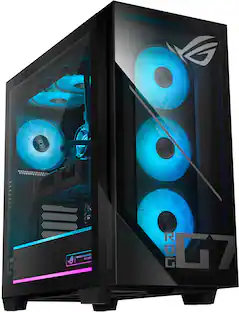
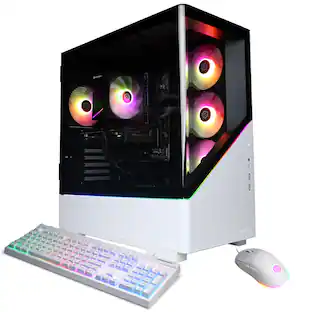
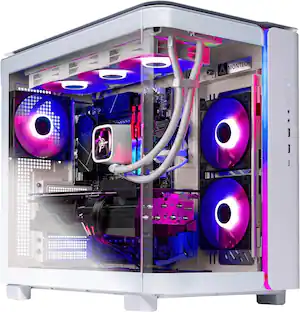
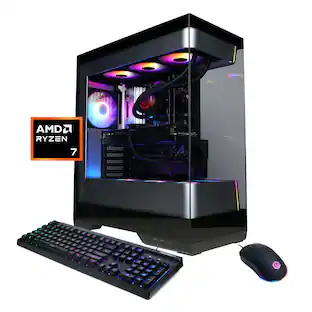
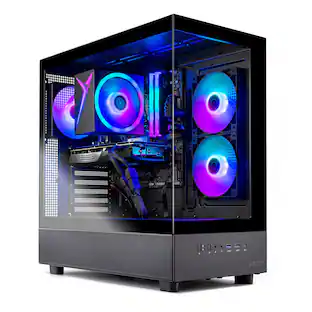
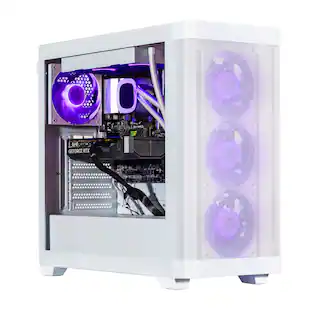
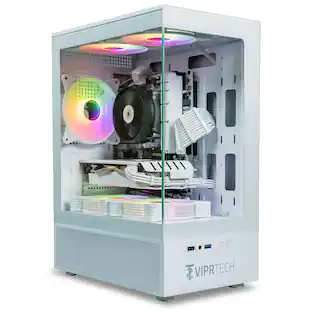
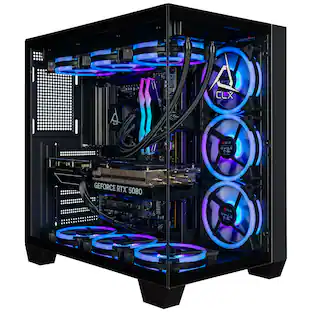
The G700 Gaming Desktop combines fearless design, next-generation power, and advanced connectivity into a striking and versatile package. Its dual-glass panel chassis showcases the bold ROG identity with the iconic ROG Slash and Fearless Eye logo, complemented by customizable RGB lighting with Aura Sync. Powered by the next-gen Intel Core Ultra 5 Series 2 processor and NVIDIA GeForce RTX 5060 GPU, the G700 is equipped with 16GB of DDR5 RAM and 1TB of high-speed PCIe Gen 4 storage for unparalleled performance. A quad-fan airflow system and dust filters ensure optimal thermal management and system longevity. Built for reliability and flexibility, the spacious 58L chassis accommodates triple-slot GPUs, and a full-sized 600W power supply, while the tool-less design allows for effortless upgrades and maintenance. Stay connected with 2.5Gbps Ethernet, WiFi 6, and versatile high-speed ports, while Dolby Atmos delivers multidimensional soundscapes for an immersive audio experience. The G700 is the ultimate choice for gamers and builders seeking a future-ready, high-performance desktop.
Q: Which motherboard model does this PC have? How many M.2 and Sata drives does it accept?
A: I have this desktop. The motherboard is ASUS B860M Max Gaming AX, and it has 3 M.2 slots and 4 SATA ports.
Q: What brand and specs of ram are in this model? If I want to add ram, what should I buy?
A: undefined
Q: What keyboard does this come with?
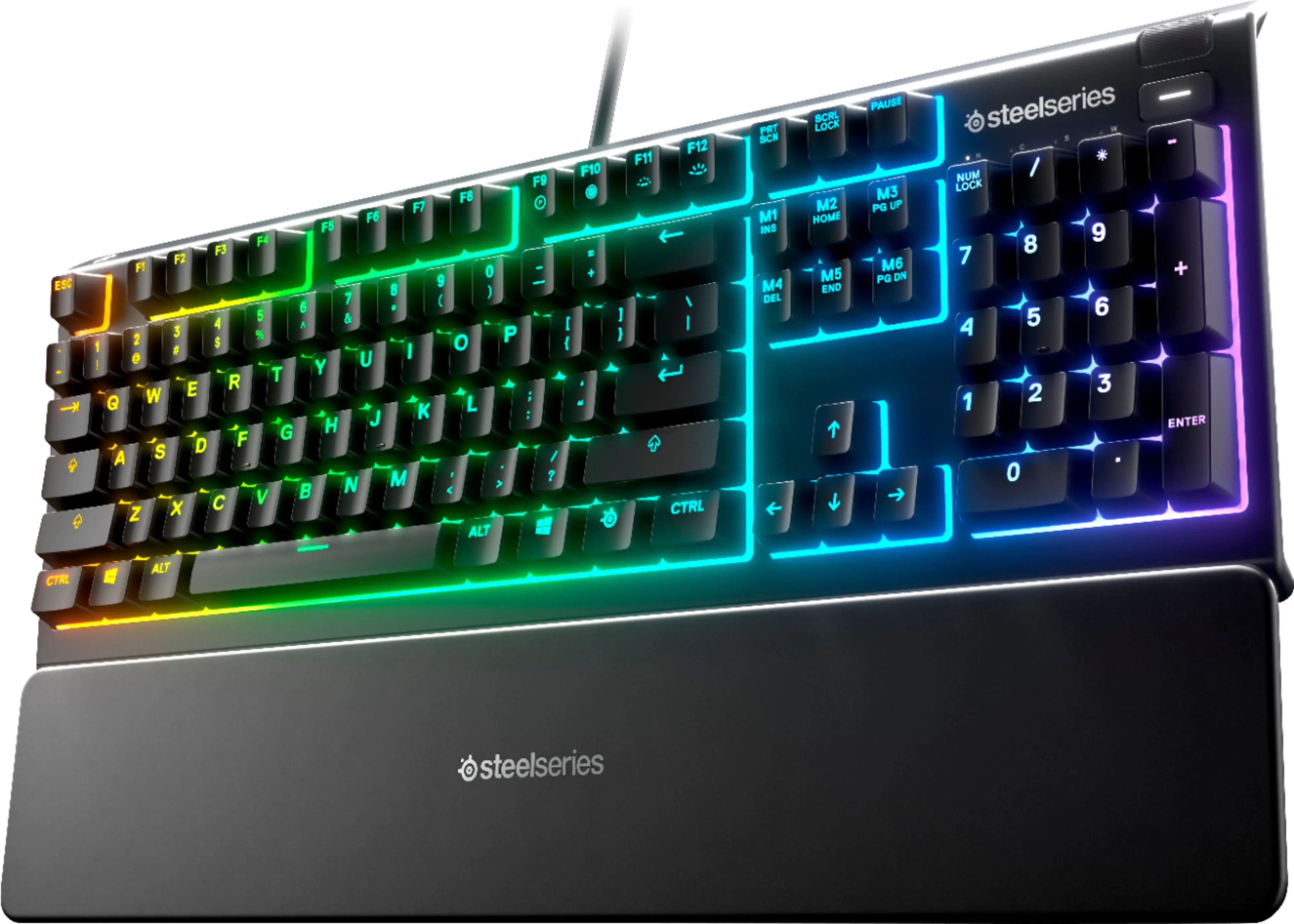
A: I have this desktop. The keyboard is an ASUS K710.
Q: how much frames will it run in games ( mostly fortnite
A: I have this desktop. I don't play fortnite but I can tell you for fortnite it would depend almost entirely on the Rendering mode game setting you use. Anywhere from up to 300fps in performance mode, down to 80-120fps in directx 12 high fidelity mode. I run around 180 fps in war thunder, and 120fps in call of duty warzone, and It all depends on the game settings used.
Q: Is this unit sufficient for sim racing? Specifically, the iracing platform.
A: Yes, this Desktop model is more than sufficient to run iRacing.
Q: How much power supply it have like 1000? or 850?
A: I have this desktop. The power supply is 600W.
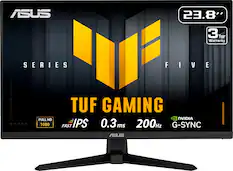
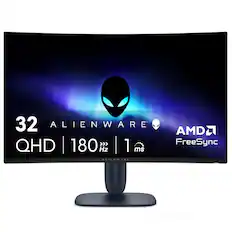
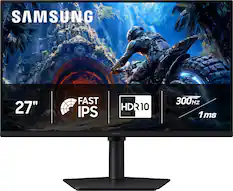
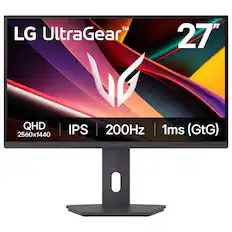
Q: Do I need to buy a monitor separately for this?
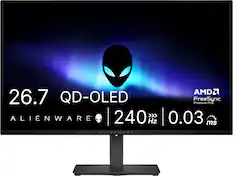
A: Yes, the ASUS G700TF is a desktop gaming PC, and it does not include a monitor in the standard package.

The G700 Gaming Desktop combines fearless design, next-generation power, and advanced connectivity into a striking and versatile package. Its dual-glass panel chassis showcases the bold ROG identity with the iconic ROG Slash and Fearless Eye logo, complemented by customizable RGB lighting with Aura Sync. Powered by the next-gen Intel Core Ultra 5 Series 2 processor and NVIDIA GeForce RTX 5060 GPU, the G700 is equipped with 16GB of DDR5 RAM and 1TB of high-speed PCIe Gen 4 storage for unparalleled performance. A quad-fan airflow system and dust filters ensure optimal thermal management and system longevity. Built for reliability and flexibility, the spacious 58L chassis accommodates triple-slot GPUs, and a full-sized 600W power supply, while the tool-less design allows for effortless upgrades and maintenance. Stay connected with 2.5Gbps Ethernet, WiFi 6, and versatile high-speed ports, while Dolby Atmos delivers multidimensional soundscapes for an immersive audio experience. The G700 is the ultimate choice for gamers and builders seeking a future-ready, high-performance desktop.

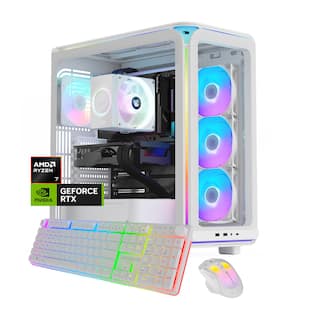
The GM700 Gaming Desktop combines fearless design, next-generation power, and advanced connectivity into a striking and versatile package. Its dual-glass panel chassis showcases the bold ROG identity with the iconic ROG Slash and Fearless Eye logo, complemented by customizable RGB lighting with Aura Sync. Powered by the AMD Ryzen 7 8700F processor and NVIDIA GeForce RTX 5060Ti GPU, the GM700 is equipped with 32GB of DDR5 RAM and 1TB of high-speed PCIe Gen 4 storage for unparalleled performance. A quad-fan airflow system, 240mm AIO liquid cooler, and dust filters ensure optimal thermal management and system longevity. Built for reliability and flexibility, the spacious 58L chassis accommodates triple-slot GPUs, and a full-sized 600W power supply, while the tool-less design allows for effortless upgrades and maintenance. Stay connected with 2.5Gbps Ethernet, WiFi 6, and versatile high-speed ports, while Dolby Atmos delivers multidimensional soundscapes for an immersive audio experience. The GM700 is the ultimate choice for gamers and builders seeking a future-ready, high-performance desktop .

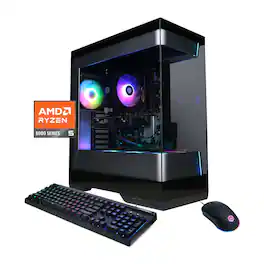
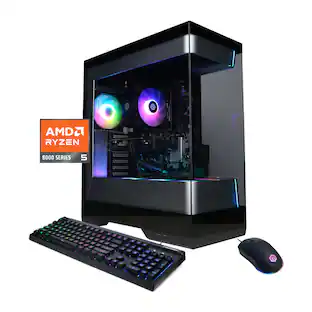
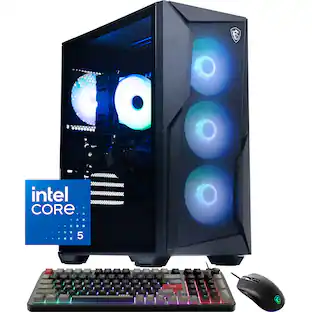
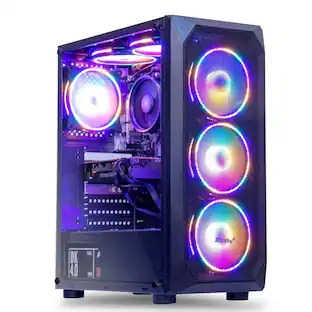
Level up your setup with the iBUYPOWER ESI5N5601, the perfect gaming PC build for someone looking to upgrade their desktop computer system for video games, editing, and streaming. This prebuilt iBUYPOWER Gaming PC utilizes professionally vetted components to create a high-performing desktop machine. Take gaming and content creation to a new level on an Intel Core i5 14400F processor paired with an NVIDIA GeForce RTX 5060 8GB graphics card. Enjoy fast load times and ample storage space on a 1TB NVMe solid-state drive. Multitask like no other thanks to 16GB DDR5 RGB RAM. The PC is even Wi-Fi Ready and comes with Windows 11 Home installed so you can plug in and game right away. Discover the gamer experience and upgrade your RGB setup thanks to the included iBUYPOWER gaming keyboard and mouse. To keep your computer cool and quiet at full power, the ESI5N5601 boasts the new Tower Air Cooler, a performance air fan CPU cooler, and RGB fans in a premium iBUYPOWER Element SE case.

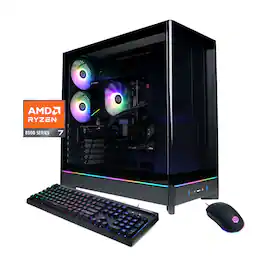
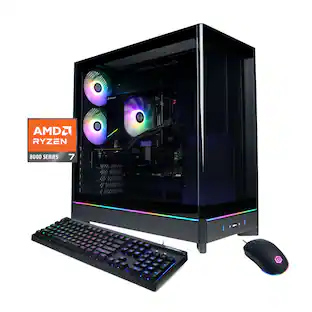
Level up your setup with the iBUYPOWER SBI7N5601, the perfect gaming PC build for someone looking to upgrade their desktop computer system for video games, editing, and streaming. This prebuilt iBUYPOWER Gaming PC utilizes professionally vetted components to create a high-performing desktop machine. Take gaming and content creation to a new level on an Intel Core i7 14700F processor paired with an NVIDIA GeForce RTX 5060 8GB graphics card. Enjoy fast load times and ample storage space on a 1TB NVMe solid-state drive. Multitask like no other thanks to 32GB DDR5 RGB RAM. The PC is even Wi-Fi Ready and comes with Windows 11 Home installed so you can plug in and game right away. Discover the gamer experience and upgrade your RGB setup thanks to the included iBUYPOWER gaming keyboard and mouse. To keep your computer cool and quiet at full power, the SBI7N5601 boasts the new Tower Air Cooler, a performance air fan CPU cooler, and RGB fans in a premium iBUYPOWER slate Black case.
| Pros for ASUS - ROG G700 Gaming Desktop - Intel Core Ultra 5 225F - 16GB Memory - NVIDIA GeForce RTX 5060 8GB - 1TB SSD - Black | |||
|---|---|---|---|
| Cons for ASUS - ROG G700 Gaming Desktop - Intel Core Ultra 5 225F - 16GB Memory - NVIDIA GeForce RTX 5060 8GB - 1TB SSD - Black | |||
| There were no cons for this product— | There were no cons for this product— |
The vast majority of our reviews come from verified purchases. Reviews from customers may include My Best Buy members, employees, and Tech Insider Network members (as tagged). Select reviewers may receive discounted products, promotional considerations or entries into drawings for honest, helpful reviews.

I've been building and upgrading gaming computers for 15 years and I was excited to finally get my hands on the Asus ROG G700 Gaming Desktop. It's equipped with the Intel Core Ultra 5 225F (The F means no integrated graphics), 16GB of RAM, 1 TB of space, and an Nvidia RTX 5060 with 8GB of VRAM. I've had a week to test all of the components and I believe I have put together a pretty fair analysis of what this system can do. This is an excellent choice for 1080 gaming, and the chassis design keeps it very cool, literally and figuratively. - Design/Build/Unboxing - First of all, this is a full size tower so plan ahead. The dimensions are roughly 20" in length by 20" tall by 10" wide. I typically put my towers on the desk to help with dust and airflow. The boxing/packing protect the unit well. There's the Desktop, Wi-fi antenna, power plug, and literature. After unboxing and setting up in a matter of about 10 minutes, I can confidently say this is the best looking chassis setup I have seen for a desktop gaming computer. The design, spacing, and LED lighting is just beautiful. There are three intake fans in the front with and one outtake fan in the back. This is a tool-less and srew-less full size tower with glass panels on the front and left side. The cable management is excellent and there is and LED accented case that hides cable and the power supply. The build is high quality with premium materials and the airflow is excellent. There are slick accents of ROG Logos and slogans lit up in LED lighting throughout the case. Once everything is setup, it took me about 30 to 45 minutes to install all of the Windows updates and app updates. There is zero bloatware. - Specs & Features - - The CPU is an Intel Core Ultra 5 225F featuring 6 P-cores and 4 E-cores with 10 threads, a 3.3 GHz base clock and a 4.9 GHz boost clock. - The Graphics card is an RTX 5060 with 8GB of GDDR7 RAM. Some will say 8GB is not enough VRAM but I've got a 1080p 240Hz monitor so 1080 is the sweetspot for gaming on this rig. You can absolutely game at 1440p but you will want to use medium settings on the more graphics intensive games. Let's say in a year or two you want to upgrade the GPU. Contrary to what others might say you can upgrade the Video card to an RTX5070 in the future if you want to. Here's proof: We have a 600 Watt PSU. CPU Max Power: 120 Watts GPU (RTX 5070): 250 Watts System (Fans/SSD/Ram/Etc): 75 Watts Total System Load: 445 Watts (This leaves 155 watts for any spikes) - There is 16GB of memory running at 4800MHz, but only one slot of four slots is occupied so you can theoretically get up to 128 GB of RAM installed (32GB x 4). You can hold down F2 after restart go into AI tweaking advanced settings and increase the memory speed if you want in the BIOS. - Wifi 6 AX Standard - It would be nice to see Wifi 7 but you would need a comparable Wi-Fi 7 router. There's an ethernet jack if you want to plug in too. - B860M Micro ATX motherboard gives you plenty of space for cooling. There are (4) DIMM slots and (2) M.2 slots. - 600 watt Gold PSU - 1 TB Samsung SSD - There are a ton of USB ports available including a USB-C 20GB and a USB-A 10GB port for high speed transfers. Most of these ports are in the back, but there are 4 up top. - Performance - The one thing that blew me away with this computer is the cooling. I've never in my life witnessed an air cooled unit keep the temperatures so low. While running a series of benchmarks, and gaming on some graphics intensive titles, I never sseen the CPU or GPU go past 65 degrees C, impressive! The CPU temp idles at about 38 degrees and the GPU idles at 35 C, in my room with a temperature of 73 F. The Samsung Gen 4 SSD sits around 41 degrees C and I measured read and write speeds at about 5K each. I loaded up WarZone with no help from FrameGen (to keep input lag to a minimum) and I was sitting around 100 FPS on High Settings, no stuttering, 60 C on the CPU temp and 60 C on the GPU temp. I loaded up Alan Wake 2 and I was at 100 FPS utilizing DLSS with Frame Gen 2X. I used high settings for lighting, shadows, and details. Temps were again astonishingly in the low 60s. Finally, I played one of my favorites, Cyberpunk 2077. This time I took advantage of the DLSS 4 Frame Gen, with High Settings and Ray Tracing (looks great BTW) and I was well above 200 FPS at 2X Frame Gen. After playing all 3 games, there was no stuttering or issues. I would advise you to use the benchmark settings in the game or utilize frame gen and see what the sweet spot is. I also ran benchmarks for the CPU and GPU: (Note: All temps stayed around 60 C during these benchmarks for CPU/GPU) TimeSpy: 13,842 (with a few tweaks you can hit 15k) Steel Nomad: 3,211 (The new graphics benchmark standard) Speed Way: 3,590 (Ray Tracing) Cinebench 24: 863 Multicore, 119 Single-Core The Intel Core Ultra 5 Series 2 is an excellent choice for gaming and remember, most games are only utilizing between 2 and 8 cores. Everything else is just extra. It's single-core performance is exceptional, and often used for daily tasks and productivity. To give you an example of Single-Core performance, it outpaces Apple M1 Max and the Apple M1 Ultra in Cinebench 24. Noise Level: It idles around 38 db, under load 47-52 db (Very Quiet) Memory: I had 10 tabs open and a few apps, there was approximately 8.5 GB utilized. Gaming I saw up to 14.5 GB utilized. I would throw in an additional 16GB stick of memory to be safe, but you can absolutely game right now with 16GB. Software - Armoury Crate gives you access to diagnostics, temps, hardware/software/driver updates. You can also change RGB. I adjusted my lighting to change colors with the temperatures, but there's 7 or 8 other RGB options to choose from. * Pros/Cons * - Pros - - Unbelievable cooling - Beautiful aesthetics, Premium chassis build - RTX 5060 is perfect for 1080p Gaming - 1 Memory stick leaves 3 slots for upgrading - Tons of USB ports - USB-C 20GB & USB-A 10GB ports for High Speed Transfer - Intel Core 5 Ultra is CPU sweet spot - Perfect cable Management - Zero bloatware - Quiet operation - Suggestions/Needs Improvement - - 32GB memory would be better - Memory profile needs to be adjusted to go > 4800 MHz in BIOS - 8GB of VRAM can be limiting on 1440p gaming - Wifi 6 The Asus ROG G700 is perfect for 1080P Gaming on High and Ultra Settings. All the titles ran beautifully for me and I was blown away with the low temps and low noise level even under serious load. The chassis is premium and it looks great with the LED accent lighting. The newer RTX 5060 also increases FPS with DLSS4 while keeping input lag low with Nvidia reflex. I would highly recommend this system for all gamers looking for a budget to mid-entry system with exceptional cooling and room to upgrade components later.
Posted by NanoEthan
ASUS - ROG G700 Gaming Desktop - Intel Core Ultra 5 225F - 16GB Memory - NVIDIA GeForce 5060 RTX Summary: An unpretentious upper-entry tier machine. Use: Nothing beats being able to sit at your desk (when not working) and enjoying some music and video games. I don't play a lot of hardcore video games that require 120 FPS (especially on my ultra-wide 5120x1440 display) at 4K, but I still like to run things as high as I can to maintain immersion and fidelity. As games up their ante, so too must gamers. My normal display resolution is 5120x1440. And so it goes with this ROG G700 which features a respectable Intel Core Ultra 5, 16 GB of RAM, and a GeForce RTX 5060. This rig offers me plenty of performance now and allows room for growth in the distant future. The only real limit right now might be the 600 Watt power supply and the 8 GB of VRAM. The unit features a very generous and sleek form factor with plenty of room for air circulation, tons of LED customization zone options, and the a generous set of connectivity options in the form of HDMI, DisplayPort, USB-C, and USB ports. The unit also builds in a few practical things to help with maintenance. As a upper-entry tier machine, this rig packs a nice bit of punch for the dollar. All in all, this unit is a great buy and something I'd recommend if you're a gamer with a budget in mind and want something that will dazzle your eyes while it is sitting on your desk, or while you're mowing down adversaries in game. Pros: * Packaging. It seems silly to mention packaging, but if you've moved as often as I have or have rough-handling delivery drivers, it matters... This unit is packed extremely well with a strong rigid box and thick substantial foam. * Build quality. The chassis is well built and looks great. The interior chamber can easily be accessed with the simple turning of a thumbscrew and then pulling back the glass plate window from the top. Both the top and the bottom of the chassis offer removable mesh guards for easy dust and debris removal. * Graphics. The RTX 5060 offers good value for performance with some new generation tech like DLSS4, Blackwell architecture, and ray tracing cores. * Processor. The Intel Core Ultra 5 225F works great, but why wouldn't it with 10 cores? I don't have problem running any of my favorite games in the foreground or in the background in between the multitude of other programs and tasks I have regularly have running. * Storage. The 1 TB SSD is adequate. A larger one would have made more sense given the size of games these days. This is easily upgradable, but not by simply adding a drive as there are no additional internal mounting brackets available. * Software. The Armory Crate and associated software is pretty cool. There are myriad menus and options I'm going to need to experiment and play with to get this setup the way I want. But I have noticed that even for a basic theme (pulsing single color), the unit loses memory after a reboot (sometimes). But, as I am unfamiliar with the level of LED customization ROG and Chroma allow, this may just boil down to user error. * Quiet. Running games at max settings definitely got things humming, but only barely so. The unit is quieter that my former desktop and even my new mid-tier gaming laptops. * Connectivity. The unit comes equipped with an adequate selection of connectivity options. USB-C and A ports, to low latency Wi-Fi 6 with included antennae module, 2.5 Gbps ethernet, audio ports. This unit should let you connect whatever you need without additional hubs, etc. Cons: * Graphics. The 8 GB VRAM is a bit light for this day and age and even for this tier machine. * Chassis. The motherboard is much smaller than the mid-tower form factor provided with no bays for storage expansion. As such, aside for circulation capacity, the chassis is a bit oversized.
Posted by Rhostam
I needed another budget gaming desktop, nothing high-end but with an option to upgrade parts in the future. I honestly wanted this one to look like a gaming desktop, but it just needed to play games like Roblox and Minecraft. That’s when I found the ASUS ROG G700 Gaming Desktop, which looked more powerful than it was and screamed “GAMER!”. So, I picked it up. Pros: - Runs games at 1080 great! - Looks like a Gaming Desktop. - Upgradeable RAM, SSD, and HDD. Cons: - Only has 16GB RAM. - PSU would need to be upgraded to upgrade the GPU. - No slots for additional 2.5 or 3.5 drives. Setup: I appreciated the care with how ASUS packaged the ROG G700 desktop; with a 2-part foam shell to absorb any shock and ensure the PC was safe in transit, and a case bag to keep out any dust or bits from the computer. Everything was very well packaged and safe in the box even though the box got a little dented up from shipping. Included with the Desktop PC is a wired Gaming Mouse and Keyboard. The Mouse is a standard gaming mouse, including a DPI button that cycles between 3 preset settings. It’s a decent mouse if you don’t have anything else. The Keyboard felt good to type on, I was very impressed for a keyboard that is included with the computer. The key caps have texture that provides extra grip which is great for gaming. Both have RBG, that doesn’t sync with the other RBG in the desktop but still look nice. Setting up the Desktop was simple, plug in the Power, Video, and Mouse & Keyboard. Then turn on and go through a standard Windows setup. The only thing additional I would recommend doing is going into BIOS to enable the XMP Profile for the RAM, as out of the box it is disabled running at 4800MT/s, which is a huge performance loss. Specs: ASUS included in the ROG G700 the Intel Core Ultra 5 225F which has 10 cores, 6 performance and 4 efficient cores. The F indicates no integrated graphics included, but that’s okay as for GPU the Nvidia GeForce RTX 5060 with 8GB of VRAM is included. Unfortunately, there is only 16GB DDR5 XXX MT/s, which is low for a Gaming PC these days but pairs well with the mentioned CPU & GPU. The good news there is the RAM is a single stick, so upgrading is just buying another stick of 16GB to expand to 32GB in total. For storage, there is a 1TB NVMe Gen 4, which provides a good initial amount of storage but will quickly fill up with bigger games these days. Luckily, there are 2 more NVMe slots available, one below the GPU and one on the backside of the motherboard. The NVMe slot that is populated (M.2_1) is a Gen 5, so when adding additional drives if the drive is a Gen 5 it would be a good idea to clone and swap slots. Unfortunately, for Sata SSD’s or HDD’s, there really isn’t a place to attach or store them in the bottom of the case. ASUS didn’t include the 3.5in drive rack with the build, so keep that in mind if you want to add an additional Sata drive. Luckily, the included PSU is the LITEON PS-4601-1U which is a 600W unit, which provides some additional headroom over the current configurations power requirement of about 400 to 500W. Unfortunately, the PSU doesn’t include any additional 8-pin or 12V-2x6 cables. If you upgrade the GPU to one that requires more than 1x8-pin or the 12V-2x6 power cables, you will need to upgrade the PSU as well. Connectivity & Ports: For connectivity, the ROG G700 has built in WiFi 6 + Bluetooth 5.4, both of which worked great. For ports, the GPU has 3x DisplayPorts 2.1 and 1xHDMI 2.1. As the sticker on the motherboard ports indicate, do not use the display ports from the motherboard!! It’s a simple but effective way to solve that problem. For ports on the back of the motherboard there are: 1xUSB-C 3.2, 1xUSB-A 3.1 Gen2, 4xUSB-A 3.1 Gen1, 4xUSB-A 2.0, 1x 2.5G Ethernet, WiFi Antenna, and Audio Jacks. This provides plenty of connectivity for most users, especially if just using a mouse and keyboard mostly. I would have liked 1 more USB-C port, but that is only available on higher chipset boards (like the Z890 boards). Additionally, on the top of the case there are 1xUSB-C 3.2, 2xUSB-A 3.1 Gen1, Mic and Headset Jacks. Case: The case looks very “Gamer”, with the sleek glass panel on the front and side that pairs well with the RBG Fans, Light Strips, and case graphics throughout the case. The online photos don’t do it justice on how cool the extra RBG Light Strips make the case look. Though there are a lot of “ROG” branding throughout the case, which might not be to everyone’s taste, but for a gamer look it fits the look perfectly. The case has a top and bottom removeable dust filter that makes cleaning easier, but the front dust filter is behind the front glass panel which makes access a bit difficult. I think the front can pop off, but I found that I could easily fit a cloth in to wipe down whatever didn’t get blown off with a duster. The case is a bit wider and longer than most cases at 9 3/8in wide and 20in length, which might be a challenge if you want the Desktop up on your desk. Performance: So, as mentioned, I wanted this to run Minecraft and Roblox, so it didn’t have to be the highest end PC nor did I expect it too. I ran the performance tests in 1080p, as that would be the monitor resolution being used. And it did better than I expected, especially on just 16GB of RAM. The default Passmark score was 10779 without XMP enabled, with XMP enabled it scored 11351. You will want to enable XMP in the BIOS to get the most performance out of this Desktop. What was the most surprising was that even still the ROG G700 with this configuration was in the 87% Percentile. This was impressive to me, as I expected it to be in the mid 70% with only 16GB of RAM and an RTX 5060. Using it I didn’t notice any issues at a resolution of 1080, I played Fortnite to get a good idea of how the different graphics settings impacted the play. Your results will vary based on the game, monitor, and internet service you have. I was able to maintain above 100 FPS in most games running Direct X 11 or below. Direct X 12 caused some issues like dropped frame rates below 60FPS, but enabling DLSS boosted the FPS quite a bit. Upgradeability: As previously mentioned, the 16GB RAM is a single stick of Team Group DDR5 6000MT/s. This makes it very easy to just add another 16GB stick of DDR5 6000MT/s RAM for a total of 32GB, which would greatly improve the performance of the system as the memory was the lowest performance score. Additionally, there are 2 M.2 slots that could be populated to expand the storage quite easily. One of the empty M.2 slots is on the back of the motherboard, which means you must completely remove the motherboard to gain access to it. ASUS didn’t design the case in a way that gave easy access to the back of the motherboard for this M.2 slot. Unfortunately, as mentioned, the PSU has no additional 8-pin or 12V-2x6 cables, which limits the upgradeability to GPU’s with a single 8-Pin connection. Yes, there is a 2nd 8-Pin pig tail off the single cable, buy you should not use 1 cable with higher end GPU’s as this can cause fires. If you’re thinking upgrading the GPU, you will probably also want to upgrade the PSU. Conclusion: If you want a budget Gaming Desktop to play at mostly 1080 resolution with some easy upgrade paths, not to mention the “Gamer” looking case, the ASUS ROG G700 is a great option. Upgrading the RAM or adding another M.2 SSD are simple upgrades that will offer greater performance. Unfortunately, upgrading the GPU will be a bigger upgrade, as the PSU needs upgrading for GPU’s with 2 or more 8-Pin plugs or the 12V-2x6 plug. Overall, this is a good pre-built with easy upgrade options.
Posted by BradfordBT