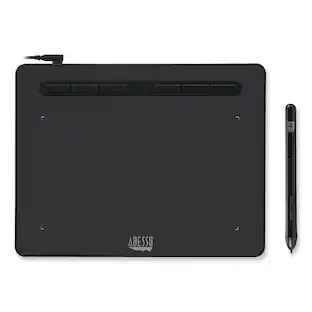
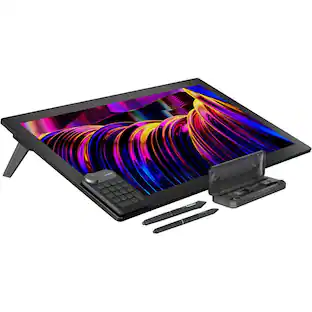
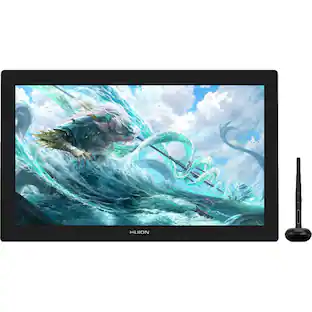
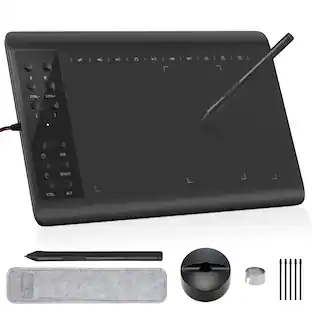
IMAGE - Portable Graphics Drawing Tablet with 8192 Levels Battery-Free Pen - Black
Reviews coming soon
About this product
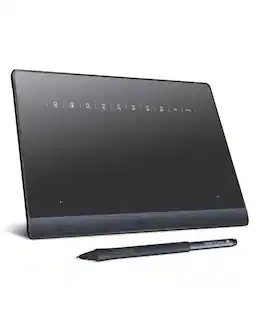
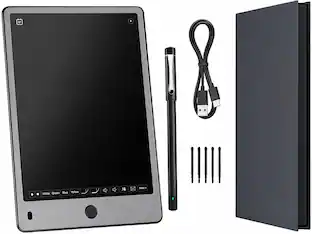
The IMAGE graphic drawing tablet delivers professional performance in a portable design, measuring just 8.9×5.3 inches—similar in size to an iPad mini. It offers a spacious paper-textured drawing surface that ensures smooth, lag-free sketching and painting. Equipped with a passive stylus featuring 8192 levels of pressure sensitivity and ±60° tilt support, it provides precise control over line weight, shading, and natural transitions, closely mimicking the feel of traditional pencils and brushes. A standout feature is the on-screen shortcut "Magic Circle"—with its rotatable flywheel and central M-KEY, users can intuitively perform and customize a wide range of commands, such as brush adjustment, canvas zoom, undo/redo, and more, all directly on the screen. Fully compatible with Windows, Mac OS, and Android, it works seamlessly with popular creative software including Photoshop, Illustrator, SAI, and many others. (Mac users should grant necessary permissions in Security & Privacy after installation.)
Features
Portable Size
IMAGE graphic drawing tablet features a portable size of 8.9×5.3 inches-comparable to the iPad mini. With a papery texture surface, it offers a spacious and smooth drawing experience for digital art creation, enabling lag-free sketching and painting.
8192 Passive Stylus Technology
A more affordable passive stylus technology offers 8192 levels of pressure sensitivity allows you to draw accurate lines of any weight and opacity according to the pressure you apply to the pen, sharper line with light pressure and thick line with hard pressure, perfect for artistry design or unique brush effect for photo retouching.
60° Tilt Function
Effortlessly add shading & natural stroke transitions like a real pencil—no need to adjust brush direction in software. Tilt for smooth line variations instantly, saving time on repetitive settings while pressure detection & ±60° sensitivity mimic traditional tools for lifelike texture.
On-screen Shortcut Magic Circle
The tablet features an integrated shortcut magic circle on the screen, composed of a flywheel and a central M-KEY (Magic Key). The flywheel comes with four pre-set shortcuts (Ctrl +, Ctrl -, [ , ]), which can be combined with the M-KEY to customize various shortcut combinations freely.
Compatible with Multiple System & Softwares
IMAGE Upgraded Graphics Tablet is compatible with Windows XP, 7, 8, 10. Android 4.0 and above; Mac OS 10.7 and above (Not compatible with iPhone/iPad/Chromebook). Driver program works with creative software such as Photoshop, Illustrator, Macromedia Flash, Comic Studio, SAI, Infinite Stratos, 3D MAX, Autodesk MAYA, Pixologic ZBrush and more.
Specifications
- Screen Size5.15 inchesActive Area5.15Total Storage Capacity0 gigabytesOperating SystemWindows 10Battery ChemistryNot battery powered
Reviews
This product doesn't have any reviews yet.
Compare similar products
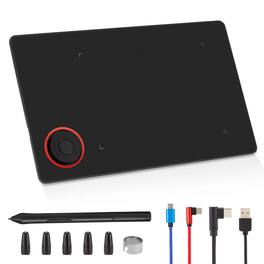
The IMAGE graphic drawing tablet delivers professional performance in a portable design, measuring just 8.9×5.3 inches—similar in size to an iPad mini. It offers a spacious paper-textured drawing surface that ensures smooth, lag-free sketching and painting. Equipped with a passive stylus featuring 8192 levels of pressure sensitivity and ±60° tilt support, it provides precise control over line weight, shading, and natural transitions, closely mimicking the feel of traditional pencils and brushes. A standout feature is the on-screen shortcut "Magic Circle"—with its rotatable flywheel and central M-KEY, users can intuitively perform and customize a wide range of commands, such as brush adjustment, canvas zoom, undo/redo, and more, all directly on the screen. Fully compatible with Windows, Mac OS, and Android, it works seamlessly with popular creative software including Photoshop, Illustrator, SAI, and many others. (Mac users should grant necessary permissions in Security & Privacy after installation.)
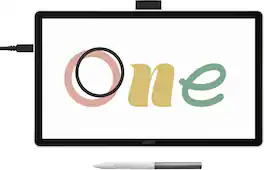
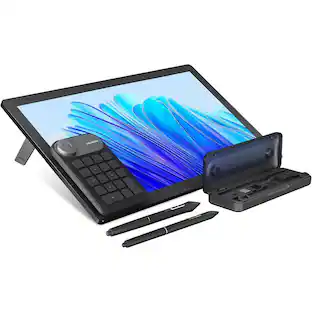
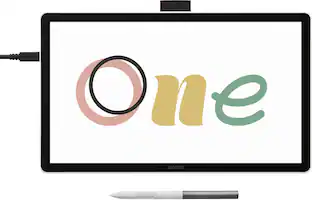
Ready to dive into digital art? The Wacom One drawing tablet is where your creative dreams begin. This graphics tablet with screen is the ideal pen display for creative beginners, casual artists, and visual thinkers looking to go digital or make the transition from traditional drawing. With a generous 14" anti-glare, anti-fingerprint screen and 98% sRGB color space coverage, you'll experience vibrant, true-to-life artwork with professional accuracy. The larger screen provides plenty of space to draw, sketch, annotate, or edit photos, while a smaller bezel means less real estate on your desk.
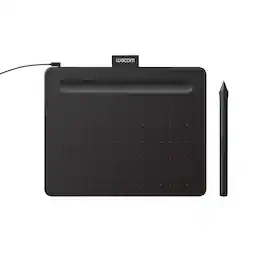
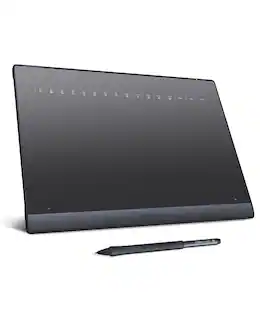
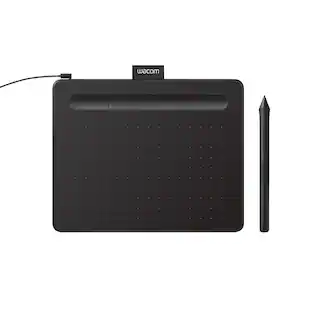
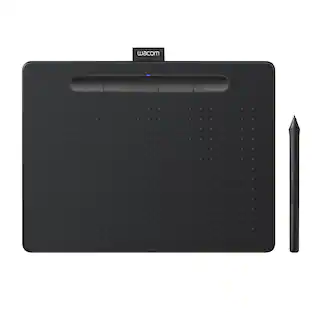
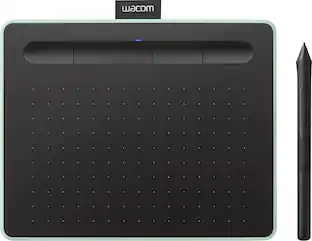
Transform your creative ideas into digital reality with Wacom Intuos drawing tablets. Perfect for casual or aspiring artists this compact graphics tablet delivers reliable Wacom-quality precision at an accessible price. The battery-free, pressure-sensitive pen provides natural, responsive drawing with no charging needed - just pick up and draw, with smooth, jitter-free lines and consistent pressure response. Get started immediately with over $240 in included downloadable creative software and trials, including 2 years of Clip Studio Paint Pro, 12 months of Boris FX Optics, and much more. The paper-like surface texture and four customizable ExpressKeys make digital art, photo editing, illustration, and design feel natural and efficient. Select models (CTL4100WL, CTL6100WL) offer Bluetooth wireless connectivity, letting you create freely at your desk, sofa, or anywhere in the room - with the option to switch to wired mode for ultimate flexibility. The wireless freedom is especially popular with educators and presenters who use the drawing tablet to control their computer while moving around a classroom or conference room. Certified to work with Chromebook and compatible with Windows and Mac, Wacom Intuos seamlessly integrates with Adobe, Corel, and all major creative applications. Backed by Wacom's 40+ years of industry leadership, you're choosing the same pen technology trusted by professional studios worldwide - at a creator-friendly price.
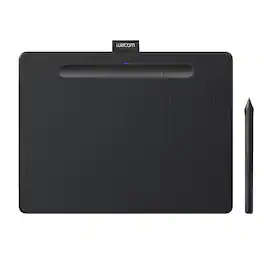
Transform your creative ideas into digital reality with Wacom Intuos drawing tablets. Perfect for casual or aspiring artists this compact graphics tablet delivers reliable Wacom-quality precision at an accessible price. The battery-free, pressure-sensitive pen provides natural, responsive drawing with no charging needed - just pick up and draw, with smooth, jitter-free lines and consistent pressure response. Get started immediately with over $240 in included downloadable creative software and trials, including 2 years of Clip Studio Paint Pro, 12 months of Boris FX Optics, and much more. The paper-like surface texture and four customizable ExpressKeys make digital art, photo editing, illustration, and design feel natural and efficient. Select models (CTL4100WL, CTL6100WL) offer Bluetooth wireless connectivity, letting you create freely at your desk, sofa, or anywhere in the room - with the option to switch to wired mode for ultimate flexibility. The wireless freedom is especially popular with educators and presenters who use the drawing tablet to control their computer while moving around a classroom or conference room. Certified to work with Chromebook and compatible with Windows and Mac, Wacom Intuos seamlessly integrates with Adobe, Corel, and all major creative applications. Backed by Wacom's 40+ years of industry leadership, you're choosing the same pen technology trusted by professional studios worldwide - at a creator-friendly price.
| Pros for IMAGE - Portable Graphics Drawing Tablet with 8192 Levels Battery-Free Pen - Black | |||
|---|---|---|---|
| There were no pros for this product— | There were no pros for this product— | Ease of use, Overall Performance, Size, Price, Software | Ease of use, Overall Performance, Size, Wireless, Pressure Sensitivity |
| Cons for IMAGE - Portable Graphics Drawing Tablet with 8192 Levels Battery-Free Pen - Black | |||
| There were no cons for this product— | Connectivity | Connectivity, Setup, Pen, Features | Setup, Software, Compatibility, Lag, Learning Curve |
Specs
Be the first to ask a question.
We’ll try to get your question answered within 24 hours by a Best Buy customer or brand representative.
Customers often buy these together

More to consider
 Our 365-day lowest price$249.95The price was $299.95
Explore tech essentials Sponsored
 $449.99The price was $589.99
- Techtober Deal$752.99The price was $1,099.99

Keep exploring
 $249.00The price was $299.00
 $199.00The price was $299.00