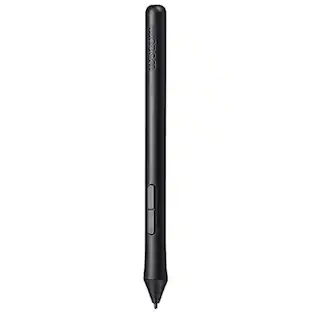
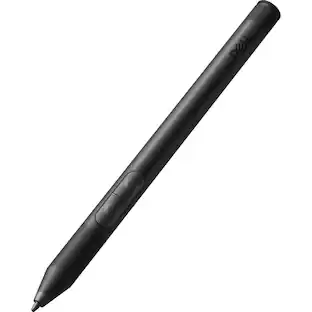
Wacom - Pro Pen 2 with Pen Case - Black
About this product
Express yourself with this Wacom Pro Pen 2 stylus. Its high pressure sensitivity and virtually lag-free tracking let you draw with accuracy and natural flow on a compatible Intuos Pro, Cintiq Pro or MobileStudio Pro tablet. Perform different drawing styles with the included three nibs of this Wacom Pro Pen 2 stylus.
Compatible with select Wacom tablets
Including Wacom MobileStudio Pro, Cintiq Pro and Intuos Pro.
Protective case
Makes it easy to take your stylus on the go.
Three nibs included
You can choose your individual writing style.
Pressure-sensitive design
Enables precise control, so you can draw or paint in incredible detail.
- Model CompatibilityWacom Cintiq Pro 13, Wacom Cintiq Pro 16Screen CompatibilityBuilt for Windows Ink (Active)
Reviews
Rating 4.4 out of 5 stars with 20 reviews
Customer Images
The vast majority of our reviews come from verified purchases. Reviews from customers may include My Best Buy members, employees, and Tech Insider Network members (as tagged). Select reviewers may receive discounted products, promotional considerations or entries into drawings for honest, helpful reviews.

Compare similar products

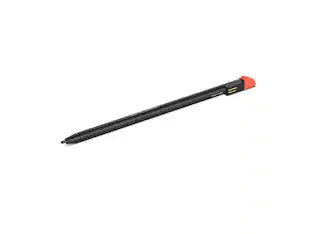
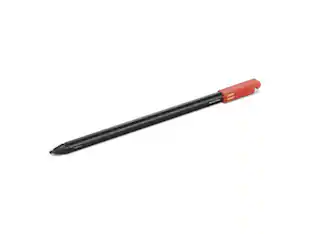
Express yourself with this Wacom Pro Pen 2 stylus. Its high pressure sensitivity and virtually lag-free tracking let you draw with accuracy and natural flow on a compatible Intuos Pro, Cintiq Pro or MobileStudio Pro tablet. Perform different drawing styles with the included three nibs of this Wacom Pro Pen 2 stylus.

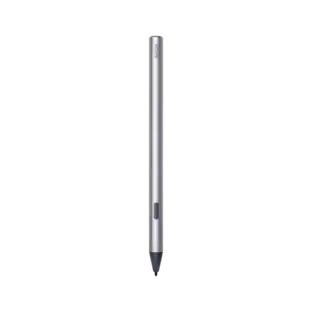
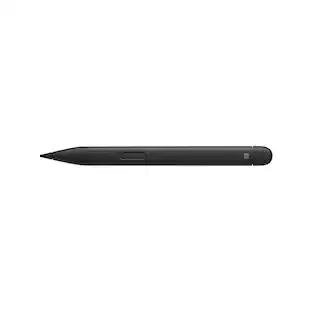
Write, sketch, navigate, and recharge. Take handwritten notes and draw with the same feeling you get with pen on paper, with exceptional accuracy and a new storable design. Surface Slim Pen (2nd Edition) also delivers incredible shading and exceptional pressure sensitivity.¹
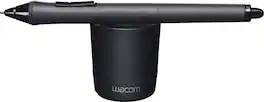
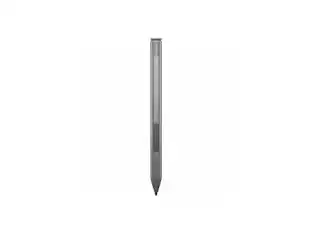
Sketch and write on an Intuos tablet or Cintiq display comfortably with this Wacom Grip Pen stylus. It has a contoured body and ergonomic weight to help prevent wrist fatigue during extended use, and its tilt sensitivity provides a natural feel for accurate drawing. Maximize productivity with the programmable side switches and pressure-sensitive eraser of this Wacom Grip Pen stylus.

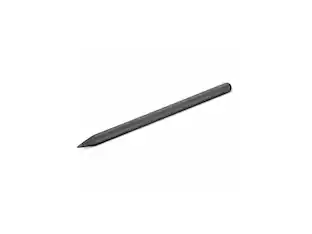
Morphs to the way you make. Featuring 8,192 levels of pressure sensitivity, 60 degrees of tilt, 3 side switches, and the ability to customize by swapping the included grips or adjusting the weight and center of balance, the Wacom Pro Pen 3 is Wacom’s most advanced pen yet.
| Pros for Wacom - Pro Pen 2 with Pen Case - Black | |||
|---|---|---|---|
| There were no pros for this product— | Ease of use, Overall Performance, Design, Weight, Compatibility | There were no pros for this product— | There were no pros for this product— |
| Cons for Wacom - Pro Pen 2 with Pen Case - Black | |||
| There were no cons for this product— | Charger, Price, Lag, Connectivity, Tip | There were no cons for this product— | There were no cons for this product— |
Specs
Can this be used on the HP 2-in-1 Touch Screen Chromebook
Answered by WacomNo, the Pro Pen 2 will not work with your HP Chromebook. I would suggest the Bamboo Solo or the Bamboo Duo stylus.

Will the Pro Pen 2 work with my Intuos Pro (Model PTH451)?
Answered by WacomNo, the PTH451 does not support the Pro Pen 2. For this tablet you could use the original Grip Pen (KP501E2) or the first generation Pro Pen (KP503E).
I have a iPad Air 3rd generation, can i use this pen with a drawing app like Procreate, IbisPaint X or MediBang?
Answered by WacomThank you for the question. The Wacom Pro Pen 2 is not compatible with Apple iOS. It works only with the Wacom products such as the Intuos Pro and Cintiq lines among other products from Wacom. As it does require either the Macintosh OS or Windows OS to load a driver on a computer. Regards
Hi I just wanted to ask if this pen could be used on the hp envy x360 15"?
Answered by WacomThank you for asking. This product works with 2-in-1 Windows devices that have built-in inside their hardware either Wacom Active ES protocol (AES) or Microsoft Pen Protocol (MPP). If you are not sure if yours has one of these technologies built-in, you can reach out to the manufacturer of your device to confirm this. Hope that helps! Best
Is this pen compatible with the 27 qhd?
Answered by WacomThank you for your question. Our Wacom 27 QHD is compatible with the following pens: Pro Pen 1, would also work with KP501E2 Grip Pen, KP701E2 Art Pen, KP300E2 Classic Pen, and KP400E2 Airbrush Pen. Hope that helps
Customers often buy these together
 $93.99The price was $145.37
 $269.99The price was $299.99
 Clearance$16.99The price was $39.99
 $47.99The price was $59.99


Customers ultimately bought





Explore tech essentials Sponsored




Discover related products
 $12.99The price was $13.99
 $249.00The price was $275.00
 $189.99The price was $197.23












Keep exploring
 $31.99The price was $41.99