Individual Software - Kid's Typing Bundle - Windows [Digital]
Customers are saying
Customers are delighted by the Kid's Typing Bundle as it makes learning fun for children. They appreciate that their kids are entertained while acquiring a valuable skill.
Features
The Exciting Way for Kids to Learn to Type
Disney Mickey's Typing Adventure and Typing Instructor for Kids Platinum are designed to teach children ages 5 to 12 to touch-type. Besides, you get Family License for five users.
Education over gameplay
Both programs engage kids in an exciting adventure full of education, entertainment, and motivating rewards.
Choose from 11 age-appropriate Typing Plans
Variety of ways to practice typing, with games, lessons, drills, advanced skill-building lessons and challenges, plus engaging Practice Stories once kids have learned all the keys on the keyboard.
Instant results of study process
Kids get instant feedback on their typing results. Detailed results show kids the keys they know well and the keys that need more practice. All results are printable.
Specifications
- Number of Users5Number of Licenses1Operating System CompatibilityWindowsCompatible Platform(s)WindowsSoftware FormatDigital
Reviews
Rating 3.8 out of 5 stars with 11 reviews
The vast majority of our reviews come from verified purchases. Reviews from customers may include My Best Buy members, employees, and Tech Insider Network members (as tagged). Select reviewers may receive discounted products, promotional considerations or entries into drawings for honest, helpful reviews.
Compare similar products

Disney Mickey’s Typing Adventure and Typing Instructor for Kids Platinum are designed to teach children ages 5 to 12 to touch-type. Both programs engage kids in an exciting adventure full of education, entertainment, and motivating rewards.Kids learn to type on an exciting adventure with Mickey Mouse and Friends, or on Typer Island with Toby and his feathered side-kick Lafitte. Step-by-step lessons, challenges, tests, and games motivate kids to keep typing to uncover clues and reach the Castle or the Palace where more rewards await them! Kids learn to type by choosing one of 11 age-appropriate Typing Plans for specific age groups, beginning with the Home Row Plan for young children. Kids can improve their typing skills quickly and see immediate results. There are a variety of ways to practice typing, with games, lessons, drills, advanced skill-building lessons and challenges, plus engaging Practice Stories once kids have learned all the keys on the keyboard. Typing games are automatically played with just the keys the student has learned so far, an exclusive feature.

Learn to type on an exciting adventure on Typer Island with Toby and his companion Lafitte, or on a World Travel, Time Travel, or Safari adventure. Step-by-step lessons, challenges, tests, and games motivate typists to keep typing to reach the Castle or complete their typing adventure and fill their passport with stamps from each destination. Typists learn to type by choosing one of several age- or skill-appropriate Typing Plans. They can improve their typing skills quickly and see immediate results. There are a variety of ways to practice typing with games, lessons, drills, advanced skill-building lessons and challenges, plus engaging Practice Stories and magazine articles once typists have learned all the keys on the keyboard. Typing games are automatically played with just the keys the typist has learned so far, which is an exclusive feature.

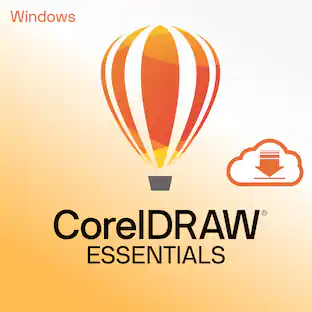
Design for the fun of it with CorelDRAW Essentials —your affordable design toolkit for DIY graphics projects. Our latest version delivers enhanced file import/export support, seamless integration with a variety of document formats, and significant product quality improvements, making it easier to bring your creative visions to life.

Creativity meets productivity in the classroom with CorelDRAW Graphics Suite. This award-winning design solution empowers students to express their creative talent and deliver impressive design assignments for all types of art, design, and CAD-related courses. This powerful collection of professional vector illustration, layout, photo editing, and typography applications is fully loaded with intuitive tools, templates, and training content to advance learning and ensure success. Students can create with confidence right from the start with personalized in-app learning content providing tailored tips, tutorials, and practice projects. Cloud-based design templates offer unlimited options to produce brochures, posters, assignments, and more, giving students an innovative edge in their design journey. Built for Windows, Mac, web, and iPad, a low-cost CorelDRAW Graphics Suite subscription or licensing with maintenance provides incredible ongoing value with instant, guaranteed access to exclusive new features, content and support for the latest technology. Join the thousands of academic institutions around the globe who choose CorelDRAW Graphics Suite for professional-level creativity at an affordable price.
Specs
Customers often buy these together
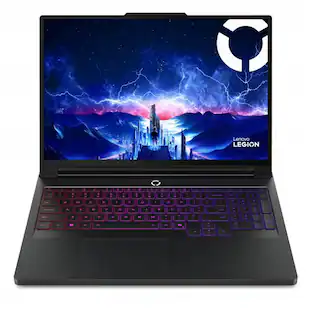
Lenovo Legion Pro 7i 16" WQXGA OLED 240Hz NVIDIA RTX 5080 Intel Core Ultra 9 275HX AI Gaming Laptop 64GB RAM 1TB SSD
$4,399.00The price was $4,449.00





More to consider





Explore tech essentials Sponsored




Discover related products
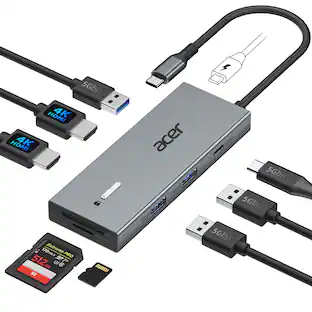
Acer USB C Docking Station With 2 HDMI, 9-IN-1 Docking Hub with USB A&C 3.0, SD/Micro SD, 100W Charging
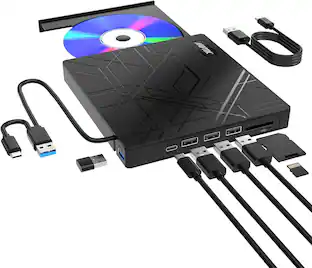
$42.99The price was $47.99AGPtek 8 in 1 External CD/DVD Drive for Laptop, USB 3.0 Ultra Slim Portable CD Burner with 4 USB Ports
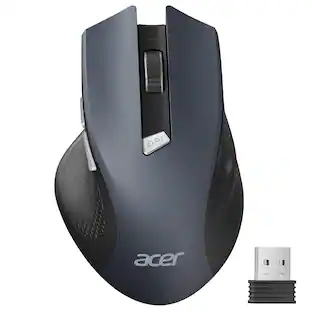
$31.99The price was $32.99Acer Wireless Mouse for Laptop, 2.4GHz Computer Mouse 3 Adjustable DPI Office Cordless USB Mice with USBA Receiver
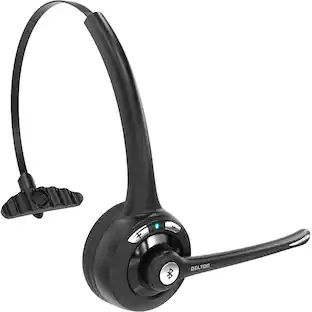
Holiday Deal$10.99The price was $12.99Delton 10X Noise Isolating Bluetooth Over-the-Head Headset for Office & Remote Work (DBTHEAD10X)
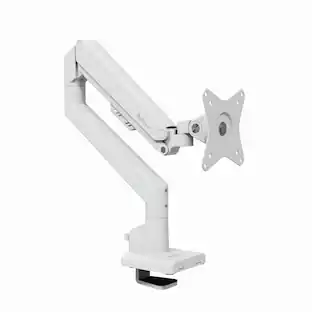
$29.99The price was $32.82Arozzi Alzare Neo Gas Spring Single Monitor Arm – Ergonomic Desk Mount for Gaming & Office –
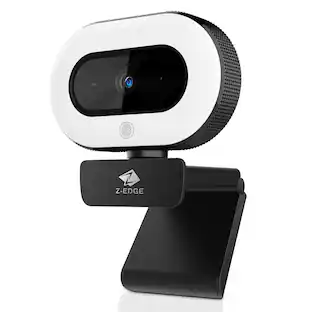
$54.99The price was $69.99Z Z-Edge 2K 2592x1944 Stream Webcam Auto Focus Web Camera for PC/Desktop/Laptop
$24.99The price was $39.99