Rating 4.4 out of 5 stars with 488 reviews
4.4- Ease of use (162)
- Compatibility (42)
- Price (27)
- Size (21)
- Performance (19)
- Data Transfer (4)
- Cable Length (3)
The vast majority of our reviews come from verified purchases. Reviews from customers may include My Best Buy members, employees, and Tech Insider Network members (as tagged). Select reviewers may receive discounted products, promotional considerations or entries into drawings for honest, helpful reviews.
- Rated 5 out of 5 stars
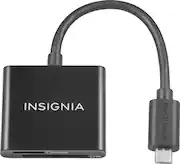
Insignia™ - Micro USB Memory Card Reader - Black
This Insignia™ - Micro USB Memory Card Reader is for use with SD and microSD memory cards. It also allowed easy convenient connectivity to all mobile devices such as cell phones, tablets, and other small mobile devices. The best part is...you can use this card reader without any additional adapters. It's a secure digital, microSD and SD USB memory card reader. I use it with my all my computers, tablets, and phones. It works great when you're on the go. Just plug it in directly into any portable device that uses memory card reader. The reader works as advertised. No issues or problems, it has come in handy when downloading pictures, music and other documents from Micro USB Memory Card to any device. It’s easy to use — plug and play. Used for many smartphones, tablets, cameras, and more. It the perfect solution, at a great price.
Posted by Mobilestar
- Rated 5 out of 5 stars
Works as it should, easy
Typical Insignia product, works as it should, easy to use, faster USB 3.0 connection, which is great. We've had no issue with failure. Short connection cable, but not a big deal, useful for laptops where you don't want a long cord.
Posted by Dinozdiem
- Rated 5 out of 5 stars
Insignia™ - Micro USB Memory Card Reader
I recently purchased a new laptop that did not have an SD Card Reader. I was pleasantly surprised to find the "Insignia™ - Micro USB Memory Card Reader" on sale and purchased it. The reader has a Micro USB connector, which is great for my laptop, however, I have to use a USB-C adapter to connect to my cellphone. I'm am pleased with the performance of the reader and would recommend it to whoever is anticipating buying a reader.
Posted by OldVeteran
- Rated 5 out of 5 stars
Great memory card reader. Works great.
The memory card reader is very affordable, small for easy carry, and easy to use.
Posted by VMin
- Rated 4 out of 5 stars
Awesome device!
I was a bit disappointed at first because I couldn't get anything out of it. I waited a bit and it fired right up. It is perfect for letting me make use of the hundreds of sd cards that I have accumulated over the years. It is convenient and light weight and I can easily pack it away. Awesome device!
Posted by GadgetHead