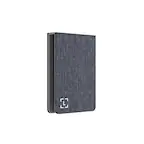
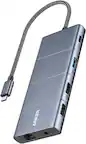
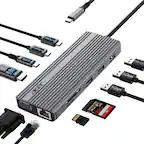
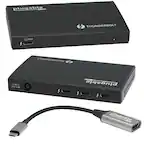
Insignia™ - USB-C to Dual 4K HDMI Adapter - Gray - Open Box - fair
Insignia™ - USB-C to Dual 4K HDMI Adapter - Gray - Open Box - fair
- Works like new.
- May have larger dents or scratches.
- May be missing parts, accessories, or packaging.
FREE shipping to
More Buying Options
Related Item

About This Item
About Open Box
Reviews
Customers are saying
Customers find value in the USB-C to Dual 4K HDMI Adapter's ease of use, HDMI connectivity, compatibility, and quality. Many appreciate its simple setup and high-quality feel, as well as its ability to work with various devices. Some customers have reported issues with display extension, while others have noted no overheating during extended use. The adapter's compact size and support for dual monitors are also appreciated features.
Customer Images
The vast majority of our reviews come from verified purchases. Reviews from customers may include My Best Buy members, employees, and Tech Insider Network members (as tagged). Select reviewers may receive discounted products, promotional considerations or entries into drawings for honest, helpful reviews.
Compare similar products

This USB-C to HDMI adapter converts a USB-C output to dual HDMI inputs, letting you connect your computer to two HDMI-enabled TVs, monitors or projectors. Resolutions up to 4K Ultra HD deliver outstanding presentations or movie showings with crystal clear video quality. The compact design makes it easy to carry, and an attached braided cable gives you flexible placement options.

The USB-C to Dual HDMI Multi-Monitor Adapter acts as an external video card for your MacBook or Windows laptops. It allows you to add two additional displays through your USB-C port, boosting your productivity by giving you more screen space to work from. One of the HDMI ports can output resolutions up to 4K, while the other can output resolutions up to 2048 x 1152. Simply install the driver for the USB-C to Dual HDMI Multi-Monitor Adapter by plugging-in the adapter and then connect your monitors using HDMI cables for a dual-display workstation!

The Insignia USB-A 3.0 to Dual HDMI video adapter can mirror or extend your computer display to any HDMI-enabled monitor, TV, or projector. The HDMI-1 port can transfer up to 4K@30Hz resolution. The HDMI-2 port can transfer up to 1920x 1080P@60Hz. This adapter is compatible with Windows 10 or 11, but can’t support the Mac OS, Chrome OS, Android OS, Linux OS, Game OS. The driver can be installed automatically when computers internet connection is available, and Windows Update is enabled.

Use this Rocketfish 2-Output HDMI Splitter with 4K at 60Hz and HDR Pass-Through to create two outputs with one HDMI signal. It has a plug-and-play interface with no setup necessary, and it has full 4K and HDR compatibility to accommodate the latest visual displays. This Rocketfish HDMI splitter retains the sound and image quality of the original input.
| Pros for Insignia™ - USB-C to Dual 4K HDMI Adapter - Gray | |||
|---|---|---|---|
| Ease of use, HDMI, Compatibility, Connectivity, Quality | Ease of use, HDMI, Connectivity, Overall Performance, Price | Ease of use, HDMI, Performance, Compatibility, Dual Monitors | HDMI, Ease of use, Performance, Picture Quality |
| Cons for Insignia™ - USB-C to Dual 4K HDMI Adapter - Gray | |||
| Heat, Display Extension | Compatibility | Heat, Driver Installation, Cord Length | Price, Signal, Power Consumption |