IOGEAR - 2-Port Full HD KVM Switch with HDMI and USB Connections - Gray
Customers are saying
Customers commend the product for its exceptional ease of use, noting how simple it is to switch between different computers. Users also highlight the device's impressive performance, describing it as smooth and flawless in its operation.
HDCP
Watch any HDCP certified content
Full HD
Full HD video quality up to 1920x1200@60Hz
Connections
One USB keyboard, USB mouse, and HDMI monitor controls two HDMI computers
Plug-n-Play
Plug-n-Play monitor support
Compatibility
Compatible with PC and MAC operating platforms
No Software Drivers Required
Simply connect the cables to the computers
6 Ft Remote Controller Cable
Computer selection via 6 ft remote controller cable that can be placed on your desk for easy reach
Operating Systems
Windows 7, 8.1, 10, 11 Mac OS 9 to 10.x Linux, Unix and other USB supported systems *Additional drivers and support may be needed
No power adapter required
Mac keyboard support
- BrandIOGEARModel NumberGCS32HUProduct Name2-Port Full HD KVM Switch with HDMI and USB ConnectionsColorGraySelector Switch Box TypeKVM SwitchInput(s)2 x HDMI, 1 x USB-A
Reviews
Rating 4.3 out of 5 stars with 21 reviews
- Ease of use (7)
- Performance (4)
The vast majority of our reviews come from verified purchases. Reviews from customers may include My Best Buy members, employees, and Tech Insider Network members (as tagged). Select reviewers may receive discounted products, promotional considerations or entries into drawings for honest, helpful reviews.
Compare similar products

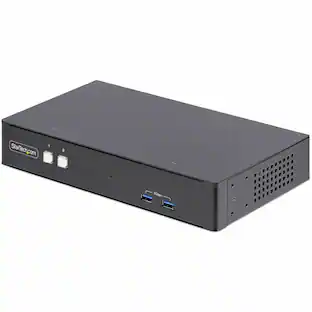
The 2-Port Full HD KVM Switch is plug-and-play. And all the cables you need are included. The KVM shows which computer you are using with a light on the unit (either PC1 or PC2). Toggling between two HDMI computers is as easy as clicking the remote port selector button allowing the user to multitask with two computers. Place the 6 ft remote port cable behind your computer set-up so the selector button can be placed on your desk for easy reach.

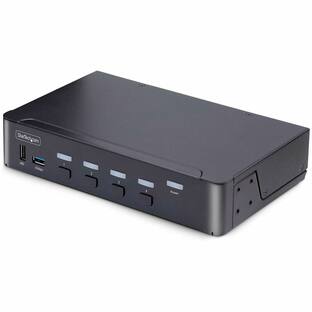
One of the most compact KVMs IOGEAR has to offer, the 2-Port 4K KVM Switch with HDMI Connection, USB and Audio is for users with two computers using one monitor, keyboard and mouse. It is perfect for a home office or small to medium-sized business that need to conserve workspace and streamline desktop setups. The 2-Port 4K KVM Switch is plug-and-play. And all the cables you need are included. Easily switch between two computers with a touch of the remote button on your desktop. The KVM shows which computer you are using with a light on the unit. Additionally, the KVM was designed with a hook design for a space-saving and organized workstation.
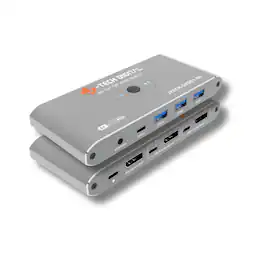
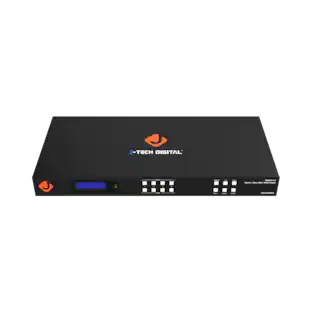
The J-Tech Digital JTECH-DKM21-8K DisplayPort 1.4 KVM Switch allows you to control two computers using one monitor, keyboard and mouse for a clean and efficient workspace. Designed for high performance setups, this 8K KVM switch supports resolutions up to 8K@60Hz and 4K@240Hz with ultra-high 32.4Gbps bandwidth, delivering sharp visuals, smooth performance and lag free transmission for gaming, creative work and professional multitasking. Equipped with four USB 3.0 ports including USB-A and USB-C, it enables fast sharing of peripherals such as keyboards, mice, printers and external storage devices between two systems. With simple button or wired remote switching, the J-Tech Digital JTECH-DKM21-8K provides a reliable DisplayPort KVM solution ideal for dual PC gaming stations, home offices and advanced workstation environments.
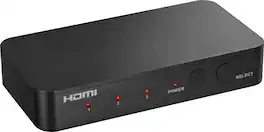
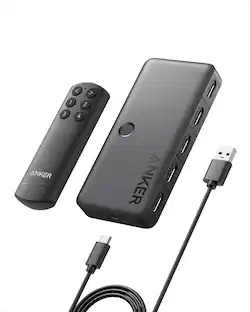
Complete your home theater setup with the Insignia HDMI 3-Port Switch with 4K HDR Inputs. The switch connects three HDMI devices, such as streaming sticks, gaming devices, computers, or Blu-ray players, to a TV screen or projector. A simple press of a button switches between the inputs to send on-screen. The switch features 4K HDR at 60Hz to support high-definition signals up to 18 Gbps, providing a crisp picture on the screen.
| Pros for IOGEAR - 2-Port Full HD KVM Switch with HDMI and USB Connections - Gray | |||
|---|---|---|---|
| Ease of use, Performance | Ease of use | There were no pros for this product— | Overall Performance, Ease of Use, Connectivity, Remote Control, Port Quantity |
Specs
Customers often buy these together
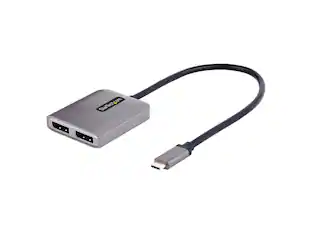 $41.02The price was $46.39
 $12.99The price was $13.99

Customers ultimately bought
Elevate your entertainment Sponsored
 $299.99The price was $399.99
 $199.99The price was $259.99
 $159.99The price was $169.99