Rating 3.5 out of 5 stars with 109 reviews
3.5- Ease of use (9)
- Bluetooth (3)
- Sound Quality (5)
- Fit (4)
Customer Images
The vast majority of our reviews come from verified purchases. Reviews from customers may include My Best Buy members, employees, and Tech Insider Network members (as tagged). Select reviewers may receive discounted products, promotional considerations or entries into drawings for honest, helpful reviews.
- Rated 1 out of 5 stars
Bad product
Pretty bad product. Faild after couple of months use, bought for my dad living overseas he hardly used it but said left ear was stop charging went dead. Sent back to US to calm warranty. Calming warranty was easy they send me a replacement, but the replacement also arrived faulty right ear was not responding at all. Contact them again and they send me a another one but unfortunately this also failed after week of use. Same charging issues!. Filled a credit dispute Best buy should stop selling this product.
Posted by AmilaW
- Rated 4 out of 5 stars
Comfortable. Corrects hearing loss.
Comfortable. Mild to medium hearing loss correction. Road noise and chewing very loud and annoying. Have to take hearing aids out.
This review is from Jabra - Enhance Plus Self-fitting OTC Hearing Aids With iPhone Streaming For Music & Calls - Gold Beige
Posted by DonaldB
- Rated 4 out of 5 stars
Hear Ye Hear Yay!
--- SETUP --- It is recommended that you charge the Enhanced hearing aids from Jabra before first use. While you wait, download the Enhanced Jabra app to run the hearing aid test. --- FEATURES --- The hearing aids with rechargeable battery that lasts up to 12 hours on a single charge, charging case that can extend the hearing aid use to 35 hours, app with personalized hearing aid, bluetooth connectivity for use as headphones. --- PERFORMANCE AND EXPECTATIONS --- I was born deaf on my right ear (15% hearing capability) and my left ear has about 87% hearing. I opened the Jabra Enhance App and it gave me a tutorial on how to pair the hearing aids to my phone. After that, it guided me through a hearing test to calibrate the hearing aid to my needs. In order for this to work properly, you need to find a completely (or close to it) quiet place. Since I live in an apartment complex, the app would detect noise from my neighbors and it would ask me to restart the test. I was finally able to run a successful test and it was a very easy process. It is very similar to when you take tests at a hearing doctor’s office. When you hear a beep, you touch the screen on the phone. The process repeats over and over as it calibrates. By default, the app starts you with the right ear and then proceeds to the left. I would have preferred to choose what ear to start with. The reason for this is that, by forcing me to start with my deaf ear, I didn’t know what the beep might have sounded like. I work as a school teacher. I discovered that from my deaf ear, using the hearing aids, it was much easier to identify where sound was coming from, which is a big help when trying to find students who are talking or tapping and I need to ask them to stop. From my good ear, the ambient sound that the microphone was picking up was too much for me. The iPhone has its own hearing aid settings and allowed me to individually adjust the microphone volume for each hearing aid, but the app insisted that I keep the volume level synced, so I did that. I reserved the hearing aid on my good ear for when the room was absolutely quiet, which during my work week, that looks like during testing days. This was very helpful because students have to whisper when they talk to a teacher. The hearing aids allowed me to listen to their needs much better. After a little over a week’s use, I really enjoy that I don’t have to keep buying batteries, that the rechargeable battery lasts more than a full workday, and that the case can charge your hearing aids while you don’t need them. For me, that was during my planning period, which is when I’m alone for about an hour and a half and don’t need to listen to anyone. The one thing that I noticed after a week is that, though the hearing aids recharge through the magnetic case, the magnet didn’t secure my earbuds correctly. This caused the following problems: When I wanted to hear audio from my phone and not my hearing aids, the hearing aids remained connected via bluetooth even when inside the charging case because they wouldn’t turn off automatically due to the case not detecting the hearing aids. Occasionally, the hearing aids would be put into the case and, due to the charging nodes not aligning properly, they would remain on and nonstop audio feedback would occur. Being partially deaf, sometimes I wouldn’t hear the feedback and it had to be pointed out to me. Other than the case issue, I did enjoy my experience with the hearing aids. After the initial hearing aid test setup, the app nor the phone are necessary for you to use the hearing aids unless you need to make further customization. --- APPROVAL --- Overall, if you already use hearing aids but are tired of switching batteries constantly, this will be a great investment. If you feel like you might need hearing aids but haven’t had a hearing aid test, this is a great way to find out if you need some. You can take the test and decide if you need future advice from a doctor.
This review is from Jabra - Enhance Plus Self-fitting OTC Hearing Aids With iPhone Streaming For Music & Calls - Gold Beige
Posted by Trobadour
- Rated 4 out of 5 stars
Great Hearing aids, but not that compatible
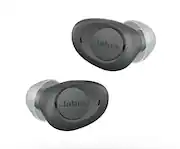
Great hearing aids. Very well packed and small enough size to pass as regular earbuds (they are much smaller than regular music/call earbuds, but not as small as full on hearing aids that are barely visible). One big con is that they are ONLY compatible with iPhones, you must have one or at least a family member, so you can set them up and use them. They are NOT compatible with Android phones (Jabra's website is they are working on that, but as of right now, they are not). This is because the way they are setup, is you have to pair them with your iPhone as a accessibility device, so the iPhone knows and recognizes them as a hearing aid (I guess Android phones don't have that feature yet). Once done, you use Jabra's app to tune then, it guides you very nicely and they are tuned according to your hearing. They have several modes, I guess you can call them tuning/EQ modes, like "surround, adaptive and focus" each with their pros and cons and depend on what you want to focus on more for better listening, like conversation and sounds. Fitting was nice and they feel comfortable, I love that they are smaller than regular buds, but you can still see them, the tan color helps too. They will look like a tiny regular earbud, you can still see them. They include a great charging case and battery life is great. They are not a gimmick and they certainly help me with hearing better, specially with my TV volume, before I had to have my Tv at around 50, now just with a level of 30 I can hear it clearly and I don't bother other peeps on my house hold! These are great if you notice you have mild hearing loss, of course, always consult with a ear doctor, but these can save you tons of money and no need to be going back all the time to the doctor to tune expensive hearing aids!
This review is from Jabra - Enhance Plus Self-fitting OTC Hearing Aids With iPhone Streaming For Music & Calls - Gold Beige
Posted by JamexRZ
- Rated 4 out of 5 stars
Voice and Ambient sound enhancing
I want to start my review by giving you a little backstory / status of my current hearing. I’m 38 years old, I’ve been attending concerts since I was about 15 years old. Even attended some at a younger age. I played guitar in a band in my early 20s for a couple of years. I still play guitar at loud volumes, still attend concerts. And now I work at an airport, around loud airplanes with jet engines. Noise levels easily reach 100+ decibels in my work area. I take a hearing exam every year and I have mild hearing loss, specifically in my left ear. My right ear is still mostly okay. But my left ear has tinnitus and peoples voices sound like chipmunks on my left ear when I hold a phone up to it to talk. Even with headphones. I think I’ve lost the ability to hear certain frequencies in my left ear. Could be the tinnitus that drowns them out. Anyway I can’t hear crickets, toads at night out of my left ear. When I talk to my girlfriend on the phone I have to use my right ear. And when we are watching movies or just having a normal conversation while taking a stroll I have a hard time hearing her sometimes if she is walking to the left of me. Okay, on to my review sorry. I’m going to call these earbuds “hearing enhancers”. I’ve never used any actual prescribed or doctor recommended hearing aids so I can’t speak about the effectiveness in medical grade terms. Since I don’t have severe hearing loss yet. I just need a little boost to my hearing, especially in the left side. I would say that they help a bit, especially when out on a walk, or in an crowded environment. I am able to hear voices a little clearer. I tested it by only using the left earbuds for a while, and I found that using them both at the same time works best even though my hearing is good on my right ear. So whenever I am going to use these, I just put them both in so that they can do their thing in tandem. The Jabra enhance app gives you a hearing test when you first set these up. So it will adjust each earbud accordingly. I thought that was pretty neat. The app also allows you to adjust the volume, and choose three different sound settings. There is “focus”, “adaptive” and surround. I chose adaptive since I will be using them in different scenarios. I keep the volume at the default 7. Are these life changing for me? I’m going to say No. I think I was expecting to miraculously be able to hear the frequencies I can’t hear anymore. Do they help me hear better? Yeah, for the most part. I don’t say Huh, to my friends and relatives as often when using these while having conversations lol. If I had to describe what these sound / work like. I would say it kind of reminds me of the “live hearing” mode that iPhones have when using AirPods. Everything sounds a little digitally artificial to me with these on. And I think that was what let me down. Yes I can hear voices louder and clearer, but I can also hear someone crunching their food a lot louder than I need to lol. I think perhaps I need to tweak some settings in the conversation filter section of the app. I’m still fiddling / trying different modes and settings as I go. I do like that I don’t have to take these out of my ears when I want to listen to a YouTube video or music. Or if I get a phone call. I can just keep these on and do what I gotta do. The earbuds will play music and media while still filtering in ambient noise and voices. Pretty cool! Obviously music isn’t going to sound the best with these, but that’s not what they are intended to do. Would I recommend these to someone with severe hearing loss? I don’t know honestly. I would most definitely ask your doctor. These aren’t perfect, and I’m not sure I can say that they will miraculously return a deaf man’s hearing. But as a person with mild hearing loss in one ear, they work for me. I am happy to be able to have a conversation without asking people to repeat themselves as often. I don’t find myself having to lean down and closer to my girlfriend when talking to her when we are out on a walk or sitting in a restaurant. I don’t keep them in all the time, because i spend a lot of time in loud environments. But when I need to be able to hear a person clearer, i pop these in. I like the style and design of them, people don’t ask me many questions about them especially in public. They look like regular earbuds, only smaller. They are comfortable for long periods of use and battery life is excellent. I haven’t charged the case in about 4 days and the battery is still going.
This review is from Jabra - Enhance Plus Self-fitting OTC Hearing Aids With iPhone Streaming For Music & Calls - Gold Beige
Posted by Ponskippa