Rating 4.7 out of 5 stars with 498 reviews
4.7- Sound Quality (357)
- Screen Size (58)
- Ease of use (37)
- Google Assistant (35)
- Bass (13)
- WiFi Connectivity (6)
Customer Images
The vast majority of our reviews come from verified purchases. Reviews from customers may include My Best Buy members, employees, and Tech Insider Network members (as tagged). Select reviewers may receive discounted products, promotional considerations or entries into drawings for honest, helpful reviews.
- Rated 5 out of 5 stars
LOVE IT! Perfection of JBL sound with Google
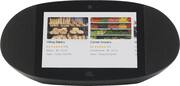
Absolutely love this Google Assistant JBL Speaker with Google Home display. Fantastic sound, larger screen than on A Google Home hub, with superior sound. I use as a bedroom clock, music streaming devise with additional JBL Link 300 paired on other nightstand. Images from Google are on auto rotation during the day with clock in bottom left of screen and when room darkens display changes to a very dim and large digital clock that is perfect for nighttime. I wish JBL would consider a new revised version with more of the Google Home/Assistant capabilities. This is my favorite smart device in my home by a long shot. Considering adding a Link View unit for my kitchen and master bathroom also.
Posted by Coastal
- Rated 5 out of 5 stars
Amazing Sound!
Easy to set up, good size, easy to cast to as well and control the Smart home devices. The sound I'd the star. Pounding and clear. Only drawback would be the screen is slightly faded and attracts a lot of glare. But other than that. This is an absolute power house at $99.
Posted by UltimateThorn
- Rated 5 out of 5 stars
Better mic and responsiveness than Google Hub MAX!
I bought this and I decided to return it for the Google Nest Home Max as it has a better display. I returned that and went back to this and I am glad I did! First the JBL has better sound, by far! 2nd The communication is better than Google! The Mic's are by far way better on the LinkView and the responses super fast. I was in another room and spoke in normal voice and this thing picked it up no problem. The Google Nest Home Max was hit and miss, also I can say "Hey Google" and state my command and JBL was right on it. The Google device I had to say "Hey Google" wait and then ask it something. At 200.00 off Get this!!
Posted by Flea
- Rated 5 out of 5 stars
Mr
Love this unit it has great sound and links to my phone and pictures easily
Posted by captain
- Rated 5 out of 5 stars
What a steal
Got this for 100 well worth every dollar. disply is for the kitchen or kids. Great product
Posted by Tweeks210