Kensington - The Task Master USB-C Dock Station
About this product
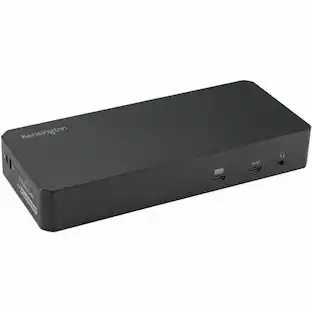
Connect laptops to desktop setups with this Kensington USB-C Nano dock. USB-C connectivity offers easy plug-and-play installation, delivers up to 60W of power and supports data transfer rates up to 5 Gbps. This Kensington USB-C Nano dock connects to monitors via HDMI or DP++ and accommodates keyboards and other accessories with two USB 3.0 ports.
Compatible with most Windows PCs and laptops with USB-C port
Expands connection capabilities of your existing device.
USB-C Alt Mode connection technology
Lets you connect a number of devices to your laptop with only one USB-C cable.
Two USB 3.1 Gen 1 Type-A ports and one USB 3.1 Gen 1 Type-C port
Allow you to connect a number of peripherals.
One HDMI and one DisplayPort video output
You can connect up to two monitors.
Gigabit Ethernet port
Provides a reliable wired networking connection.
Kensington Security Slot
Allows you to easily implement a cable lock to protect your technology investment from potential thieves.
- Number of DisplayPort Outputs (Total)1
Reviews
Rating 3.3 out of 5 stars with 3 reviews
Customer Images
The vast majority of our reviews come from verified purchases. Reviews from customers may include My Best Buy members, employees, and Tech Insider Network members (as tagged). Select reviewers may receive discounted products, promotional considerations or entries into drawings for honest, helpful reviews.
Compare similar products
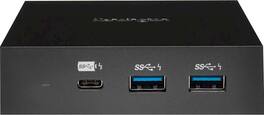
Connect laptops to desktop setups with this Kensington USB-C Nano dock. USB-C connectivity offers easy plug-and-play installation, delivers up to 60W of power and supports data transfer rates up to 5 Gbps. This Kensington USB-C Nano dock connects to monitors via HDMI or DP++ and accommodates keyboards and other accessories with two USB 3.0 ports.
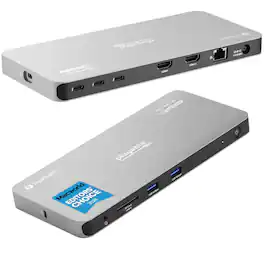
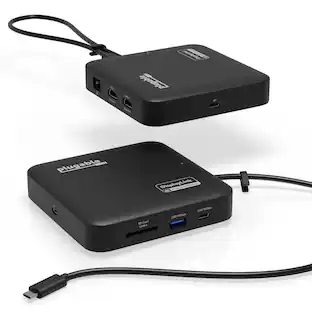
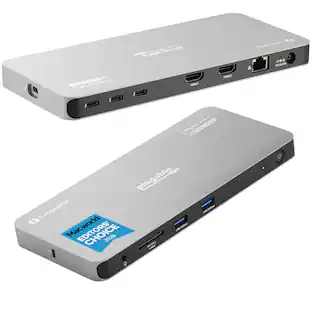
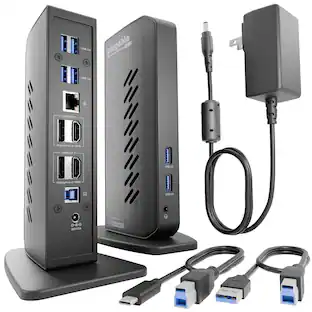
Plugable Thunderbolt 4 Quad Display Docking Station is the ultimate productivity solution for professionals looking to expand their workspace. Supporting up to four displays—two via HDMI and two through Thunderbolt ports—this dock offers flexibility and performance for PC, Mac, and ChromeOS users. With all four displays supporting 4K resolution or a single 8K display, it's perfect for tasks like video editing, design, and multitasking. The dock also features 100W host charging (96W certified), so your laptop stays powered up while you work. Designed for High Performance—And Safe Operation: As a high-performance device, the TBT-6950PD docking station may become warm during use—especially when driving multiple displays or transferring large amounts of data. This is normal and expected. The aluminum enclosure is specifically engineered to act as a heatsink, efficiently dissipating internal heat to maintain safe operating temperatures. While it may feel hot to the touch, the dock is rigorously tested and operates within industry-standard thermal guidelines. For optimal performance, ensure the dock is used in a well-ventilated area and not enclosed or obstructed. Installing and updating the driver software is easy. Follow the step-by-step instructions included with the product, or watch our installation video on the product listing for guidance. Equipped with 3x 40Gbps Thunderbolt ports, the dock provides lightning-fast data transfer, and 15W charging for connected Thunderbolt, USB4, or USB-C devices. Additional features include high-speed USB ports, Gigabit Ethernet, an SD card slot, and audio connectivity, allowing you to consolidate all your peripherals into a single hub. The dock is compatible with Windows 10 and newer, macOS 11+, and ChromeOS 100+, making it versatile for most modern setups. For Mac users, base model M3 Macs can connect to four displays in clamshell mode, while M1 and M2 base models support three extended displays. Additionally, users with M1, M2, M3 M4, M5 Pro/Max, and base M4 and M5 can achieve up to 4 displays. ChromeOS computers will support up to 3x displays. As with all Plugable products, the Quad Display Dock is backed by lifetime support from our North American-based team. Whether you need pre-purchase advice or assistance with setup, Plugable is here to help. Experience seamless connectivity and enhanced productivity with a docking station built to perform.
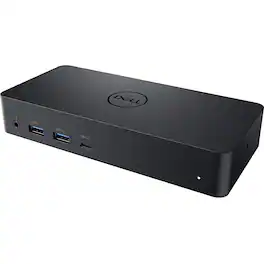
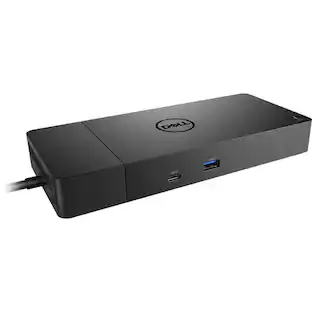
Dell Universal Dock D6000 Conveniently dock any laptop equipped with USB-C or USB3.0 ports with the Dell Universal Dock - D6000. You'll be able to connect up to three 4K displays simultaneously. Enjoy universal compatibility with a wide range of PC brands and operating systems supported by DisplayLink technology. Whether you're at your desk or in a shared workspace, you can easily connect to displays, a mouse, keyboard and audio devices from your compatible system of choice.
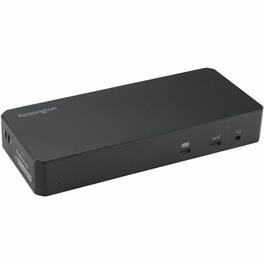
Kensington SD4790-MAC EQ USB-C Triple 4K Docking Station for MacBook - for Earset, Smartwatch, Smartphone, Notebook, Monitor - Charging Capability - 150 W - USB Type C - 3 Displays Supported - 4K @ 60Hz, 4K - 3840 x 2160 - 7 x USB Ports - 4 x USB Type-A Ports - USB Type-A - 2 x USB Type-C Ports - USB Type-C - 1 x RJ-45 Ports - Network (RJ-45) - 3 x HDMI Ports - HDMI - 3 x DisplayPorts - DisplayPort - Black - Wired - Gigabit Ethernet - macOS Big Sur, Windows 10, ChromeOS 114 - 100W - Desktop
Specs
Customers often buy these together
 $149.99The price was $159.99
 $74.99The price was $89.99




More to consider
 $117.99The price was $139.99
Explore tech essentials Sponsored



Discover related products
 $12.99The price was $13.99
 $249.00The price was $275.00
 $189.99The price was $197.23












Keep exploring
 $34.99The price was $49.99
 $17.99The price was $21.99