Rating 4.6 out of 5 stars with 214 reviews
4.6- Navigation (47)
- Sound Quality (41)
- GPS (36)
- Ease of use (35)
- Android Auto (15)
- Screen (5)
Customer Images
The vast majority of our reviews come from verified purchases. Reviews from customers may include My Best Buy members, employees, and Tech Insider Network members (as tagged). Select reviewers may receive discounted products, promotional considerations or entries into drawings for honest, helpful reviews.
- Rated 5 out of 5 stars
Great product, superb installation
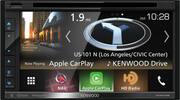
For my middle-age-crisis car I recently purchased a MINI Cooper S Roadster -- a two-seater with all of the style and soul of my previous sports cars. The major problem was the MINI radio -- it was OK but barely. There is no easy way to install an after-market radio in the MINI, which has a unique and tight center stack configuration. I picked a Kenwood DNX575S, whose 6.75-inch screen size just fit in the Roadster. The two techs at the Gainesville GA Best Buy concluded at the end of the install: "Probably the toughest one we've done." But the work was superior, beautifully done and looks great -- radio, back-up camera, steering wheel controls etc. The radio itself is everything I hoped -- all the bells and whistles plus plus. The Garmin nav is user-friendly, the controls for the radio easy. DVD and CD, Apple Play (Android also available), SiriusXM ready.
Posted by JFS3
- Rated 4 out of 5 stars
Great Product
Kenwood DNX575S is a good product and works perfectly for my 2006 Acura MDX. The sound quality is absolutely gorgeous, I mean, the best sound ever. The performance beats my imagination and so are the many features that came with the system. I never regret, for once, ever getting this product. With the new IOS 13 Beta, my Carplay works effortlessly. Before I updated my iPhone to IOS 13 Beta version, my Carplay used to freeze every now and then, but since the update, I have not noticed any issue. I didn't give the last star because I believe there is room for improvement and more so, there should be an update with some improvement on the UI (user interface) of the device.
Posted by Bangee
- Rated 4 out of 5 stars
Great Car Stereo
Had this installed yesterday,and I was very impressed by the acoustics .It brought out the best in my factory speakers, ease of use and vibrant screen display. WELL PLEASED
Posted by nata
- Rated 5 out of 5 stars
Excellent
I upgraded the factory installed radio because I could not bluetooth my android music. The store salesman recommended this one. This one not only does the job, but it does it great. The installer did a fantastic job, you would never know it was not a factory installed unit. If I ever get rid of my car, i am taking this with me.
Posted by modeman
- Rated 5 out of 5 stars
Excellent Receiver, Features, Price
This Kenwood nav/entertainment unit is packed with features - touch screen, supports two mobile phones by bluetooth, has Apple CarPlay, HD AM, FM radio, Garmin navigation with voice alerts, DVD/CD, is Sirius/XM capable with optional tuner ($50 or less), rear camera capable, front camera capable (with optional Kenwood dashcam, provides front collision alerts, delayed departure alerts, lane departure alerts (currently disabled in US), records HD traffic video and audio with time, GPS coordinates, speed, etc., for collision/insurance claims) on microSD card, offers full screen playback of recorded video and audio, connects via iDatalink maestro rr interface to vehicle Canbus data interface, provides tire pressures, door alerts, instrument cluster gauges, on supported vehicles. Did I forget anything? Tremendous value for the price. Easy on the installer, as well. BestBuy installer (Kevin) was a class act, as well. Installation was neat, clean, and unit looks like it came in the dash from the factory. My 12 year old Jeep now has a state of the art nav and entertainment system, plus 2019 new car features. Am I a happy customer? You bet!
Posted by gavilan1