Lenovo - 530 Wireless Mouse - Wireless - Abyss Blue
About this product
No matter where you are, you need a mouse you can rely on: easy to pack, plug in, and use, with simplicity that doesn’t sacrifice quality. A plug-and-play device, it provides cordless convenience with 2.4 GHz wireless technology via nano USB receiver. Receive all-day comfort and maximum ergonomics with this unique and contoured design and durable soft touch finish. The Lenovo 530 Wireless Mouse is simply the mouse-of-choice.
Features
Designed for Smooth, Effortless Control
Lenovo 530 Wireless Mouse (Abyss Blue)
Comfort That Keeps Creativity Moving
|As the winner of the 2025 Red Dot Product Design Award*,the Lenovo Yoga Bluetooth Silent Mouse is built for uninterrupted, noise-free flow.No charging anxiety. No pairing hassles. No distractions - just all-day comfort and smooth
One Tap to Get Started
|The Lenovo Yoga Bluetooth Silent Mouse's tap-to-pair feature (exclusive to Lenovo Aura devices) eliminates tedious setup steps.Just tap and go, with a seamless link that's ready before your first click. Designed for creatives who value efficiency, it ensures your tools keep pace with your workflow.Less time configuring, more time creating.|
Up to 3 Years of Uninterrupted Creativity
|The Lenovo Yoga Bluetooth Silent Mouse keeps your creative flow uninterrupted for up to 3 years. Designed for every Yoga user, it allows you to spend less time managing power and more time bringing ideas to life.|
Express Your Style in Every Detail
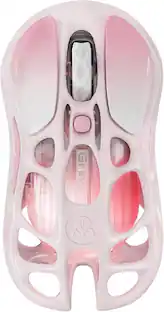
Stay True To Your Style, Every Detail Aligned|Lenovo Yoga Bluetooth Silent Mouse mirrors your Yoga PC's sleek aesthetic in four refined colors: Luna Grey, Seashell, Cosmic Blue, and Tidal Teal. Make sure your creativity thrives in harmony.|Stay True To Your Style, Every Detail Aligned|Lenovo Yoga Bluetooth Silent Mouse mirrors your Yoga PC's sleek aesthetic in four refined colors: Luna Grey, Seashell
Specifications
- Connection TypeWireless
Reviews
This product doesn't have any reviews yet.
Compare similar products

No matter where you are, you need a mouse you can rely on: easy to pack, plug in, and use, with simplicity that doesn’t sacrifice quality. A plug-and-play device, it provides cordless convenience with 2.4 GHz wireless technology via nano USB receiver. Receive all-day comfort and maximum ergonomics with this unique and contoured design and durable soft touch finish. The Lenovo 530 Wireless Mouse is simply the mouse-of-choice.

The Lenovo Yoga Pro Mouse is a stylish mouse in keeping with the Yoga series design, engineered to maximize human performance by giving you more control and eliminating distractions. Expect a masterfully sculpted right-handed form, programmable side buttons and a top button, a dynamic wheel that matches your speed, and an enduring battery life of up to 3 months when charged via USB-C. Testing

The Design Mouse Limited Edition mice mood-boosting designs bring a vibrant new look to your desk setup. Choose between different fun styles. It’s small, comfortable, super responsive, and completely wireless. Get total freedom with 10 m of wireless range, and work worry-free for 12 months on a single pre-installed battery. With smooth, line by line scrolling and precise cursor control for easier navigation at home or at work. The compact design perfectly fits users with smaller hands and kids.

Eliminate the most common computer mouse issue—the cord. With the Best Buy Essentials Wireless Mouse with USB Receiver, you can navigate the web with speed and accuracy. Compatible with both Windows and Mac computers, simply insert the included nano receiver into one of your computer’s USB ports to wirelessly connect the mouse. It has just 3 buttons and an ambidextrous design for simple control. Optical technology detects when the mouse moves to deliver an accurate 1600 DPI response. We also included a AA battery, so you won’t have to worry about keeping the mouse powered until the LED indicator starts to blink. Let us improve your computer navigation by going wireless with this Best Buy-backed mouse.
| Pros for Lenovo - 530 Wireless Mouse - Wireless - Abyss Blue | |||
|---|---|---|---|
| There were no pros for this product— | There were no pros for this product— | Overall Performance | Overall Performance, Ease of use, Price, Size, Wireless |
| Cons for Lenovo - 530 Wireless Mouse - Wireless - Abyss Blue | |||
| There were no cons for this product— | There were no cons for this product— | There were no cons for this product— | Click Sound, Grip |
Specs
Be the first to ask a question.
We’ll try to get your question answered within 24 hours by a Best Buy customer or brand representative.
Customers often buy these together
Computer Keyboards

![esc ~ ! 1 tab caps lock shift ctrl F2 Fl # 2 3 Q W A S Z start opt L F3 $ 4 E D X alt cmd3 ) FS F4 A % 5 6 R T F G V C logi 44 HI & F9 FID FB F7 F6 * ) - - & 0 8 9 7 O P U I Y K L H J > < N M 1 B PM + = { [ : I ; ? I alt cmd D 2 4 300 3 1 F12 . * page I insert home up clear backspace 8 9 + 7 page A pg up end down home } I delete ] / 6 4 5 4 enter 2 3 enter 1 dn Pg end shift = 0 del ins etrl fn opt](https://pisces.bbystatic.com/image2/BestBuy_US/images/products/6539/6539505_sd.jpg;maxHeight=232;maxWidth=233?format=webp)
![Esc F1 F2 F3 F4 F5 F6 F7 F8 F9 F10 F11 F12 Print Screen Scroll Lock Pause Break 1 2 3 4 5 6 7 8 9 0 - + = Backspace Insert Home H Page Up A Num Look 1 I Tab Q W E R T Y U I o P { [ } ] I I Delete End IN Page Down 7 Home 8 9 Pg Up Caps A Lock A S D F G H J K L ; : DE g Enter 4 5 6 Shift Z X C V N M < > ? I Shift 1 End 2 3 Pp Dn Enter Ctrl Alt Alt Ctrl 0 Ins Del](https://pisces.bbystatic.com/image2/BestBuy_US/images/products/a588d446-5678-40ae-86b8-1f15e0026e66.jpg;maxHeight=232;maxWidth=233?format=webp)






Mouse Pads

Insignia™ - Mouse Pad - Black
Our 365-day lowest price$3.99The price was $7.99




Customers ultimately bought
 $18.99The price was $22.99
 $33.00The price was $39.99


Explore tech essentials Sponsored
 $69.99The price was $99.99






Keep exploring

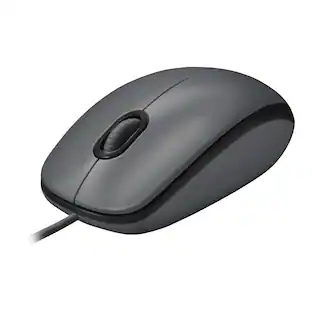
Logitech - B100 Corded Mouse – Wired USB Mouse for Computers and laptops, for Right or Left Hand Use
$13.29The price was $20.06 $139.95The price was $187.95
 $79.95The price was $109.95
 $149.95The price was $215.95