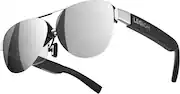
Rating 3.7 out of 5 stars with 11 reviews
3.7- Picture Quality (3)
The vast majority of our reviews come from verified purchases. Reviews from customers may include My Best Buy members, employees, and Tech Insider Network members (as tagged). Select reviewers may receive discounted products, promotional considerations or entries into drawings for honest, helpful reviews.
- Rated 5 out of 5 stars
Excellent AR Glasses
I just had to write a review after getting these and not expecting much. There is not that much info ourt there on them either, so you can't do much research. These things rock for airplane flights. very good image and color saturation. Very Impressive. I am using them on my steam deck, but they also work on anything that can output via USB C. They also work with iphone, ipad, Laptops etc. They do not work on Nintendo Switch. There is no set up, they are just plug and play. One thing I do not like is that the only way to adjust where the display is at in your vision, is to physically bend the nose pieces. Other than that they are great, and if you are on the fence you should get them.
Posted by JustinM
- Rated 4 out of 5 stars
Legion glasses 2
These glasses are cool! They are not like your vr, they have a different field of veiw that takes a little bit to get used to. Picture quality from movies or live sports is amazing. I have watched many movies and baseball games with these now and really enjoy them. The sound is also surprisingly good.
Posted by MichaelR
- Rated 5 out of 5 stars
Great for long trips
Worked great with my Legion Go. A lot of people are saying that the bottom of the screen is cut off. You need to adjust the nose pads to fix this problem.
Posted by chemicalguy89
- Rated 5 out of 5 stars
Nice glasses and not so goofy looking
Good product but super expensive considering it’s not an augmented or similar setup. Great picture though. Far better then all the other one out there like this, I will say that. I’ve tried all of them to date.
Posted by Cal8480
- Rated 2 out of 5 stars
Overpriced circumcised gadget that does look great
Look the best but function just like few generations ago xr glasses. Just a screen in front of you. No dimming, 3d doesnt work and very expensive for what they are.
Posted by Caesar