Rating 4.2 out of 5 stars with 2600 reviews
4.2- Lightweight (310)
- Fast (232)
- Price (111)
- Battery life (80)
- Size (55)
- Screen flickering (209)
- Wifi connectivity (32)
- Keyboard (20)
- Speakers (20)
- Customer service (19)
Customer Images
The vast majority of our reviews come from verified purchases. Reviews from customers may include My Best Buy members, employees, and Tech Insider Network members (as tagged). Select reviewers may receive discounted products, promotional considerations or entries into drawings for honest, helpful reviews.
- Rated 4 out of 5 stars
Small Laptop for Student
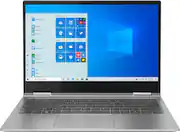
The laptop was purchased for my middle school student who needs a device for school. We selected this laptop for it's small size and good battery life. He does not play any games on it, but for school it is a nice machine. We didn't realize this when purchasing but the screen folds back completely and can be used like a tablet. It has all the basics plus a few extra features.
Posted by TechMom
- Rated 4 out of 5 stars
Great laptop one issue
I love this laptop. It’s lightweight, the touchscreen is awesome, good amount of storage, fast processing. I don’t know much about laptops but as a college student in a health sciences major (probably not the best for computer majors?) it does everything I could ask for. I think its basically supposed to be a knock off of the windows surface laptop. My only issue is that I experienced a hardware malfunctio after only owning it a few weeks. Apparently, the wire connecting the bottom of the laptop to the screen became loose and it was making my screen glitch out a ton. Luckily I was still under warranty and I just took it to bestbuy and they sent it into Lenovo and it was all fixed up in a couple of weeks! If your not computer savvy and prefer windows to apple, I’d reccommend this laptop.
Posted by jill
- Rated 5 out of 5 stars
So far so good
Really wanted a computer that was the right size and able to be flipped into a tablet. I own a Lenovo x1 carbon and decided to stick with lenovo based off the build quality of that laptop and the yoga was no different. This laptop met all my expectations and really satisfied with my purchase at such a great price!
Posted by Check
- Rated 4 out of 5 stars
Great but not perfect.
I bought this on sale in store and used it for about a week. I loved the 2 in 1 feature. The i5 ran FL Studio great but the screen was smaller than what I thought I wanted. The jbl speakers were good but in an awkward spot. However my biggest issue was with WiFi staying connected and the battery life. I got maybe 6 hours at most.
Posted by BlasterProof
- Rated 2 out of 5 stars
Screen goes black
Was so excited to get this item. Price was perfect and so were the options and accessories you can get with it. I got my item and currently stationed overseas. After 10 days the screen started to flicker on and off which was annoying. Followed all the steps from lenovo, did the updates and reinstalled windows. Still flickered. Its not to the point where the it just goes black. Being overseas im not able to have it serviced. So beyond disappointed and its sad that lenovo would continue selling this product as i found so many reviews with people who have the same issue.
Posted by Nibal11