Everything for Back to School — and then someShop now

Skip to contentGo to Product Search
Main Content

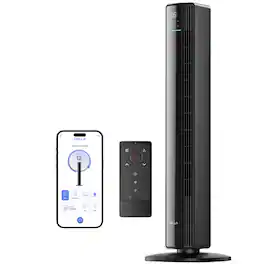
Levoit - Classic 42-Inch Smart Tower Fan - Black

Model: HEAPTFLVSUS0021Y
SKU: 11065038
Sold & shipped by

About this product

Combine cool with convenience with the Levoit Classic 42-Inch Smart Tower Fan. Comfortable and don’t want to get up to change a setting? Change fan settings with the remote control or through the VeSync app. Want to keep your room quiet and peaceful? This fan operates with noise levels as low as 25dB. Looking for customization without having to navigate confusing settings? Equipped with 4 modes and 12 fan speeds, this fan does the work for you—all you have to do is choose your setting.

Features
  • Adjustable Wind Direction

    Adjust the fan angle to reach high or low areas, perfect for homes with kids and pets.

  • Advanced Sleep Mode

    Adjusts the fan speed according to room temperature to optimize your sleep routine.

  • Smart Control

    Control settings in the VeSync app and connect to third-party voice assistants.

  • Whisper-Quiet

    With noise levels as low as 25dB, the fan helps maintain a cool and serene environment.

  • Remote Control

    Adjust fan settings from the couch and store the remote in the built-in storage slot.

  • Removable Back Cover

    Keep your fan clean and fresh with ease.

  • 90° Oscillation

    Wide coverage so everyone can enjoy the breeze.

See all features
Specifications
  • Adjustable Height
    No
    App Compatible
    Yes
    Fan Type
    Tower Fan
    Number of Fan Speeds
    12
    Oscillating Design
    Yes
    Timer
    Yes
Sponsored

Reviews

Rating 4.8 out of 5 stars with 38 reviews

97% would recommend to a friend

Customer Images

The vast majority of our reviews come from verified purchases. Reviews from customers may include My Best Buy members, employees, and Tech Insider Network members (as tagged). Select reviewers may receive discounted products, promotional considerations or entries into drawings for honest, helpful reviews.


  • Rated 5 out of 5 stars

    A Really Good Fan So Far

    I’ve had it for a little over a week, and it runs great. It’s mostly quiet on my settings, and I have no complaints. It’s really nice. It circulates air well around the room and gives off a cool, refreshing breeze—similar to AC, but without that harsh, frigid feel, which I prefer. I like being able to control it from the app, and it just happens to be the same brand as the humidifier I purchased a year ago, so now I have two devices on the app—which is kind of cool. I’m totally geeking out.

    Posted by Mibo49

  • Rated 5 out of 5 stars

    So far so good

    Very quiet. Love that it connects to wifi for app control. Worth the money in my opinion. Have it set on a schedule to auto turn on and off. Dont overspend on a dyson you can get this fan and a purifier from same company for a fraction of the Dyson all in one.

    This review is from Levoit - Classic 42-Inch Smart Tower Fan - Black

    Posted by briand

  • Rated 5 out of 5 stars

    A smart fan for better sleep

    As a fellow light sleeper, I understand how even the slightest noise or temperature change can disrupt sleep. I'm excited to share my experience with the Levoit Classic 42-inch Smart Tower Fan, a product designed with your needs in mind. The versatile fan speeds are great for fine-tuning your desired comfort level. During the day, I have it on Auto mode, which automatically changes the speed based on the room temperature.  It is temperature responsive; its built-in sensor adjusts the fan speed according to room temperature.  For bedtime, I changed (can have this option set at a scheduled time) to Advanced Sleep mode.  The Advance Sleep mode has two options: Default (Suitable for most people, and the initial speed is Medium) and the Kids Mode (Suitable for children and adults and the initial speed is Low).  Since I am a light sleeper, I use the Kids Mode for the Advanced Sleep. I have not had any disruptive sleep since I started using this fan and its features. In addition to not having any disruption, my sleep score has improved.  Note that the fan can function as a white noise at higher fan speeds, such as Turbo mode.  One has the option to turn on or off the function display lights.  The oscillation option provides 90 degrees to enjoy a broader coverage.  There are some adjustment angles for up or down. To keep your fan blowing air fresh, the back cover is removable for easy cleaning and is washable with mild soap and water.  The fan is lightweight, about 9 lbs, and easy to move. The Smart Tower Fan's app control is a game-changer, offering a new level of convenience. With a simple tap, you can view the room temperature on your phone, making it effortless to adjust the fan settings without leaving your bed.  This tower fan can be operated with either Alexa or Google voice commands, giving you the power to control your sleep environment with a simple voice prompt. "Hey Google, turn on the Tower Fan."  The product also comes with a remote control, although with the app, you might find yourself using it less frequently. Compared to ceiling fans, which circulate between the top (warmer) and bottom (colder) air, the tower fan is a superior choice as it primarily blows the colder bottom air. Overall, I am thoroughly pleased with this intelligent tower fan. Its quiet operation, with a very low noise level, is its standout feature, ensuring I can sleep soundly without any disturbances.

    This review is from Levoit - Classic 42-Inch Smart Tower Fan - Black

    Posted by SimpleLiving

  • Rated 5 out of 5 stars

    A really “SMART” tower fan!!!

    I am absolutely impressed with the smart features of this tower fan. Before getting into its smartness, lets discuss its basic functionality as a fan. Assembly ----------------- Assembly is pretty simple. Just snap the base together and place the tower and screw it tight with the plastic nut. As simple as that. The build quality of the base could have been slightly better as the fan wobbles ever so lightly if you shake it but its barely noticeable when kept in its place. Basic functions ------------------------ Speed: Fan offers speed level from 1 to 12. Max speed is plenty fast and throws air up to around 15 feet with ease. Speed level 6 to 9 is sufficient enough for my everyday use. Oscillation: The fan can oscillate to 90 degrees. To put this in perspective, it is more than enough to cover the entire king size bed. Without oscillation, it covers about 40% of the king size bed. There is an option to adjust the vertical angle of the air flow and by adjusting it to slightly upwards, its enough to direct the air to the bed when the fan is placed on the floor. Noise: The fan is surprisingly quiet. Even at the max speed, the noise level of the fan stays surprisingly low. Modes ------------------- This tower fan has 4 modes: Normal Mode: It’s a manual mode and fan runs at the set speed. Turbo Mode: Fan starts at max speed 12. When temperature of the room drops by 5 degrees, it decreases to speed 6 and then automatically adjusts speed per room temp. Auto Mode: Based on room temperature, fan automatically sets the speed. Speed 1 for 70 and below. Speed 2 for 72 and it increases by 1 for every 2 degrees. Advanced Sleep Mode: This is my personal favorite. It runs the fan for 1 hour at the speed we set. After an hour, it automatically reduces the speed based on room temperature and keeps adjusting as the temperature varies. Timer ------------------- Using the remote or the button on the fan, we can set timer to turn the fan off after set number of hours from 1 to 12 hours. Using the app, timer can be set at a minute level. E.g., 1 hour 35 minutes etc. Display and Sound -------------------------------------------- The fan displays the room temperature which is quite handy. But during the night if you think its getting a bit too bright for you to sleep, there is an options to turn the display off. The input sound can also be muted. Remote ---------------------- The fan comes with a remote which has following options: - ON / OFF button - Oscillate button - Increase / Decrease fan speed - Fan Mode button - Sound & Display OFF button - Advanced sleep mode button SMART Functionalities ----------------------------------------- This is absolutely my favorite part of this fan and in my opinion, these options are where the fan stands out from others. It was fairly easy to setup the fan thru the VeSync app. Just scan the barcode and download the app and follow the directions. It has all the remote features in the app and then some more. It offers a variety of cool functionalities that I always wanted to have in a fan. Let me list some of the SMART features. Set a Schedule: There is an option to set a schedule of at what speed the fan should turn ON/OFF or run at what speed at any given specific time. If you feel its getting cold in the night, you can schedule to turn the fan off for 30 minutes before automatically turning it on at the speed you want. Voice Control: Fan allows integration with Alexa / Google Assistant and by doing this, we can voice command the fan to turn on/off or set a speed. Hey Google, turn the fan ON “or” Hey Google, set the fan to 6 (Name the device as “fan” while setup) There are loads of other commands like increase / decrease speed or set fan mode or even enquire what speed the fan is at. Summary ---------------------- I absolutely love this fan. This got the basics right with good air flow at a low noise level. The smart features it offers makes this really cool to use. I definitely recommend this tower fan.

    This review is from Levoit - Classic 42-Inch Smart Tower Fan - Black

    Posted by Kalai

  • Rated 5 out of 5 stars

    Fantastic Fan!

    I live in an area where average summer days are easily over 100 and nights can be mid 80s. The AC cools the downstairs, but struggles with upstairs. That’s where this tower fan comes in. I’ve been using this for a few days now and I can’t say enough positive things about it. Setup is super simple. Just pull it out of the box, connect the base, download the app and you’re essentially ready to go. Literally 5 mins, if that! It’s a modern, stylishly design and super lightweight for easy moving. Syncing with the app was very fast. Scan the QR code on the instructions to download the compatible app. It comes with a nice feeling remote, but I love the fact that I can control this via an app (VeSync). I can see the temp of the room within the app, which allows me to monitor my kids room to make sure it doesn’t get too hot. My kids are young, so I love this extra sense of control. I can also turn it into sleep mode, which reduces the noise it omits. This is perfect so it doesn’t disturb their sleep! We’ve used it a few nights now and my daughter is super happy with it. When in doubt, you can use auto mode. I’ve tried this a few times and it’s pretty efficient so far. I work from home and I moved it into my home office during the day. I turned it into auto mode and it quickly got the room comfortable. I Because it’s so lightweight, I’ll be able to move it between rooms with ease. Pros: Quiet mode Auto turn on/off Sleep mode Remote control 12 fan speeds Oscillation Adjustable wind direction App Alexa capability Lightweight Cons: Nothing so far Overall: I’m super happy with this. It has so many beneficial tech features to monitor the room it’s in. It can auto detect the temp and adjust, connect to Google Home or Alexa, or just use it tragically like a fan with its remote. You’ll be happy with this.

    This review is from Levoit - Classic 42-Inch Smart Tower Fan - Black

    Posted by Danno

Compare similar products

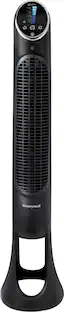
Levoit - Classic 42-Inch Smart Tower Fan - Black
4.8(38)

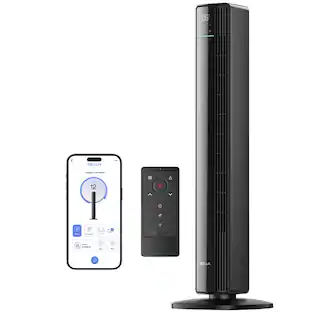
Combine cool with convenience with the Levoit Classic 42-Inch Smart Tower Fan. Comfortable and don’t want to get up to change a setting? Change fan settings with the remote control or through the VeSync app. Want to keep your room quiet and peaceful? This fan operates with noise levels as low as 25dB. Looking for customization without having to navigate confusing settings? Equipped with 4 modes and 12 fan speeds, this fan does the work for you—all you have to do is choose your setting.

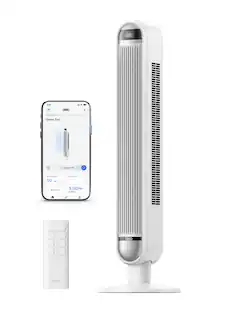
Levoit - Classic 36-Inch Smart Tower Fan - Black
4.8(30)

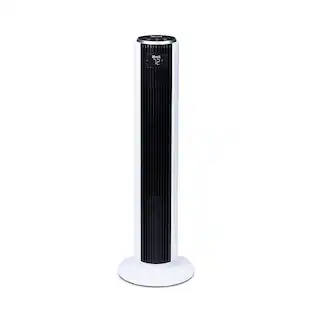
Cooling off is a breeze with the Levoit Classic 36-Inch Smart Tower Fan. Comfortable and don’t want to get up to change a setting? Change fan settings with the remote control or through the VeSync app. Want to keep your room quiet and peaceful? This fan operates with noise levels as low as 25dB. Looking for customization without having to navigate confusing settings? Equipped with 4 modes and 12 fan speeds, this fan does the work for you—all you have to do is choose your preference.
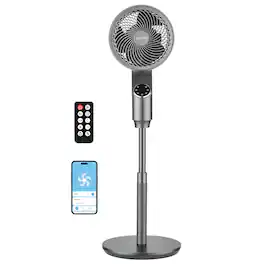
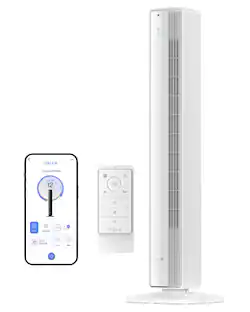
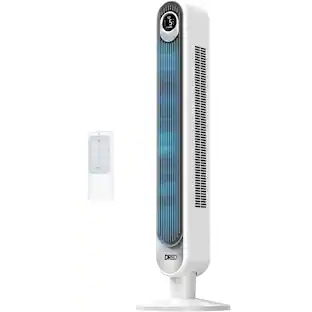
DREO - 27ft/s Velocity Quiet Floor Fan, 90° Oscillation, 8 Speeds, Remote Control, 4 Modes,DC Motor, Nomad - Black

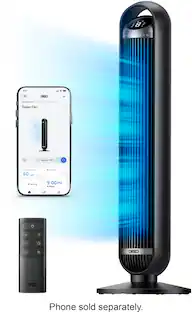
The DREO 36-inch tower fan features TurboSilent technology for ultra-quiet operation (25dB) and a powerful airflow (27ft/s). Control it remotely via the Dreo App or with Alexa/Google Assistant. Customize comfort with 4 modes, 8 speeds, and an 8-hour timer. With 90° oscillation, it offers wide coverage and easy cleaning.

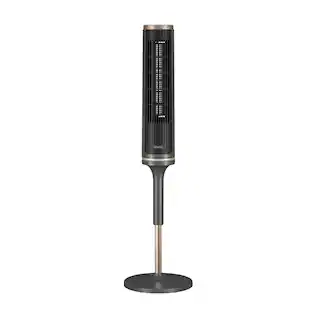
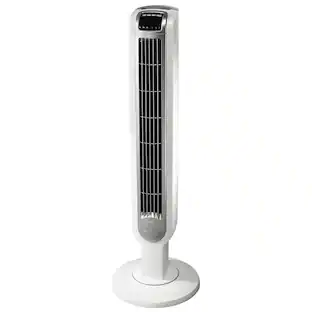
DREO - Tower Fan, 90° Oscillating Standing Fans, 24ft/s Floor fan with 6 Speeds, 4 Modes, Remote Control, 12H Timer, Quiet - White
5.0(2)

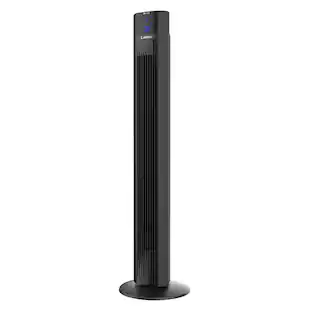
With powerful airflow up to 24ft/s, 6 speed levels, and 4 modes (Sleep, Auto, Natural, Normal), the Dreo tower fan provides customized cooling. The 530mm wheel and 90° oscillation offer wide coverage, while sleep mode ensures quiet comfort. Control the fan from anywhere using the Dreo App or voice commands with Alexa/Google Assistant.

Pros for Levoit - Classic 42-Inch Smart Tower Fan - Black
There were no pros for this productThere were no pros for this productCooling Performance, Noise Level, Ease of Use, Power, DesignThere were no pros for this product

Specs

Questions & Answers
  • Does the screen dim or have the option to turn off at night?

    Yes, you can press and hold the Fan Mode Button for 3 seconds to turn selection sounds and the display on/off. You can also place the unit on Advanced Sleep Mode which will turn off the display.

    Answered by Etekcity-Cosori-Levoit
    Etekcity-Cosori-Levoit response
  • For the Leviot 42 inch tower fan $129. can I toggle the oscillation off for a steady stream of breeze directed to my desk.

    Yes, the oscillation feature can be turned off if needed.

    Answered by Etekcity-Cosori-Levoit
    Etekcity-Cosori-Levoit response
  • Will this fan adjust to room temperature? If the room gets warm this fan will turn up the speeds? And is this quiet.

    Yes, certain fan modes will adjust the settings dependent on the room temperature.

    Answered by Etekcity-Cosori-Levoit
    Etekcity-Cosori-Levoit response
  • This fan is energy saving

    Yes, this tower fan is equipped with a brushless DC motor, which provides energy efficiency and has a rated power of 27W.

    Answered by Etekcity-Cosori-Levoit
    Etekcity-Cosori-Levoit response
  • Does the Levoit tower fan oscillate?

    Yes, the fan oscillates to provide a wider coverage of the breeze.

    This question and answer was generated by AI based on customer and product data.

Ask a question
No content
Sponsored
Ask BlueAI

Finance Options

My Best Buy® Credit Card
Buy Now, Pay Later

Finance Options

My Best Buy® Credit Card
Buy Now, Pay Later