LG - UltraGear 27" IPS QHD 200Hz Gaming Monitor with DisplayHDR 400 (HDMI, DisplayPort) - Black
Customers are saying
Customers are positive about the overall performance, highlighting the clear and sharp display, as well as the impressive refresh rate and resolution quality. Users also appreciate the monitor's size, noting that it fits perfectly into their designated spaces. Customers are negative about the lack of HDMI 2.1 support and the HDR performance, which some find to be only average. Additionally, a few users have expressed concerns regarding the stability of the stand, noting that it can be prone to shaking.
Highlights
Vivid Color, Fast Response, Total Control
The 27" UltraGear QHD (2560 x 1440) IPS gaming monitor delivers vivid VESA DisplayHDR 400, ultra-smooth 200Hz speed, and 1ms response time clarity. G-SYNC compatibility & FreeSync Premium Pro keep gameplay tear-free. The sleek, slim design keep you focused and in control.
QHD Clarity, Bold Colors, and DisplayHDR 400 Brilliance
Bold QHD on a 27” IPS display with up to 99% sRGB color coverage. Experience deeper blacks, vibrant hues, and enhanced contrast with VESA DisplayHDR 400, delivering breathtaking detail and crisp visuals for captivating gaming and entertainment.
Blazing 200Hz Speed. Every Frame Counts.
Enjoy fluid, crystal-clear gameplay with a fast 200Hz native refresh rate. Minimized motion blur keeps every frame sharp, so you can stay locked in on the action.
1ms Response (GtG) for Crisp Gameplay
1ms Response Time (GtG) keeps fast-paced gameplay sharp by minimizing blur and ghosting. Whether you're tracking enemies or racing to the finish, every frame stays crisp—giving you the edge when it matters most.
Ultimate Frame Sync: FreeSync Premium & G-SYNC Compatible
Say goodbye to screen tearing and stutter. With AMD FreeSync Premium and NVIDIA G-SYNC compatibility, this UltraGear monitor delivers ultra-smooth, tear-free visuals, giving you perfect frame sync across PC and next-gen console gaming.
Unlock Your Potential with Advanced Gaming Features
Dynamic Action Sync reduces input lag for real-time response. Black Stabilizer brightens dark scenes to see what's hidden. FPS Counter shows your real-time frame rate. Crosshair enhances precision for deadly accuracy.
Customize Your Screen View with the Switch App
The Switch app transforms your screen into a multitasking hub for work, gaming, and streaming¹. Effortlessly split the screen into up to 6 sections, customize display layouts, or launch video calls with a single hotkey.
Battlestation Upgrade Adjustable to Gamer Specs
Go big with the narrow bezel, 27” IPS screen. UltraGear's sleek, slim design offers adjustable height, tilt, swivel and pivot control for your ideal view.
- Refresh Rate200HzMaximum Resolution2560 x 1440Response Time1 millisecondsPanel TypeIPSSynchronization TechnologyFreeSync Premium (AMD Adaptive Sync)
Reviews
Rating 4.8 out of 5 stars with 366 reviews
- Overall Performance (156)
- Refresh Rate (79)
- Resolution (22)
- Size (15)
- Connectivity (4)
- HDR Performance (4)
- Stand Stability (3)
Customer Images
The vast majority of our reviews come from verified purchases. Reviews from customers may include My Best Buy members, employees, and Tech Insider Network members (as tagged). Select reviewers may receive discounted products, promotional considerations or entries into drawings for honest, helpful reviews.
Compare similar products

Dominate Every Frame with UltraGear. Step up your game with the 27" UltraGear QHD (2560 x 1440) IPS gaming monitor, built for speed, clarity, and precision. VESA DisplayHDR 400 and up to 99% sRGB coverage bring bold color, deeper blacks, and enhanced contrast for breathtaking gameplay visuals. A blazing-fast 200Hz refresh rate and 1ms (GtG) response time keep motion crystal-clear, so every move feels razor sharp. Stay locked in with tear-free performance thanks to AMD FreeSync Premium and NVIDIA G-SYNC compatibility, delivering fluid action across PC and next-gen consoles. Gain the edge with pro-level gaming features like Dynamic Action Sync, Black Stabilizer, FPS Counter, and Crosshair. UltraGear doesn’t stop at performance—it’s built to play nice with your setup. The slim-bezel design maximizes your view, while the height, tilt, swivel, and pivot adjustable stand customizes the screen to your specs. The Switch app transforms your screen into a multitasking hub, letting you split layouts, stream, or launch calls in seconds.
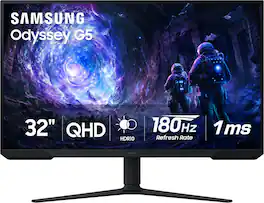
Samsung’s 32” Odyssey G5 G51F Gaming Monitor boasts incredibly detailed, pin-sharp images with QHD resolution (2560x1440). HDR10 provides brighter highlights, improved contrast and color accuracy, making every scene feel more vivid and realistic. 180Hz Refresh Rate and near-instant 1ms Response Time (MPRT) captures all your moves with reduced lag for ultra-smooth gameplay. AMD FreeSync Premium Pro reduces choppiness, screen lag, and image tears. Black Equalizer allows you to adjust dark areas in games, so you can locate opponents hiding in the deepest shadows. Virtual Aim Point allows you to hit your marks with next-level accuracy, giving you the optimal aim with crosshairs on the screen. Auto Source Switch+ instantly switches to a new source signal when connected devices are turned on, without having to use multiple inputs. Ergonomic stand makes it simple to tilt and adjust the monitor for total gaming comfort.

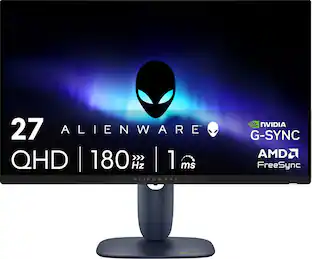
Alienware 27 Gaming Monitor - AW2725DM. Bring your favorite games to life in a 27” QHD gaming monitor featuring a Fast IPS panel, vivid color and smooth visuals.
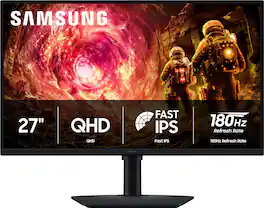
Samsung’s 27" Odyssey G5 QHD Gaming Monitor delivers brilliant visuals for exhilarating gameplay that’s more immersive than ever before. QHD resolution (2560 x 1440), with more than 1.7 times the pixel density of Full HD, boasts incredibly detailed, pin-sharp images. The fast IPS panel, with its 178º viewing angle, provides an engaging gaming experience by consistently delivering crisp, clear hues from various viewpoints. 180Hz Refresh Rate and 1ms response time (GtG) allow ultimate speed for ultra-smooth gaming precision, while G-Sync compatibility syncs the GPU and panel to reduce choppiness, screen lag, and image tearing. Scenes feel more realistic with HDR10, which provides brighter highlights and nuanced shadows for added depth. Black Equalizer improves visibility in the deepest shadows, while Virtual Aim Point increases the accuracy of the player’s aim when the action peaks. Auto Source Switch+ allows instantaneous switching between connected devices without having to flip through multiple inputs. Maintain winning streaks in total comfort with the height-adjustable Ergonomic Stand that easily pivots, tilts, and swivels for the perfect view.
| Pros for LG - UltraGear 27" IPS QHD 200Hz Gaming Monitor with DisplayHDR 400 (HDMI, DisplayPort) - Black | |||
|---|---|---|---|
| Overall Performance, Refresh Rate, Resolution, Size | Overall Performance, Refresh Rate, Resolution, Screen Size | Overall Performance, Refresh Rate, Resolution, Design | Overall Performance, Refresh Rate, Resolution, Design |
| Cons for LG - UltraGear 27" IPS QHD 200Hz Gaming Monitor with DisplayHDR 400 (HDMI, DisplayPort) - Black | |||
| Connectivity, HDR Performance, Stand Stability | Speakers, Connectivity, HDR Performance, Black Levels | Speakers, Connectivity, Brightness | Connectivity, Audio Port, Button Placement, Color Accuracy |
Specs
Can you tell me if this monitor utilizes an external "power brick"? Thank you!
Answered by LG Digital Customer CareThe LG UltraGear™ 27" IPS QHD 200Hz Gaming Monitor with DisplayHDR™ 400 (HDMI, DisplayPort) - Black, Model # 27G610A-B, comes with an AC/DC Adapter, or what you are referring to as "an external power brick"...^Ivan.
Hello. I understand about the display cable it comes with. How does this cable connect to my pc? What kind of port? My pc uses Win7. Is this monitor compatible? Thank you
Answered by LG Digital Customer CareThe included DisplayPort cable connects the DisplayPort input on the LG - UltraGear™ 27" IPS QHD 200Hz Gaming Monitor with DisplayHDR 400 (HDMI, DisplayPort) - Black, Model # 27G610A-B, to a DisplayPort output on a PC/Laptop. The monitor supports Plug and Play, which is a feature that allows you to add a device to your computer without having to reconfigure anything or install any manual drivers. Windows Operating Systems have supported Plug and Play since Windows 95. The monitor has a native QHD (2560 x 1440) resolution, and it also supports an FHD (1920 x 1080) resolution, so if the graphics card in your PC supports those resolutions, and you can make the necessary connections to the monitor's DisplayPort Version 1.4 input or its HDMI Version 2.0, it will work with the monitor...^Ivan.
Where is the power cord located? I can’t find it and it’s not in the box
Answered by LG Digital Customer CareHi there, Marley. Thank you for sharing your experience with us. We understand your inquiry regarding the power accessories for your LG UltraGear Gaming Monitor, model 27G610A-B. We would like to assist you in locating the necessary components to get your monitor powered on and ready for use. Based on the official specifications, this unit utilizes an external power adapter rather than a standard internal power cord. Often, during the unboxing process, smaller accessories like the power adapter and its accompanying cord are tucked into specific recessed compartments within the styrofoam packaging or taped to the underside of the protective inserts to keep them secure during transit. As a troubleshooting step to help you find it, we recommend carefully inspecting all sides of the styrofoam packaging, including the cardboard flaps, as the power adapter is frequently packaged separately from the larger cables like the DisplayPort cable. We want to ensure you have a complete setup to enjoy the 200Hz refresh rate and QHD resolution of your new monitor. https://www.bestbuy.com/product/lg-ultragear-27-ips-qhd-200hz-gaming-monitor-with-displayhdr-400-hdmi-displayport-black/JJ8VPZKQJ3 If you have thoroughly checked all the packaging materials and the power adapter is still not found, please contact us on lgdigitalcare@lg.sprinklrsupport.com, and our team will be more than happy to assist you further with obtaining the necessary parts. —Renzo
Does this monitor support high dynamic range?
Yes, this monitor supports high dynamic range (HDR).
This question and answer was generated by AI based on customer and product data.What is the refresh rate of this gaming monitor?
The gaming monitor has a refresh rate of 200Hz.
This question and answer was generated by AI based on customer and product data.

Customers often buy these together
Computer Keyboards
![esc 1 ! 2 @ 3 # 4 $ 5 % 6 ^ 7 & 8 * 9 ( 0 ) - = | F1 F2 F3 F4 F5 F6 F7 F8 F9 F10 F11 F12 tab Q W E R T Y U I O P [ ] { } | caps A S D F G H J K L : : enter shift Z X C V B N M , < > ? shift ctrl alt fn ctrl](https://pisces.bbystatic.com/image2/BestBuy_US/images/products/bc5bce35-ca08-45da-bcc3-8d6fb215154b.jpg;maxHeight=232;maxWidth=233?format=webp)
Razer - Huntsman Mini 60% Wired Optical Clicky Switch Gaming Keyboard with Chroma RGB Backlighting - Black
$69.00The price was $119.99
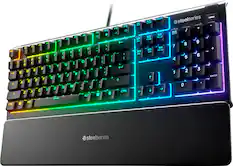
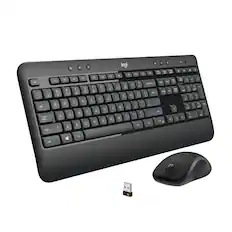
![Sure, here is the corrected and grouped text from the image:
**Top Row:**
- ESC
- F1
- F2
- F3
- F4
- F5
- F6
- F7
- F8
- F9
- F10
- F11
- F12
- PRTSC
- DEL
**Number Row:**
- 1
- 2
- 3
- 4
- 5
- 6
- 7
- 8
- 9
- 0
- -
- =
- \
**Letter Row:**
- TAB
- Q
- W
- E
- R
- T
- Y
- U
- I
- O
- P
- [
- ]
- \
**Letter Row:**
- CAPS
- A
- S
- D
- F
- G
- H
- J
- K
- L
- ;
- '
**Letter Row:**
- SHIFT
- Z
- X
- C
- V
- B
- N
- M
- ,
- .
- /
**Function Row:**
-](https://pisces.bbystatic.com/image2/BestBuy_US/images/products/9be10b95-8e90-4a5d-b85f-cbc6a7d8e8df.png;maxHeight=232;maxWidth=233?format=webp)
![Sure, here is the corrected and grouped text:
```
ESC F1 F2 F3 F4 F5 F6 F7 F8 F9 F10 F11 F12 1 2 3 logitech - - 1 2 # $ 4 % 5 6 & 7 8 9 0 - - back insert home page up num lock clear / . tab Q W E R T Y U I O P { [ } ] / delete end page down 7 home 8 A 9 P9 up + caps lock A S D F G H J K L : ; a enter 4 5 6 shift Z X C V B N M < > ? shift 1 end 2 3 pg dn enter ctrl fn start alt opt alt crnd x alt cmd x fn ctrl alt opt 0 ins del 1 logitech
```](https://pisces.bbystatic.com/image2/BestBuy_US/images/products/5761/5761911_sd.jpg;maxHeight=232;maxWidth=233?format=webp)
![esc ~ ! 1 tab caps lock shift ctrl F2 Fl # 2 3 Q W A S Z start opt L F3 $ 4 E D X alt cmd3 ) FS F4 A % 5 6 R T F G V C logi 44 HI & F9 FID FB F7 F6 * ) - - & 0 8 9 7 O P U I Y K L H J > < N M 1 B PM + = { [ : I ; ? I alt cmd D 2 4 300 3 1 F12 . * page I insert home up clear backspace 8 9 + 7 page A pg up end down home } I delete ] / 6 4 5 4 enter 2 3 enter 1 dn Pg end shift = 0 del ins etrl fn opt](https://pisces.bbystatic.com/image2/BestBuy_US/images/products/6539/6539505_sd.jpg;maxHeight=232;maxWidth=233?format=webp)
Monitor Stands

More recommended items
 Monitor and Video Cables
 Computer Speakers
 Laptop Docking Stations
 Mice
Mice Web Cameras
 Cables and Adapters
 Mouse Pads
 PC Gaming Headsets
More to consider
 Top Deal$199.99The price was $329.99
 Top Deal$169.99The price was $279.99
 Top Deal$149.99The price was $199.99
 Clearance$209.99The price was $349.99
 $183.99The price was $215.99
 $349.99The price was $499.99
 Top Deal$329.99The price was $499.99
 $199.99The price was $299.99

Explore tech essentials Sponsored
 $2,139.99The price was $2,399.99
 $1,534.99The price was $1,924.99
 $129.99The price was $159.99
 $129.99The price was $159.99

Discover related products








Keep exploring
 $899.00The price was $934.64
 $846.51The price was $971.99
 $299.99The price was $329.99
 $204.99The price was $221.49
 $479.99The price was $549.99