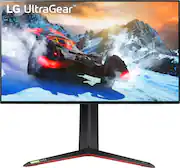
Rating 4.4 out of 5 stars with 346 reviews
4.4- Picture Quality (93)
- Refresh Rate (51)
- HDMI (33)
- Backlight Bleed (20)
- Price (13)
- Monitor Performance (12)
- IPS Glow (8)
- Speakers (7)
Customer Images
The vast majority of our reviews come from verified purchases. Reviews from customers may include My Best Buy members, employees, and Tech Insider Network members (as tagged). Select reviewers may receive discounted products, promotional considerations or entries into drawings for honest, helpful reviews.
- Rated 5 out of 5 stars
Makes the PS5 come to life!
I do not really write a lot of reviews. Let me first start off with what people want to know If you are a PlayStation 5 owner. First off: This monitor is true in its product relevancy. It does deliver 4K@120Hz but that is dependent on a few factors. The game/application must support 120hz. The game/application must be set on performance mode under the Saved Data and Game/App Settings then go to Game Presets and select Performance mode or Resolutions mode and you select Performance mode to unlock 120Hz. Check the picture for reference. Secondly if you are playing a game like Call of Duty Cold War or Fortnite it will let you know that you are using 120Hz. On Fortnite you’ll have to manually enabled it. For Cold War it actually automatically sets it for you but it disables Ray Tracing. On the PlayStation menu screen/home operating system the video information will read as 4K - 60Hz Do not worry about that since that’s just the standard for the PS home layout view settings. But make sure that the RGB is set as RGB (HDR) that will activate HDR fully in the PS home layout. To do this go to HDR on the Video Output Menu on the PS5 Screen and Video. Turn off HDR and wait for a few seconds the screen on the LG will turn black and then turn the HDR back on and it should now say RGB (HDR) When playing the applications or games that support 120Hz usually the Color format will change from RGB to YUV422 (HDR) but you’ll see the 4K@120Hz shown in the picture. Keep in mind that this monitor does have the HandShake problem. It takes quite a few seconds for the signal to change in between from SDR and HDR. Possibility there will be an update for that in the future from LG. Also the VRR is still fairly new for the PS5 so that might come out in a future software update. I do notice smooth gameplay and fluid motions. The gaming monitor does heat up but the fan is pretty quiet. I haven’t heard it get loud at all. You can also check out the monitors internal software for true signal information. You can see that I’m running at 120Hz 4K. I am not a PC gamer so I can’t really say how this monitor works for that genre of gaming. Other than that this monitor is also good watching movies and TV shows. Looks great on Anime that support HDR. I hope this review will help out fellow PlayStation 5 owners.
Posted by Kurosawa
- Rated 4 out of 5 stars
Smooth 4K Gaming
Amazing monitor. 4K is a bit of an overkill on a 27in monitor. I ended getting this Monitor to use with my ps5 and xbox series x since it has 2x 2.1 hdmi ports and they can be utilized to their full potential. Pros- 4K 144hz amazing color accuracy Cons. Pricy and if suffers from light bleeding on the edges. I’ve gotten used to it but if you’re picky about stuff like that this monitor isn’t for you.
Posted by Rudy
- Rated 4 out of 5 stars
First 4k 144hz monitor has now spoiled me
So I was able to scoop this beauty for to upgrade my PC rig with a 3090 and a 1080 165hz but just making my daily check in on best buy and was eyeing this monitor for quite a while. I had a store credit from a previous item no longer working and I was so close to just settling with a QHD 144hz monitor as the weeks roll by, but then I saw the in stock yellow icon and jumped right on it. Got it as a store pick up so my neck of the woods is not the best especially in these tough shortage times. Pro: - 4k & 144hz (able to overclocked to 165hz) but you will need a monster gpu to drive this beast just to be on the safe side of things like overall PC performance - IPS panel means great colors especially in the daytime (can get bright) - 27 inches of 4k is perfect for those with limited desk/room space especially for my case Con: - Stand is nice even though its plastic, but it takes up a desk real estate which then made me sit a little too close. So I had to get a monitor arm to free up desk space as well as made it more ergonomic for my eyes - Not being able to figure out how to use the VideoSync feature as the drivers is buggy from my experience so far (so I gave up messing with that for now as I do not want to break it if I don't have to) So I'll have to minus a star for that, not a deal breaker but it sucks that I can't use that feature. - IPS bleed is there but honestly I barely notice it except for some dark scenes and loading screens in games or some video stream clips Overall yes this monitor is pricey compared to some others, especially now that next gen gaming is out so there will be more options coming in the near future especially more affordable options with minor differences here and there. But, in my opinion as long as there is the big 2 which is 4k resolution and 144 or 120hz grab it as the other features are pretty much icing on the cake.
Posted by SueApple
- Rated 3 out of 5 stars
As Advertised but Fatal Design Flaw
I had really high hopes for this monitor as I wanted the best for my Series X to use in college. My unit had no dead pixels luckily, but it had absolutely abysmal IPS glow which varies depending on the model. I also had terrible backlight bleed, see picture attached. The glow was so bad I returned it and bought the cheaper LG 27UP600 which has minimal glow and no backlight bleed and the LG 24GN600 for a combined price of $600 with tax, $350 less than this monitor with tax. I don’t get the full 4K 120Hz or HDR600, but I have two monitors instead of one and Series X can really only run most games in 120Hz in 1080p or 1440p, so I can utilize the visuals on my 4K monitor and the refresh rate on my 1080p monitor. The route I went feels to me like the better option for now (as well as the one that has more value), as the quality control for these is absolutely terrible for the price you pay. If you have the space and want the full 4K 120Hz, go with LG’s full OLED TV which is actually not much more and offers so much more value. If you don’t plan on playing games with dark scenes, maybe you will like this monitor and won’t notice the glow. Your mileage may vary.
Posted by Parker
- Rated 4 out of 5 stars
First one defective, second one was good
I’m removing 1 star due to receiving a defective monitor the first time. It’s already extremely difficult to find it, only to have the first one defective (an entire column on the screen was static). This should have been caught and wasn’t something minuscule like a few pixels out…it was an entire chunk of the screen was defective. Anyways, somehow, luckily, I was able to order another (so at one point I was out $2k)…and the second one arrived perfectly fine. So it is an amazing monitor if it arrives in working condition. You can turn off the RGB on the back if you wish. That’s what I do. The colors pop. It’s super bright (almost too bright). For PC you’d used the DisplayPort cable (5k cable is included). For consoles you’d use the HDMI 2.1 cable included. No speakers. A bit plastic feeling as far as construction, but overall. I do like it. Don’t overpay for it somewhere else. The price is about right where it’s at for retail. Anything more and you’re definitely overpaying.
Posted by DistortionGG