Deals Worth GiftingShop now

Skip to content
Main Content

Logitech - F310 Gaming Pad for Windows - Black/Blue

Model: 940-000110
SKU: 1260591
$19.99
Special OffersOn related products
Accidental Geek Squad Protection
Availability
Fulfillment Options
Available for pickup today at a nearby store
Order now for pickup on Sun, Dec 7 at
Act fast - Only 2 left at nearby store!
Sold by Best Buy
Specifications
  • Wireless
    No
    Compatible Platform(s)
    Windows
  • Key Specs
    • Wireless: false
    • Compatible Platform(s): Windows
  • General
    • Brand: Logitech
    • Model Number: 940-000110
    • Product Name: F310 Gaming Pad for Windows
    • Color: Black/Blue
  • Features
    • Product Type: Controller
    • Headset Jack: false
    • Analog Joysticks: true
    • Lighting Type: None
    • Illumination: false
  • Connectivity
    • Wireless: false
  • Dimensions
    • Product Height: 3.9 inches (The out of box height of the item. Height is measured as the vertical distance from the bottom of the item to the top as it would be primarily used or placed.)
    • Product Width: 5.6 inches (The out of box width of the item. Width is measured as the horizontal distance from one side of the item to the other as it would be primarily used or placed.)
    • Product Length: 3 inches (The out of box length of the item. Length is measured as the longest dimension of the item.)
    • Product Weight: 0.46 pounds (The out of box weight of the item.)
    • Cord Length: 70.9 inches
  • Compatibility
    • Compatible Platform(s): Windows
  • Warranty
    • Warranty - Parts: 2 years
    • Warranty - Labor: None
  • Other
    • UPC: 097855066954

Sports, action, shooters, you name it. The familiar layout of this gamepad brings console-style control to your PC games. Bring the gaming console experience to your PC with this game controller that features broad game support for wide-ranging use and a floating D-pad for simple operation. The 6' cord allows you to sit back and relax while playing your favorite games.Video Game Hardware and Accessory Buying Guide

  • Broad game support: The Logitech Gamepad F310 works with old standbys to today's biggest titles, so it's easy to set up and use with your favorite games.
  • Profiler software: For your games that do not support gamepads at all, the gamepad can be programmed to perform keyboard and mouse inputs.
  • Familiar layout: With all the same buttons as an Xbox 360 controller you can play easier without having to deal with unfamiliar settings.
  • Floating D-pad: Makes the D-pad more responsive to quick changes in direction.
  • 6-foot cord: Now you can play a comfortable distance from your PC monitor.
  • More sustainable: Certified carbon neutral: the carbon impact of the product and packaging has been reduced to zero.
  • Compatible With: Windows; visit Logitech G website for the complete list of supported game titles for force feedback.
  • Broad game support: The Logitech Gamepad F310 works with old standbys to today's biggest titles, so it's easy to set up and use with your favorite games.
  • Profiler software: For your games that do not support gamepads at all, the gamepad can be programmed to perform keyboard and mouse inputs.
  • Familiar layout: With all the same buttons as an Xbox 360 controller you can play easier without having to deal with unfamiliar settings.
  • Floating D-pad: Makes the D-pad more responsive to quick changes in direction.
  • 6-foot cord: Now you can play a comfortable distance from your PC monitor.
  • More sustainable: Certified carbon neutral: the carbon impact of the product and packaging has been reduced to zero.
  • Compatible With: Windows; visit Logitech G website for the complete list of supported game titles for force feedback.
Whats Included
  • Gaming Pad
  • User documentation
  • Gaming Pad
  • User documentation

Q: What is the length of the cord on this gamepad?

A: This gamepad has a 6-foot cord.

Q: Does this gamepad have a familiar layout?

A: Yes, the Logitech F310 gamepad has the same button layout as an Xbox 360 controller.

Q: Is this gamepad compatible with older games?

A: The Logitech F310 gamepad works with a variety of games, from older titles to the newest releases.

Q: Does the gamepad have analog joysticks?

A: Yes, the gamepad has analog joysticks.

Q: What is the weight of the gamepad?

A: The gamepad weighs 0.46 pounds.

Q: How is the gamepad connected to the PC?

A: This gamepad is connected to the PC with a cable.

Q: Does it work with windows 10?

A: Yes. I recently upgraded to windows 10 and my control still works.

Q: Does this work with steam, do i have to download any drivers? or would it work if i just plug it in?

A: Yes, I use this controller for the games I play on Steam. No drivers to download, it works out of the box. When in the 'Big Picture' mode of Steam, there is also a place to configure the controller. I left it at its defaults and haven't had any issues.

Sponsored

Compare similar products

Logitech - F310 Gaming Pad for Windows - Black/Blue

Sports, action, shooters, you name it. The familiar layout of this gamepad brings console-style control to your PC games. Bring the gaming console experience to your PC with this game controller that features broad game support for wide-ranging use and a floating D-pad for simple operation. The 6' cord allows you to sit back and relax while playing your favorite games.

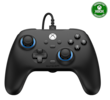
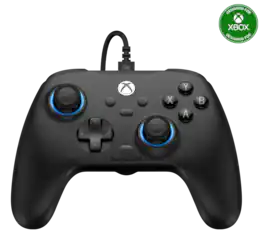
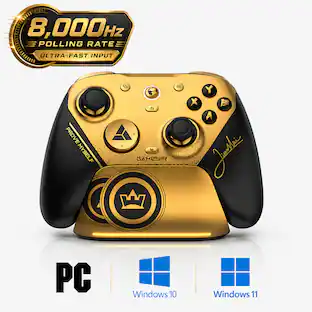
GameSir - T7 Wired Controller/Gamepad Hall Effect Joysticks for Xbox Series X|S, Xbox One, Windows 10/11 & Steam, 3.5mm Audio Jack - Volt Black

Unlock your full gaming potential with the GameSir T7 wireless controller, engineered for precision, durability, and ultimate comfort. Designed for Xbox, PC, and Steam, the T7 brings an advanced gaming experience with cutting-edge technology:

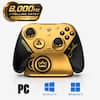
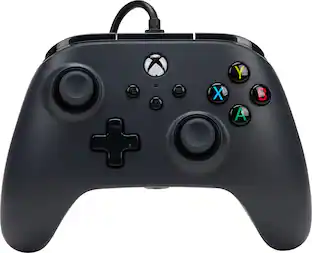
PowerA - OPS v3 Pro Wireless Controller for PC & Cloud Gaming with Lumectra - Black
3.8(39)

Dominate your opponent with the PowerA OPS V3 Pro Wireless Controller for PC and Cloud Gaming with Lumectra. You can choose between low-latency wireless connectivity on PC with a 2.4GHz USB adaptor, wired with the included USB-C cable or enjoy the flexibility of Bluetooth to game on Android, Tablet or Smart TVs. The Battle Dragon Wireless controller is equipped with magnetic Hall effect triggers for a smoother pull and reliable precision than contact-based triggers. Gain an edge with high-performance features like 3-way trigger locks, 4 mappable Advanced Gaming Buttons, and a programmable Turbo Button. This feature packed controller also includes a rechargeable battery and app support to fine-tune your controller settings.

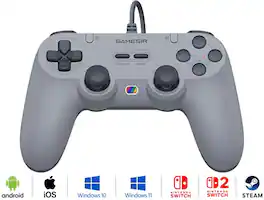
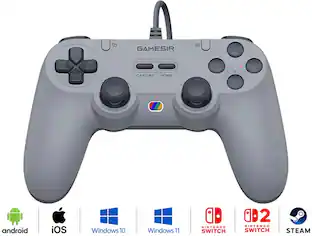
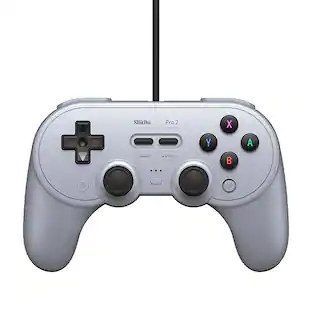
8BitDo - SN30 Pro Wired Controller for Switch and Windows - Gray

Inspired from the classics. A full featured wired retro controller to play 30 years of video games. Extra attention was paid to the most critical characteristics like the d-pad, to make sure it feels exactly like you remember it.

Pros for Logitech - F310 Gaming Pad for Windows - Black/Blue
Ease of use, Compatibility, Feel, Price, USBOverall Performance, Button Quality, Stick Drift, Cable Length, WeightOverall Performance, Button QualityCompatibility, Ease of use, Feel, Quality, Buttons
Cons for Logitech - F310 Gaming Pad for Windows - Black/Blue
Cord Length, Triggers, Size, VibrationController SizeConnectivityCord Length, Left Stick

Specs

Reviews

Customers are saying

Customers highly value the F310 Gaming Pad for its budget-friendly price point, compatibility with various games, plug-and-play functionality, and durable construction. While some users wish it had wireless connectivity, improved ergonomics, a better D-pad, a longer cord, and rumble features, many find it to be a great option for casual gaming and appreciate its affordability.

This summary was generated by AI based on customer reviews.

Customer Images

The vast majority of our reviews come from verified purchases. Reviews from customers may include My Best Buy members, employees, and Tech Insider Network members (as tagged). Select reviewers may receive discounted products, promotional considerations or entries into drawings for honest, helpful reviews.

  • Rated 5 out of 5 stars

    Makes your PC to a Video game

    I highly recommend this. I use this controller in game clients: steam, epic, Uplay, origin, Roblox, and Xbox. Steam game client is like the Amazon of gaming marketplace. You can get all games here. There are many games in the above clients that is compatible to a controller and this gamepad almost supports all of them. You don't need to own a Xbox too. All you have to do is download the Xbox app on your windows PC and use this controller just like you play in your Xbox. If you need a bigger screen, connect your PC to tv then you don't even find a difference whether you are playing on your Xbox or PC. Also the monthly subscription of Xbox is very cheap on PC When you get almost the same content. The "back" button on it corresponds to double square button on Xbox controller. The "start" button on it corresponds to the menu button on Xbox controller. The bonus button mode comes for customization if needed. There is also another bonus button in the name of " Logitech" once pressed,. This will relate to Win + G and open your recording screen on your windows. Finally one more switch button at the reverse. Once again for customization if needed. 300$ Xbox can be achieved with just $15 bucks. And also you get the same comfortable feeling of playing Nintendo, or the switch using a controller. Nothing to lose. Buy two and you can play split screen games. Added "beach buggy" games example.

    Posted by Shravee

  • Rated 5 out of 5 stars

    A Great PC /USB Game Controller

    I have purchased this same game controller several times over the course of the last 10 years or so. I Love the design, as it is set up much like a Playstation 2 controller. It works with most PC Games and Emulators & for the few that Don't support it, you can use a Program called JoyToKey & design your own button configuration to your liking. Since the controller has a Switch Installed to support X or D Input to the PC. Not much bad to say about it, except excessive use wears it out over time, But the price is affordable considering the play Value & enjoyment you will get from this Game Controller. I would Highly recommend this Game Controller, for your Demanding Gaming Needs. As you can see, I have purchased this controller many times & Many Other Logitech devices as well.

    Posted by GeraldA

  • Rated 4 out of 5 stars

    Good controller for a budget

    The back trigger buttons are a little uncomfortable to hold down for very long. The controller has a nice design but it’s not as bright blue as it looks in the pictures, but I don’t care about that so much. The cord length is pretty good but you can get extensions for that. While the buttons are a bit noisy sounding. They work good. Setting it up to work is easy so it wasn’t a problem for me. The controller isn’t very solid feeling but for $20 it’s very reasonable. I did test it with my desktop computer and I didn’t have to do anything special to get it working.

    Posted by JeremyS

No content
Sponsored

Similar products from outside of Best Buy

sponsored

Special Offers

Included with Purchase
Free item with purchase