Logitech - Swytch Laptop Link for Video Conferencing in Meeting Rooms - Purple/Black
About this product
With a single USB connection, Logitech Swytch links a laptop to the room's display, camera, and audio devices. Now, people can use meeting rooms with any video conferencing software, webinar platform, or streaming service.
Features
JOIN ANY MEETING FROM EVERY ROOM
Logitech Swytch is a BYOM (bring your own meeting) laptop link for video conferencing in meeting rooms, linking a Windows® 10 laptop, MacBook®, or Chromebook to the room's AV equipment with a single USB Type A or C connection. Swytch works in rooms with a dedicated computer - including Microsoft Teams Rooms and Zoom Rooms - and in BYOM rooms equipped with a only conference camera and display. Simply connect Swytch to the laptop
Thanks to DisplayLink Plug-and-Display technology, a single connection is all you need for both USB devices and an HDMI display.
Play full-motion video and audio from a laptop on the room's display and speakers, or into online meetings.
Featuring both USB Type A and Type C connectors, Swytch works with Chromebooks and Windows® and Mac® laptops with USB 3.0.
true
Monitor and manage Swytch, MeetUp, Rally, and other meeting room devices remotely with Logitech Sync.
Specifications
- Maximum Number of Displays Supported1Maximum Supported Resolution4K (2160p)Number of DisplayPort Outputs (Total)0Passthrough PowerYes
Reviews
This product doesn't have any reviews yet.
Compare similar products

With a single USB connection, Logitech Swytch links a laptop to the room's display, camera, and audio devices. Now, people can use meeting rooms with any video conferencing software, webinar platform, or streaming service.

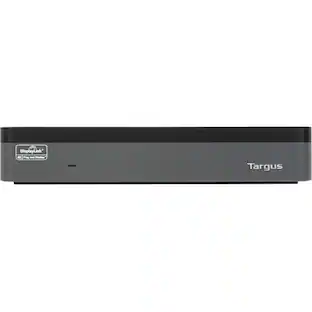
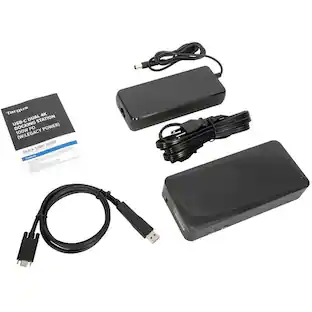
Boost productivity and performance with the world's first enterprise-class universal docking station to deliver four 4K extended displays. Ideal for large enterprises - the Targus USB-C(tm) Universal Quad 4K (QV4K) Docking Station maximizes workstation viewing. Dual DisplayLink® DL-6910 chip technology supports up to four DisplayPort (3840 x 2160 p60) or HDMI (3840 x 2160 p50) displays. The docking station includes numerous additional ports to connect your essential peripherals and Ethernet network. This sleek dock helps reduce clutter by providing the ease of a single connection for key peripherals like your mouse, keyboard, and more. Its rubberized, padded bottom protects against scratches, while the VESA bracket mounting provision allows for use of the Targus VESA Mount Bracket (ACX003GLZ - sold separately) to hold your dock behind your display for even greater space savings. Your most advanced configurations become easy with compatibility across virtually any laptop and most standard peripherals. Charging tips and a USB-C to USB-A adapter included to make this dock compatible with a variety of legacy laptops from major brands. More from the Manufacturer

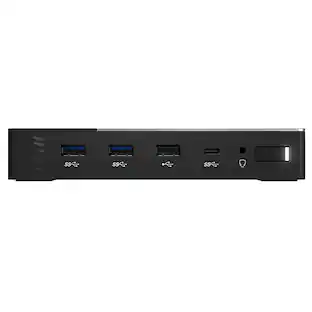
VisionTek VT8100DL Docking Station - for Notebook, Mobile Device, Monitor - Charging Capability - Memory Card Reader - SD, microSD - USB Type C, USB Type A - 4 Displays Supported - 901800

All the connections you need. Instantly turn your Surface into a desktop PC with the next-gen ports in new Surface Dock 2. Simply plug in the Surface Connect cable to charge your device and access external monitors, a keyboard, mouse, and more.
| Pros for Logitech - Swytch Laptop Link for Video Conferencing in Meeting Rooms - Purple/Black | |||
|---|---|---|---|
| There were no pros for this product— | There were no pros for this product— | There were no pros for this product— | Overall Performance, Ease of use, USB-C, Compatibility, Connectivity |
| Cons for Logitech - Swytch Laptop Link for Video Conferencing in Meeting Rooms - Purple/Black | |||
| There were no cons for this product— | There were no cons for this product— | There were no cons for this product— | Price, Size, Refresh Rate, Power |
Specs
Be the first to ask a question.
We’ll try to get your question answered within 24 hours by a Best Buy customer or brand representative.
Customers often buy these together
Creative Labs Creative T60 2.0 Hi-Fi Speakers with USB-C, Bluetooth 5.0, Mic/Headset Ports, 60W Peak Power
$102.49The price was $132.99Creative Labs Creative Pebble Plus 2.1 USB Speakers with Subwoofer, 8W RMS for PC/Laptop
$60.99The price was $77.84







More to consider
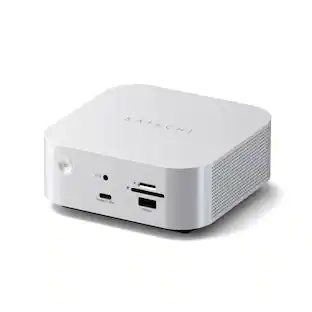
Kensington SD4790P USB-C 4K Dock, 100W Charge, 3 DP/HDMI, Windows/macOS/ChromeOS
$267.99The price was $319.99


Explore tech essentials Sponsored
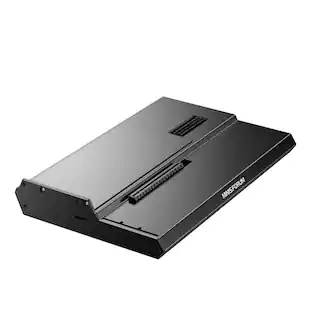
Minisforum DEG1 eGPU Dock, OCuLink 4i PCIe 4.0x4, ATX/SFX PSU, PCIe x16 GPU, Signal Amplifier, Follow Startup
$119.00The price was $139.00


Keep exploring
Minisforum DEG1 eGPU Dock, OCuLink 4i PCIe 4.0x4, ATX/SFX PSU, PCIe x16 GPU, Signal Amplifier, Follow Startup
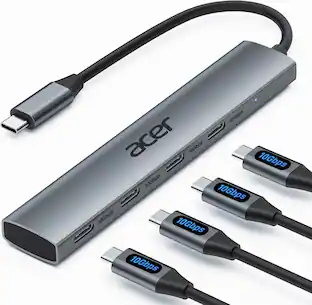
$119.00The price was $139.00Acer USB C Hub, 10Gbps Type C Splitter with 4 USBC 3.2 Port, High Speed Type C Multiport Adapter
$19.99The price was $22.99ACEMAGIC 8-in-1 USB C Hub Multiport Adapter Type C Docking Station Adaptor USB Hub
$8.99The price was $9.99