Rating 4.7 out of 5 stars with 950 reviews
4.7- Overall Performance (190)
- Touch ID (155)
- Battery Life (86)
- Connectivity (72)
- Ease of Use (60)
- Tilt (11)
- Key Travel (9)
- Compatibility (4)
Customer Images
The vast majority of our reviews come from verified purchases. Reviews from customers may include My Best Buy members, employees, and Tech Insider Network members (as tagged). Select reviewers may receive discounted products, promotional considerations or entries into drawings for honest, helpful reviews.
- Rated 5 out of 5 stars
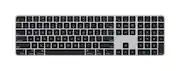
Apple Magic Keyboard with Touch ID /Numeric Keypad
This keyboard is flawless, sleek, and stays powered up with or without USB C to Lightning power connection. Key board keep long lasting charge. I would definitely recommend it. It works with my 2013 iMac and all new models, by adapting the lightning connector as needed. Bluetooth connectivity is awesome. It is the best in its class. Downside is that the keyboard isn’t backlit. Not cheap in price but very well built.
This review is from Magic Keyboard with Numeric Keypad and Touch ID for Mac models with Apple silicon (Lightning Port) - Silver/White
Posted by JoelP
- Rated 3 out of 5 stars
I hate Apple. . .But. . .
If you hate they keyboard you got with your iMac because it doesn't have a 10-key, this will fix that. The quality is typical Apple (terribly overpriced and impossible to repair on your own.). My gripe with Apple's design crew is that to get more battery life, they refuse to backlight their keyboards, so if you want to type in low light situations, forget about it and turn up the lights. This keyboard seems to focus a lot more on form than function. Sure, it looks great in a spartan office (like you see in all the print ads) but unless it is sitting firmly on a flat desktop typing can be like juggling peeled grapes with wet hands. Speaking of touch, I admit I'm an old school typist. Grew up on a Royal manual, then IBM Ball Selectric, then to IBM style computer keyboards. I am having a hard time typing accurately by touch with Apple's idea of what pressing a key should feel and sound like. I also hate typing on my phone. But I digress. Overall the build get's an A- (Solid chassis but no backlight, and I don't like the "feel" of the keys) The VALUE get's a D (If you knew what it actually costs Apple to build their products, you would find yourself in a moral dilemma. They are kind of the only show in town, just the way they built their tech empire.) No body reads these reviews, so if you made it this far I hope I entertained you. p/s: I stand by my review.
Posted by Daiv
- Rated 5 out of 5 stars
The best keyboard I’ve ever bought money wellspent
I personally love this keyboard is the best thing I have ever bought. Fingerprint scan works very well. It was kind of difficult to figure out, but I got it all. You really have to do is put your fingerprint in and then press the fingerprint button to lock your computer and then, you’ll be able to put your fingerprint again to scan it to unlock your computer. I love this Best thing I ever bought.
- Rated 4 out of 5 stars
Almost Perfect: Major Flaw Included
In terms of Feel, it does take some getting use to because the keyboard lies nearly flat instead of having a more pronounced angle. After about a week, I was rolling. On certain surfaces, it will slide on the table while typing. I learned how to adjust my typing posture. No lazy hands or fingers allowed. I thought the Touch ID would be a game-changer with my Mac Mini. It's really not. I still have to type in my Password when booting up. And I can just as easily hit "Enter" to confirm my Passwords instead of using my fingerprint. The major Con to this keyboard is the absence of backlit keys. I don't know how a $200 keyboard wouldn't come standard with backlit keys, but this one doesn't have them. A huge disappointment because keyboards nearly half the price come with backlit keys. What saves this keyboard is the Design and Feel of typing. I haven't found a great comparable Brand to this one including options from Logitech. Close, but not enough. And yes, keep your Lightning Cable because you'll need it to Charge this keyboard. Would I recommend this keyboard? Even with the best typing experience I've ever had, I cannot. At this price point with no backlit keys is a deal breaker. A mistake that a Brand like Apple should not make.
This review is from Magic Keyboard with Numeric Keypad and Touch ID for Mac models with Apple silicon (Lightning Port) - Silver/White
Posted by EricJ
- Rated 5 out of 5 stars
Love the Touch ID, it's easy to set up
The Magic keyboard with Touch ID is great, what else can you expect from Apple. Love the Touch ID, it's easy to set up and easy to use. Personally, I find it a little bit uncomfortable. I feel like it's too wide, but that's just a personal preference. The keyboard is excellent.
This review is from Magic Keyboard with Numeric Keypad and Touch ID for Mac models with Apple silicon (Lightning Port) - Silver/White