Manhattan - Transparent 4-Port USB 3.0 USB-C/USB-A Combo Hub
Reviews coming soon
More options from Marketplace sellers

About This Item
- Key Specs
- Cable Length: 0.58 feet
- Connector Type (End 1): USB-A
- Connector Type (End 2): USB-A, USB-C
- General
- Brand: Manhattan
- Model Number: 181020
- Product Name: Transparent 4-Port USB 3.0 USB-C/USB-A Combo Hub
- Connectivity
- Cable Type: USB
- Cable Length: 0.58 feet
- Product Type: Cable
- Connector Type (End 1): USB-A
- Connector Type (End 2): USB-A, USB-C
- Other
- UPC: 766623181020
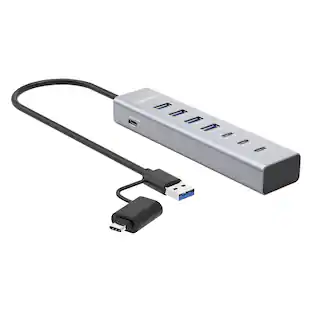
The Manhattan® Transparent 4-Port USB 3.0 Type-C/Type-A Combo Hub is a stylish, versatile solution that expands a single USB port into 4 USB-A ports, allowing you to connect devices like a keyboard, mouse, and flash drive with transfer speeds up to 5 Gbps for external storage and more. It features a dual USB-A and USB-C® connection for broad compatibility with PCs, laptops, tablets, MacBooks, Chromebooks, and Surface® devices. The hub also supplies up to 5 volts/0.9 amps of power, enabling phone and tablet charging. With a transparent top, compact size, and bus power, it's highly portable and doesn't require an additional power supply, making it ideal for travel. The detachable, flexible connection cable doubles as a sync/charging cable when needed. This plug-and-play hub is compatible with multiple operating systems - Windows®, macOS®, Linux®, and Chrome OS™ - making installation quick and easy.
- Expanded Connectivity: Adds four USB-A ports to connect mice, keyboards, flash drives, and charge mobile devices with ease
- SuperSpeed Transfer: USB 3.2 Gen 1 ports deliver up to 5 Gbps data transfer speeds and 4.5 W charging power
- Dual USB-C/USB-A Cable: Detachable 7-in. USB-A to USB-C cable doubles as a sync/charging cable or convenient carry loop
- Broad Compatibility: Works with Windows, macOS, Linux, and Chrome OS on desktops, laptops, MacBooks, Chromebooks, and Surface devices
- Plug-and-Play: No drivers or configuration needed for quick and easy installation
Whats Included
- 4-Port USB 3.2 Gen 1 Type-C / Type-A Combo Hub, Instructions
Product Manuals
Reviews
This product doesn't have any reviews yet.
Compare similar products

The Manhattan® Transparent 4-Port USB 3.0 Type-C/Type-A Combo Hub is a stylish, versatile solution that expands a single USB port into 4 USB-A ports, allowing you to connect devices like a keyboard, mouse, and flash drive with transfer speeds up to 5 Gbps for external storage and more. It features a dual USB-A and USB-C® connection for broad compatibility with PCs, laptops, tablets, MacBooks, Chromebooks, and Surface® devices. The hub also supplies up to 5 volts/0.9 amps of power, enabling phone and tablet charging. With a transparent top, compact size, and bus power, it's highly portable and doesn't require an additional power supply, making it ideal for travel. The detachable, flexible connection cable doubles as a sync/charging cable when needed. This plug-and-play hub is compatible with multiple operating systems - Windows®, macOS®, Linux®, and Chrome OS™ - making installation quick and easy.
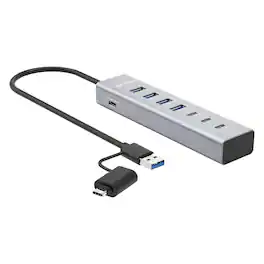
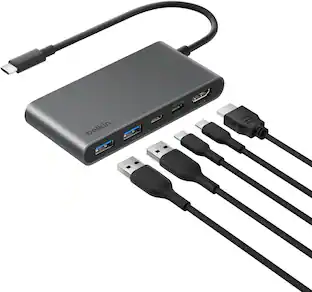
The Manhattan® 7-Port USB-C® 3.0/USB-A Combo Hub expands 1 of your device's USB ports into 4 USB-A ports and 3 USB-C® ports, so you can easily connect a keyboard, mouse, flash drive, or phone. Devices that support the USB 3.2 Gen 1 spec (formerly known as USB 3.0) can reach transfer speeds up to 5 Gbps for external storage, printing and more. The hub's SuperSpeed ports are backward compatible with USB versions 2.0 or even 1.1. You can also charge your phone or tablet since the hub supplies up to 7.5 watts of power. This hub has a built-in USB-C® cable with an attached USB-A adapter plug for enhanced connectivity to more devices. Thanks to this versatile combination, you can connect it to a maximum variety of USB host devices. Pick the connector that works with your PC, laptop, tablet, MacBook®, Chromebook™, and Surface® and plug right in. The USB hub's durable, travel-ready case is built with portability in mind. Plus there is no need to carry an extra power supply, everything you need is conveniently integrated. If you find that you need more power for your devices, the hub includes a USB-C® input to connect a 20-watt power adapter (included). This universal USB 3.0 hub will work with a wide range of computers. It installs automatically when you connect it to your laptop or desktop. It also works with a range of operating systems such as Windows®, macOS®, Linux® and Chrome OS™.

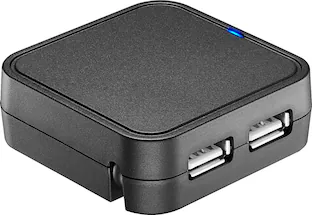
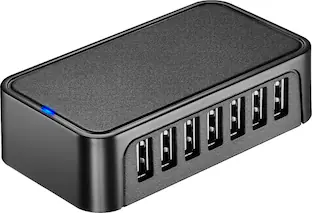
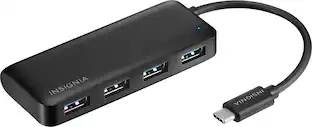
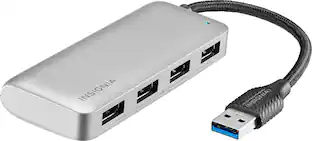
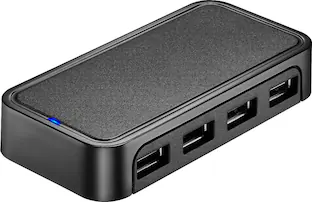
The Insignia 4-Port USB 3.0 Hub lets you connect up to four USB devices with the use of a single USB 3.0 port. An LED indicator light lets you know when the hub has been plugged in and is ready for your keyboard, mouse, or other USB accessories. A 5 V, 900 mA total output delivers quick and consistent power, while a data transfer speed of up to 5 Gbps performs quickly so you can get more done. Its compact design makes this hub easy to store and carry.
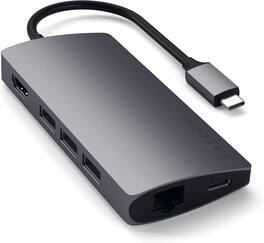
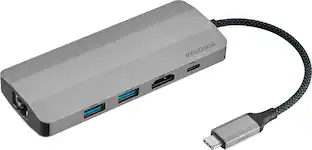
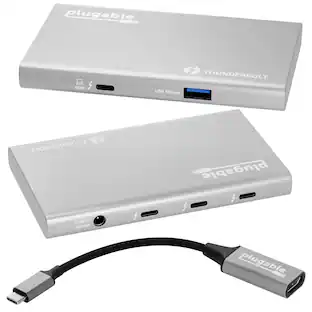
Enjoy fast data transfer and charging speeds with this Satechi Type-C multi-port adapter. The aluminum casing on the connector helps protect circuit boards, increasing durability, while the Gigabit Ethernet port offers seamless connection to wired networks. This Satechi Type-C multi-port adapter has a microSD slot and USB 3.0, USB Type-C and HDMI ports for connecting a wide array of devices.
| Pros for Manhattan - Transparent 4-Port USB 3.0 USB-C/USB-A Combo Hub | |||
|---|---|---|---|
| There were no pros for this product— | There were no pros for this product— | Ease of use, Overall Performance, USB Ports, Connectivity, Size | Ease of use, HDMI |
| Cons for Manhattan - Transparent 4-Port USB 3.0 USB-C/USB-A Combo Hub | |||
| There were no cons for this product— | There were no cons for this product— | Cable Length, Power | There were no cons for this product— |
Specs
Customers often buy these together
 $33.59The price was $34.73




Customers ultimately bought
Explore tech essentials Sponsored
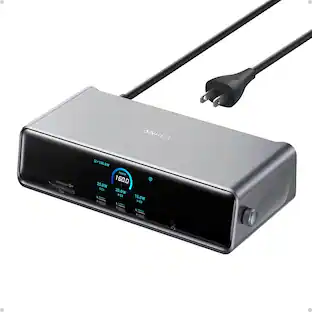
Anker - Prime Docking Station (DL7400), 14-Port Triple Display with DisplayLink, 140W Max USB-C Port
$227.99The price was $299.99


Keep exploring
 $11.99The price was $12.99
 $22.16The price was $53.49